Introduction
Vehicle Fleet Maintenance Calendar in Excel is a comprehensive and easy-to-use template designed to help fleet managers efficiently schedule and track maintenance activities. This ready-to-use calendar provides multiple views and functionalities that simplify planning, event management, and timely maintenance of your vehicle fleet.
Key Features of Vehicle Fleet Maintenance Calendar in Excel
- Five dedicated worksheets: Home, Annual View, Monthly View, Daily View, and Events database.
- Multiple calendar views including annual, monthly, and daily perspectives for comprehensive tracking.
- Control panels to customize year, starting month, week start day, and themes.
- Event highlighting and easy event management with add, update, delete, and view features.
- User-friendly navigation with buttons to switch between different calendar views.
Dashboard Pages Explanation
1. Home Sheet Tab
This acts as the index page for quick navigation. Four buttons are available to jump to different views:
- Annual View button
- Monthly View button
- Daily View button
- Events button
 Vehicle Fleet Maintenance Calendar in Excel
Click to Buy Vehicle Fleet Maintenance Calendar in Excel
2. Annual View Sheet Tab
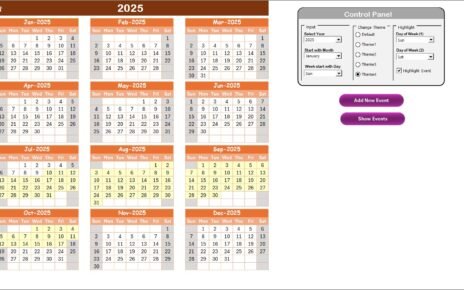
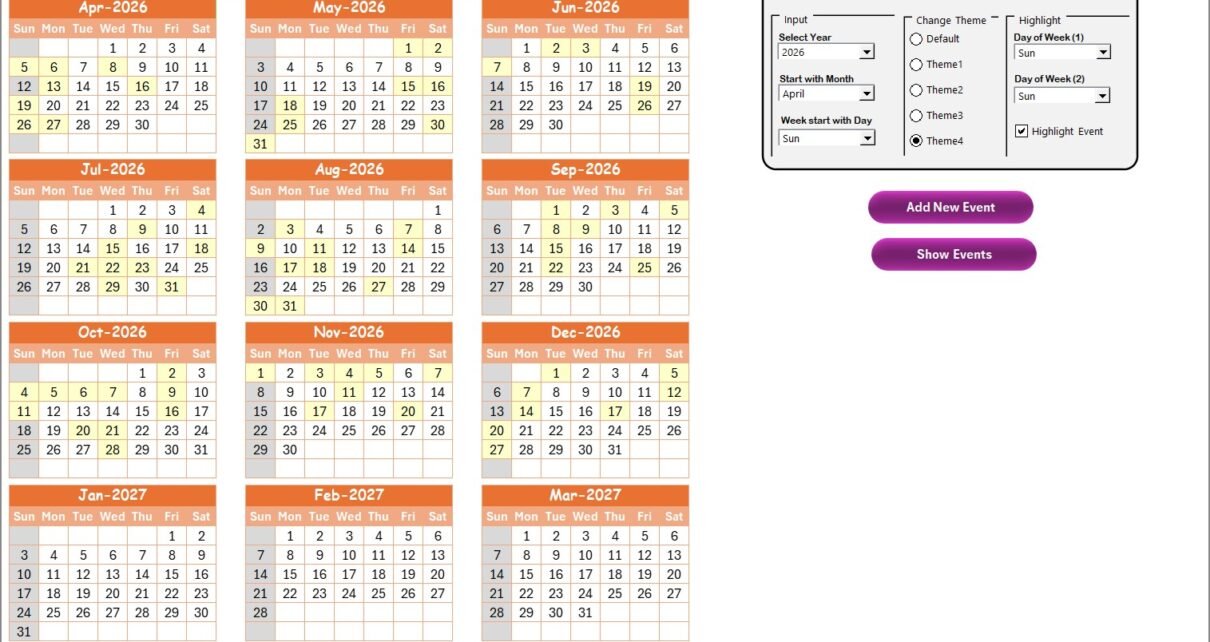
This sheet displays 12 months of calendar views and includes a control panel and two functional buttons:
- Control Panel Groups:
- Input Group: Select year, starting month, and week start day to customize the calendar.
- Change Theme Group: Choose from five color themes that apply across the workbook.
- Highlight Group: Pick two days of the week to highlight (e.g., Sat & Sun) and option to highlight events in yellow.
- Add New Event button: Click after selecting a date to add new maintenance events using a form.
- Show Event button: View list of events for the selected date.
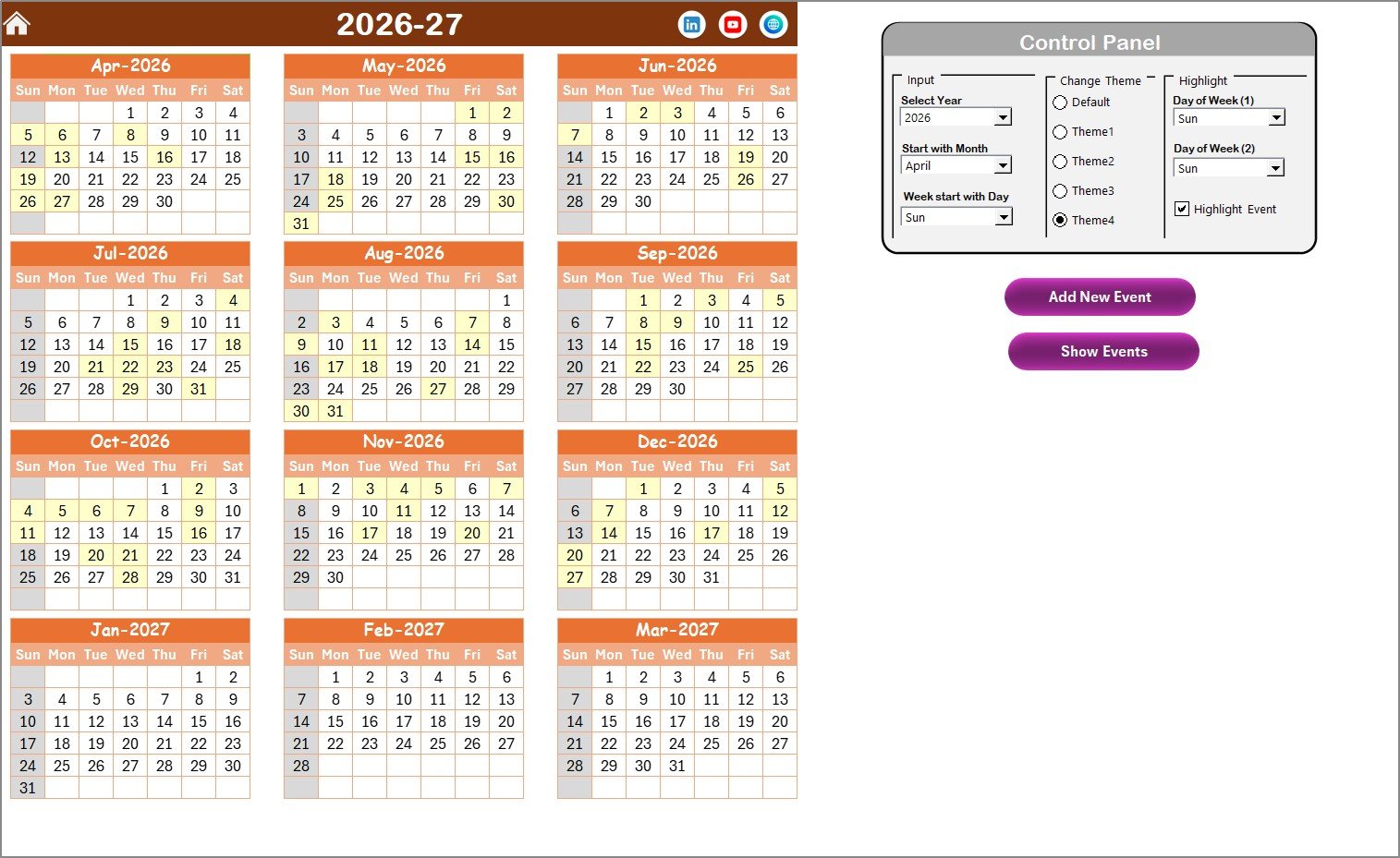 Annual View Sheet tab
Click to Buy Vehicle Fleet Maintenance Calendar in Excel
3. Monthly View Sheet Tab
This sheet features a calendar for a selected month and year. It displays maintenance events where more than one event on a day is indicated as ‘more than 1…’
- Add New Event button: Add events by selecting a date and filling the event form.
- Show Event button: View events scheduled on the selected date.
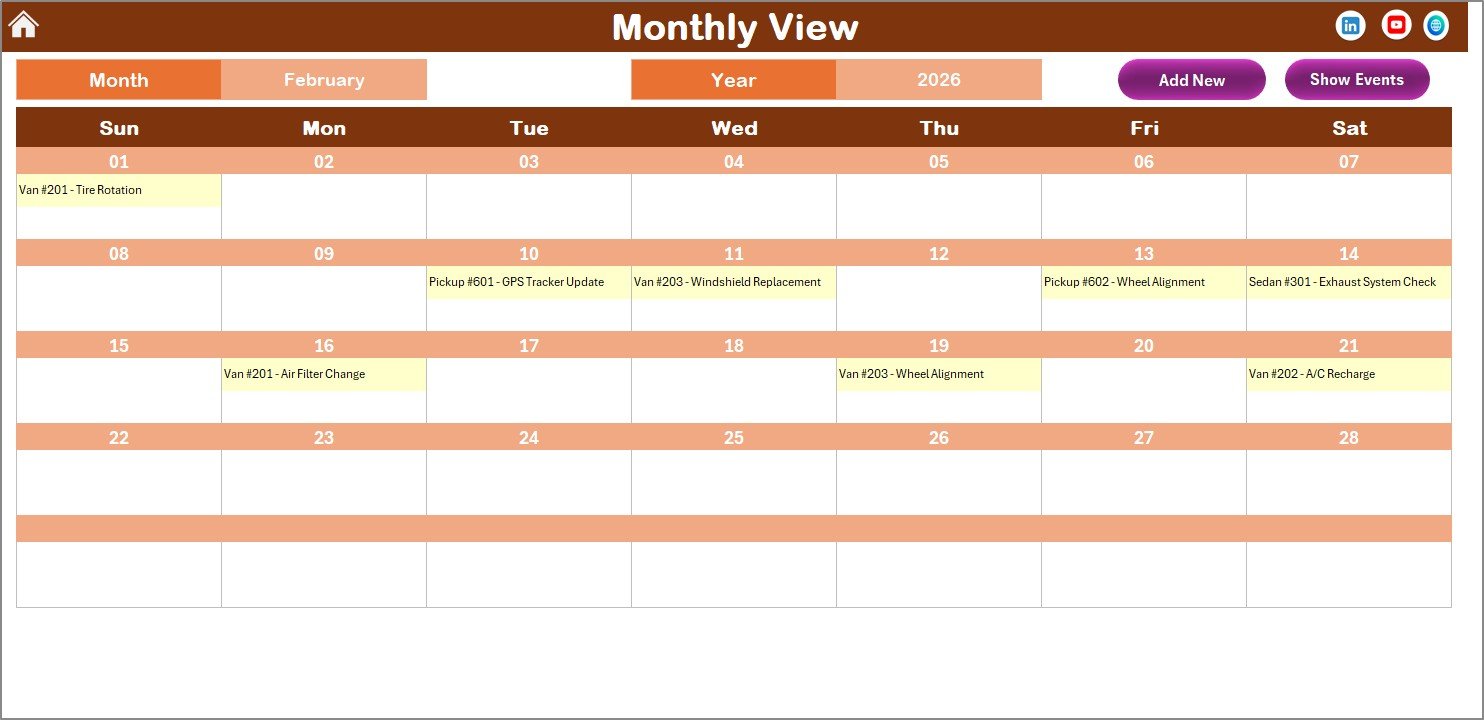 Monthly View Sheet tab
4. Daily View Sheet Tab
This view lists detailed events within a selected date range. Use calendar icons to pick start and end dates, then click Refresh to display updated records.
- Add New Event button: Easily add new event details for the chosen date range.
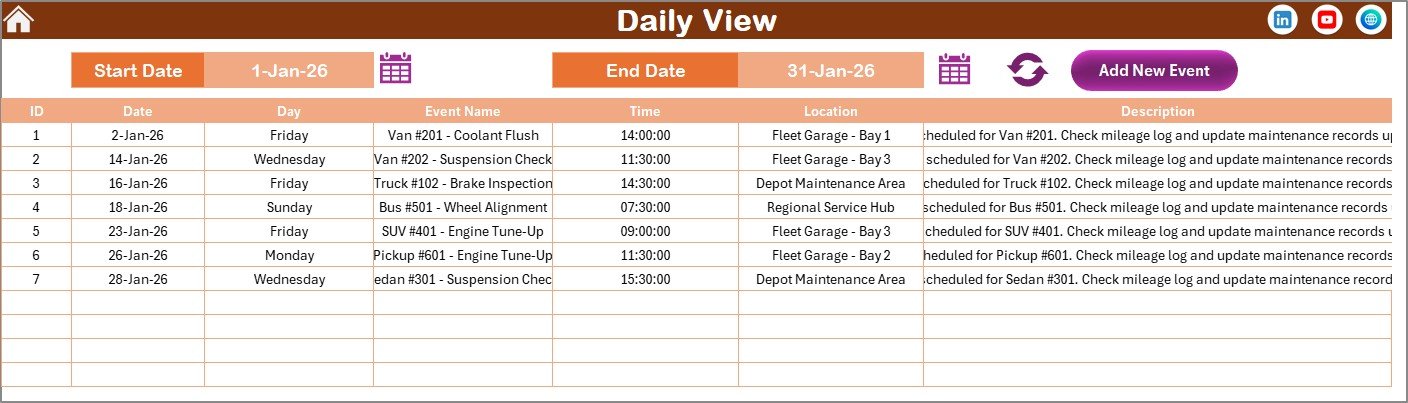 Daily View Sheet tab
Click to Buy Vehicle Fleet Maintenance Calendar in Excel
5. Events Sheet Tab
This database contains all event details with the following fields:
- ID: Auto-generated number
- Date: Date of the event
- Day: Day name (Sunday, Monday, etc.)
- Event Name: Name of the event
- Time: Event time
- Location: Event location
- Description: Short description of the event
The sheet includes three key buttons:
- Add New Record: Open form to add event details.
- Update Existing Record: Select ID to edit and update event details.
- Delete Record: Remove event by selecting its ID.
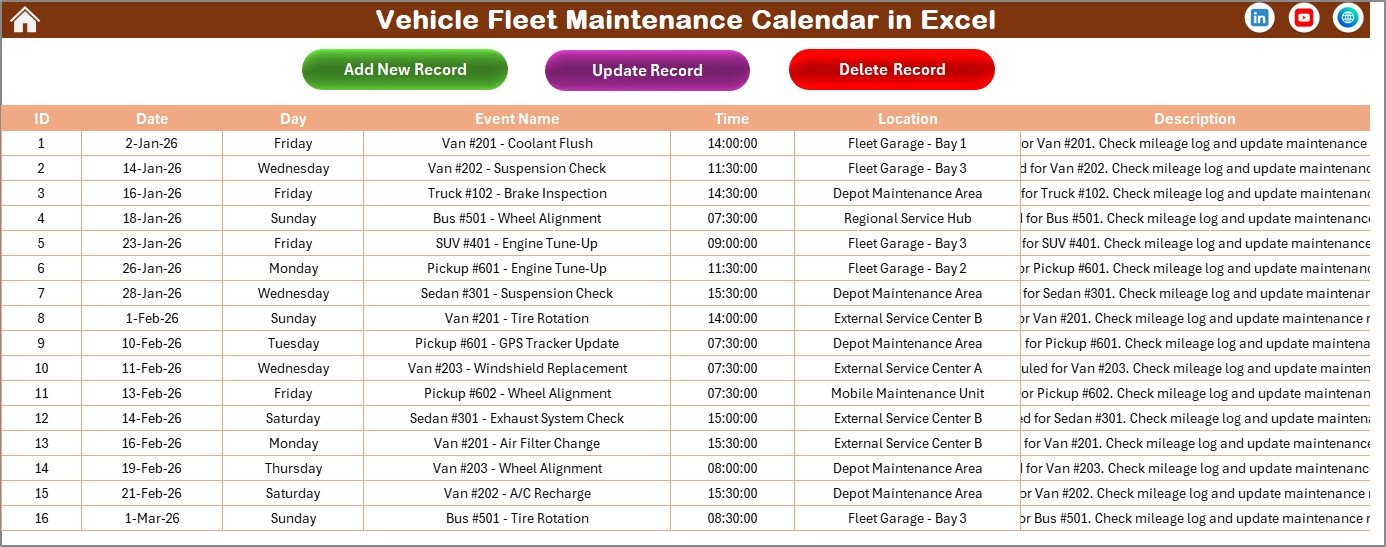 Events Sheet tab
Click to Buy Vehicle Fleet Maintenance Calendar in Excel
Advantages of Vehicle Fleet Maintenance Calendar in Excel
- Simplifies scheduling and monitoring of vehicle maintenance tasks.
- Customizable views allow flexible management of fleet maintenance schedules.
- Automated date and theme adjustments save time and reduce errors.
- Centralized event database improves data accuracy and reporting.
- Visual cues and highlighting assist in quick identification of critical dates.
Opportunities for Improvement
- Integrate notifications or reminders for upcoming events.
- Add user access controls for multi-user collaboration.
- Include mobile-friendly versions or cloud synchronization.
- Enhance form input with dropdown lists to minimize entry mistakes.
Best Practices
- Regularly update event data to keep maintenance schedules accurate.
- Customize themes to match organizational branding for easier user adoption.
- Use consistent naming conventions for events and locations.
- Back up your Excel file periodically to prevent data loss.
FAQs
Click to Buy Vehicle Fleet Maintenance Calendar in Excel
Can I customize the starting day of the week in the calendar?
Yes, the Annual View control panel allows you to set the starting day of the week as per your preference.
How do I add maintenance events to specific dates?
Select the date on the calendar, click the ‘Add New Event’ button, fill out the form, and submit to save the event.
Is it possible to highlight weekends or specific weekdays?
Yes, the Highlight Group in the Annual View allows you to select two days of the week to highlight for visual emphasis.
Can I update or delete existing events?
Yes, the Events sheet provides options to update or delete records by selecting the event ID.
Does this calendar support multiple themes?
Yes, you can choose from five different color themes and apply them across the workbook.
Conclusion
Click to Buy Vehicle Fleet Maintenance Calendar in Excel
The Vehicle Fleet Maintenance Calendar in Excel streamlines the management of vehicle maintenance schedules with multiple flexible views, easy event management, and customizable options. It is an essential tool for fleet managers aiming to enhance operational efficiency and ensure maintenance compliance.
Additional Resources
For further insights and tools, visit Microsoft’s official Excel templates page: Microsoft Excel Templates.
Visit our YouTube channel to watch the demo.
Click to Buy Vehicle Fleet Maintenance Calendar in Excel