Customer service teams handle multiple responsibilities every day. They manage client interactions, plan internal activities, coordinate training sessions, track service campaigns, and organize key events. However, when teams rely on emails, sticky notes, or scattered spreadsheets, important events often slip through the cracks.
That is exactly where a Customer Service Event Calendar in Excel becomes an essential business tool.
In this detailed guide, you will learn what a Customer Service Event Calendar in Excel is, why it matters, how it works, its key features, advantages, best practices, and frequently asked questions. By the end of this article, you will clearly understand how this ready-to-use Excel calendar helps customer service teams stay organized, proactive, and efficient.
Click to Purchases Customer Service Event Calendar in Excel
What Is a Customer Service Event Calendar in Excel?
A Customer Service Event Calendar in Excel is a structured and interactive calendar template designed to plan, record, and monitor all customer service–related events in one centralized place.
Instead of juggling multiple tools, teams can use this Excel calendar to manage:
-
Customer support events
-
Training and coaching sessions
-
Team meetings and internal reviews
-
Customer follow-ups and service deadlines
-
Product launches or service campaigns
Because Excel powers this calendar, users can easily customize it, update data, and share it across teams without technical complexity.
Why Do Customer Service Teams Need an Event Calendar in Excel?
Customer service operations depend heavily on timing, coordination, and visibility. Therefore, missing a key event or overlapping activities can directly impact customer satisfaction.
Here is why an Excel-based event calendar makes a real difference:
-
It centralizes all service events in one file
-
It improves planning and time management
-
It reduces missed deadlines and last-minute confusion
-
It improves coordination between team members
-
It provides clear daily, monthly, and annual visibility
As a result, service teams remain proactive instead of reactive.
Click to Purchases Customer Service Event Calendar in Excel
How Does a Customer Service Event Calendar in Excel Work?
This ready-to-use Customer Service Event Calendar in Excel works through multiple interactive worksheets. Each sheet serves a specific purpose and offers a different view of your service events.
The calendar includes five structured worksheets, which together create a complete event management system.
What Are the Key Worksheets in the Customer Service Event Calendar in Excel?
1. Home Sheet: How Does the Index Page Help Users?
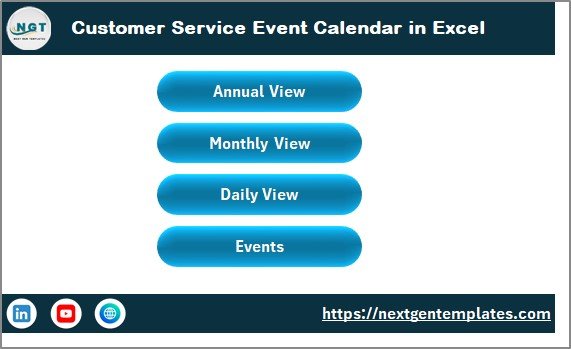
The Home Sheet acts as the main navigation hub of the calendar. Instead of scrolling through sheets, users can jump directly to the required view using buttons.
Key features of the Home Sheet include:
-
Clean and user-friendly index layout
-
One-click navigation buttons
-
Clear access to all calendar views
Navigation Buttons Available:
-
Annual View Button – Opens the yearly calendar
-
Monthly View Button – Opens the selected month calendar
-
Daily View Button – Opens detailed event listings
-
Events Button – Opens the event database
As a result, users save time and avoid navigation confusion.
2. Annual View Sheet: How Can You See the Full Year at a Glance?
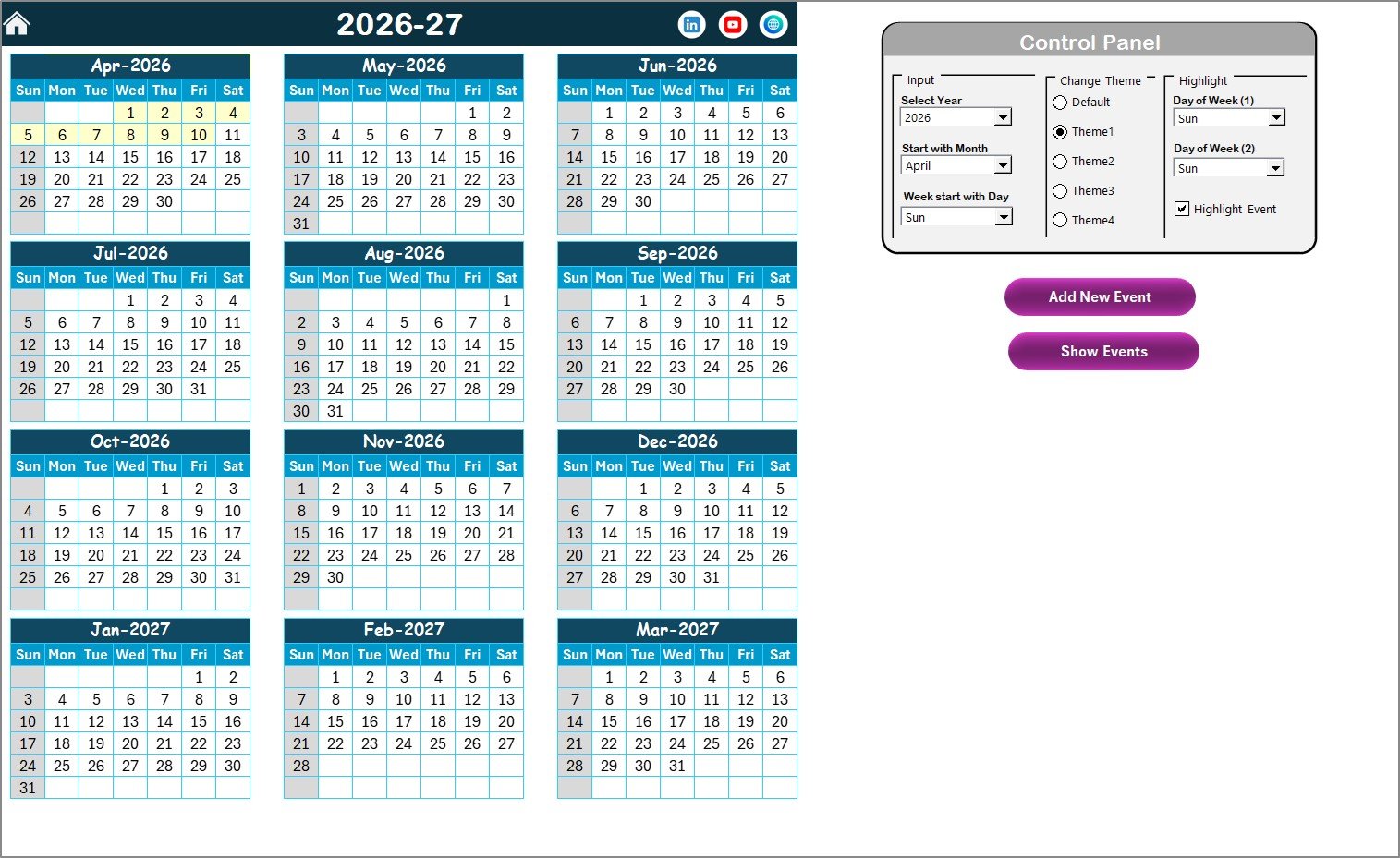
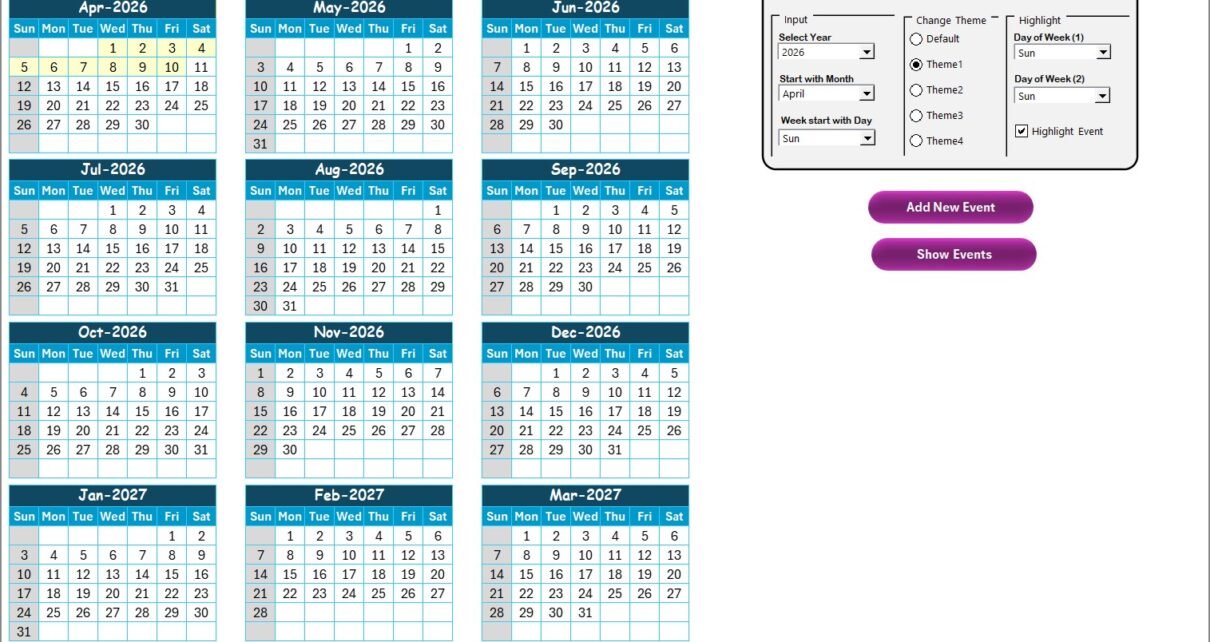
The Annual View Sheet displays all 12 months of the year in a single screen. This view helps managers plan long-term customer service activities effectively.
What Does the Control Panel Do?
The Annual View includes a powerful Control Panel, divided into three functional groups:
Input Group
-
Select the Year to update the calendar automatically
-
Change the Starting Month of the calendar
-
Adjust the Starting Day of the Week
Change Theme Group
-
Choose from five pre-designed color themes
-
Apply the selected theme across the entire workbook
Highlight Group
-
Highlight two specific days of the week (for example, Saturday and Sunday)
-
Enable Highlight Event option to show event dates in yellow
These features make the calendar both visual and flexible.
What Buttons Are Available on the Annual View Sheet?
-
Add New Event Button
-
Select any date on the calendar
-
Click the button to open the event form
-
Enter details and submit
-
-
Show Event Button
-
Select a date
-
Click the button to view all events scheduled on that date
-
As a result, yearly planning becomes simple and interactive.
Click to Purchases Customer Service Event Calendar in Excel
3. Monthly View Sheet: How Can You Focus on One Month at a Time?
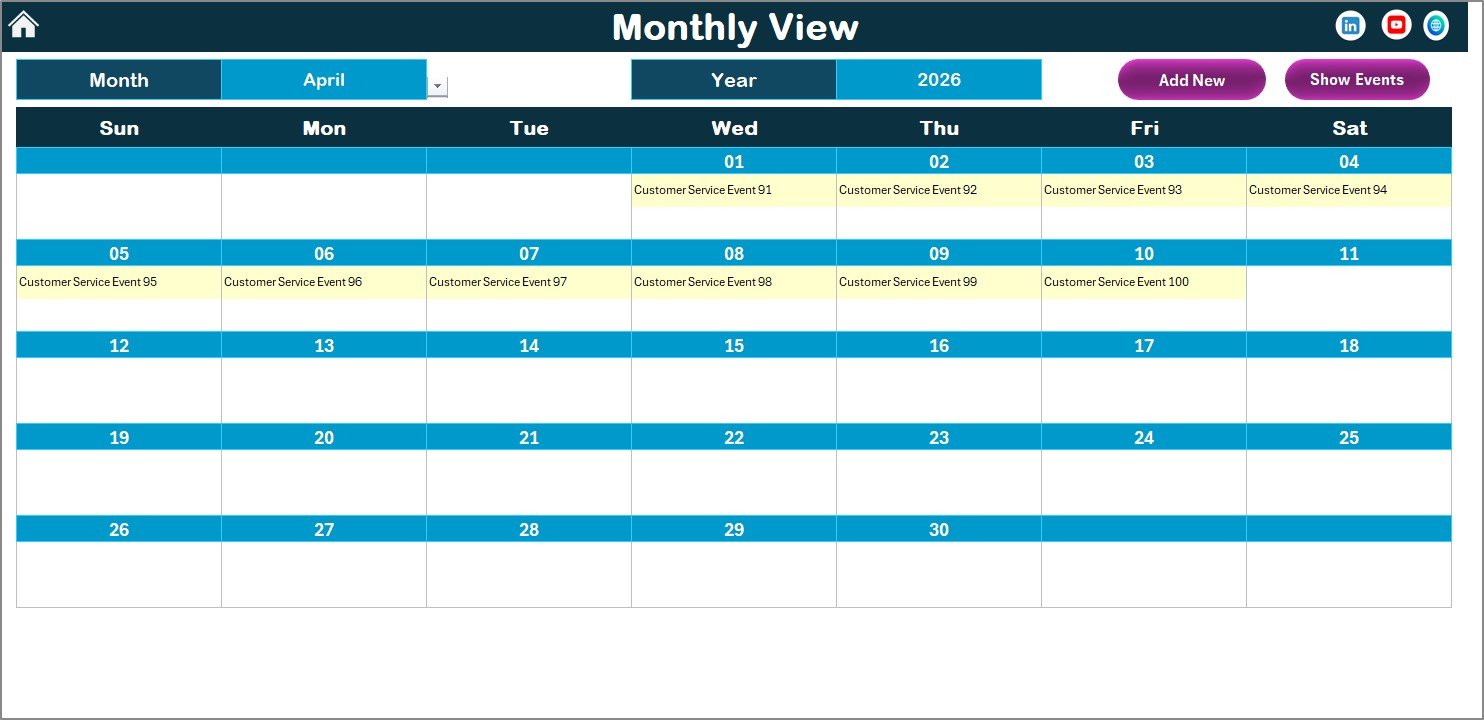
The Monthly View Sheet displays a detailed calendar for a selected month and year.
Key capabilities of this view include:
-
Dynamic month and year selection
-
Clear date-wise event visibility
-
Display of one event per date directly on the calendar
-
Indicator text like “more than 1…” when multiple events exist
Buttons Available on Monthly View
-
Add New Event Button
-
Add an event directly from the selected date
-
-
Show Event Button
-
View all events scheduled for a specific date
-
Therefore, monthly planning becomes focused and efficient.
4. Daily View Sheet: How Can You Track Events in Detail?
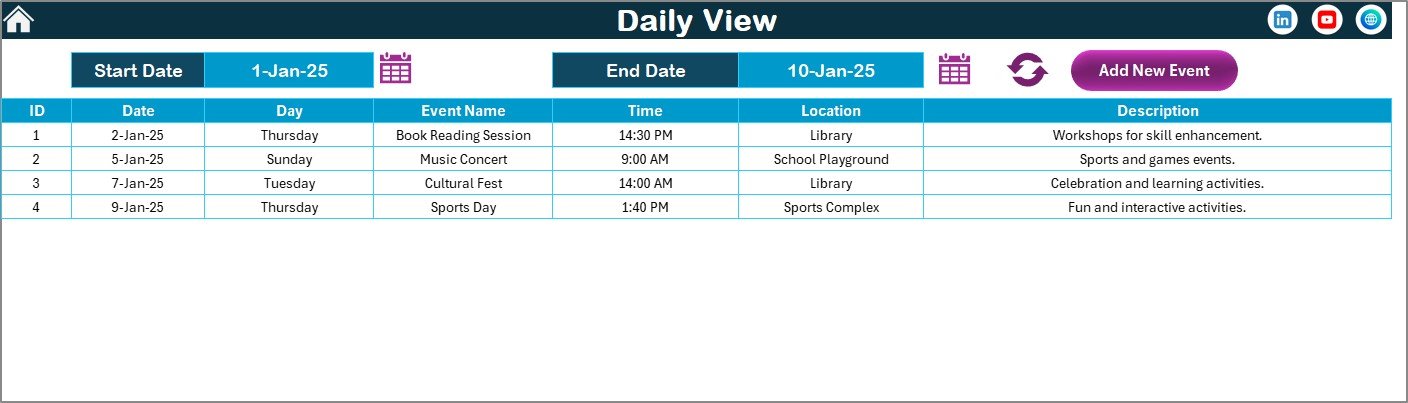
The Daily View Sheet provides a detailed list of events for a selected date range.
Features of the Daily View include:
-
Start Date and End Date selection
-
Calendar icons for easy date selection
-
Refresh button to load updated data
-
Tabular display of events with full details
Additionally, users can use the Add New Event button to insert events instantly.
This view proves especially useful for supervisors and managers who need operational clarity.
5. Events Sheet: How Does the Event Database Work?
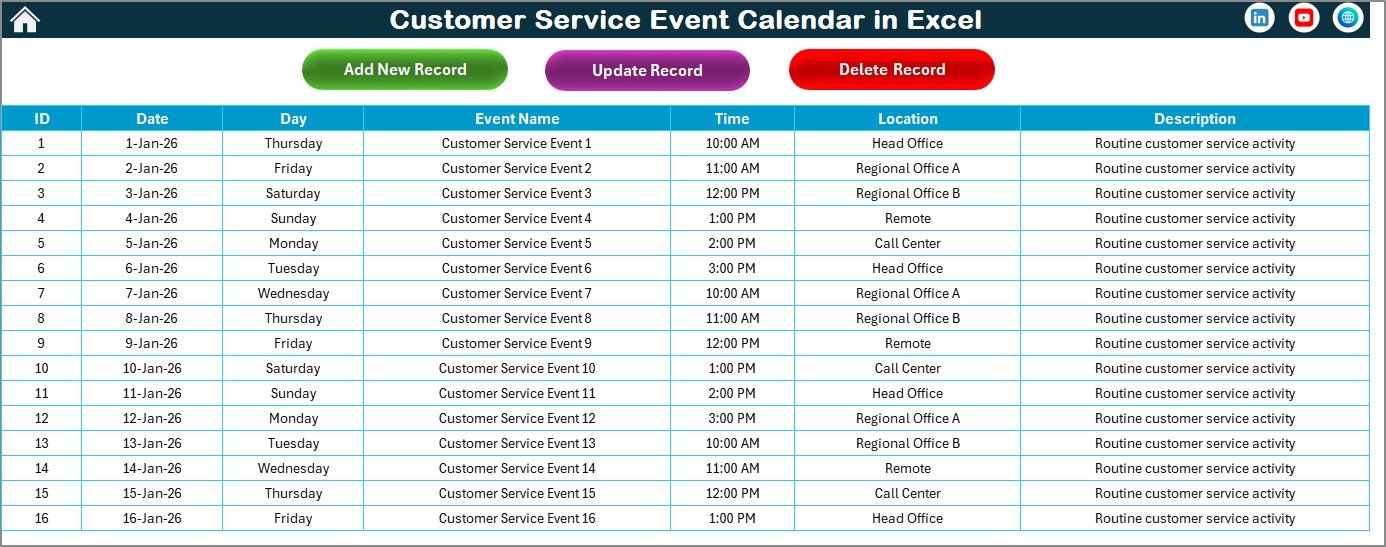
The Events Sheet acts as the backend database of the entire calendar. Every event entered from any view gets stored here automatically.
What Information Does the Events Sheet Store?
Each event record includes:
-
ID – Auto-generated unique number
-
Date – Event date
-
Day – Day name (Sunday, Monday, etc.)
-
Event Name – Title of the event
-
Time – Event timing
-
Location – Event location
-
Description – Short event details
What Buttons Are Available on the Events Sheet?
-
Add New Record
-
Opens the event form to insert a new event
-
-
Update Existing Record
-
Select the event ID
-
Modify details through the prefilled form
-
-
Delete Record
-
Select the event ID
-
Remove the event permanently
-
As a result, data remains clean, structured, and manageable.
Click to Purchases Customer Service Event Calendar in Excel
Advantages of Customer Service Event Calendar in Excel
Using a Customer Service Event Calendar in Excel offers multiple operational benefits.
Key Advantages Include:
-
Centralized event management
-
Easy customization without technical skills
-
Improved planning and coordination
-
Reduced missed events and overlaps
-
Clear daily, monthly, and annual visibility
-
Visual highlighting for weekends and special events
-
Quick data updates and instant refresh
Therefore, customer service teams work smarter and faster.
How Does This Calendar Improve Customer Service Operations?
A well-planned service calendar directly impacts customer experience.
Because teams know what events are coming next:
-
They prepare resources in advance
-
They reduce last-minute rush
-
They maintain service quality
-
They improve response consistency
As a result, customers receive timely and reliable service.
Click to Purchases Customer Service Event Calendar in Excel
Who Should Use a Customer Service Event Calendar in Excel?
This calendar suits a wide range of professionals, including:
-
Customer service managers
-
Call center supervisors
-
Support team leaders
-
Operations managers
-
Training coordinators
-
Small and medium business owners
If you manage service-related activities, this tool adds instant value.
Best Practices for Using a Customer Service Event Calendar in Excel
To get the best results, follow these proven best practices.
1. Update Events Regularly
Always add events as soon as they get confirmed. This habit prevents confusion later.
2. Use Highlighting Wisely
Highlight weekends, holidays, and high-priority events to improve visibility.
3. Maintain Clean Descriptions
Write short and clear event descriptions so everyone understands the purpose.
4. Review the Calendar Weekly
Weekly reviews help teams stay aligned and avoid surprises.
5. Avoid Duplicate Entries
Use the Update and Delete options instead of creating duplicate events.
6. Share a Single Version
Maintain one master file to avoid conflicting updates.
How Is This Better Than Manual Planning?
Manual planning relies on memory, emails, and scattered notes. However, this Excel calendar:
-
Brings structure
-
Improves accountability
-
Saves time
-
Reduces errors
Therefore, it replaces chaos with clarity.
Click to Purchases Customer Service Event Calendar in Excel
Conclusion: Why Should You Use a Customer Service Event Calendar in Excel?
A Customer Service Event Calendar in Excel transforms the way teams plan and manage service activities. Instead of reacting to missed events or scheduling conflicts, teams gain full visibility and control.
Because this calendar offers annual, monthly, and daily views along with a powerful event database, it supports both strategic planning and daily execution.
If you want better organization, improved coordination, and smoother customer service operations, this Excel calendar is a smart and practical solution.
Frequently Asked Questions (FAQs)
1. What is a Customer Service Event Calendar in Excel?
It is an Excel-based tool that helps teams plan, track, and manage customer service events in one place.
2. Can I customize the calendar?
Yes, you can change themes, start days, months, and event details easily.
3. Does it support multiple events on one date?
Yes, it shows indicators for multiple events and lists all details in daily view.
4. Is technical knowledge required?
No, anyone with basic Excel knowledge can use it.
5. Can I update or delete events?
Yes, you can update or delete events using built-in buttons.
6. Is it suitable for small teams?
Yes, it works perfectly for small, medium, and growing teams.
7. Does it improve customer service performance?
Yes, because better planning leads to better service delivery.
Click to Purchases Customer Service Event Calendar in Excel
Visit our YouTube channel to learn step-by-step video tutorials