Managing employee leave applications manually often creates confusion, approval delays, and data management challenges. Many organizations still rely on emails, paper forms, or scattered spreadsheets to track employee leave records. As a result, HR teams spend unnecessary time maintaining data instead of focusing on productivity.
So, how can organizations manage leave applications professionally without investing in expensive HR software?
The answer is simple — Leave Application Management System V1.0 in Excel VBA.
Click to Purchases Leave Application Management System V1.0
This ready-to-use Excel automation tool helps businesses manage leave requests, employee records, user access, reporting, and leave balances in one centralized system.
In this comprehensive guide, you will learn everything about this powerful solution, including features, workflow, navigation, benefits, and system compatibility.
📌 What Is Leave Application Management System V1.0?
The Leave Application Management System V1.0 is a Microsoft Excel + VBA based automated tool designed to streamline employee leave management.
Instead of maintaining manual records, organizations can:
-
Manage leave applications efficiently
-
Maintain employee and leave master data
-
Control user access securely
-
Generate reports instantly
-
Track leave balances accurately
Because the system runs entirely inside Microsoft Excel, companies can start using it immediately without installing complex software.
🚀 Why Businesses Need an Automated Leave Management System
Manual leave tracking leads to several operational issues:
-
Lost or misplaced leave requests
-
Approval delays
-
Calculation errors in leave balance
-
Lack of centralized reporting
-
Poor visibility for management
The Leave Application Management System eliminates these problems by providing a structured and automated workflow.
🔐 Login Form – Secure System Access
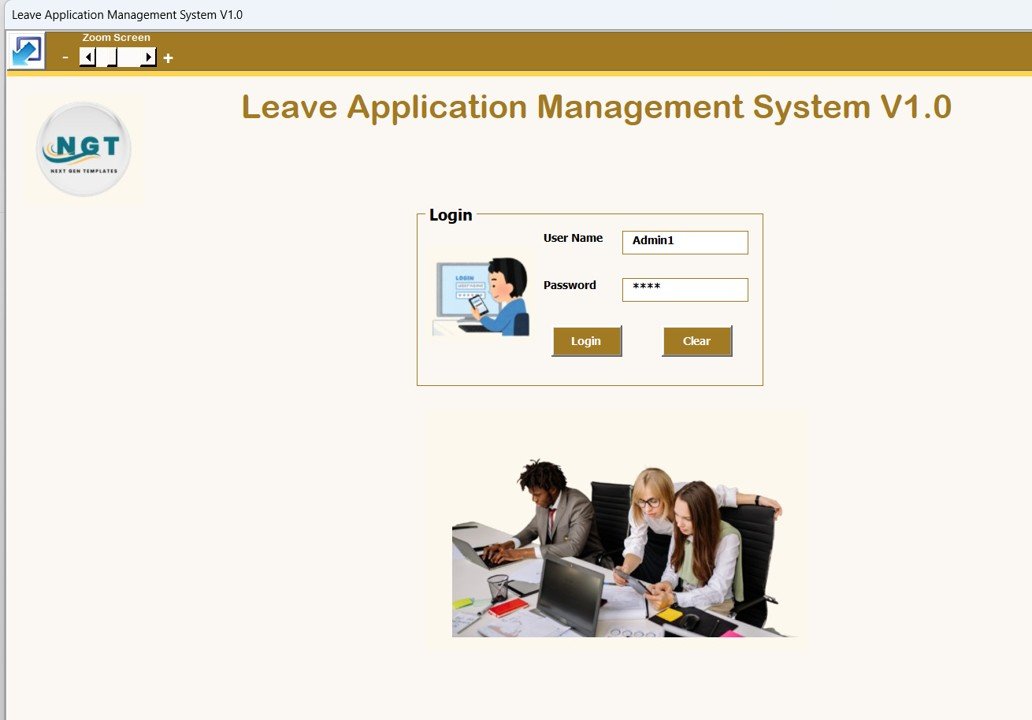
The system begins with a secure login interface, ensuring controlled access for users.
Click to Purchases Leave Application Management System V1.0
Default Login Credentials
Admin Role
-
Username: Admin1
-
Password: abcd
User Role
-
Username: User1
-
Password: abcd
After entering credentials, users are redirected automatically to the main management form.
This role-based login ensures better security and accountability.
🧾 Leave Application
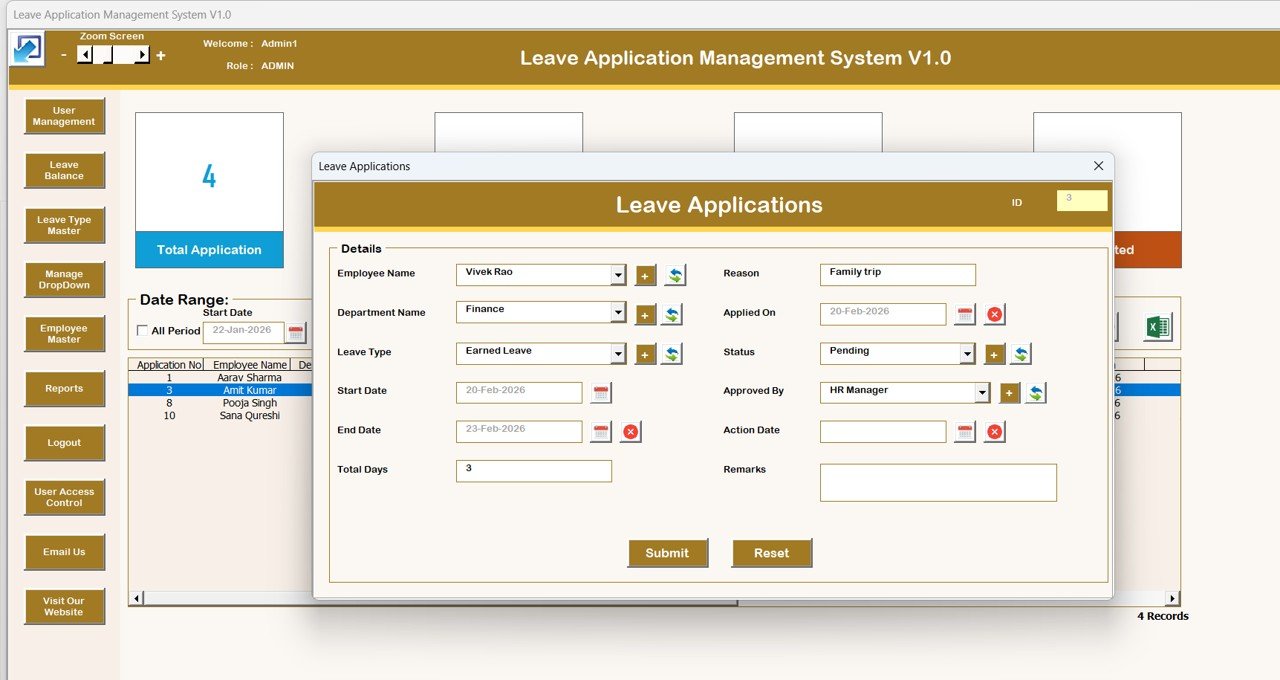
Leave Application Management System
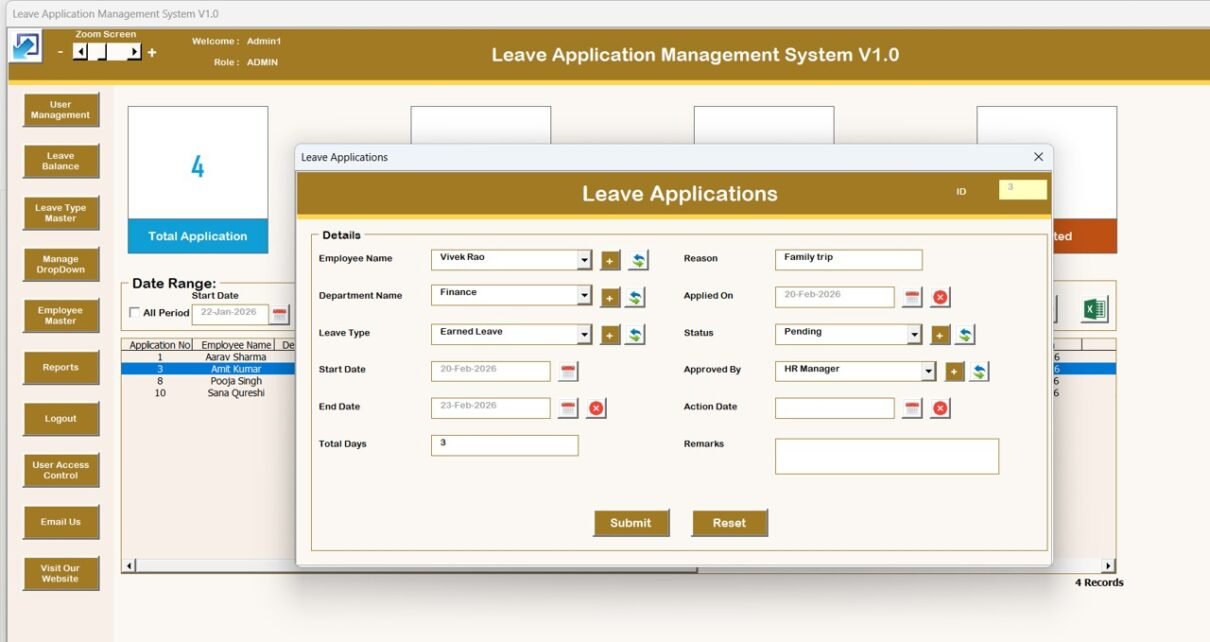
The Leave Application Main Form acts as the central control panel of the system. From here, users can manage all leave-related activities.
📋 List Box (Central Data View)
A dynamic list box displays all leave records in one place, allowing quick monitoring and management.
🔎 Filters
Users can filter records by:
-
Date range
-
Selected columns
This helps in locating records instantly.
🔄 Sort Feature
Records can be sorted easily to organize data efficiently and improve visibility.
⚙️ Control Buttons (Core Functionalities)
The system includes powerful automation buttons:
➕ Add New Record
Create new leave applications quickly using a dedicated form.
✏️ Update Existing Record
-
Select a record from the list box
-
Click update or double-click the record
-
Modify information and submit
🗑 Delete Record
Remove selected records safely from the system.
📤 Export to Excel
Export filtered data into a new Excel file for sharing or reporting.
🧭 Navigation Menu (Left-Side Control Panel)
The navigation panel provides access to advanced system modules.
1️⃣ Firm Information
Update company or organization details through a dedicated form.
2️⃣ User Management
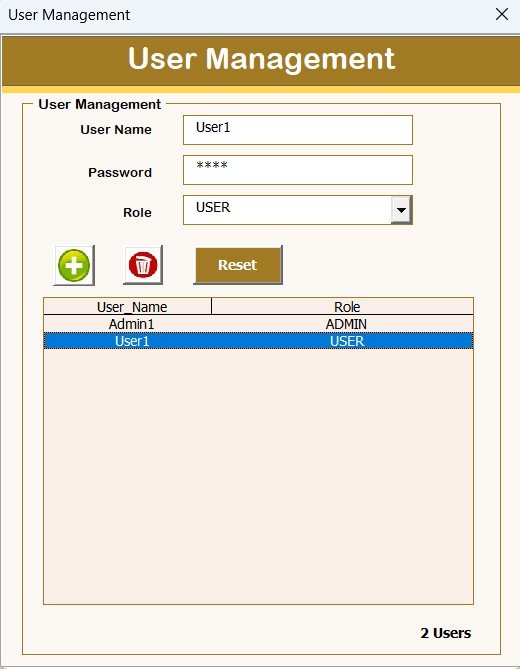
Manage system users efficiently:
-
Add users
-
Update details
-
Delete users
-
Reset passwords
-
Change credentials
-
Click to Purchases Leave Application Management System V1.0
3️⃣ Manage List
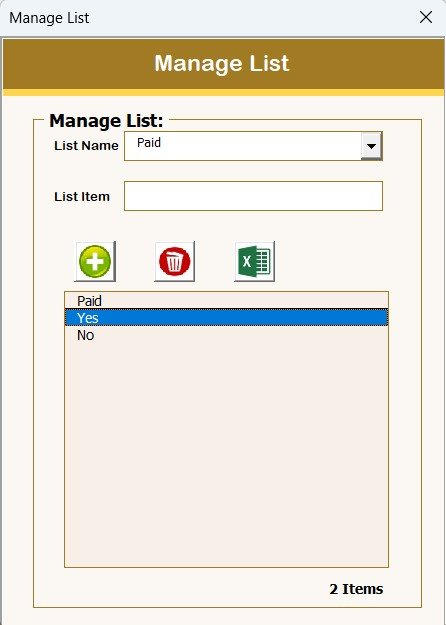
Maintain dropdown lists with add and delete options.
4️⃣ Leave Balance
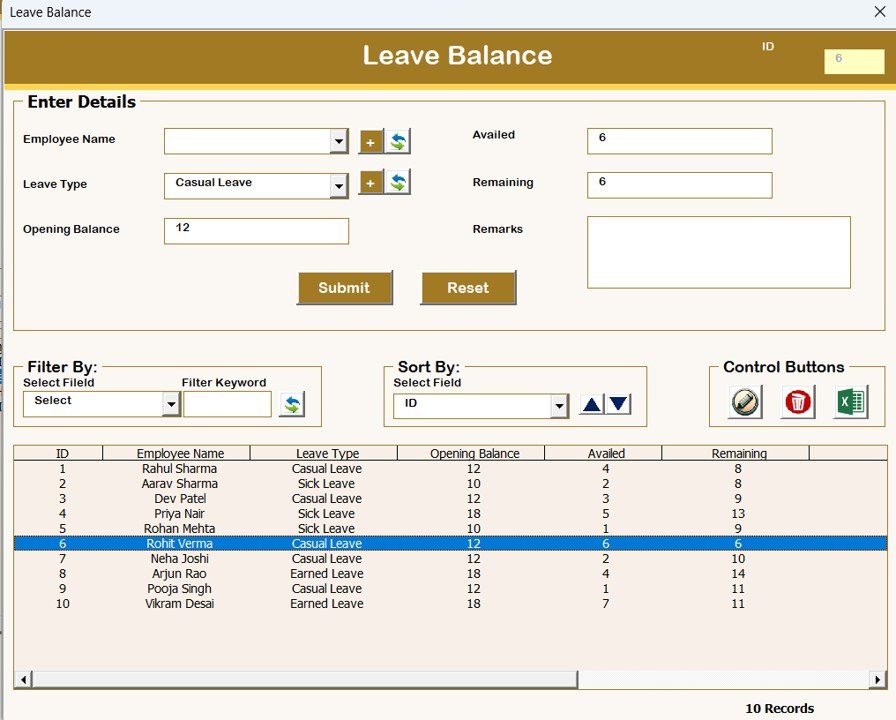
Track employee leave availability and balances accurately.
5️⃣ Leave Type Master
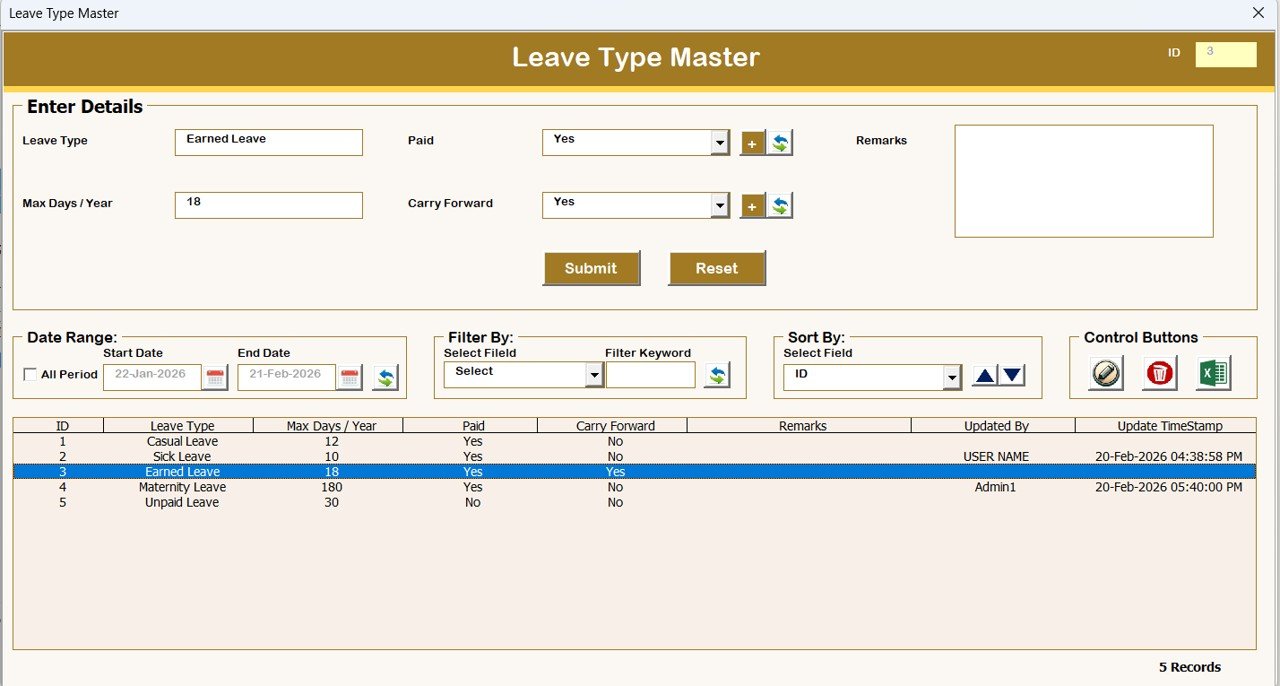
Define different leave categories such as:
-
Casual Leave
-
Sick Leave
-
Paid Leave
-
Annual Leave
-
Click to Purchases Leave Application Management System V1.0
6️⃣ Employee Master
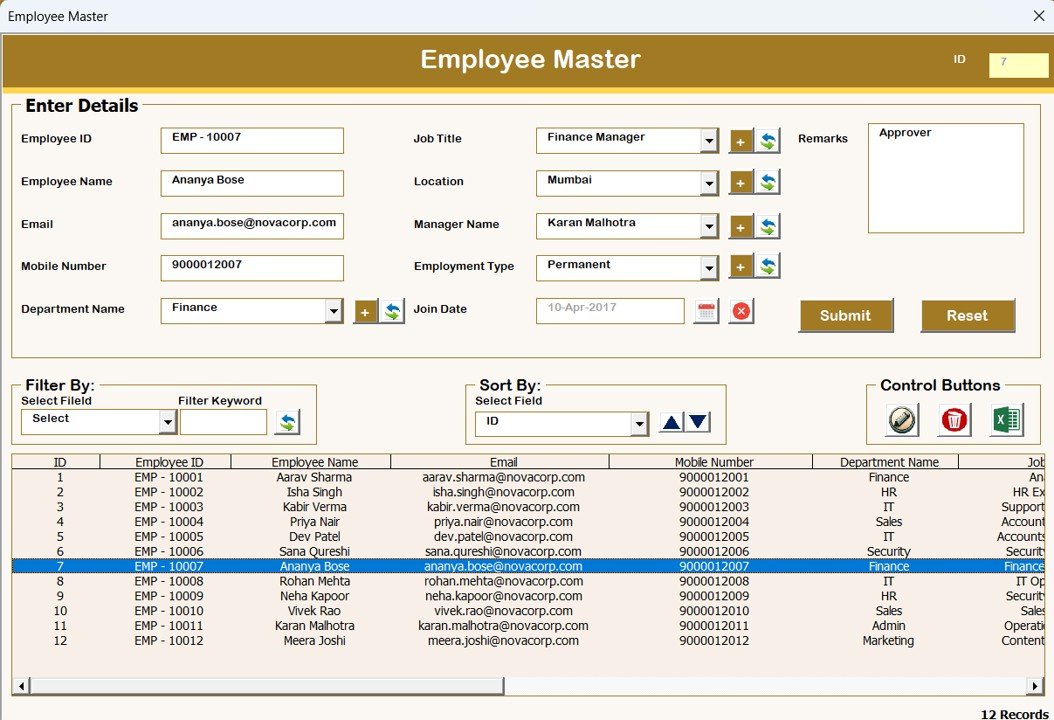
Maintain centralized employee information records.
7️⃣ Reports
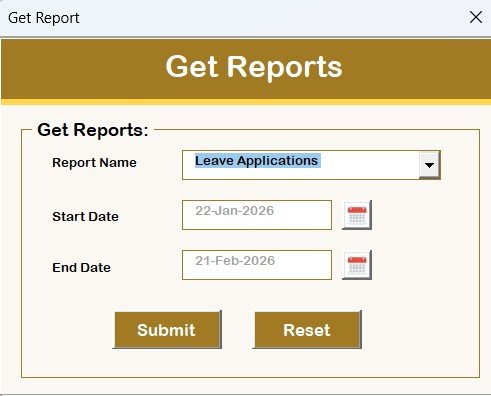
Generate Excel reports instantly based on selected date ranges.
8️⃣ Manage User Access Control
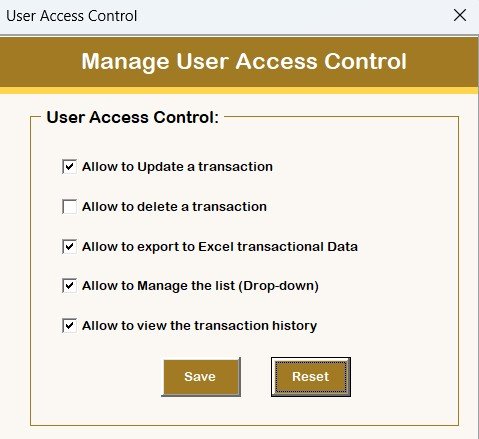
Admin users can:
-
Assign permissions
-
Restrict system access
-
Control module visibility
9️⃣ Logout
Safely saves data and closes the system.
🔟 Email Us
Quick support option for customization or assistance.
🌐 Visit Our Website
Direct access to explore additional tools and templates.
📊 Key Advantages of Leave Application Management System
✅ Eliminates manual leave tracking
✅ Centralized employee leave database
✅ Role-based security access
✅ Faster approvals and updates
✅ Automated reporting system
✅ Easy Excel-based interface
✅ No external software required
💼 Who Can Benefit From This Tool?
This system is ideal for:
-
Small and Medium Businesses (SMEs)
-
HR Departments
-
Corporate Offices
-
Educational Institutions
-
Clinics and Healthcare Centers
-
Service Organizations
-
Startups and Growing Companies
⭐ Best Practices for Using the System
Click to Purchases Leave Application Management System V1.0
-
Maintain updated employee master data
-
Assign proper user roles and permissions
-
Backup exported reports regularly
-
Train HR users on workflow usage
-
Review leave balances periodically
🖥 System Compatibility (Important Highlights)
⚠️ Please read before purchase or use:
-
✅ Compatible with Windows 10 and above
-
✅ Works with Microsoft Excel 2010 and above
-
✅ Runs only on Microsoft Excel Desktop Application
-
❌ Not supported on Mobile or Tablet devices
-
❌ Not compatible with Mac Operating System
📈 How This Tool Improves Organizational Efficiency
By automating leave management, organizations can:
-
Reduce HR administrative workload
-
Improve transparency
-
Maintain accurate leave records
-
Generate instant reports
-
Enhance employee experience
Ultimately, management gains better operational control while employees enjoy a smoother leave application process.
❓ Frequently Asked Questions (FAQs)
Is this software cloud-based?
No. It runs inside Microsoft Excel Desktop using VBA automation.
Can multiple users access it?
Yes, through role-based login and user management.
Do I need programming knowledge?
No. The tool is fully ready-to-use.
Can reports be exported?
Yes, reports can be exported into Excel instantly.
🎯 Final Thoughts
The Leave Application Management System V1.0 is a powerful yet simple Excel VBA solution designed for organizations that want automation without complexity.
Instead of investing in expensive HR software, you can manage employee leave professionally using a familiar Excel environment.
If you want a structured, secure, and automated leave management process — this tool is the perfect solution.
Visit our YouTube channel to learn step-by-step video tutorials