The insurance industry operates in a highly schedule-driven environment. Insurance companies regularly manage client meetings, policy renewal reminders, compliance deadlines, training sessions, audits, marketing campaigns, and internal reviews. Therefore, organizing events effectively becomes essential for smooth operations.
However, many insurance teams still rely on manual calendars, emails, or scattered spreadsheets to manage events. As a result, they often miss deadlines, face scheduling conflicts, and struggle to maintain organized records.
So, how can insurance professionals manage events, schedules, and important dates efficiently without investing in expensive scheduling software?
The answer is simple — Insurance Event Calendar in Excel.
This ready-to-use Excel calendar provides a structured and interactive solution for managing insurance-related events using annual, monthly, and daily views in one centralized system.
In this detailed guide, you will learn everything about the Insurance Event Calendar in Excel, including features, worksheets, benefits, best practices, and frequently asked questions.
Click to Purchases Insurance Event Calendar in Excel
What Is an Insurance Event Calendar in Excel?
An Insurance Event Calendar in Excel is a structured scheduling and event management tool designed specifically to organize insurance-related activities in a professional and user-friendly format.
Instead of managing events across multiple tools, users can track all schedules from a single Excel workbook.
Because the calendar offers multiple viewing options, users can analyze events yearly, monthly, or daily depending on their needs.
The calendar helps insurance teams:
-
Manage client appointments
-
Track policy renewal dates
-
Schedule training sessions
-
Monitor compliance deadlines
-
Organize internal meetings
-
Maintain event history records
Consequently, teams improve planning efficiency and reduce scheduling errors.
Why Do Insurance Companies Need an Event Calendar?
Insurance operations depend heavily on deadlines and scheduled activities. Missing an event can affect customer satisfaction, compliance requirements, or operational workflows.
Common scheduling challenges include:
-
Manual event tracking
-
Lack of centralized scheduling
-
Missed policy renewals
-
Difficulty viewing long-term plans
-
Poor coordination between teams
-
Limited event visibility
Therefore, organizations need a centralized calendar system that simplifies event management.
Moreover, structured scheduling improves productivity and accountability.
Click to Purchases Insurance Event Calendar in Excel
Key Features of Insurance Event Calendar in Excel
This ready-to-use template includes five powerful worksheets, each designed for a specific purpose.
1️⃣ Home Sheet — Navigation Dashboard
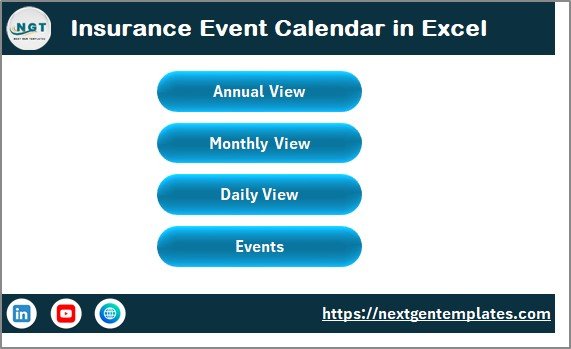
The Home Sheet acts as the index page of the calendar.
It contains four navigation buttons:
-
Annual View
-
Monthly View
-
Daily View
-
Events Database
Because users can move quickly between views, navigation becomes simple and efficient.
2️⃣ Annual View Sheet — Complete Year Planning
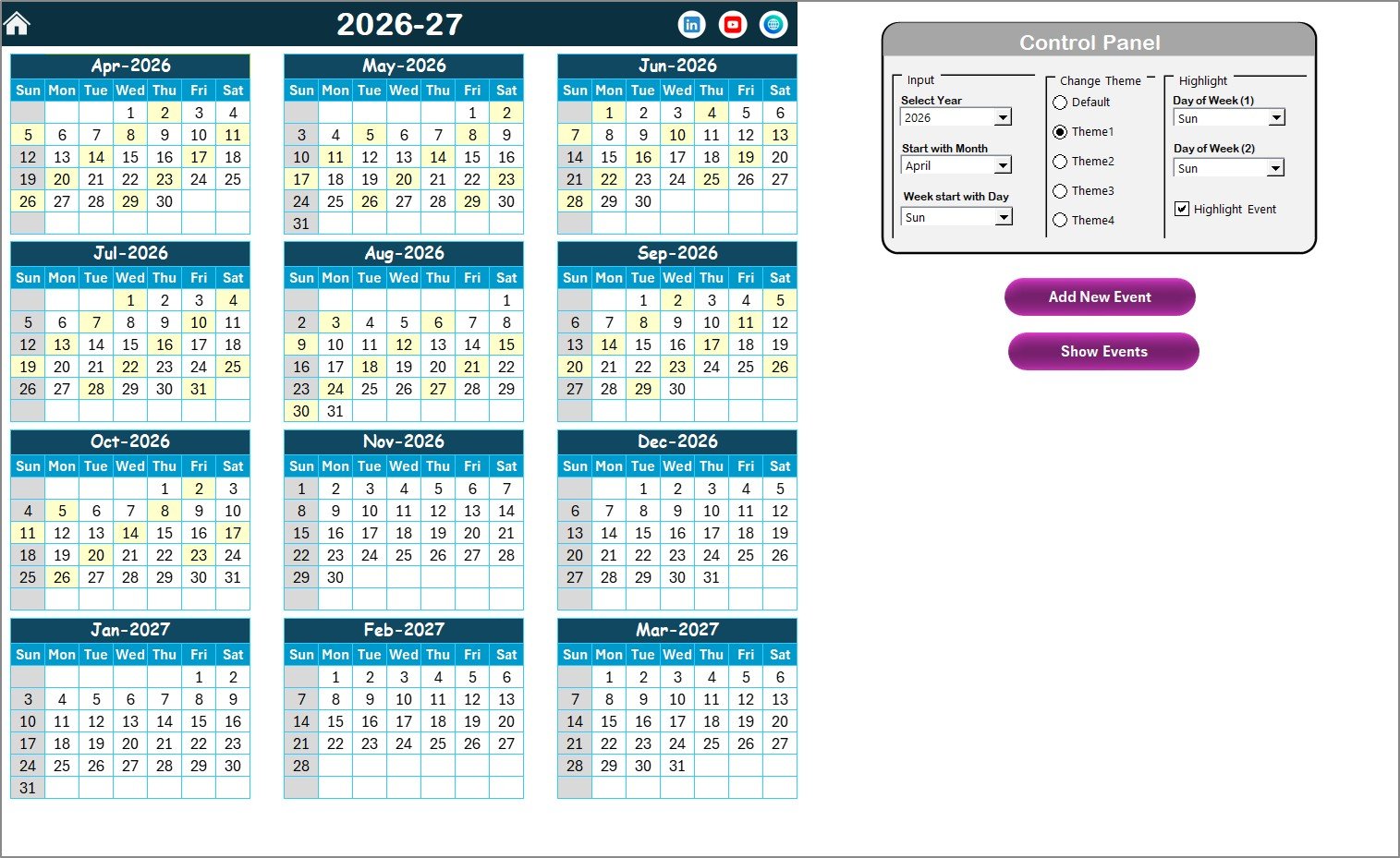
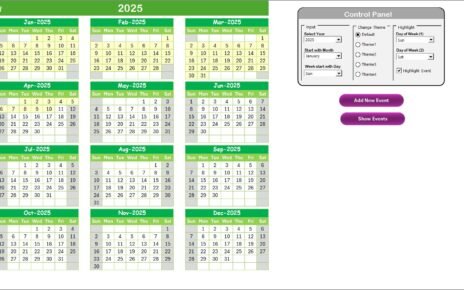
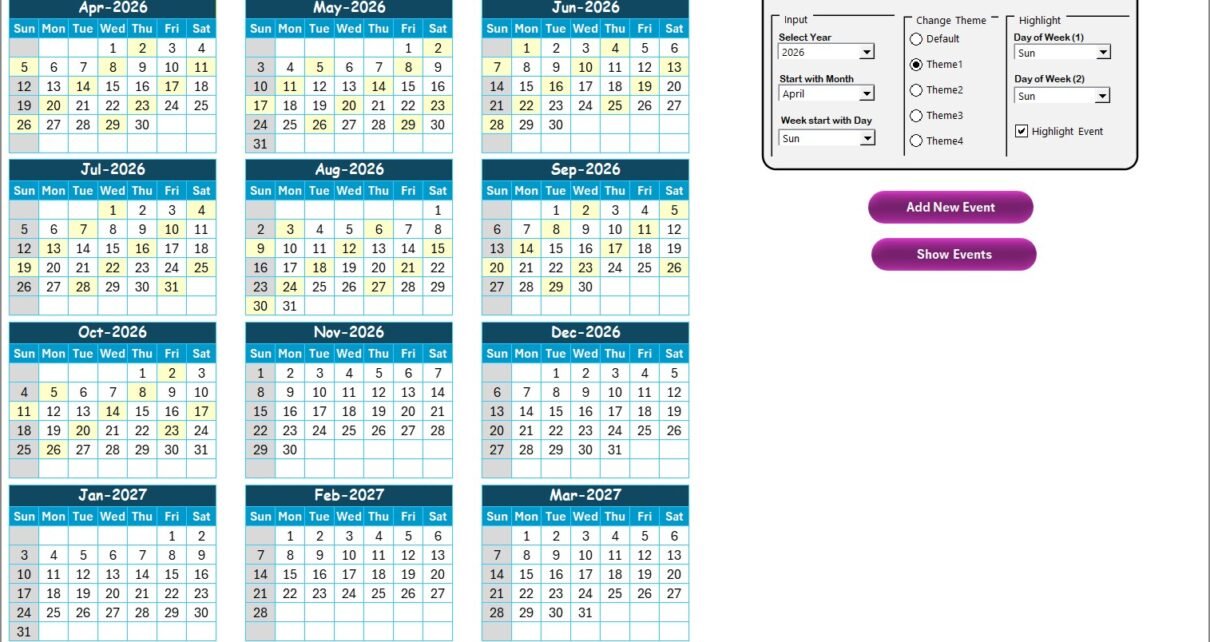
The Annual View Sheet displays all 12 months in one screen, allowing long-term planning.
Control Panel Features
The control panel includes three groups:
✅ Input Group
-
Select Year dynamically
-
Change starting month
-
Choose starting day of the week
Once updated, the calendar adjusts automatically.
✅ Change Theme Group
Users can select from five color themes that apply across the entire workbook.
This feature improves visual customization.
✅ Highlight Group
Users can highlight two specific weekdays.
Example:
-
Highlight Saturday and Sunday automatically.
Additionally, a Highlight Event checkbox marks event dates in yellow for quick identification.
Buttons Available
Add New Event Button
-
Select a date
-
Click button
-
Event form opens
-
Enter details and submit
The event automatically appears on the calendar.
Show Event Button
Displays all events scheduled for the selected date.
Therefore, users access event details instantly.
Click to Purchases Insurance Event Calendar in Excel
3️⃣ Monthly View Sheet — Focused Monthly Planning
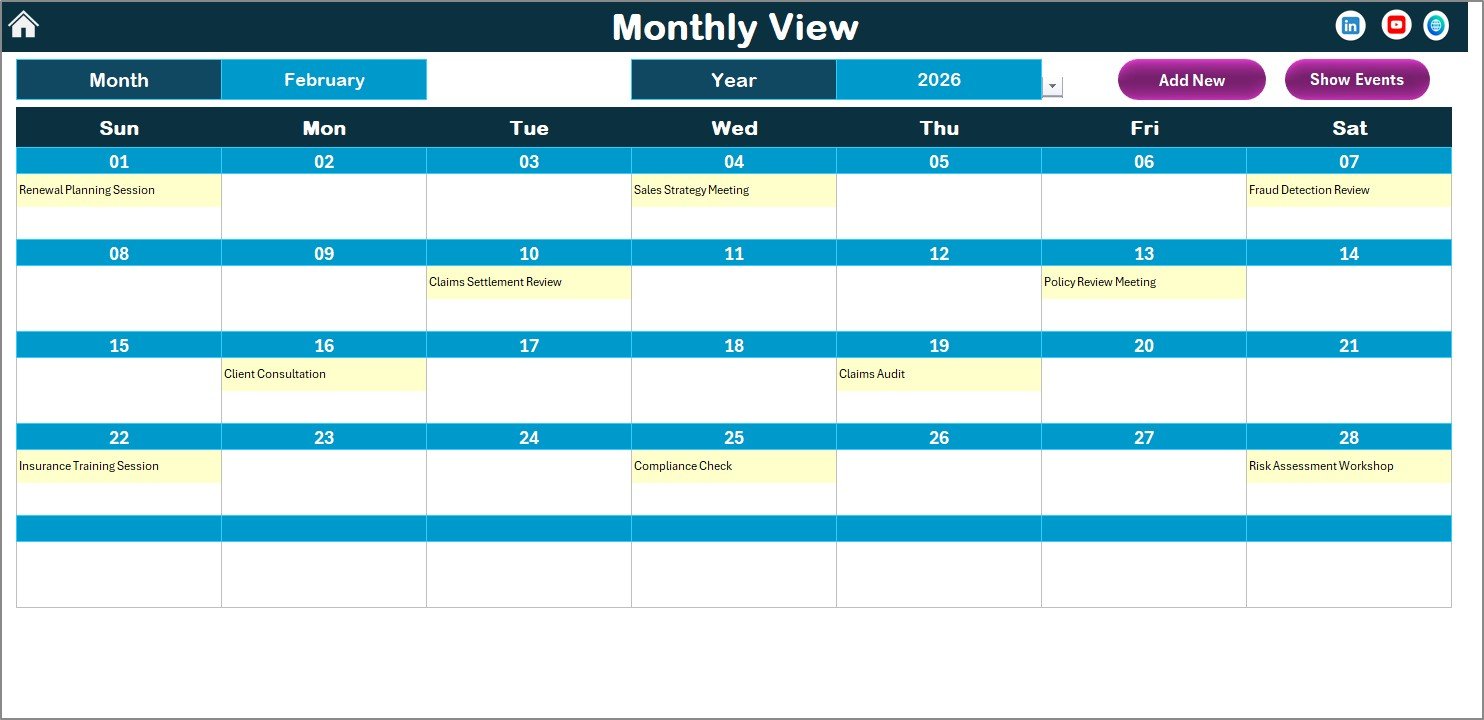
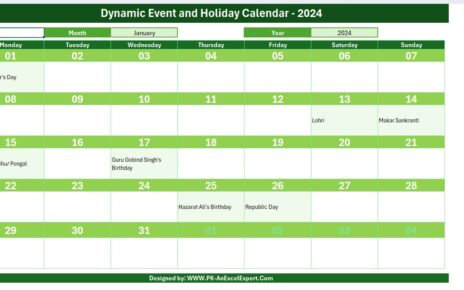
The Monthly View Sheet shows a single month calendar.
Users can select:
-
Month
-
Year
The calendar updates automatically based on selection.
Event Display Logic
-
Shows one event directly on the calendar
-
Displays “more than 1…” when multiple events exist
This design keeps the calendar clean and readable.
Available Buttons
-
Add New Event – Create event for selected date
-
Show Event – View event list instantly
As a result, users manage monthly schedules efficiently.
4️⃣ Daily View Sheet — Detailed Event Monitoring
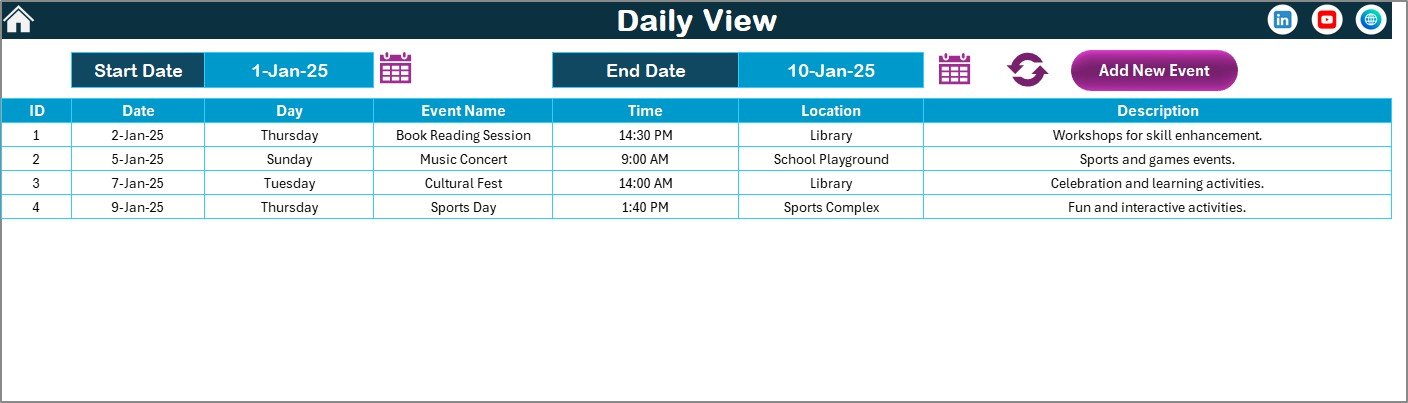
The Daily View Sheet provides a detailed list of events within a selected date range.
Key Features:
-
Start Date and End Date selectors
-
Calendar icons for easy selection
-
Refresh button to load latest data
-
Detailed event listing
Users can quickly analyze upcoming activities or past events.
Additionally, the Add New Event button allows quick event creation directly from this view.
Click to Purchases Insurance Event Calendar in Excel
5️⃣ Events Sheet — Central Event Database
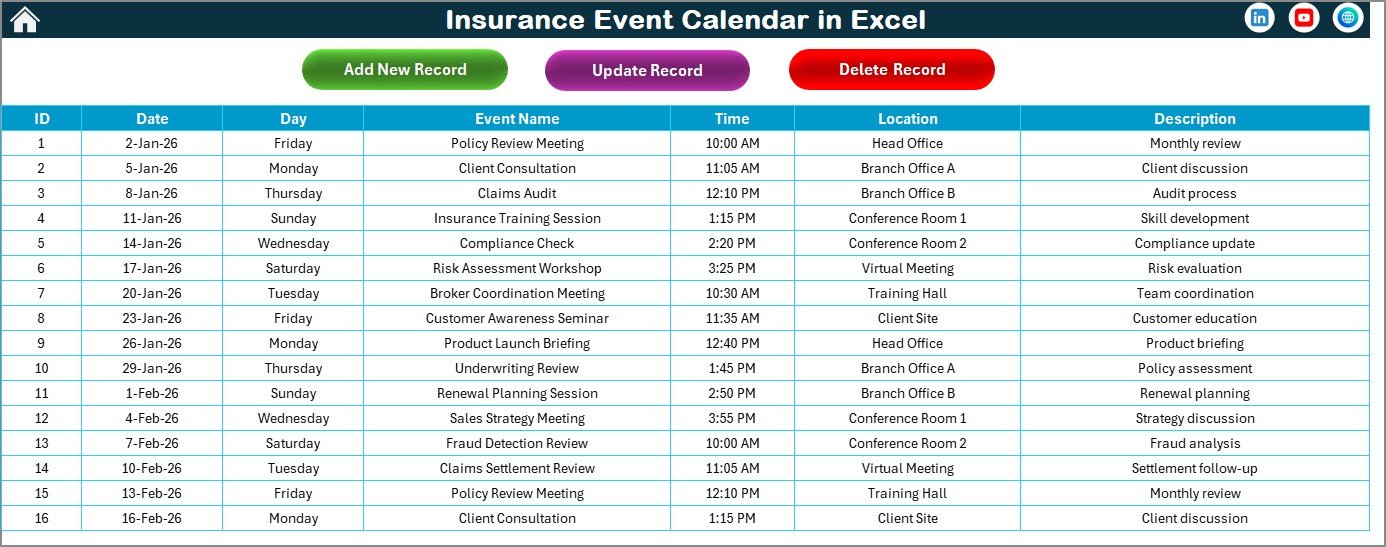
The Events Sheet stores all event records.
This sheet acts as the backend database of the calendar.
Information Captured:
-
ID (Auto-generated)
-
Date
-
Day
-
Event Name
-
Time
-
Location
-
Description
Because all data stays centralized, reporting and tracking become easier.
Database Management Buttons
Add New Record
Opens event form to create new entries.
Update Existing Record
Select an ID and edit event details easily.
Delete Record
Remove unwanted events instantly.
Therefore, users maintain accurate event records effortlessly.
How Does the Insurance Event Calendar Improve Productivity?
A structured event calendar reduces manual effort and improves coordination.
Key productivity benefits:
-
Better deadline tracking
-
Improved meeting planning
-
Reduced scheduling conflicts
-
Faster event updates
-
Centralized event visibility
-
Improved team collaboration
Consequently, insurance teams operate more efficiently.
Click to Purchases Insurance Event Calendar in Excel
Advantages of Insurance Event Calendar in Excel
✅ Centralized Event Management
All schedules remain in one workbook.
✅ Multiple Calendar Views
Annual, Monthly, and Daily perspectives improve planning.
✅ Easy Event Creation
Simple forms simplify data entry.
✅ Customizable Themes
Users personalize calendar appearance.
✅ Automated Highlighting
Important dates remain visible instantly.
✅ No Additional Software Required
Excel works without subscriptions.
✅ User-Friendly Interface
Even beginners can use it easily.
How to Implement the Insurance Event Calendar Successfully?
Follow these steps:
-
Open the Home Sheet.
-
Select calendar year and preferences.
-
Add events using Add New Event buttons.
-
Maintain records in Events sheet.
-
Review schedules using monthly and daily views.
-
Update events regularly.
Additionally, assign responsibility for calendar updates to ensure accuracy.
Best Practices for the Insurance Event Calendar in Excel
✔ Maintain Updated Records
Regular updates prevent missed deadlines.
✔ Use Clear Event Names
Descriptive titles improve understanding.
✔ Categorize Events Properly
Separate training, client, and compliance events.
✔ Review Calendar Weekly
Frequent review improves planning.
✔ Highlight Important Days
Use highlighting features for priority events.
✔ Maintain Event Descriptions
Detailed notes improve coordination.
✔ Backup Calendar Regularly
Protect important scheduling data.
Click to Purchases Insurance Event Calendar in Excel
Who Can Benefit from This Calendar?
-
Insurance Agencies
-
Policy Administrators
-
Claims Teams
-
Compliance Officers
-
HR Departments
-
Sales Teams
Each department benefits from organized scheduling.
Why Choose Excel for Event Management?
Excel provides several advantages:
-
Easy customization
-
Familiar interface
-
Offline access
-
Cost-effective solution
-
Quick implementation
-
Flexible reporting
Therefore, Excel remains an ideal scheduling tool for insurance businesses.
Future Enhancements You Can Add
You can expand the calendar by adding:
-
Email reminders
-
Event categories
-
Dashboard analytics
-
Power BI integration
-
Automated notifications
These upgrades further enhance productivity.
Conclusion
The Insurance Event Calendar in Excel provides a powerful yet simple solution for managing insurance schedules and events efficiently. Instead of relying on scattered tools, organizations gain a centralized calendar that supports annual planning, monthly scheduling, and daily event tracking.
Moreover, the template improves organization, visibility, and collaboration across teams. Because it operates entirely within Excel, implementation remains simple and cost-effective.
Ultimately, insurance companies that adopt structured event management improve productivity, reduce missed deadlines, and enhance operational efficiency.
Click to Purchases Insurance Event Calendar in Excel
Frequently Asked Questions (FAQs)
What is an Insurance Event Calendar in Excel?
It is a ready-to-use Excel template used to manage insurance events and schedules.
Can I customize the calendar year?
Yes, users can change the year and starting month easily.
Can I add multiple events per day?
Yes. The calendar supports multiple events for the same date.
Is Excel knowledge required?
No. The template is user-friendly and easy to operate.
Can events be updated later?
Yes. You can update or delete events anytime.
Does it support daily event tracking?
Yes. The Daily View sheet displays detailed event lists.
Is this suitable for teams?
Yes. Multiple departments can use the same calendar.
Can this integrate with Power BI?
Yes. Excel data can connect to Power BI dashboards.
Click to Purchases Insurance Event Calendar in Excel
Visit our YouTube channel to learn step-by-step video tutorials