Introduction
Managing a Meal Prep Business successfully requires a keen eye on performance metrics. This Meal Prep Business KPI Scorecard is a comprehensive, ready-to-use template designed to help you monitor, analyze, and improve your business operations effectively. Using this KPI Scorecard, you can track the health of your business through clear visuals and data-driven insights.
Key Features of Meal Prep Business KPI Scorecard
Click to Buy Meal Prep Business KPI Scorecard in Excel
- Multiple Functional Worksheets: The template contains four well-structured sheets for data entry, analysis, and KPI definitions.
- Interactive Dropdown Menus: Easily filter data by month, MTD (Month-to-Date), or YTD (Year-to-Date) to assess KPI performance over different timeframes.
- Visual Performance Indicators: Color-coded visuals and conditional formatting help you quickly gauge actual performance versus targets.
- Comprehensive KPI Overview: View a detailed comparison of actual, target, and previous year figures for all KPIs on a single dashboard.
- KPI Trends: Track KPI progress and trends over time with dynamic charts, supporting better strategic decisions.
- Customizable KPI Definitions: Include definitions, formulas, and grouping for each KPI to ensure clear understanding across teams.
Dashboard Pages Explanation
1. Scorecard Sheet
 Meal Prep Business KPI Scorecard
Click to Buy Meal Prep Business KPI Scorecard in Excel
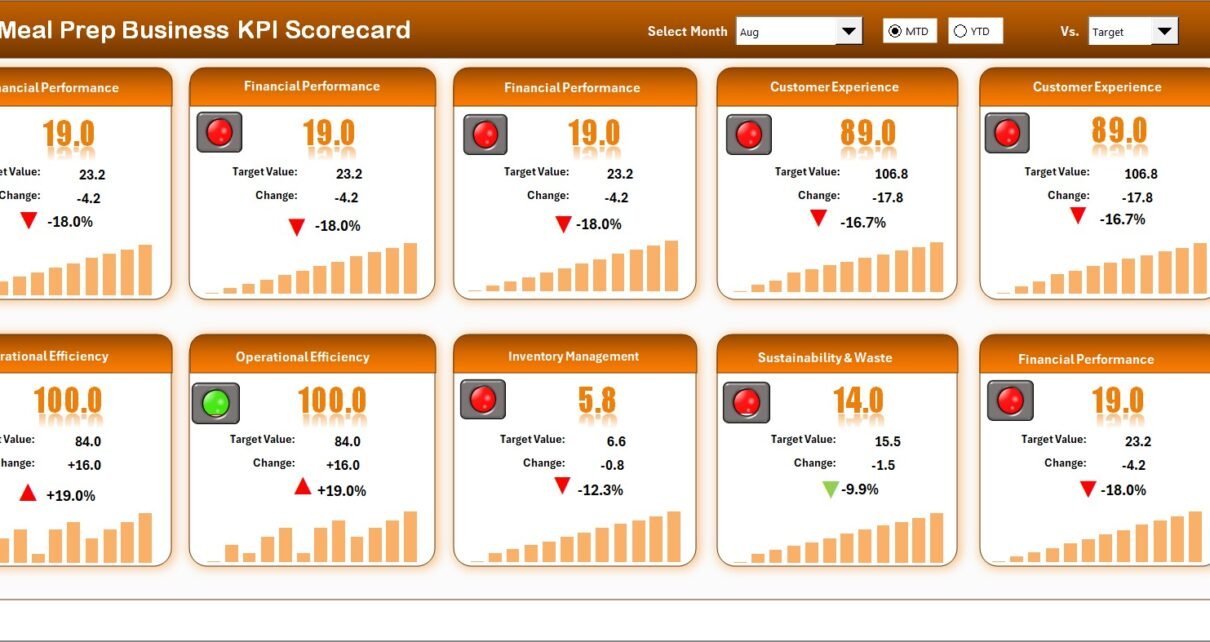
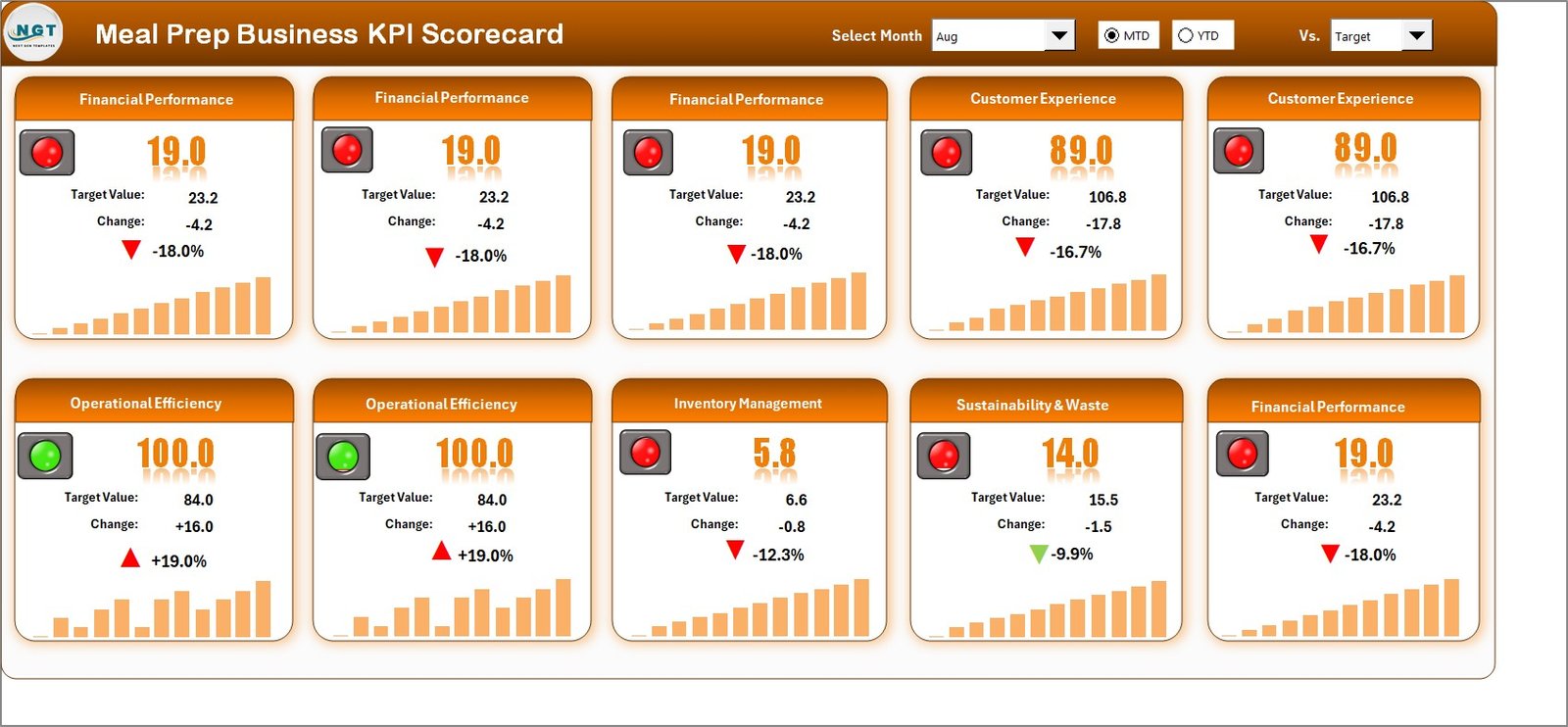
The Scorecard Sheet is the core dashboard where you can view the overall KPI performance at a glance. Key features include:
- Dropdown Menus: Select the month, or toggle between MTD (Month-to-Date) and YTD (Year-to-Date) for focused performance analysis.
- Actual vs Target Values: Compare current values against your goals to gauge success.
- Visual Indicators: Color coding and conditional formatting quickly show if KPIs are on track, lagging, or exceeding.
- Comprehensive KPI Overview: Displays all essential KPI information in a concise format including historical comparisons.
2. KPI Trend Sheet
 KPI Trend Sheet
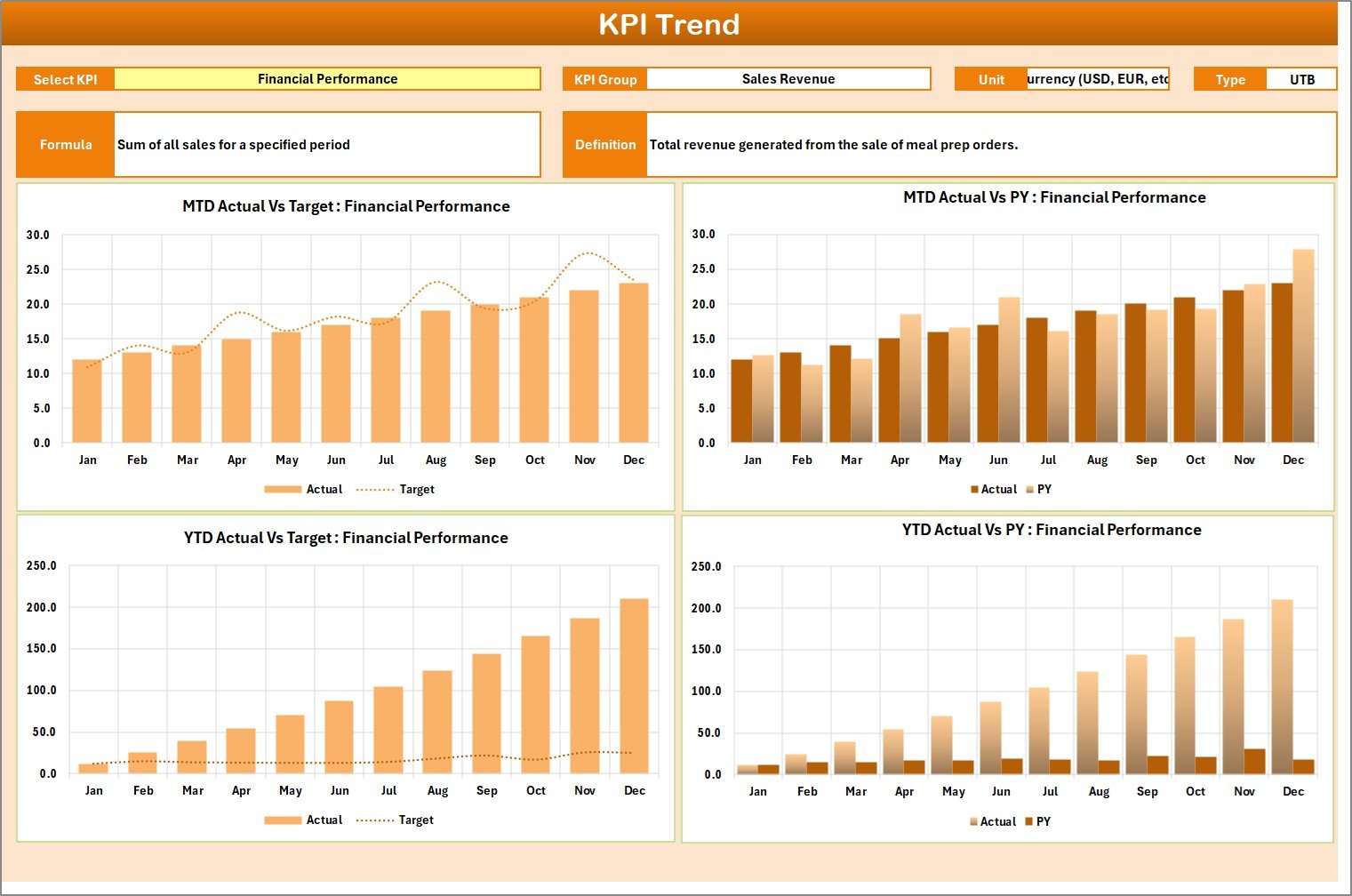
This sheet allows you to dive deeper into a specific KPI’s performance over time. You can select a KPI from the dropdown in cell C3. Features include:
- KPI Details: Shows KPI Group, Unit, Type (whether lower or upper is better), formula, and detailed definition.
- Trend Charts: Visualize the Month-to-Date and Year-to-Date trends for Actual, Target, and Previous Year (PY) numbers to identify patterns.
3. Input Data Sheet
 Input Data Sheet
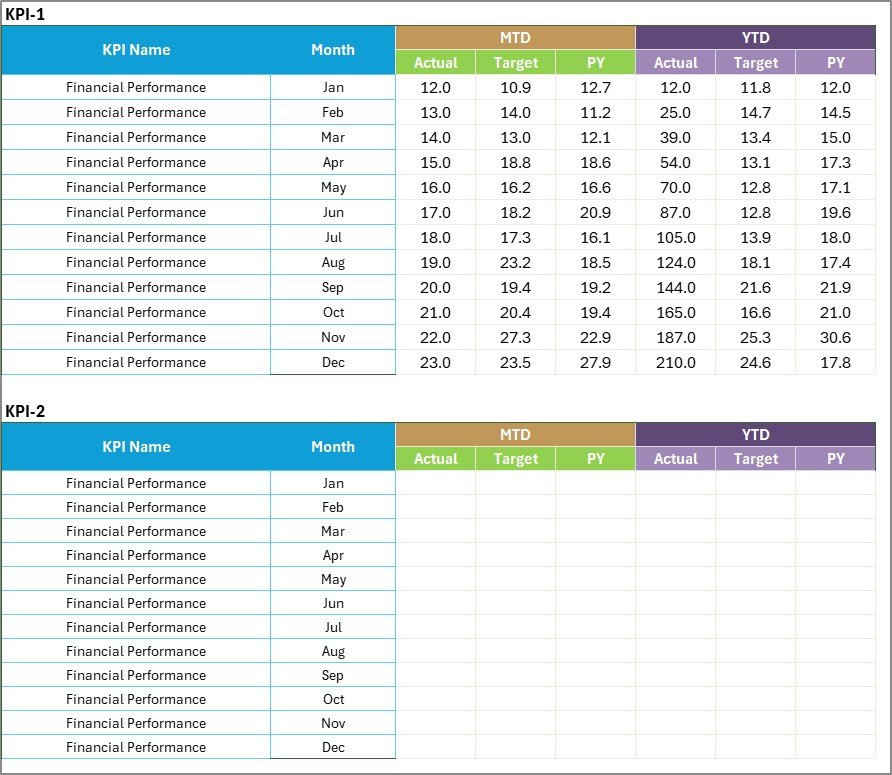
This is where you enter and update the KPI data regularly. Key aspects include:
- Data Entry: Easily record actual KPI values, targets, and related metrics to maintain up-to-date insights.
- Flexibility: Update and edit KPI data as your business grows or goals change, keeping your scorecard relevant.
4. KPI Definition Sheet
 KPI Definition sheet tab
This sheet is essential for managing your KPIs efficiently. Here you define:
- KPI Name
- KPI Group
- Unit of Measure
- Formula
- KPI Definition: Provides a clear explanation of what each KPI measures and why it matters.
Advantages of Meal Prep Business KPI Scorecard
Click to Buy Meal Prep Business KPI Scorecard in Excel
- Centralized platform for monitoring all critical KPIs related to your meal prep business.
- Enables informed decision-making by comparing actual results with predefined targets.
- Improves accountability by making KPI performance transparent and easy to communicate across teams.
- Visual cues highlight areas needing attention, saving time on data analysis.
- Customizable to your specific business goals and metrics.
- Facilitates trend analysis which helps in forecasting and strategic planning.
Opportunities for Improvement
- Integrate automated data import through APIs or Excel Power Query for real-time updates.
- Add predictive analytics features to forecast future KPI trends.
- Include benchmarking against industry standards for deeper insight.
- Design mobile-friendly dashboards for on-the-go access.
Best Practices
Click to Buy Meal Prep Business KPI Scorecard in Excel
- Regular Updates: Enter your data consistently to keep your KPI Scorecard accurate and meaningful.
- Clear Target Setting: Define realistic and measurable targets for each KPI to foster achievable goals.
- Review Periodically: Analyze trends monthly and annually for long-term insights.
- Train Your Team: Ensure everyone understands KPI definitions and the importance of data accuracy.
- Use Visuals Wisely: Rely on color-coded indicators and charts to communicate status quickly.
FAQs
What is a KPI scorecard?
A KPI scorecard is a tool that tracks key performance indicators to monitor how well a business or project is performing against its goals.
How do I customize this Meal Prep Business KPI Scorecard?
You can edit KPI names, definitions, units, and formulas within the KPI Definition Sheet to tailor it to your business needs.
Can I use this template for other food businesses?
While designed for meal prep, the structure is flexible and can be adapted for related food service operations.
Is Excel required to use this KPI scorecard?
Yes, this scorecard is built using Excel features like dropdown menus, charts, and conditional formatting, so Microsoft Excel is required.
Conclusion
Click to Buy Meal Prep Business KPI Scorecard in Excel
The Meal Prep Business KPI Scorecard is an invaluable tool for owners and managers aiming to improve operational performance and drive growth. By consolidating data inputs, monitoring real-time results, and visualizing trends, you gain the clarity needed for intelligent decisions. Streamline your meal prep business’s performance measurement with this ready-to-use, customizable KPI Scorecard today.
For further learning and visual demos, visit our YouTube channel to watch the demo.
For more detailed Excel techniques, check out Microsoft’s official Excel resources: Microsoft Excel Support.