Customer feedback plays a vital role in every modern business. Companies constantly collect feedback from customers through surveys, support tickets, reviews, and social media interactions. However, organizations often struggle to track feedback review timelines, compliance requirements, and response schedules efficiently.
Therefore, businesses need a structured system to manage customer feedback processes. A Customer Feedback Analysis Compliance Calendar in Excel helps organizations schedule feedback reviews, monitor compliance tasks, and ensure timely responses to customer concerns.
Instead of managing scattered spreadsheets and manual reminders, teams can use a centralized calendar system that tracks all feedback-related activities in one place.
In this comprehensive guide, you will learn:
- What a Customer Feedback Analysis Compliance Calendar in Excel is
- Why businesses need a feedback compliance calendar
- Key features of the template
- How the Excel calendar works
- Advantages of using this calendar
- Best practices for effective feedback compliance management
Click to buy Customer Feedback Analysis Compliance Calendar in Excel
What is a Customer Feedback Analysis Compliance Calendar in Excel?
A Customer Feedback Analysis Compliance Calendar in Excel is a structured Excel-based template designed to schedule, track, and manage feedback-related tasks and compliance activities.
Organizations collect large volumes of feedback from customers. However, feedback management requires multiple activities such as:
- Feedback review meetings
- Compliance checks
- Customer response deadlines
- Quality improvement discussions
- Escalation follow-ups
- Customer satisfaction analysis
Therefore, companies must track these activities through a well-organized calendar system.
This Excel calendar allows teams to:
- Schedule feedback review sessions
- Monitor feedback response deadlines
- Track compliance-related events
- Organize customer analysis meetings
- Manage improvement initiatives
As a result, teams improve customer experience, compliance tracking, and operational efficiency.
Why Do Businesses Need a Customer Feedback Compliance Calendar?
Customer feedback management requires consistent monitoring and timely action. However, many companies still rely on emails, notes, and scattered spreadsheets.
Consequently, several problems arise:
- Teams miss feedback review deadlines
- Compliance tasks remain incomplete
- Customer complaints stay unresolved
- Important feedback analysis meetings get delayed
- Management lacks visibility into feedback activities
Therefore, businesses require a structured feedback calendar system.
A Customer Feedback Analysis Compliance Calendar helps organizations:
- Schedule feedback analysis meetings
- Monitor compliance tasks
- Track customer response deadlines
- Improve internal accountability
- Ensure regulatory and service compliance
Moreover, companies can visualize all important activities using annual, monthly, and daily views.
Key Features of the Customer Feedback Analysis Compliance Calendar in Excel
This Excel template includes five well-designed worksheets that help organizations manage feedback-related events effectively.
Home Sheet – Navigation Dashboard
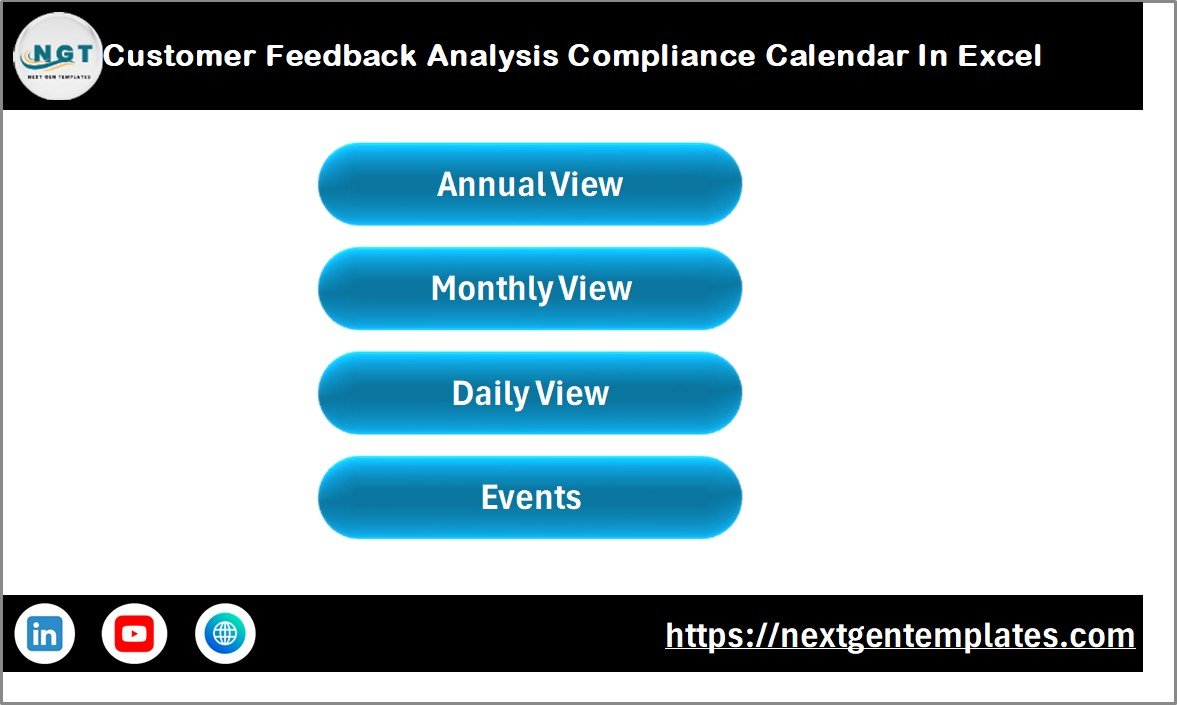
The Home Sheet works as the main navigation panel of the calendar.
It acts as an index page that allows users to move quickly between different calendar views.
Key buttons available in the Home Sheet
- Annual View
- Monthly View
- Daily View
- Events
These navigation buttons improve usability because users can access different sections of the calendar instantly.
As a result, the template becomes easy to use even for non-technical users.
Click to buy Customer Feedback Analysis Compliance Calendar in Excel
How Does the Annual View Calendar Work?
The Annual View Sheet provides a complete overview of the entire year.
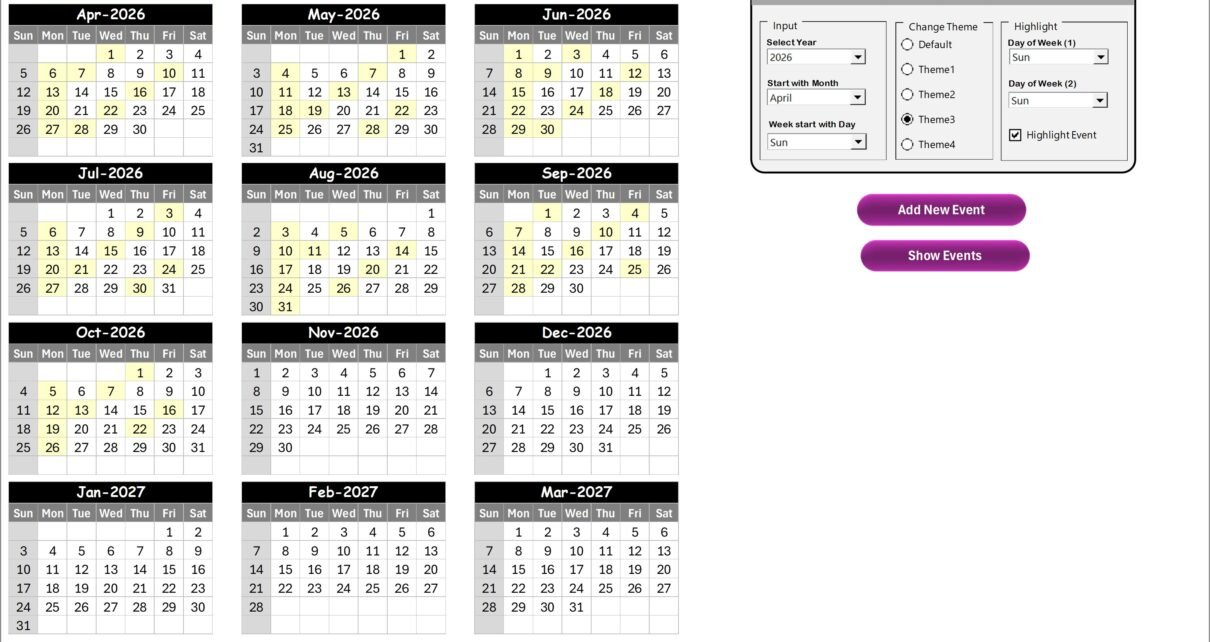
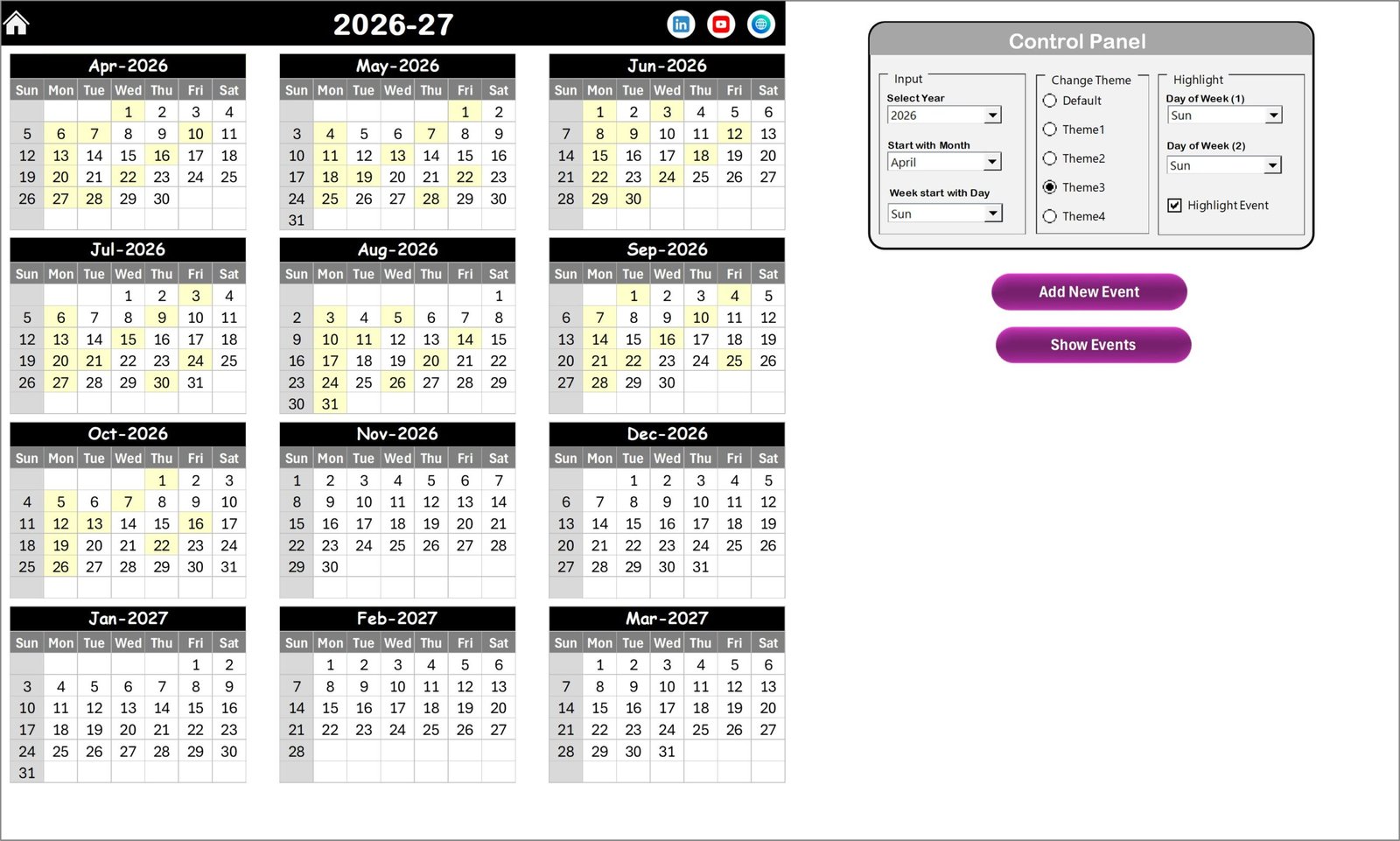
This sheet displays all 12 months of the year in one single view, which helps teams plan feedback activities throughout the year.
Control Panel Features
The Annual View sheet includes a powerful Control Panel that allows users to customize the calendar easily.
The control panel includes three major groups.
Input Group
The Input Group allows users to customize the calendar settings.
Users can:
- Select the Year
- Change the Starting Month
- Adjust the Starting Day of the Week
Therefore, the calendar automatically updates based on user selections.
Change Theme Group
The template includes five built-in color themes.
Users can apply a theme to the entire workbook with one click.
This feature improves visual clarity and makes the calendar more user-friendly and professional.
Highlight Group
The Highlight Group allows users to highlight specific days of the week.
For example:
- Highlight Saturday
- Highlight Sunday
This feature helps teams identify weekends or special days quickly.
Additionally, users can activate the Highlight Event checkbox, which highlights events in yellow color.
As a result, important feedback review tasks become easy to identify.
Event Management Buttons in Annual View
The sheet includes two important buttons:
Add New Event Button
Users can add new events directly from the calendar.
Steps to add a new event:
- Select the desired date
- Click Add New Event
- Fill the event details
- Click Submit
After submission, the event automatically appears on the selected date.
Show Event Button
Users can view all events scheduled for a specific date.
Simply select a date and click Show Event.
The system will display all scheduled events for that day.
Click to buy Customer Feedback Analysis Compliance Calendar in Excel
How Does the Monthly View Calendar Help?
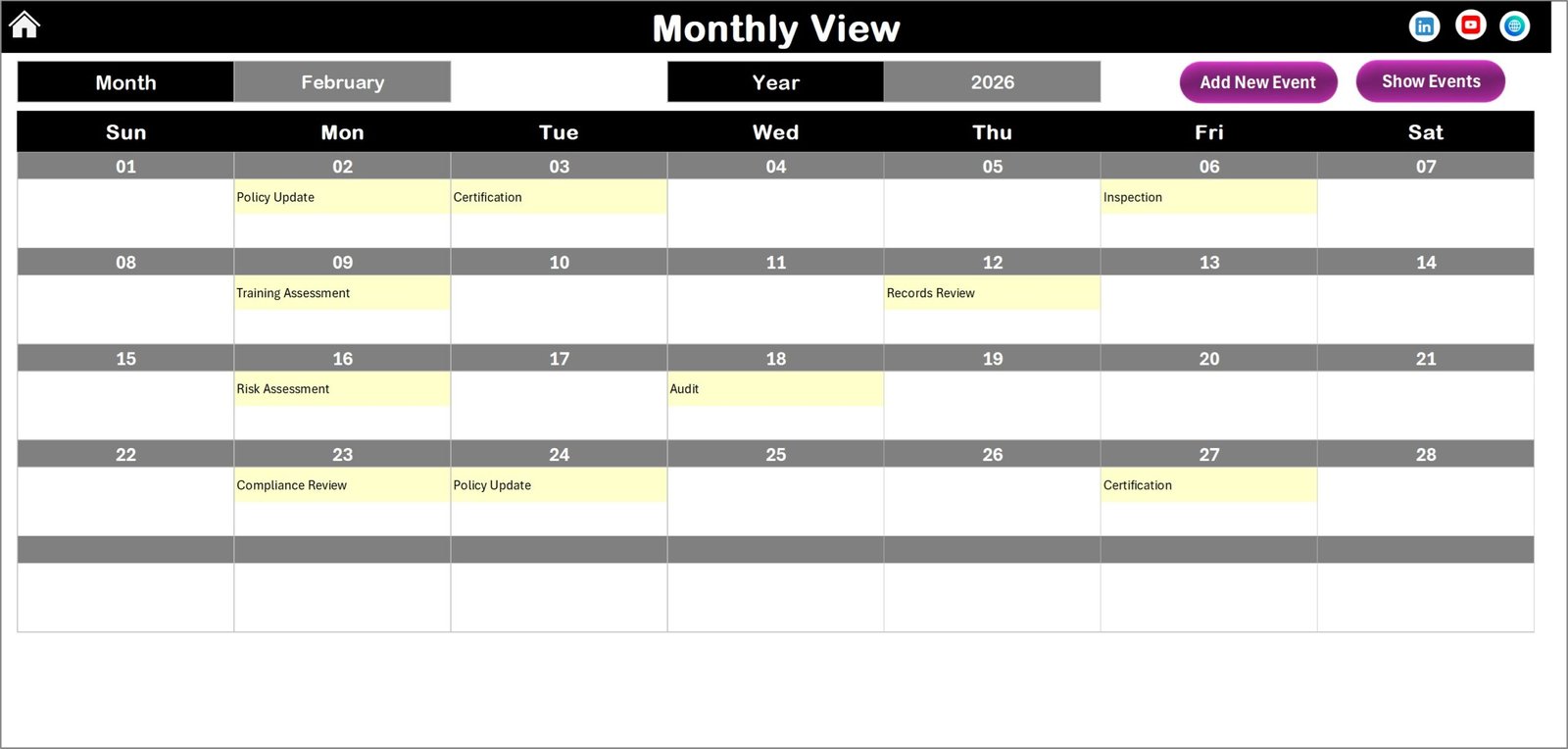
The Monthly View Sheet displays a detailed calendar for a specific month.
Users can select the Month and Year from the top section.
After selection, the calendar automatically updates.
Event Display in Monthly Calendar
The monthly calendar displays:
- One event directly inside the calendar cell
- If multiple events exist, it displays “More than 1…”
Therefore, users immediately know when multiple feedback activities are scheduled.
Monthly View Buttons
Two important buttons appear at the top.
Add New Event
Users can schedule events directly from the monthly calendar.
Steps include:
- Select the date
- Click Add New Event
- Enter event details
- Click Submit
Show Event
This button displays the full list of events scheduled for a selected date.
As a result, users can easily review all scheduled tasks.
Click to buy Customer Feedback Analysis Compliance Calendar in Excel
What Does the Daily View Sheet Show?
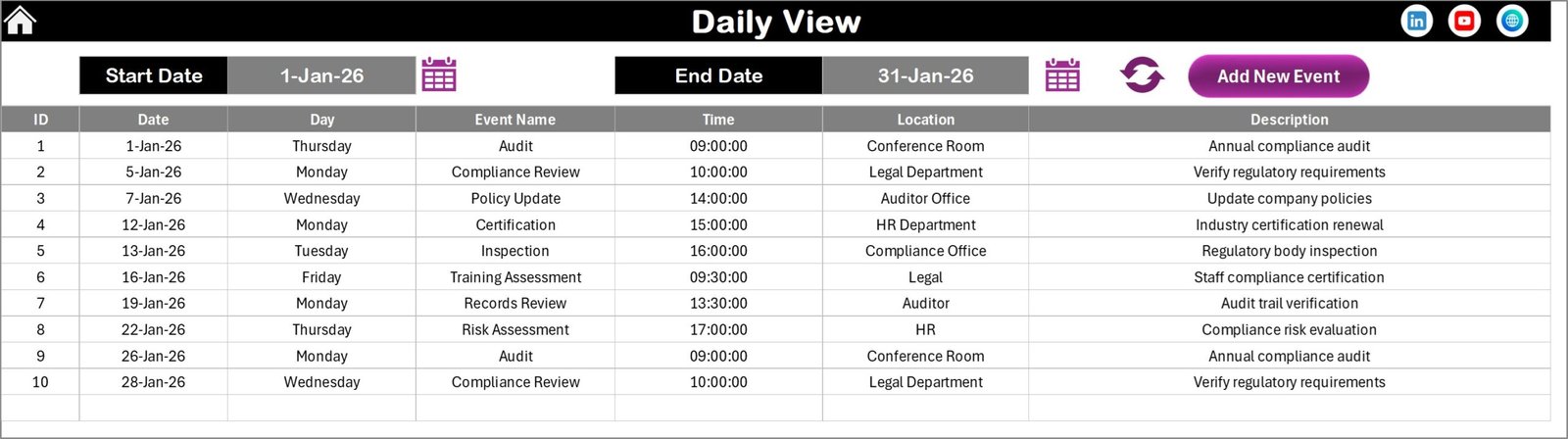
The Daily View Sheet provides detailed event tracking.
Instead of viewing events inside a calendar grid, users can view a structured list of events.
Date Range Selection
Users can select:
- Start Date
- End Date
After selecting the range, users click the Refresh Button.
The sheet then displays all events scheduled within the selected period.
Daily View Benefits
This sheet helps teams:
- Review feedback activities for a specific period
- Monitor upcoming compliance tasks
- Analyze scheduled meetings
- Track event details clearly
Additionally, the sheet includes an Add New Event button for quick event creation.
Click to buy Customer Feedback Analysis Compliance Calendar in Excel
What is the Events Sheet?
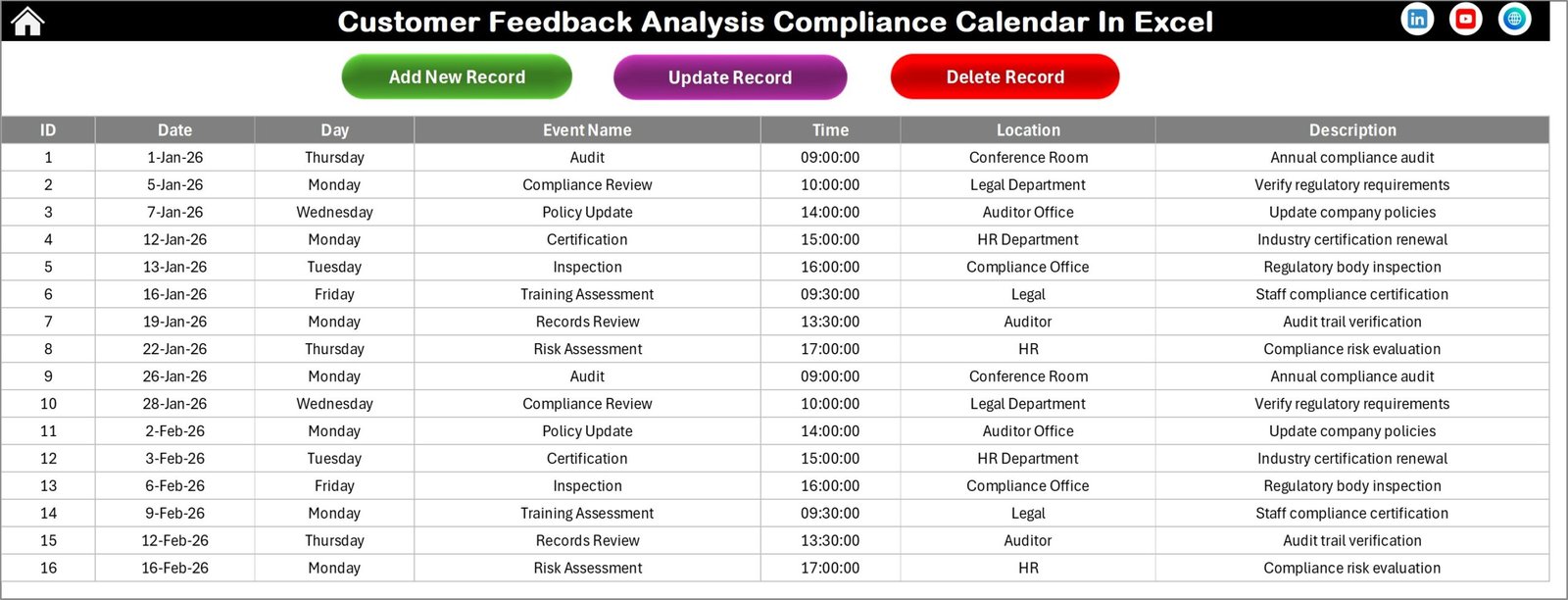
The Events Sheet works as the database of the entire calendar.
This sheet stores the information of all events.
Therefore, all other sheets automatically pull data from this database.
Event Data Captured in the Database
The Events Sheet stores the following information:
- ID – Auto-generated number
- Date – Event date
- Day – Day of the week
- Event Name – Name of the event
- Time – Event time
- Location – Event location
- Description – Short description of the event
This structure ensures organized data management.
Event Management Buttons
The Events Sheet includes three major buttons.
Add New Record
Users can create new event entries.
Steps include:
- Click Add New Record
- Fill event details
- Click Submit
Update Existing Record
Users can update event details.
Steps include:
- Select event ID
- Click Update Existing Record
- Modify details
- Submit changes
Delete Record
Users can delete unnecessary events.
Steps include:
- Select event ID
- Click Delete Record
The selected event gets removed from the database.
Click to buy Customer Feedback Analysis Compliance Calendar in Excel
Advantages of Customer Feedback Analysis Compliance Calendar in Excel
Using this Excel template offers several advantages.
- Centralized Feedback Management
The calendar stores all feedback activities in one place.
Therefore, teams avoid scattered tracking systems.
- Better Compliance Monitoring
Organizations can schedule compliance tasks and track them easily.
Consequently, teams avoid missing deadlines.
- Improved Customer Experience
When companies respond to feedback quickly, customer satisfaction improves.
- Clear Visibility of Activities
Annual, monthly, and daily views provide complete visibility.
Therefore, managers can monitor feedback operations efficiently.
- Easy to Use
Excel offers a familiar interface.
Therefore, employees can use the calendar without technical training.
- Customizable Template
Users can modify:
- Event types
- Calendar settings
- Highlight rules
- Color themes
As a result, the template adapts to different business needs.
Best Practices for Using a Customer Feedback Compliance Calendar
Organizations must follow certain best practices to maximize the benefits of the calendar.
- Schedule Regular Feedback Reviews
Teams should review feedback weekly or monthly.
This practice helps identify trends early.
- Track Response Deadlines
Customer complaints require quick responses.
Therefore, schedule response deadlines inside the calendar.
- Assign Responsibility
Each event should have a responsible team member.
This practice improves accountability.
- Monitor Compliance Activities
Companies must schedule compliance checks regularly.
This practice ensures service standards remain consistent.
- Use Color Coding for Priority
Color highlights help identify urgent tasks quickly.
Therefore, teams can respond faster.
- Update the Calendar Regularly
Teams should update events immediately.
This habit keeps the calendar accurate.
Who Can Use This Customer Feedback Analysis Calendar?
Many organizations can benefit from this template.
Customer Support Teams
Support teams can schedule complaint reviews and response deadlines.
Quality Assurance Teams
QA teams can monitor service improvement activities.
Product Management Teams
Product teams can schedule feedback analysis sessions.
Marketing Teams
Marketing teams can review customer sentiment regularly.
Business Owners and Managers
Managers can track feedback-related performance activities.
How Does This Calendar Improve Customer Feedback Management?
Customer feedback management requires consistent tracking.
This calendar improves management in several ways.
Organized Feedback Scheduling
Teams can plan feedback reviews clearly.
Improved Communication
Departments can coordinate feedback actions easily.
Faster Problem Resolution
Teams identify issues earlier and respond quickly.
Data Driven Decisions
Organizations can analyze trends and improve services.
Conclusion
Customer feedback drives business growth. However, organizations must manage feedback activities systematically to gain real value.
A Customer Feedback Analysis Compliance Calendar in Excel helps companies schedule feedback reviews, monitor compliance activities, and track response deadlines efficiently.
With features such as annual view, monthly calendar, daily tracking, event database, and automated event forms, this template simplifies feedback management.
As a result, businesses improve customer satisfaction, operational efficiency, and compliance monitoring.
Organizations that actively track feedback activities gain a strong advantage because they understand customer needs better.
Therefore, implementing a structured feedback calendar becomes an essential step toward better customer experience and business success.
Frequently Asked Questions (FAQs)
What is a Customer Feedback Analysis Compliance Calendar?
It is an Excel-based tool that helps organizations schedule, track, and manage customer feedback activities and compliance tasks.
Why should businesses track customer feedback activities?
Businesses should track feedback activities to ensure timely responses, improve service quality, and maintain compliance standards.
Can small businesses use this Excel template?
Yes. Small businesses can easily use this template because Excel provides a simple and familiar interface.
Does the calendar support event editing?
Yes. Users can add, update, and delete events through the event management buttons.
Can the calendar highlight important days?
Yes. The template allows users to highlight specific days of the week and scheduled events.
Is this template customizable?
Yes. Users can modify themes, calendar settings, event details, and highlight options according to business needs.
Visit our YouTube channel to learn step-by-step video tutorials
Watch the step-by-step video tutorial:
Click to buy Customer Feedback Analysis Compliance Calendar in Excel