Customer feedback plays a critical role in business growth. However, many organizations collect feedback without proper planning or scheduling. As a result, teams miss review deadlines, surveys remain unprocessed, and valuable insights get lost. Therefore, companies now prefer structured systems that help them plan, track, and manage feedback activities efficiently.
One powerful solution is the Customer Feedback Analysis Planning Calendar in Excel — a ready-to-use calendar template designed to organize feedback collection, analysis schedules, review meetings, and improvement actions in one centralized place.
In this detailed guide, you will learn everything about this Excel calendar, including its features, structure, advantages, best practices, and frequently asked questions. Moreover, you will understand how this simple yet powerful tool transforms customer feedback management.
Click to buy Customer Feedback Analysis Planning Calendar In Excel
What Is a Customer Feedback Analysis Planning Calendar in Excel?
A Customer Feedback Analysis Planning Calendar in Excel is a structured scheduling tool that helps businesses plan and manage all customer feedback activities using an interactive Excel calendar.
Instead of tracking feedback tasks through emails, notes, or multiple spreadsheets, teams can organize everything inside one automated workbook. Consequently, managers gain visibility, teams stay aligned, and feedback analysis becomes consistent.
This calendar allows organizations to:
Schedule feedback surveys and reviews
- Track analysis timelines
- Plan customer experience meetings
- Manage improvement actions
- Monitor feedback-related events
- Maintain a centralized feedback database
As a result, businesses can turn customer opinions into actionable strategies faster.
Why Do Businesses Need a Customer Feedback Planning Calendar?
Many companies collect feedback regularly. However, without planning, feedback management becomes chaotic. Therefore, a structured calendar becomes essential.
Common Challenges Without Planning
- Feedback reviews happen inconsistently
- Teams forget analysis deadlines
- Survey schedules overlap
- Improvement actions get delayed
- Managers lack visibility into feedback cycles
On the other hand, when organizations use a planning calendar, they create a systematic workflow.
How This Calendar Solves the Problem
- Centralizes all feedback activities
- Automates scheduling
- Improves accountability
- Enhances collaboration
- Supports data-driven decisions
Therefore, companies can respond to customer needs quickly and effectively.
What Are the Key Features of the Customer Feedback Analysis Planning Calendar?
This ready-to-use Excel template includes five structured worksheets, each designed for a specific purpose. Let us explore each sheet in detail.
Home Sheet – The Navigation Hub
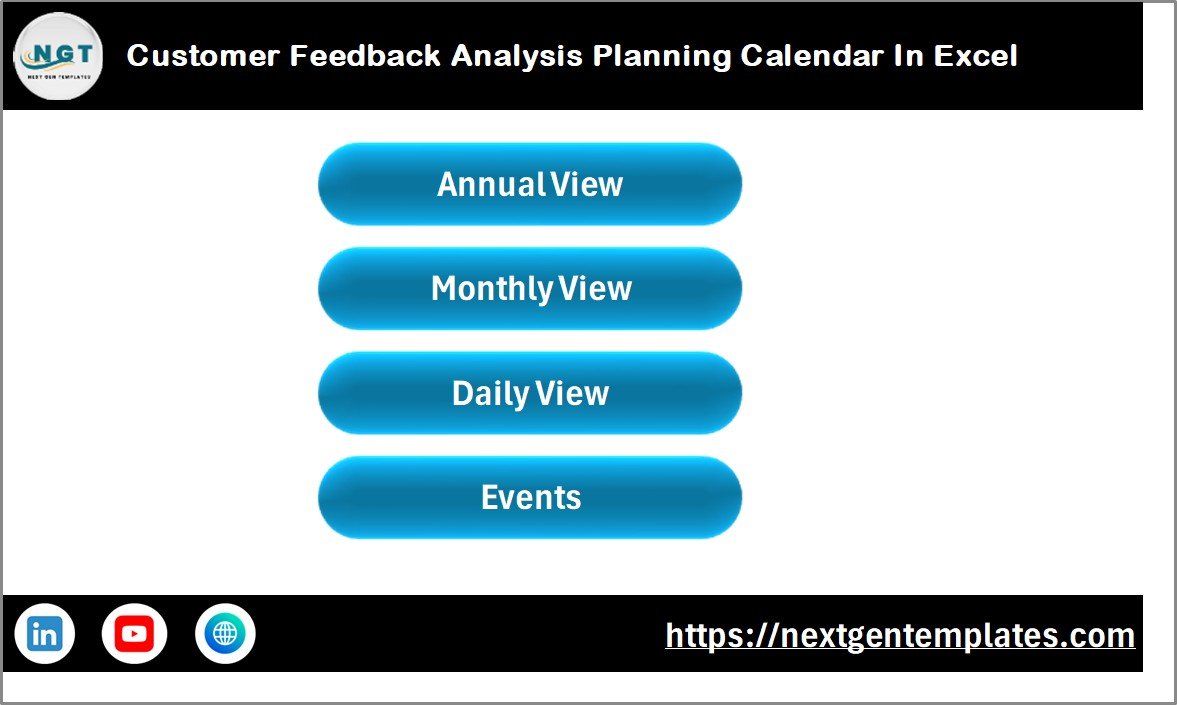
The Home sheet works as an index page that allows users to navigate across the workbook easily.
Available Navigation Buttons
- Annual View
- Monthly View
- Daily View
- Events Database
Because of these buttons, users can jump instantly to the required section without searching through sheets.
Why the Home Sheet Matters
- Improves user experience
- Saves time
- Makes navigation simple
- Provides centralized access
Therefore, even non-technical users can operate the calendar comfortably.
Click to buy Customer Feedback Analysis Planning Calendar In Excel
Annual View Sheet – Yearly Planning Made Easy
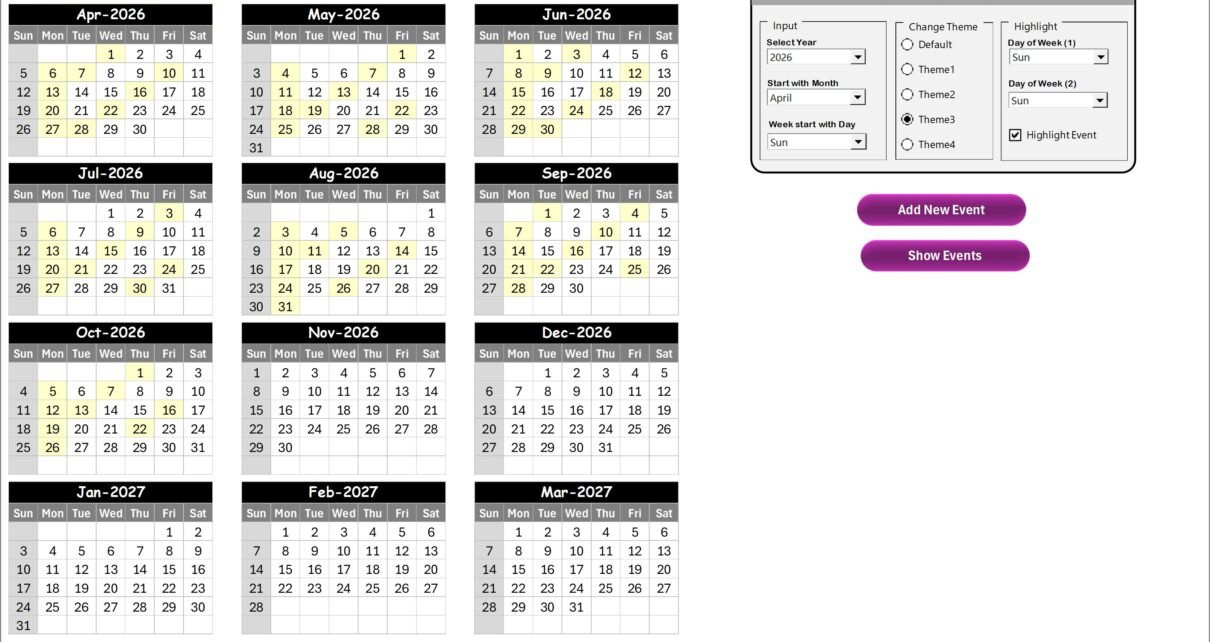
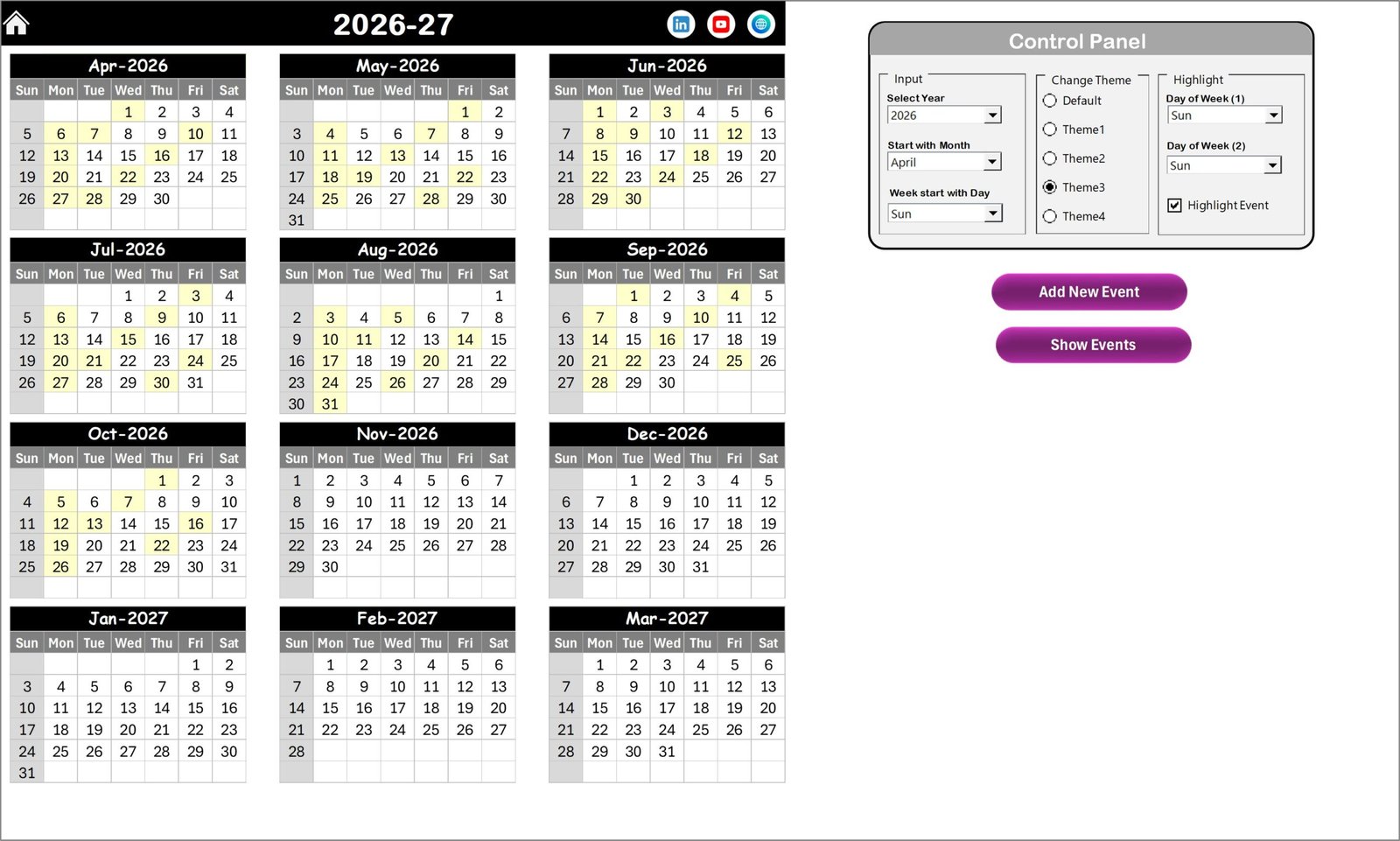
The Annual View sheet displays a complete 12-month calendar in one place. As a result, managers can plan feedback activities for the entire year.
Control Panel Features
The annual calendar includes a powerful control panel divided into three groups.
Input Group
Users can customize the calendar dynamically:
- Select Year
- Change starting month
- Choose starting day of the week
Once users change these inputs, the calendar updates automatically.
Change Theme Group
The template provides five color themes. Therefore, organizations can apply branding or visual preferences easily across the workbook.
Highlight Group
Users can highlight important weekdays.
For example:
- Highlight Saturdays and Sundays
- Mark review days
- Emphasize feedback deadlines
Additionally, the Highlight Event checkbox marks scheduled events in yellow color for quick identification.
Action Buttons
Add New Event Button
- Select a date
- Click the button
- Fill the event form
- Submit
The event instantly appears on the calendar.
Show Event Button
Users can view all events scheduled for a selected date.
Click to buy Customer Feedback Analysis Planning Calendar In Excel
Why Is Annual Planning Important for Feedback Analysis?
Because feedback activities run continuously, annual planning ensures:
- Regular survey scheduling
- Quarterly analysis reviews
- Customer experience audits
- Continuous improvement tracking
Therefore, organizations maintain consistency throughout the year.
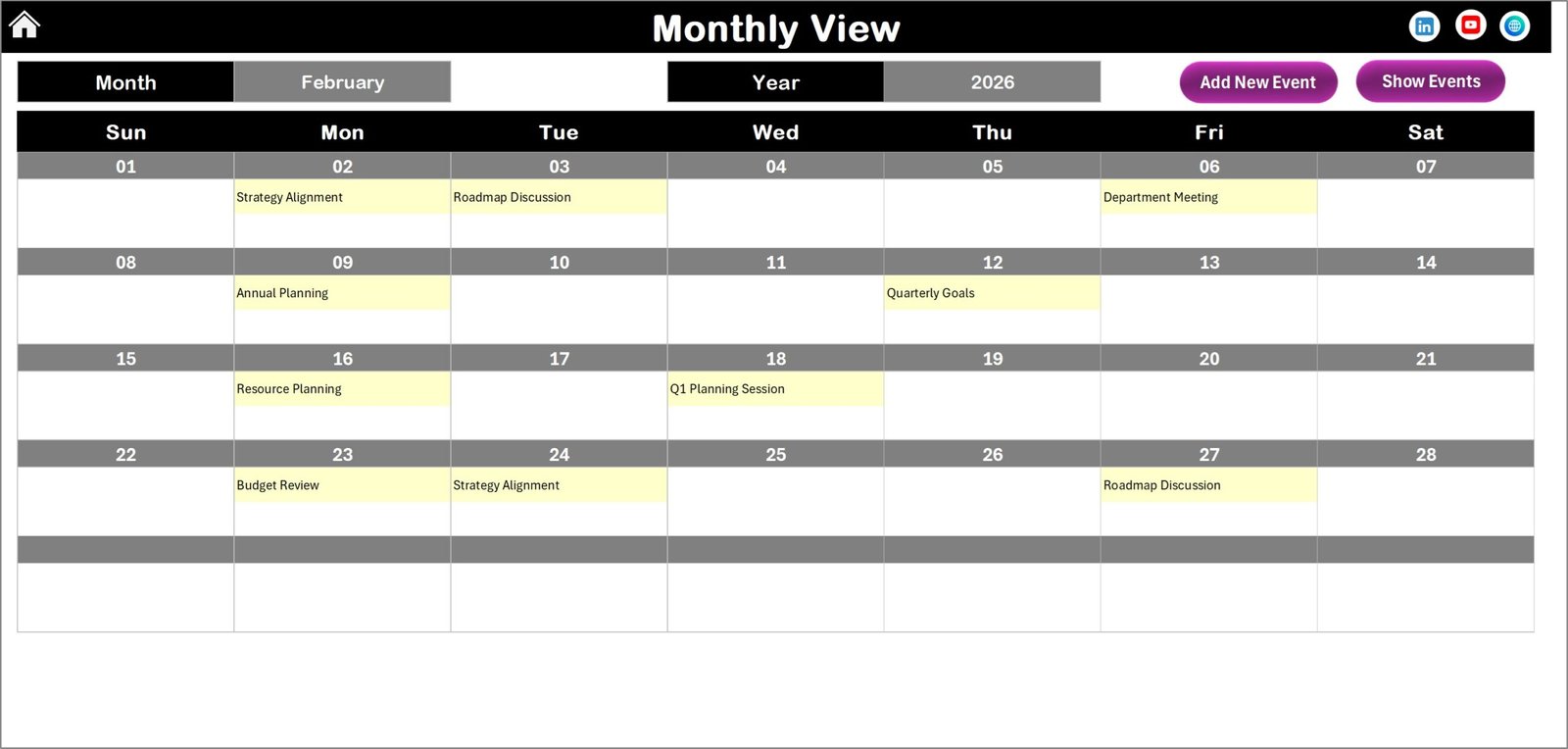
Monthly View Sheet – Focused Planning for Each Month
The Monthly View sheet provides a detailed calendar for a selected month.
Dynamic Selection Options
Users can select:
- Month
- Year
Accordingly, the calendar updates automatically.
Event Display Logic
- Shows one event directly on the calendar
- Displays “more than 1…” when multiple events exist
This feature keeps the calendar clean while still indicating activity volume.
Monthly View Buttons
Add New Event
Quickly add feedback activities such as:
- Customer survey launches
- Feedback review meetings
- Quality improvement sessions
Show Event
Displays full event details for selected dates.
How Does Monthly Planning Improve Feedback Management?
Monthly planning helps teams:
- Prioritize tasks
- Monitor deadlines
- Avoid scheduling conflicts
- Improve execution consistency
Therefore, teams stay organized and proactive.
Click to buy Customer Feedback Analysis Planning Calendar In Excel
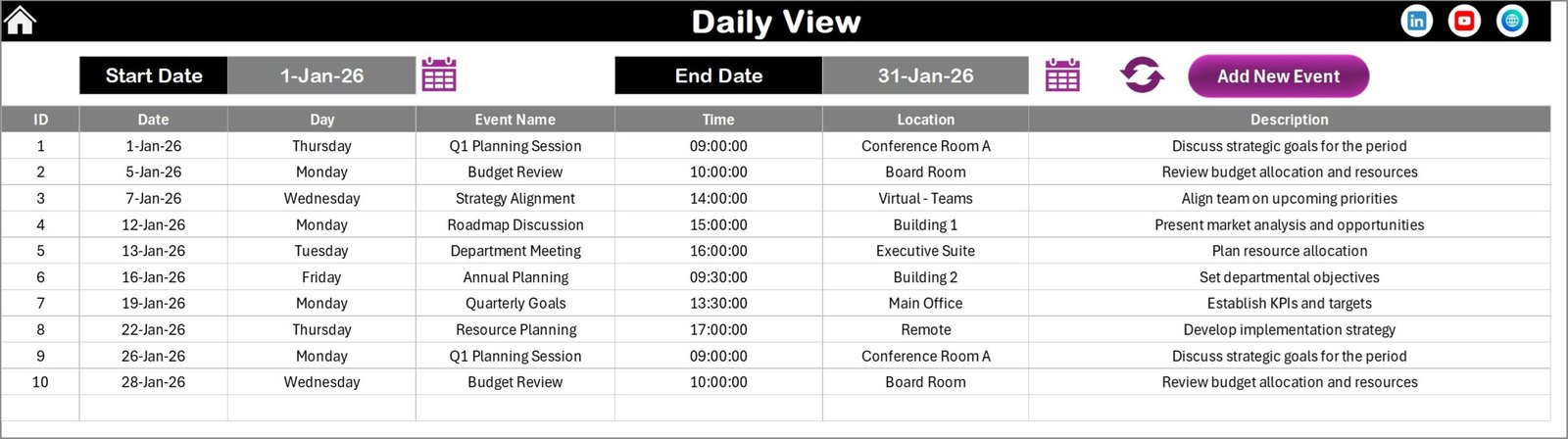
Daily View Sheet – Detailed Activity Tracking
While annual and monthly views focus on planning, the Daily View sheet focuses on execution.
Key Features
- Select Start Date and End Date
- Use calendar icons for easy selection
- Click Refresh to load latest events
This sheet displays detailed event information within the chosen date range.
Add New Event Feature
Users can add events directly from this page using the form interface.
Benefits of Daily Tracking
- Provides operational clarity
- Shows upcoming tasks
- Helps teams prepare in advance
- Supports accountability
Consequently, teams never miss important feedback activities.
Click to buy Customer Feedback Analysis Planning Calendar In Excel
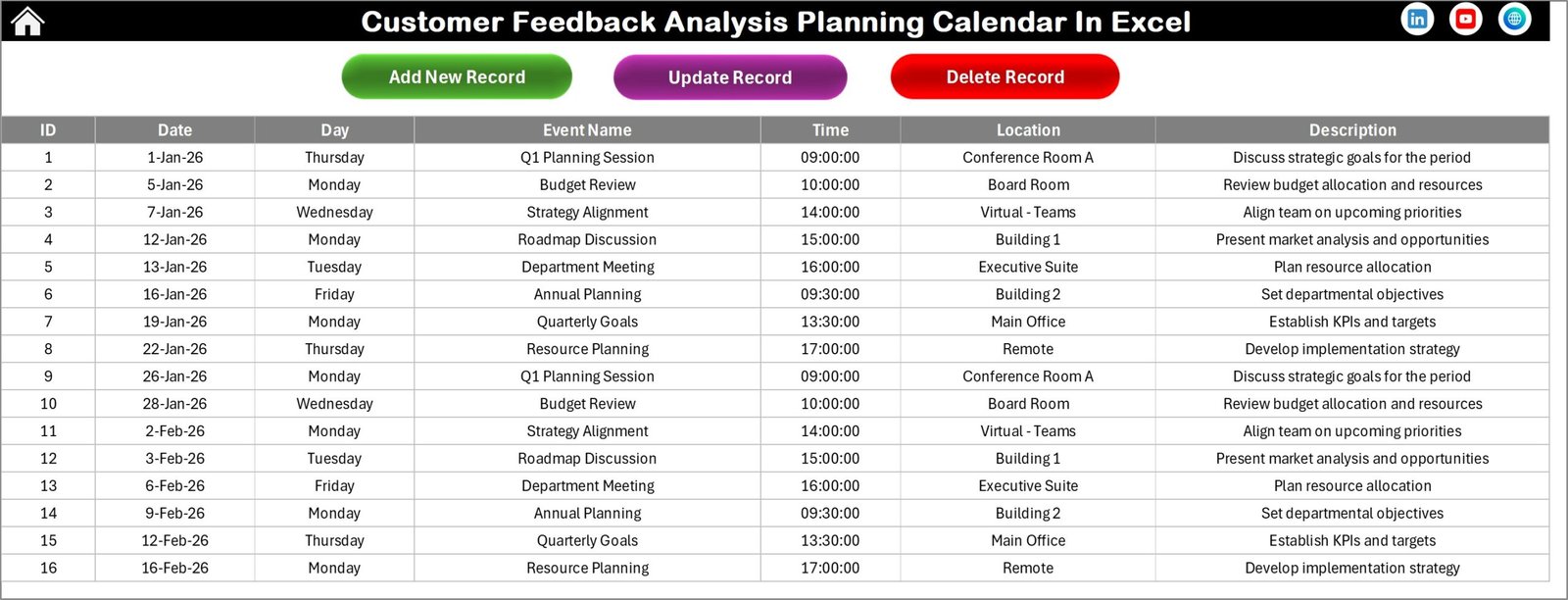
Events Sheet – Central Database
The Events sheet acts as the backend database storing all calendar records.
Stored Information
- ID (Auto-generated)
- Date
- Day
- Event Name
- Time
- Location
- Description
Because the system stores structured data, users can maintain historical records easily.
Click to buy Customer Feedback Analysis Planning Calendar In Excel
Database Management Buttons
Add New Record
Opens the event form to add new activities.
Update Existing Record
Select an ID and edit details instantly.
Delete Record
Removes unwanted records safely.
Why Is a Centralized Event Database Important?
A centralized database:
- Prevents data loss
- Ensures consistency
- Supports reporting
- Enables long-term tracking
Therefore, organizations maintain accurate feedback planning records.
How Can Businesses Use This Calendar for Customer Feedback Analysis?
Organizations can apply this template in multiple ways.
Example Use Cases
- Customer satisfaction survey scheduling
- Product feedback reviews
- Service quality meetings
- Complaint analysis sessions
- Customer journey evaluations
- Improvement action tracking
As a result, feedback management becomes structured and measurable.
Advantages of Customer Feedback Analysis Planning Calendar in Excel
Using this Excel calendar offers several practical advantages.
Better Organization
Teams manage all feedback activities in one place.
Improved Accountability
Responsibilities and schedules remain visible.
Time Savings
Automation reduces manual tracking.
Enhanced Collaboration
Everyone follows the same schedule.
Clear Visibility
Managers see yearly, monthly, and daily plans instantly.
Easy Customization
Users adjust themes, schedules, and highlights easily.
No Advanced Software Needed
Excel familiarity makes adoption simple.
Best Practices for the Customer Feedback Analysis Planning Calendar
To achieve the best results, organizations should follow structured practices.
- Schedule Feedback Cycles in Advance
Plan surveys quarterly or monthly to maintain consistency.
- Standardize Event Naming
Use clear naming like:
- Customer Survey Review
- Feedback Analysis Meeting
- Update Events Regularly
Always update completed or rescheduled activities.
- Assign Ownership
Define responsible teams for each event.
- Review Calendar Weekly
Regular reviews prevent missed deadlines.
- Maintain Clean Data
Avoid duplicate entries in the database.
- Use Highlights Strategically
Highlight critical review days or deadlines.
How Does This Excel Calendar Improve Customer Experience Strategy?
Customer feedback only creates value when organizations analyze and act on it.
This calendar helps by:
- Creating structured feedback cycles
- Ensuring timely analysis
- Supporting continuous improvement
- Aligning teams around customer insights
Therefore, businesses move from reactive responses to proactive customer experience management.
Who Can Benefit from This Template?
This planning calendar suits multiple industries and roles.
Ideal Users
- Customer Experience Teams
- Quality Assurance Managers
- Product Managers
- Service Organizations
- Retail Businesses
- SaaS Companies
- Marketing Teams
- Support Departments
Because Excel remains widely accessible, almost any organization can use it immediately.
Why Choose Excel for Feedback Planning?
Many organizations wonder why Excel works so well.
Key Reasons
- Familiar interface
- No learning curve
- High flexibility
- Easy customization
- Offline accessibility
- Cost-effective solution
Therefore, Excel remains one of the most practical tools for operational planning.
Tips to Maximize Productivity Using This Calendar
- Use color themes aligned with company branding
- Schedule recurring feedback reviews
- Maintain monthly analysis routines
- Track improvement meetings
- Archive historical events yearly
As a result, teams improve productivity significantly.
Conclusion
Customer feedback drives business improvement. However, without proper planning, even valuable feedback loses impact. Therefore, organizations need a structured system that ensures consistent analysis and follow-up.
The Customer Feedback Analysis Planning Calendar in Excel provides exactly that solution. It combines annual planning, monthly scheduling, daily tracking, and centralized data management into one easy-to-use workbook.
Moreover, it simplifies feedback workflows, improves accountability, and helps organizations transform customer insights into measurable actions. As businesses continue to focus on customer experience, structured planning tools like this calendar become essential for success.
Frequently Asked Questions (FAQs)
- What is a Customer Feedback Analysis Planning Calendar?
It is an Excel-based scheduling tool used to plan, track, and manage customer feedback activities and analysis timelines.
- Do I need advanced Excel skills to use this template?
No. The template uses buttons and forms, so beginners can use it easily.
- Can I customize the calendar themes?
Yes. The template includes multiple color themes that apply across the workbook.
- Can I track multiple events on the same day?
Yes. The calendar supports multiple events and displays indicators accordingly.
- Is this template suitable for small businesses?
Absolutely. Small and large organizations can both benefit from structured feedback planning.
- Can I update or delete events later?
Yes. The Events sheet allows updating and deleting records anytime.
- How does this calendar improve feedback management?
It ensures consistent scheduling, improves visibility, and helps teams act on feedback systematically.
Visit our YouTube channel to learn step-by-step video tutorials
Watch the step-by-step video tutorial:
Click to buy Customer Feedback Analysis Planning Calendar In Excel