Managing customer service maintenance activities without a structured system often creates confusion, missed deadlines, and service disruptions. However, when teams follow a well-designed maintenance calendar, they gain clarity, control, and confidence. That is exactly where a Customer Service Maintenance Calendar in Excel becomes a powerful operational tool.
In this detailed guide, you will learn what a Customer Service Maintenance Calendar in Excel is, why it matters, how it works, and how each worksheet supports daily maintenance operations. Moreover, you will explore its advantages, best practices, and frequently asked questions to help you use this ready-to-use Excel calendar effectively.
Because Excel remains flexible, familiar, and widely used, this calendar works perfectly for small teams, growing service departments, and large customer support operations.
Click to Purchases Customer Service Maintenance Calendar in Excel
What Is a Customer Service Maintenance Calendar in Excel?
A Customer Service Maintenance Calendar in Excel is a structured and interactive scheduling tool designed to plan, track, and manage customer service maintenance activities in one centralized workbook.
Instead of using scattered emails, notes, or manual trackers, this calendar allows teams to:
-
Schedule preventive and corrective maintenance tasks
-
Track service events by date, month, and year
-
View maintenance workload clearly
-
Maintain a centralized events database
-
Improve service reliability and customer satisfaction
Because the calendar runs entirely in Excel, teams can update it easily without complex software or external tools.
Why Do Customer Service Teams Need a Maintenance Calendar?
Customer service maintenance tasks often involve recurring checks, scheduled service visits, system updates, and follow-ups. However, without a proper calendar, teams struggle to stay organized.
A Customer Service Maintenance Calendar in Excel helps because:
-
It prevents missed maintenance activities
-
It improves planning and visibility
-
It reduces manual coordination efforts
-
It keeps all service events documented
-
It supports proactive service management
As a result, teams shift from reactive issue handling to proactive service excellence.
How Does a Customer Service Maintenance Calendar in Excel Work?
This ready-to-use Excel template works through five interconnected worksheets, each designed for a specific purpose. Together, they create a complete maintenance scheduling and tracking system.
Let us explore each worksheet in detail.
Click to Purchases Customer Service Maintenance Calendar in Excel
What Is the Home Sheet in the Customer Service Maintenance Calendar?
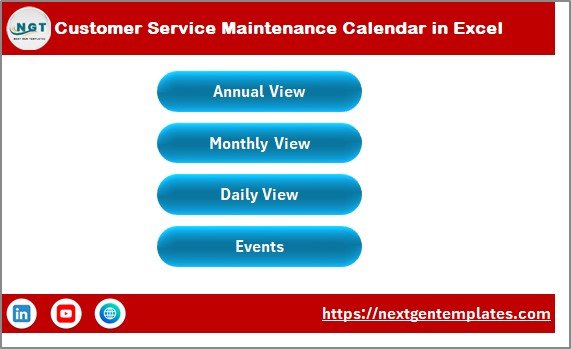
The Home sheet acts as the central navigation hub of the entire workbook.
Key Purpose of the Home Sheet
The Home sheet helps users move quickly between different views without confusion.
Buttons Available on the Home Sheet
-
Annual View – Jump directly to the yearly calendar
-
Monthly View – Open the selected month’s calendar
-
Daily View – Review events within a date range
-
Events – Access the complete events database
Because of this index-style layout, even new users can navigate the calendar easily.
What Is the Annual View Sheet in the Maintenance Calendar?
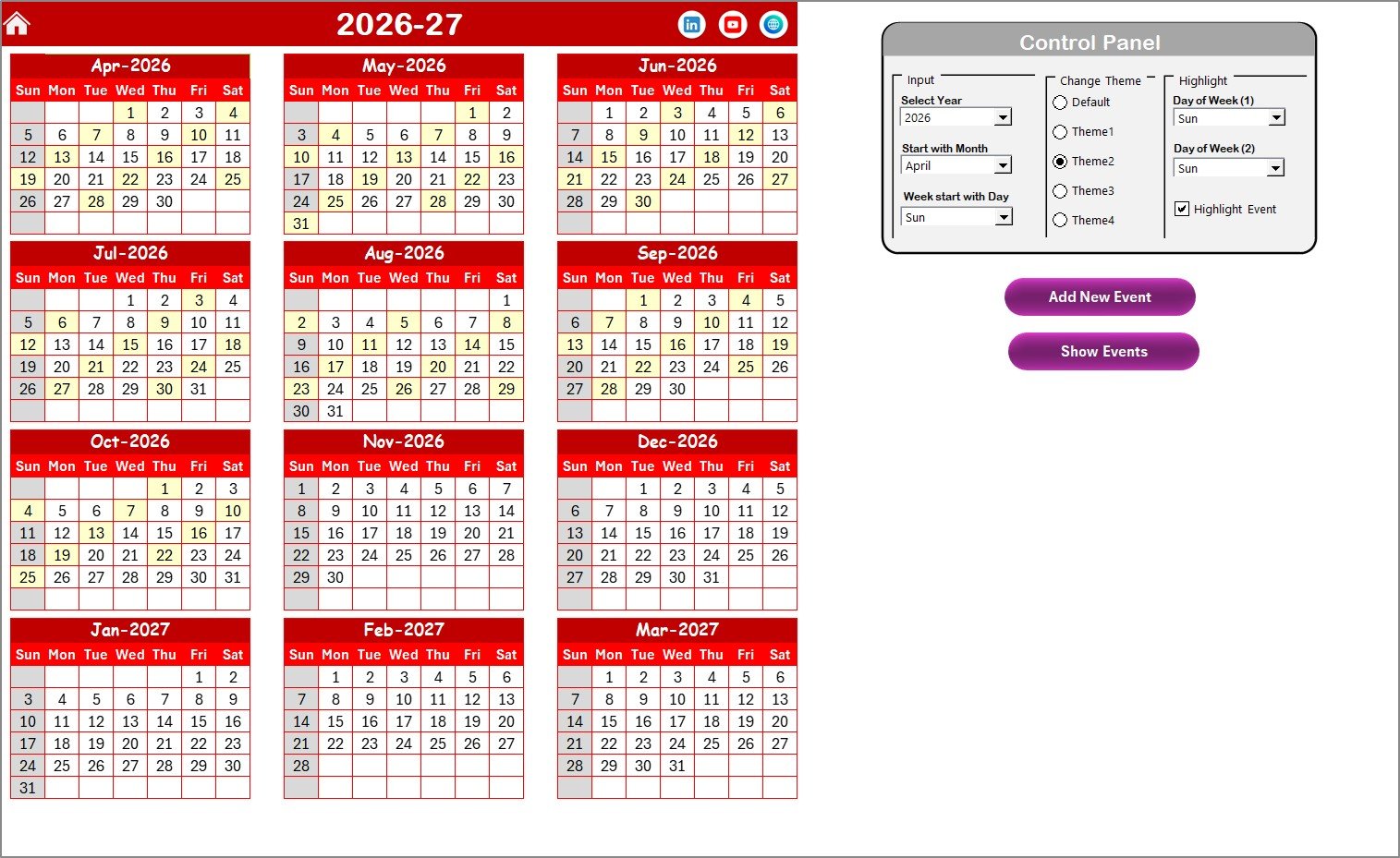
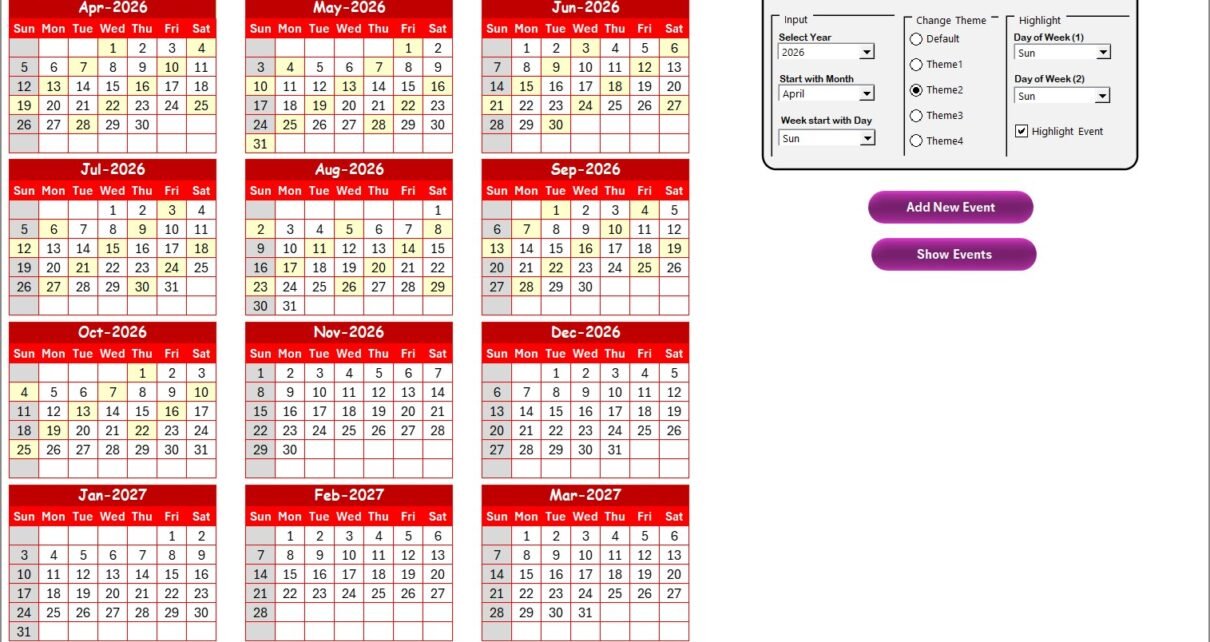
The Annual View Sheet displays a 12-month calendar in a single view, making it ideal for long-term maintenance planning.
Why Is the Annual View Important?
The annual view allows teams to:
-
See the entire year at a glance
-
Identify busy and low-activity periods
-
Plan preventive maintenance in advance
-
Avoid overlapping service schedules
What Control Panel Features Are Available in the Annual View?
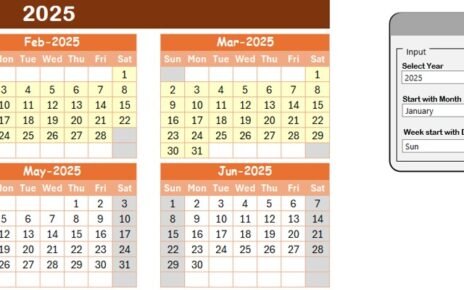
The Annual View includes a powerful control panel divided into three functional groups.
Input Group: How Do You Customize the Calendar Year?
In the Input Group, you can:
-
Select the Year to update the calendar automatically
-
Change the starting month of the calendar
-
Choose the starting day of the week
Because of these options, the calendar adapts easily to different business needs and regional preferences.
Change Theme Group: How Can You Apply Color Themes?
The Change Theme Group allows you to apply visual styles instantly.
-
Choose from five predefined color themes
-
Apply the selected theme to the entire workbook
As a result, the calendar remains visually consistent and professional.
Highlight Group: How Can You Highlight Specific Days and Events?
The Highlight Group helps emphasize important days.
You can:
-
Highlight Day of Week (1) and Day of Week (2)
-
Mark weekends such as Saturday and Sunday
-
Enable Highlight Event checkbox to show events in yellow
This feature improves readability and helps teams spot critical maintenance days quickly.
What Does the Add New Event Button Do in Annual View?
The Add New Event button allows you to add maintenance activities directly from the calendar.
Steps include:
-
Select a date on the calendar
-
Click Add New Event
-
Fill in event details in the form
-
Click Submit
The event then appears automatically on the selected date.
How Does the Show Event Button Help?
The Show Event button displays a list of all events scheduled on the selected date. This feature helps users review details without switching sheets.
Click to Purchases Customer Service Maintenance Calendar in Excel
What Is the Monthly View Sheet in the Maintenance Calendar?
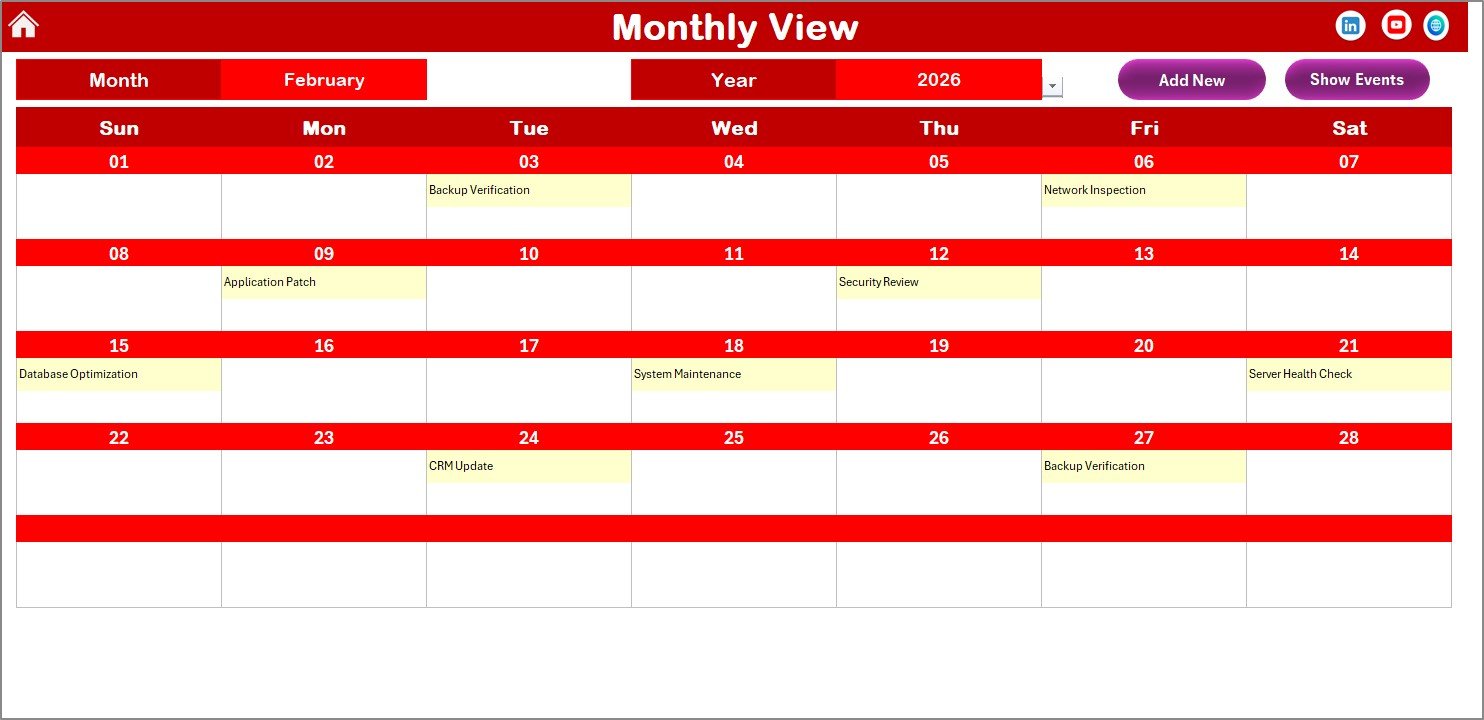
The Monthly View Sheet displays a single-month calendar based on user selection.
Why Use the Monthly View?
The monthly view helps teams focus on:
-
Current maintenance workload
-
Short-term planning
-
Daily service capacity
How Do You Select Month and Year?
At the top of the sheet, you can select:
-
Month
-
Year
The calendar updates instantly based on your selection.
How Are Multiple Events Displayed?
-
The calendar displays one event per date
-
If more than one event exists, it shows “more than 1…”
This design keeps the calendar clean while still indicating busy dates.
What Buttons Are Available in Monthly View?
-
Add New Event – Add maintenance tasks for selected dates
-
Show Event – View all events scheduled for a selected date
Because of these buttons, users manage events quickly without navigating away.
What Is the Daily View Sheet and How Is It Used?
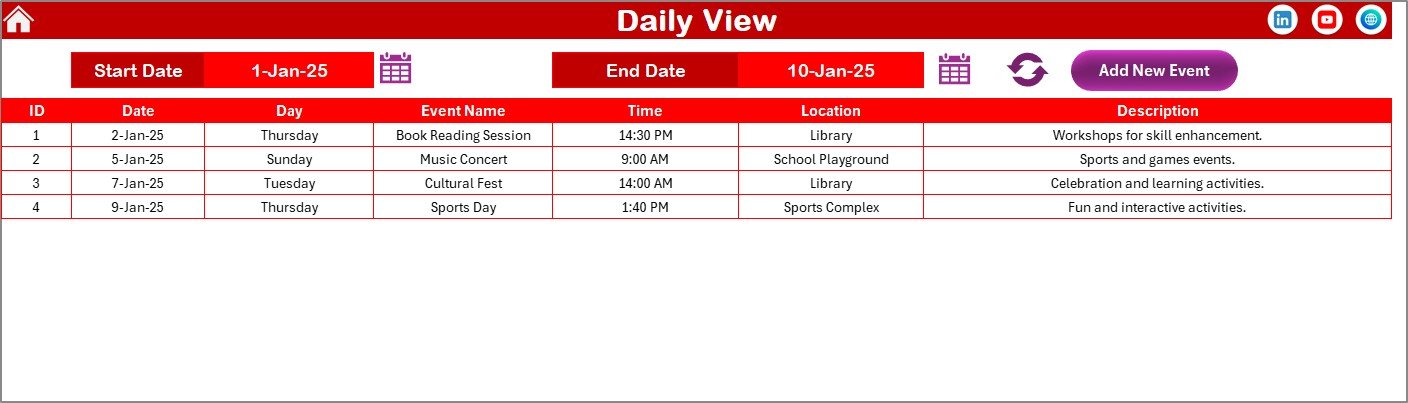
The Daily View Sheet displays a detailed list of events for a selected date range.
Why Is Daily View Important?
The daily view supports operational execution by allowing teams to:
-
Track exact maintenance schedules
-
Review event details in list format
-
Monitor workload over a specific period
How Do You Select a Date Range?
-
Enter Start Date and End Date at the top
-
Use the calendar icons for date selection
-
Click Refresh to load the latest data
Can You Add Events from Daily View?
Yes. The Add New Event button allows you to add maintenance tasks directly from the Daily View.
Click to Purchases Customer Service Maintenance Calendar in Excel
What Is the Events Sheet in the Maintenance Calendar?
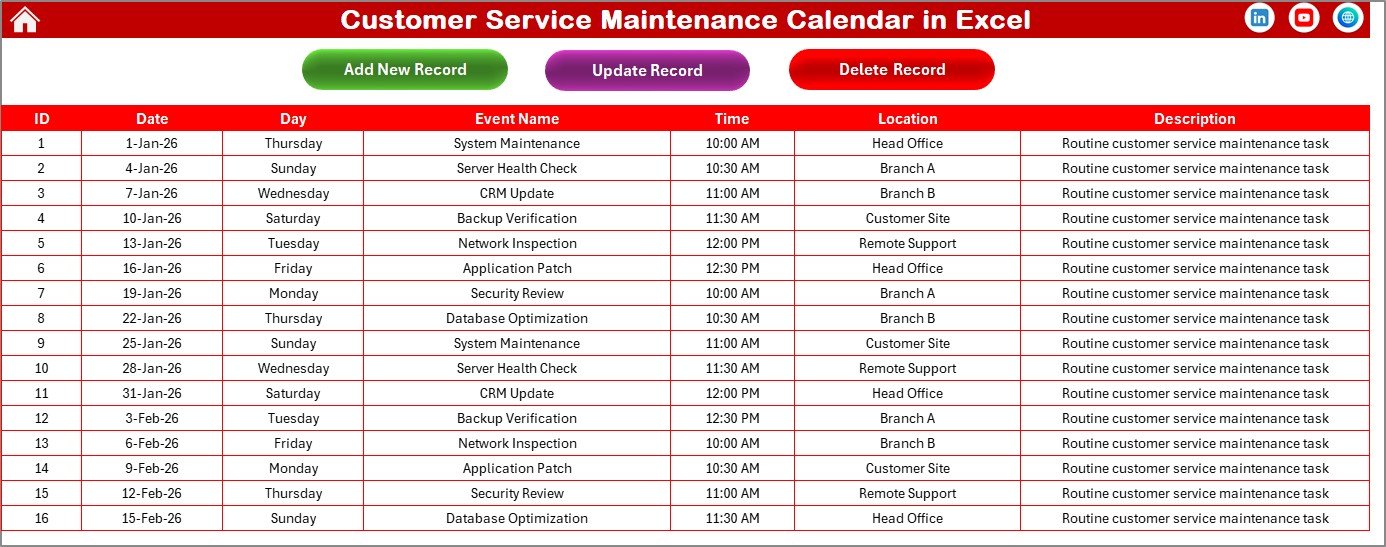
The Events Sheet works as the central database for all maintenance activities.
What Data Does the Events Sheet Store?
The sheet captures the following details:
-
ID – Auto-generated unique number
-
Date – Event date
-
Day – Day of the week
-
Event Name – Maintenance task name
-
Time – Scheduled time
-
Location – Service location
-
Description – Short event description
Because of this structured format, reporting and tracking become simple.
What Buttons Are Available on the Events Sheet?
The Events sheet includes three management buttons.
How Does the Add New Record Button Work?
-
Click Add New Record
-
Fill in the event form
-
Click Submit
The event gets added to the database automatically.
How Can You Update an Existing Record?
-
Select the ID of the event
-
Click Update Existing Record
-
Modify details in the prefilled form
-
Submit changes
This process ensures accurate record updates.
How Does the Delete Record Button Work?
-
Select the ID of the record
-
Click Delete Record
The system removes the selected event from the database instantly.
Advantages of Customer Service Maintenance Calendar in Excel
Using a Customer Service Maintenance Calendar in Excel offers several practical benefits.
Key Advantages
-
Improves maintenance planning and scheduling
-
Reduces missed or forgotten service tasks
-
Centralizes all maintenance data
-
Enhances team coordination
-
Supports proactive service management
-
Requires no additional software
-
Easy to customize and scale
Because of these advantages, teams achieve higher service reliability and better customer satisfaction.
How Does This Calendar Improve Customer Service Performance?
This calendar improves performance because it:
-
Keeps maintenance tasks visible
-
Reduces last-minute firefighting
-
Improves workload balance
-
Enhances accountability
-
Supports data-driven decisions
As a result, customer service teams operate more efficiently and confidently.
Click to Purchases Customer Service Maintenance Calendar in Excel
Best Practices for Using a Customer Service Maintenance Calendar in Excel
To get maximum value, teams should follow proven best practices.
Best Practices
-
Update events immediately after scheduling
-
Review the calendar daily or weekly
-
Use consistent event naming conventions
-
Highlight critical maintenance days
-
Avoid overcrowding a single date
-
Assign clear ownership for updates
-
Back up the file regularly
By following these practices, teams ensure accuracy and reliability.
Click to Purchases Customer Service Maintenance Calendar in Excel
Who Should Use a Customer Service Maintenance Calendar in Excel?
This calendar works well for:
-
Customer service teams
-
Maintenance coordinators
-
Operations managers
-
Support supervisors
-
Small and mid-sized businesses
-
Service-based organizations
Because Excel remains universal, almost any team can adopt it easily.
Conclusion: Why Should You Use a Customer Service Maintenance Calendar in Excel?
A Customer Service Maintenance Calendar in Excel provides structure, clarity, and control over maintenance activities. Instead of relying on scattered tools, teams gain a centralized, interactive, and easy-to-use scheduling system.
Because it includes annual, monthly, daily, and database views, it supports both strategic planning and daily execution. Moreover, its ready-to-use design saves time while improving service reliability.
Ultimately, this calendar helps customer service teams stay proactive, organized, and customer-focused.
Click to Purchases Customer Service Maintenance Calendar in Excel
Frequently Asked Questions About Customer Service Maintenance Calendar in Excel
What is a Customer Service Maintenance Calendar in Excel used for?
It helps plan, track, and manage customer service maintenance activities in one centralized Excel file.
Can beginners use this Excel calendar easily?
Yes. The navigation buttons, forms, and structured layout make it beginner-friendly.
Does the calendar support multiple events on the same date?
Yes. The system stores unlimited events and displays indicators when multiple events exist.
Can I customize the calendar year and starting day?
Yes. You can change the year, starting month, and week structure from the control panel.
Is this calendar suitable for small teams?
Yes. It works well for both small teams and growing organizations.
Does the calendar store event history?
Yes. The Events sheet maintains a complete historical database of all events.
Click to Purchases Customer Service Maintenance Calendar in Excel
Visit our YouTube channel to learn step-by-step video tutorials