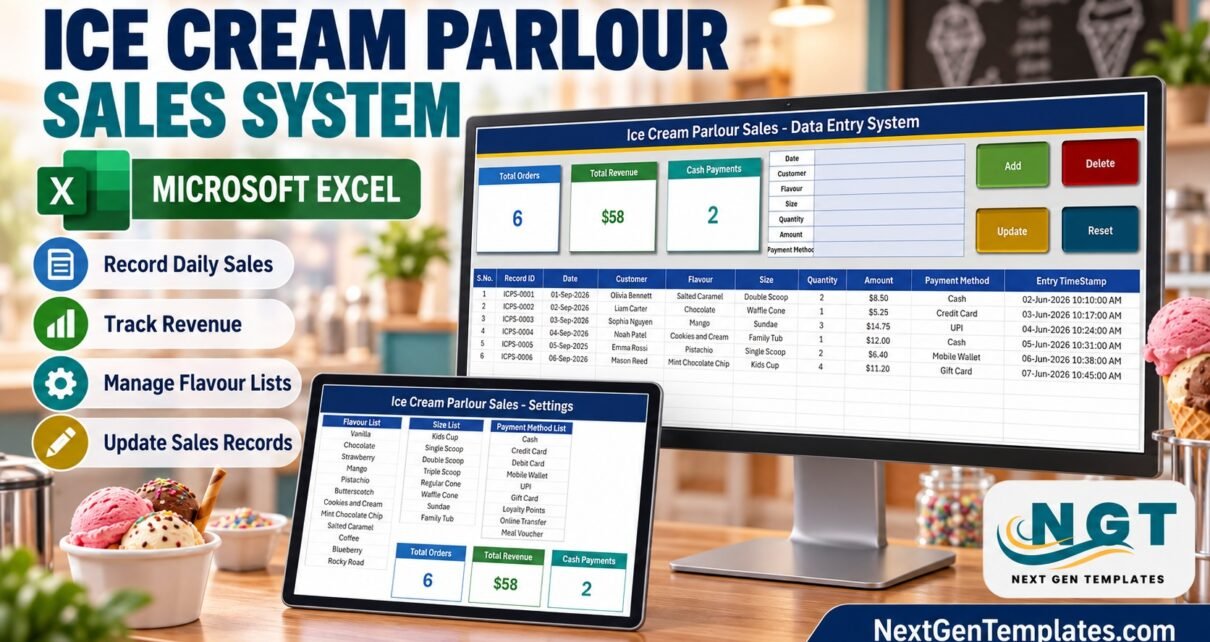
The Ice Cream Parlour Sales Data Entry System in Excel turns a paper sales book into a 4-sheet, macro-enabled workbook: a 7-field entry form, 4 buttons (Add, Update, Delete, Reset), a 10-column sales table and 3 live stat cards for Total Orders, Total Revenue and Cash Payments. It comes pre-loaded with 12 flavours, 8 serving sizes and 9 payment methods, and every sale is stamped with its own Record ID and entry time.
Most small parlours still write sales on slips or in a notebook, which makes it hard to answer simple questions at the end of the week: which flavour sold most, how many sales were paid in cash, what did Tuesday bring in? This ice cream sales tracker in Excel keeps every sale in one clean table so those answers take seconds, without the monthly fee of a full point-of-sale system.
Key Features of the Ice Cream Parlour Sales Data Entry System in Excel
- A 7-field entry form. Date, Customer, Flavour, Size, Quantity, Amount and Payment Method sit side by side on the Data Entry sheet. Flavour, Size and Payment Method are dropdowns, so spelling stays consistent and later filtering works.
- Add, Update, Delete and Reset buttons. The VBA code ships inside the .xlsm. Add writes the sale to the next free row and clears the form; Reset clears it without saving.
- Unique Record IDs. Every sale gets an ID such as ICPS-0001. The macro always takes one more than the highest number already in the table, so an ID is never reused, even after deletions.
- Double-click editing. Double-click a sale to load it into the form. The Record ID is remembered, so Update finds the right row even if you have clicked somewhere else in the meantime.
- Three stat cards. Total Orders, Total Revenue and Cash Payments are linked pictures of cards on the Setting sheet, so they refresh automatically as sales are added.
- Entry TimeStamp. Column J records exactly when each record was added or last updated, which gives you a simple audit trail next to the sale Date.
Sheet-by-Sheet Walkthrough
The workbook has four sheets: Data Entry, Setting, Instructions and Get More Templates.
1. Data Entry
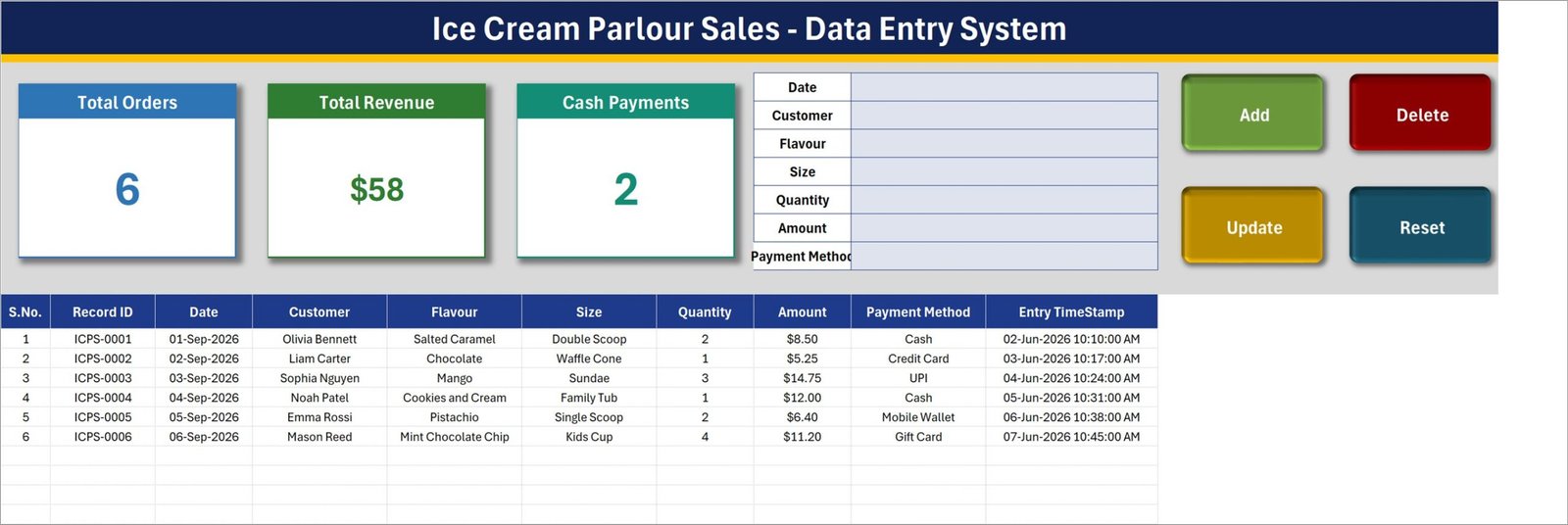
This is where the daily work happens. The top band shows the Total Orders, Total Revenue and Cash Payments cards, the entry form and the four buttons. Below it, the sales table carries 10 columns: S.No., Record ID, Date, Customer, Flavour, Size, Quantity, Amount, Payment Method and Entry TimeStamp. Six sample sales are included so you can see how it behaves before entering your own.
2. Setting
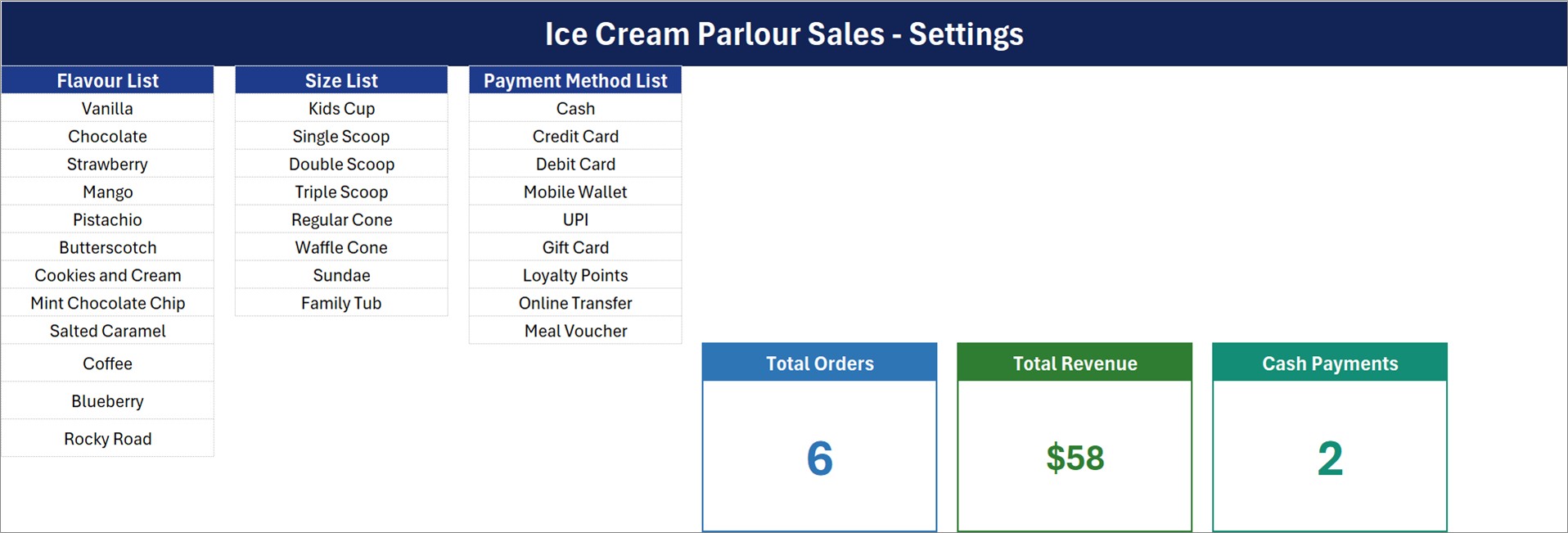
The Setting sheet holds the three lists behind the dropdowns: the Flavour List (Vanilla, Chocolate, Strawberry, Mango, Pistachio, Butterscotch, Cookies and Cream, Mint Chocolate Chip, Salted Caramel, Coffee, Blueberry, Rocky Road), the Size List (Kids Cup, Single Scoop, Double Scoop, Triple Scoop, Regular Cone, Waffle Cone, Sundae, Family Tub) and the Payment Method List (Cash, Credit Card, Debit Card, Mobile Wallet, UPI, Gift Card, Loyalty Points, Online Transfer, Meal Voucher). The master versions of the three stat cards live here too.
3. Instructions (How To Use)
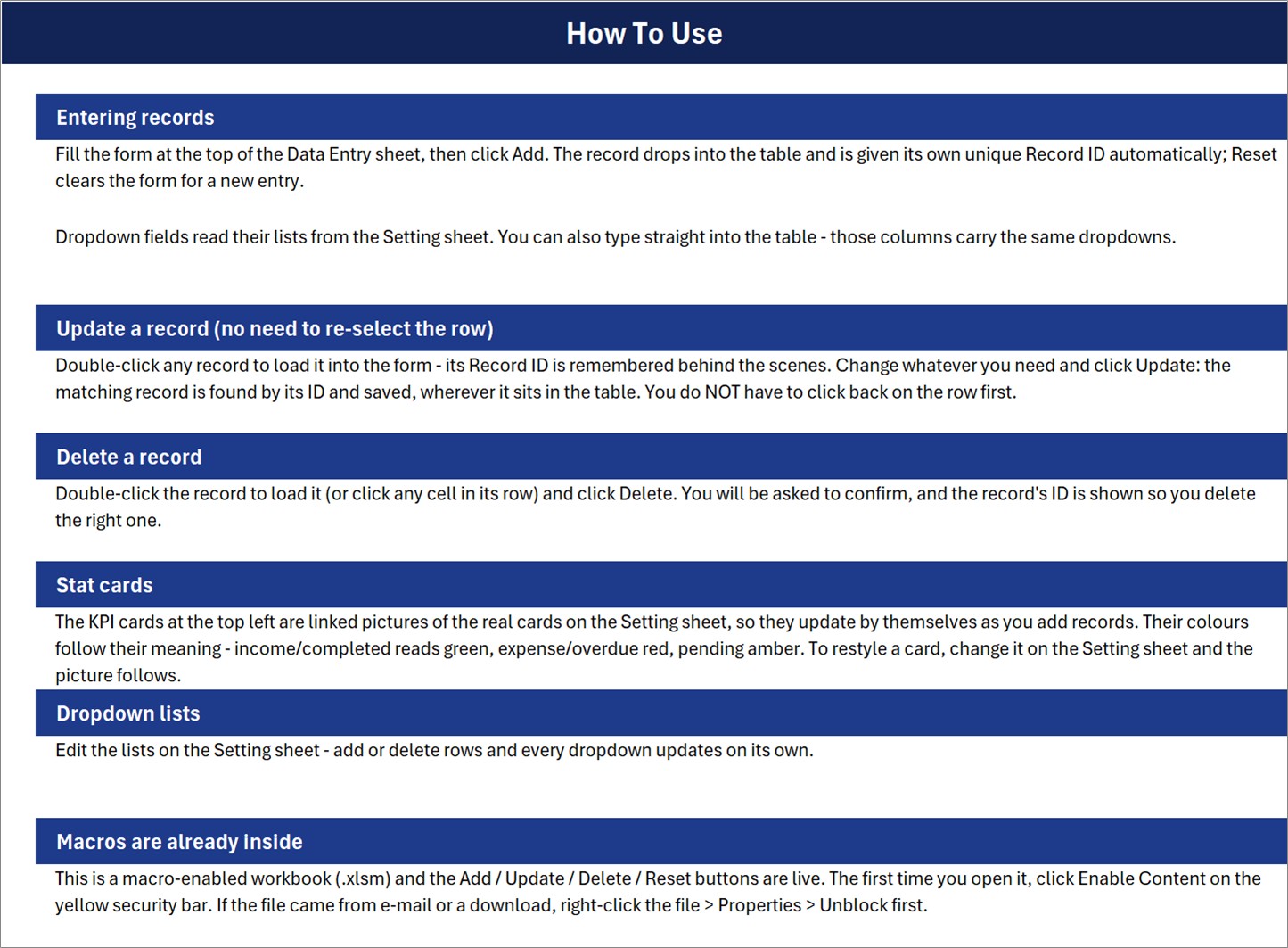
A one-page guide inside the workbook covering entering records, updating without re-selecting the row, deleting, the stat cards, the dropdown lists and enabling macros.
4. Get More Templates
Links to the NextGenTemplates store and its main template categories.
This Excel Sales Log vs. Google Sheets vs. Paid POS Software
| Feature | This Excel template | Google Sheets equivalent | Paid POS (Square / Toast / Lightspeed) |
|---|---|---|---|
| Cost | ✅ One-time payment | Free to build, hours of setup | Monthly subscription plus hardware |
| Platform | Desktop Excel on Windows (.xlsm) | Browser | Tablet or terminal app |
| Setup time | ✅ Under 10 minutes | Build it yourself | Days (menu, hardware, payments) |
| Add / Update / Delete buttons | ✅ Built in (VBA) | Needs Apps Script | ✅ Yes |
| Unique Record ID per sale | ✅ ICPS-0001 format | Manual | ✅ Yes |
| Card payments and receipt printing | ❌ No (sales log only) | ❌ No | ✅ Yes |
| Inventory deduction | ❌ No | ❌ No | ✅ Usually |
| Real-time team collaboration | ❌ Single desktop file | ✅ Yes | ✅ Yes |
| Data stays in your own file | ✅ Yes | Google Drive | Vendor cloud |
For a small parlour that wants an organised sales record without paying a monthly POS fee, this Excel workbook sits in the sweet spot. If you need a till that takes cards and prints receipts, a POS is the right tool.
Who Should Use This Template
Perfect for:
- Single-counter ice cream parlours, gelato carts, frozen dessert kiosks and seasonal beach stands
- Owners who currently write sales on paper and want an ice cream shop sales register they can filter and sort
- Managers who enter the day’s slips in the evening on a Windows laptop
Not a fit if:
- You need card payments, receipt printing or automatic stock deduction at the counter
- You work on a Mac, in Excel for the web or in Google Sheets (the buttons are VBA)
- Several staff need to enter sales into the same file at the same time
Real-World Use Cases
Maria runs a seaside gelato stand open six months a year. She logs each sale on a laptop behind the counter. At closing time she checks the Total Revenue card, then filters the table by Flavour to see whether Salted Caramel or Pistachio sold more that week and plans the next day’s batch around it.
Dev manages a two-counter ice cream parlour in a shopping mall. Every evening he types in the handwritten slips. The Cash Payments card tells him how many cash sales to expect when he counts the drawer, and sorting by Payment Method lets him match UPI and card sales against his bank app.
Aisha sells sundaes and family tubs from a small dessert café. She sorts the table by Size to see how often Family Tub orders come in on weekends and uses the Customer column to spot regulars worth a loyalty offer.
Advantages of This Ice Cream Sales Tracker
- No subscription. You pay once and the file is yours, with no per-user or per-location fees.
- Clean data from day one. Dropdowns keep flavour, size and payment names consistent, so filters and pivot tables work later.
- Safe edits. Update and Delete work by Record ID, and Delete asks for confirmation before removing a row.
- Your data, your file. Nothing is uploaded anywhere; the sales history stays in a workbook you control.
If you run other food counters too, the same pattern appears in the Cafe Daily Sales Data Entry System in Excel and the Dairy Product Sales Data Entry System in Excel.
Opportunities for Improvement
We checked the workbook cell by cell, and a few points are worth knowing before you rely on it:
- The dropdown lists do not expand on their own. The Instructions sheet says adding rows to a list updates every dropdown, but the named ranges FlavourList, SizeList and Payment_MethodList are fixed to the rows already filled (12, 8 and 9 items). Renaming an item updates instantly. To add a new one, type it under the list and extend the range in Name Manager.
- Table dropdowns cover rows 15 to 214 (200 sales). The form keeps working beyond that, but typing directly into later rows gives no dropdown.
- Total Orders counts filled Date cells rather than Record IDs. Sales added through the form always carry a date, so this only matters for rows typed in by hand without one.
- Total Revenue displays whole dollars (the sample $58.10 shows as $58) with a fixed $ sign, and Cash Payments is a count of cash sales rather than a cash amount.
- Amount is typed, not calculated. There is no price list, so the workbook does not work out the Amount from Size and Quantity.
- The sample Entry TimeStamps (June 2026) fall before the sample sale Dates (September 2026). That affects the demo rows only; real entries are stamped when you click Add or Update.
Best Practices
- Rename the Setting lists to match your real menu before entering the first sale, then delete the six sample rows.
- Enter sales daily, or at least before the week ends, so the cards reflect reality.
- Always add sales through the form rather than typing into the table, so every row gets a Record ID and timestamp.
- Keep a weekly backup copy of the .xlsm file.
- If Excel blocks the buttons, read Microsoft’s guide on macros from the internet being blocked and unblock the file once.
Explore Relevant Templates
- Cafe Daily Sales Data Entry System in Excel, a sales log for cafe counters
- Sweet Shop Sales Data Entry System in Excel, for confectionery sales
- Bakery Sales Register Data Entry System in Excel, also covered in our bakery sales register walkthrough
- Restaurants and Food Services Dashboard in Google Sheets, if you want charts instead of a log
- Coffee Cafe POS Web App, if you do need a browser-based till
Frequently Asked Questions
What does the Ice Cream Parlour Sales Data Entry System in Excel track?
It tracks seven fields for every sale: Date, Customer, Flavour, Size, Quantity, Amount and Payment Method. Each record also gets an automatic Record ID and an Entry TimeStamp, and three cards summarise Total Orders, Total Revenue and Cash Payments.
Is it a replacement for a POS system?
No. The workbook is a sales log. It does not process card payments, print receipts or deduct stock. It suits parlours that want an organised record of what they sold without paying a POS subscription.
Do I need to enable macros?
Yes. The Add, Update, Delete and Reset buttons are VBA macros inside the .xlsm file. Click Enable Content the first time you open it; if Excel blocks the file, right-click it, choose Properties and tick Unblock.
Can I add my own flavours and sizes?
You can rename any existing item on the Setting sheet and the dropdown updates at once. To add extra items, type them under the list and extend the FlavourList, SizeList or Payment_MethodList named range in Name Manager.
How long does setup take?
Under 10 minutes. Enable macros, rename the lists to match your menu, delete the six sample sales and start adding real sales through the form.
Does it work on a Mac or in Google Sheets?
It is built for desktop Excel on Windows. The table opens elsewhere, but the VBA buttons will not run on Excel for the web or in Google Sheets.
About the Author
Built by PK, Microsoft Certified Professional with 15+ years of Excel, Google Sheets and Power BI experience. Founder of NextGenTemplates, reaching a large audience across YouTube channels. Every template is hand-built and tested before release.
Conclusion
If your parlour still runs on paper slips, this workbook gives you a tidy, searchable record of every scoop, cone and sundae, with Record IDs, timestamps and three live totals, for a single payment.
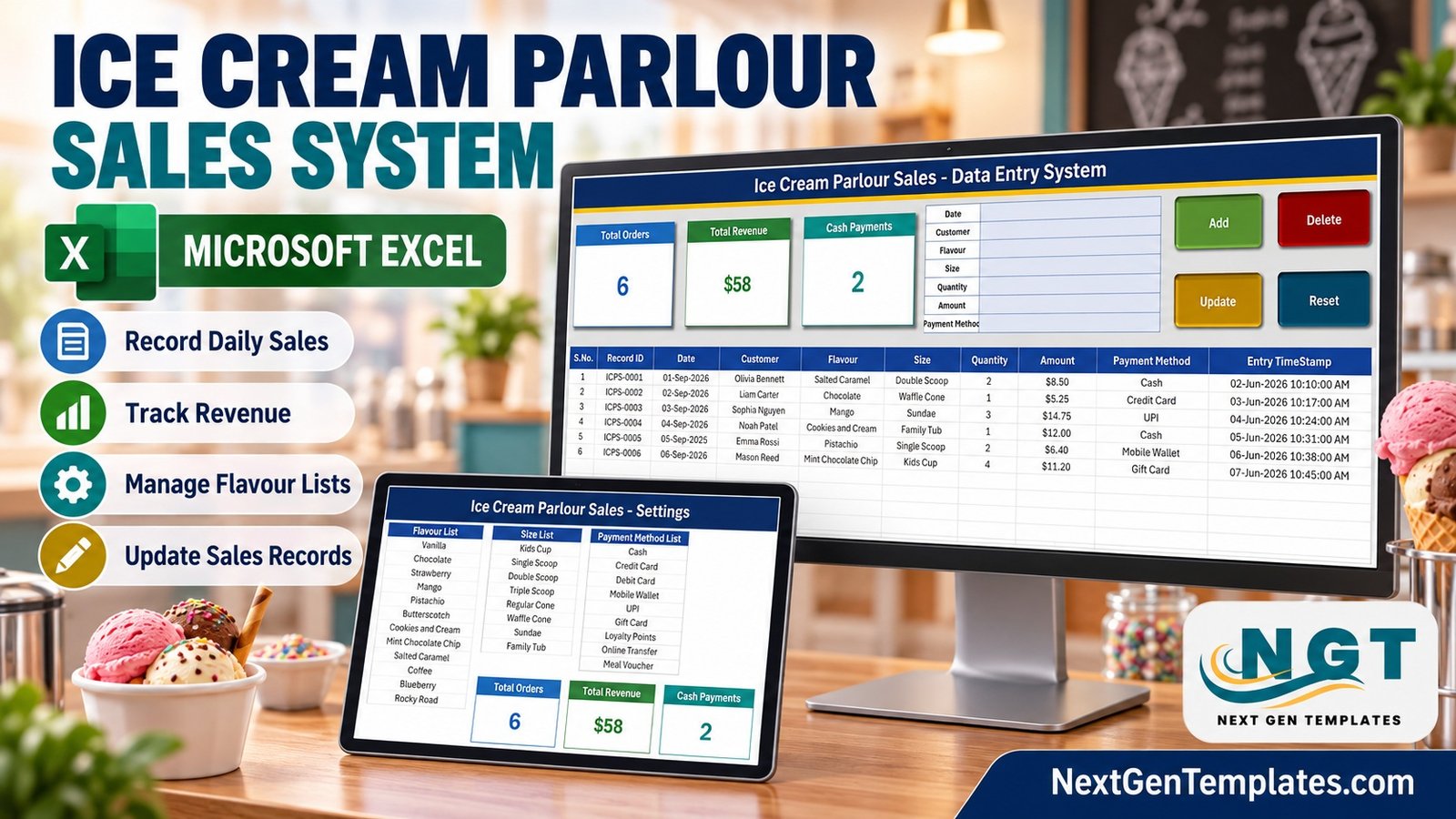
👉 Click here to Purchase the Ice Cream Parlour Sales Data Entry System in Excel
✅ Instant download · One-time payment · No subscription
🎥 Watch more Excel tutorials at Youtube.com/@PK-AnExcelExpert
Last updated: September 2026