Managing holidays, company events, policy deadlines, training sessions, and operational schedules becomes challenging for insurance companies without a structured calendar system. Many teams still rely on manual tracking methods, which often create confusion, missed events, and poor coordination.
Therefore, insurance organizations need a centralized planning solution.
The answer is simple.
You need an Insurance Holiday Calendar in Excel.
This ready-to-use Excel calendar helps insurance agencies, brokers, corporate offices, and operations teams plan holidays and events efficiently. Moreover, it provides annual, monthly, and daily views with automated event management features. Consequently, teams gain better visibility, improved planning, and stronger coordination.
In this comprehensive guide, you will learn:
-
What an Insurance Holiday Calendar in Excel is
-
Why insurance teams need structured calendar planning
-
Detailed explanation of all 5 worksheets
-
Key features and automation capabilities
-
Advantages of Insurance Holiday Calendar in Excel
-
Best Practices for using the calendar
-
Frequently Asked Questions
Let us explore everything step by step.
Click to Purchases Insurance Holiday Calendar in Excel
📊 What Is an Insurance Holiday Calendar in Excel?
An Insurance Holiday Calendar in Excel is an interactive planning tool designed to manage holidays, meetings, and business events within one structured workbook.
Instead of maintaining multiple files or manual schedules, you can:
-
Plan yearly holidays
-
Track monthly events
-
Monitor daily schedules
-
Add, update, or delete events easily
-
View event details instantly
Because the template includes automation and forms, it simplifies event management significantly.
Click to Purchases Insurance Holiday Calendar in Excel
🏢 Why Do Insurance Organizations Need a Holiday Calendar?
Insurance businesses operate with strict timelines. Policy renewals, claim processing, audits, and compliance activities depend heavily on accurate scheduling.
Without a proper calendar system, organizations may face:
-
Missed deadlines
-
Scheduling conflicts
-
Poor team coordination
-
Compliance risks
-
Operational delays
Therefore, a centralized holiday calendar becomes essential.
Benefits of structured calendar planning:
-
Improves workforce planning
-
Prevents missed business events
-
Enhances team coordination
-
Supports compliance management
-
Improves operational efficiency
Moreover, visual calendars help teams plan workloads more effectively.
Click to Purchases Insurance Holiday Calendar in Excel
📁 What Are the 5 Worksheets in the Insurance Holiday Calendar in Excel?
This ready-to-use template contains 5 interactive worksheets:
1️⃣ Home Sheet
2️⃣ Annual View Sheet
3️⃣ Monthly View Sheet
4️⃣ Daily View Sheet
5️⃣ Events Database Sheet
Let us understand each sheet clearly.
Click to Purchases Insurance Holiday Calendar in Excel
🏠 1️⃣ Home Sheet – Central Navigation Hub
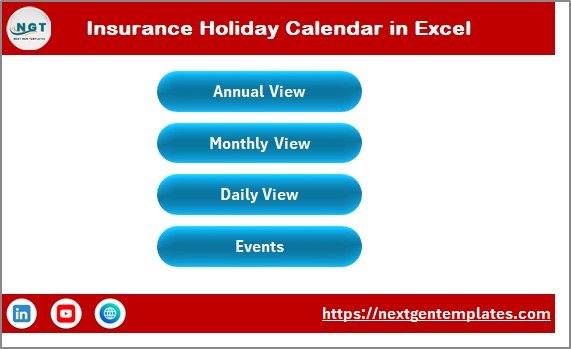
The Home Sheet acts as an index page.
Here, you will find four navigation buttons:
-
Annual View
-
Monthly View
-
Daily View
-
Events
These buttons allow users to switch between views instantly. Therefore, navigation becomes simple and user-friendly.
🗓️ 2️⃣ Annual View Sheet – Full-Year Calendar Overview
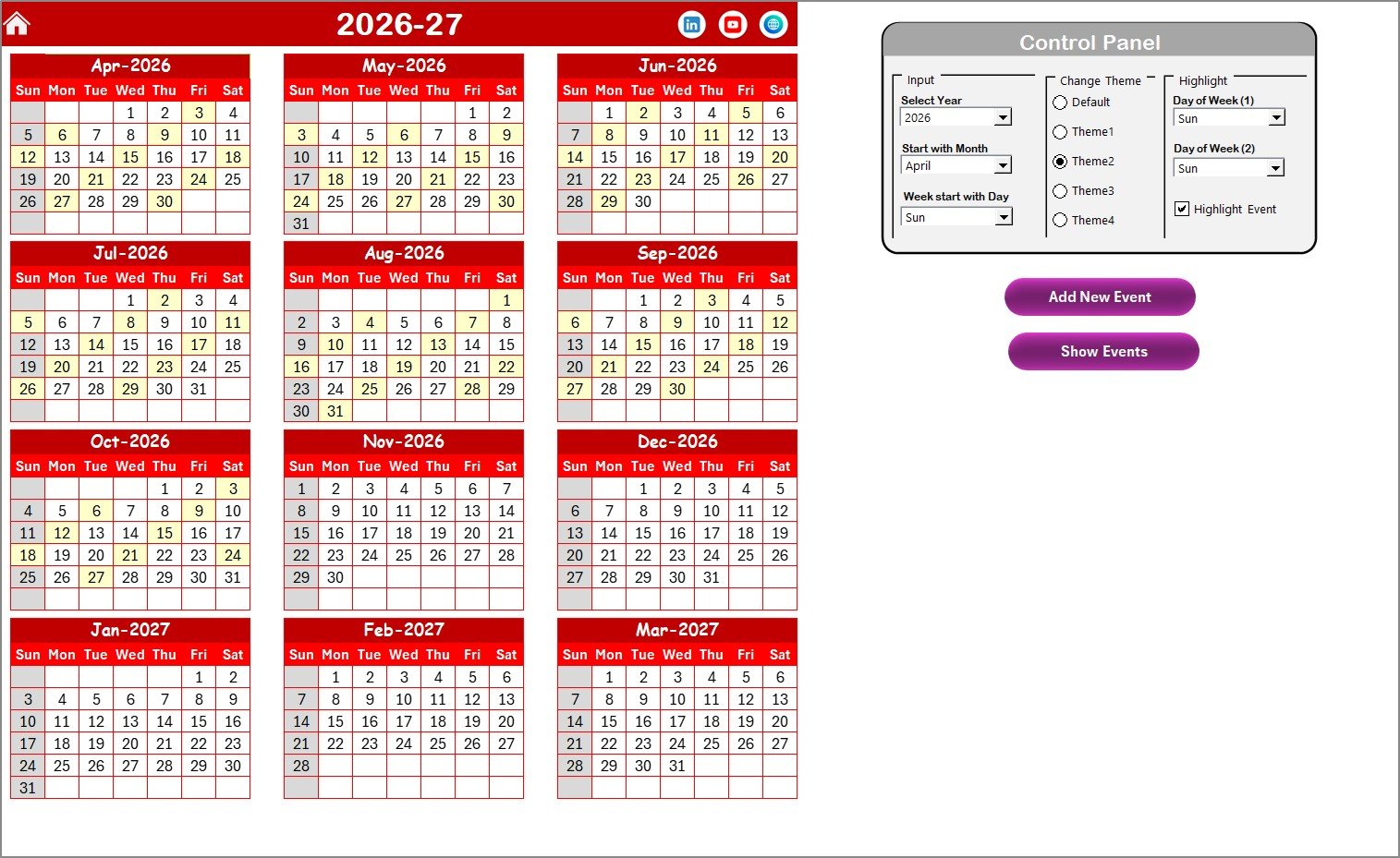
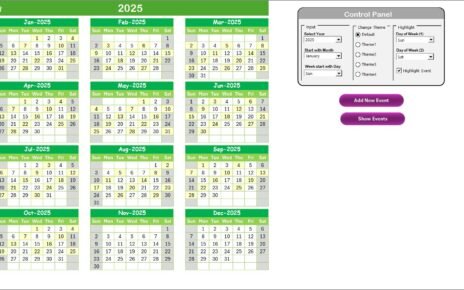
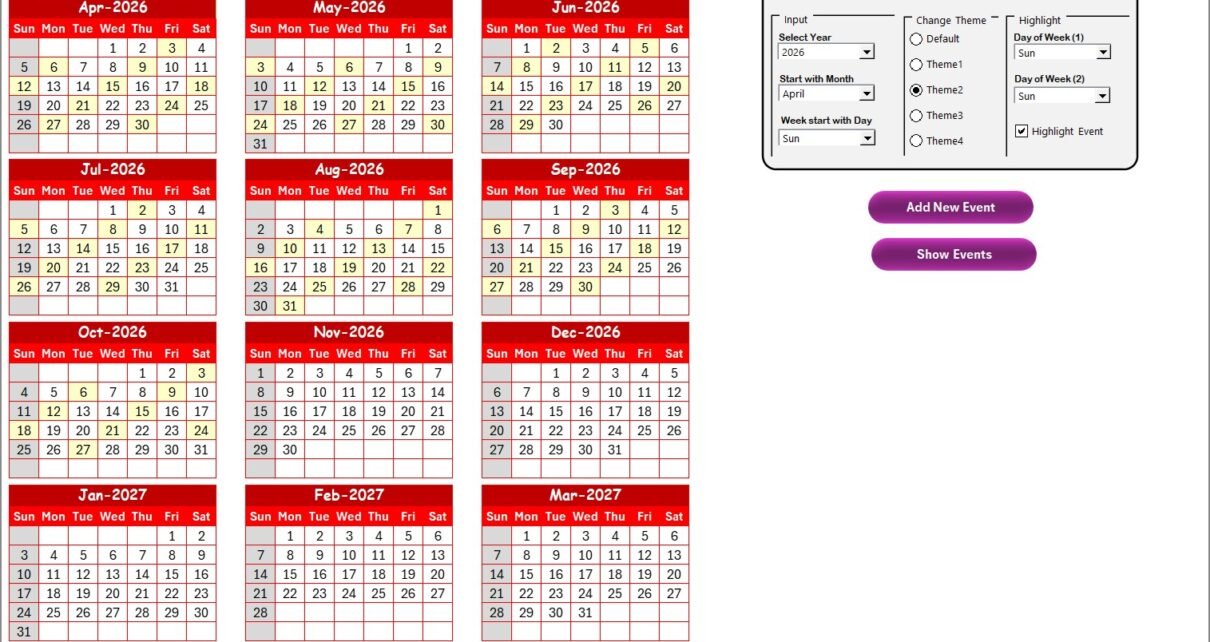
The Annual View Sheet displays all 12 months in one screen.
This view helps management plan the entire year efficiently.
🔧 Control Panel Features
The Annual View includes a powerful control panel divided into three groups.
✅ Input Group
You can:
-
Select the Year
-
Change the starting month
-
Change the starting day of the week
Once updated, the calendar adjusts automatically.
🎨 Change Theme Group
The template provides 5 color themes.
You can apply your preferred theme across the entire workbook instantly.
⭐ Highlight Group
You can highlight specific weekdays.
For example:
-
Highlight Saturday and Sunday automatically.
-
Highlight events in yellow using the Highlight Event checkbox.
This feature improves visibility and planning.
➕ Add New Event Button
Select any date and click Add New Event.
A form opens where you enter:
-
Event details
-
Time
-
Location
-
Description
After submission, the event appears on the selected date.
👁️ Show Event Button
Click this button to view all events scheduled for the selected date.
Click to Purchases Insurance Holiday Calendar in Excel
📆 3️⃣ Monthly View Sheet – Detailed Month Planning
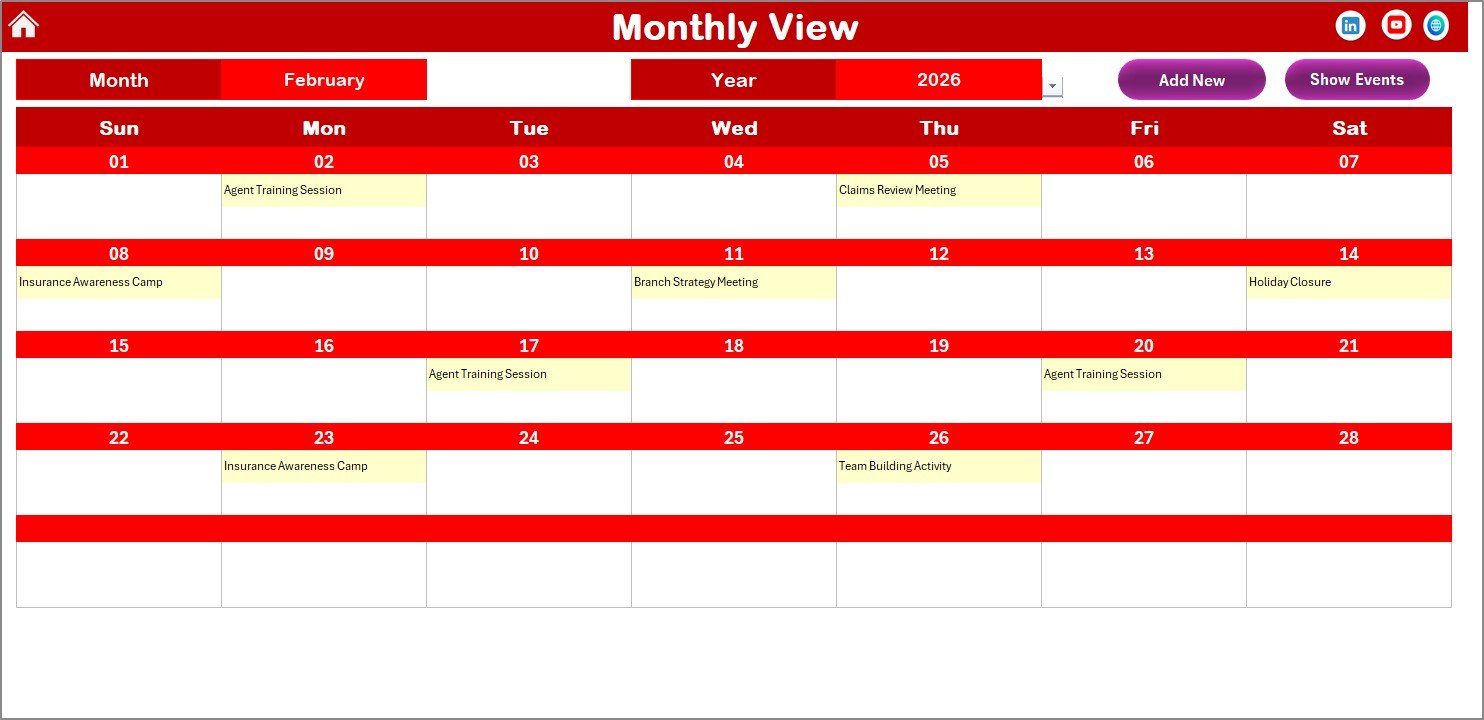
The Monthly View Sheet displays a calendar for a selected month.
At the top, you can choose:
-
Month
-
Year
The calendar updates automatically.
Event Display Logic
-
One event appears directly on the calendar.
-
Multiple events show as “more than 1…”.
This design keeps the calendar clean and readable.
Available Buttons
-
Add New Event – Add events quickly.
-
Show Event – View full event details.
Therefore, monthly planning becomes quick and efficient.
📋 4️⃣ Daily View Sheet – Event Details by Date Range
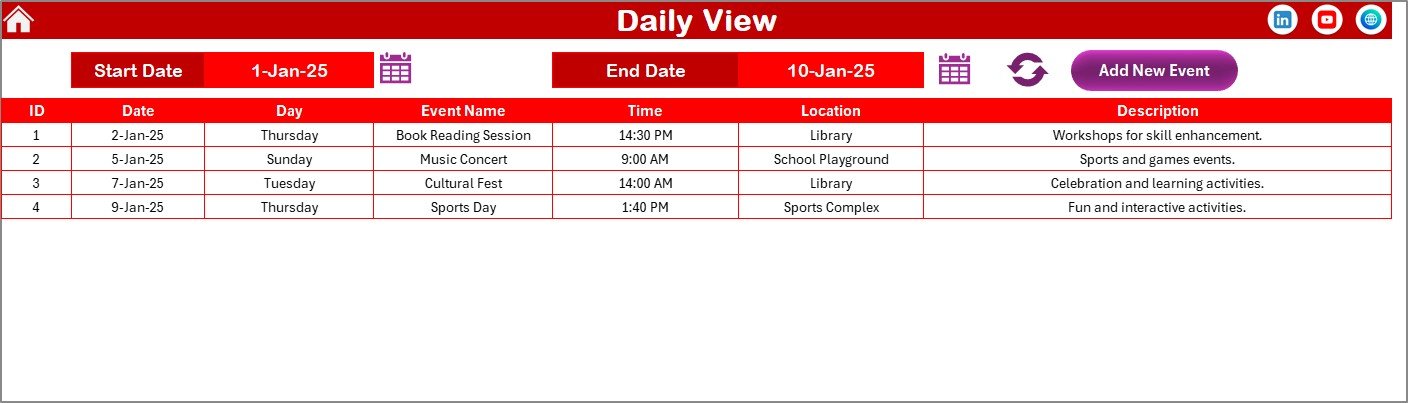
The Daily View Sheet shows event lists within a selected date range.
You can choose:
-
Start Date
-
End Date
Use the calendar icons to select dates easily.
Click Refresh to display updated events.
Features Available
-
Detailed event listing
-
Date-range filtering
-
Add New Event button
This view works perfectly for operational planning and reporting.
Click to Purchases Insurance Holiday Calendar in Excel
🗂️ 5️⃣ Events Sheet – Central Event Database
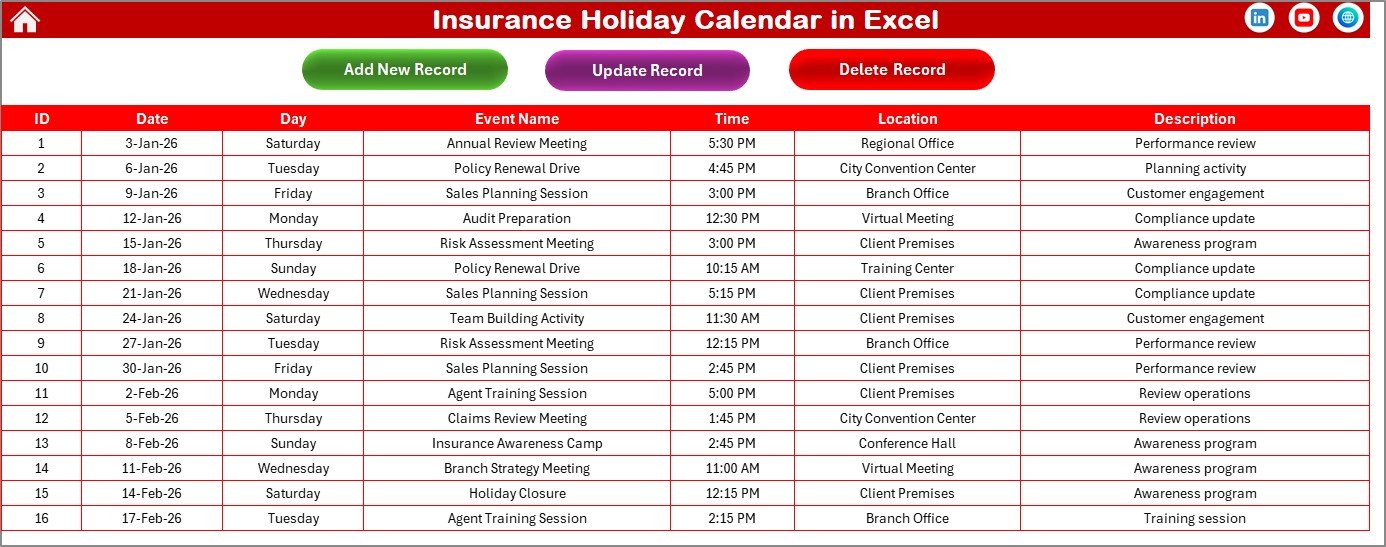
The Events Sheet stores all event records.
This sheet acts as the backend database of the calendar.
Stored Information
-
ID (Auto-generated)
-
Date
-
Day
-
Event Name
-
Time
-
Location
-
Description
Management Buttons
➕ Add New Record
Opens event form to add a new event.
✏️ Update Existing Record
Select an ID and edit event details easily.
🗑️ Delete Record
Remove unwanted events instantly.
Because of these controls, event management becomes structured and secure.
⭐ Advantages of Insurance Holiday Calendar in Excel
The Insurance Holiday Calendar offers several advantages.
✅ Centralized Event Management
All events stay organized in one workbook.
✅ Multiple Calendar Views
Annual, Monthly, and Daily perspectives improve planning.
✅ Automated Event Forms
Add events quickly without manual formatting.
✅ Customizable Themes
Adjust appearance easily.
✅ Smart Highlighting
Highlight weekends and important events automatically.
✅ Easy Record Management
Add, update, or delete events instantly.
Click to Purchases Insurance Holiday Calendar in Excel
🛠️ Best Practices for Insurance Holiday Calendar in Excel
Follow these best practices to maximize efficiency.
✔️ Plan the Year in Advance
Add public holidays and company events early.
✔️ Maintain Event Descriptions
Provide clear event details for better communication.
✔️ Use Highlight Features
Mark important business days clearly.
✔️ Review Calendar Monthly
Ensure upcoming deadlines remain visible.
✔️ Assign Responsibility
Track event ownership within teams.
✔️ Backup Event Database
Maintain regular backups of the Events sheet.
📈 How Does This Calendar Improve Insurance Operations?
This calendar improves operations by:
-
Preventing missed deadlines
-
Improving scheduling accuracy
-
Enhancing team collaboration
-
Supporting compliance tracking
-
Streamlining event communication
Because everyone accesses the same calendar, coordination improves significantly.
🏁 Conclusion
Insurance organizations require structured scheduling to manage operations efficiently. Manual tracking methods no longer meet modern business needs.
The Insurance Holiday Calendar in Excel provides:
-
Automated event management
-
Multiple calendar views
-
Easy navigation
-
Dynamic customization
-
Centralized event database
Moreover, it simplifies planning while improving organizational productivity.
If you want a professional and easy-to-use scheduling solution, this ready-to-use calendar becomes the perfect choice.
Plan smarter. Schedule better. Work efficiently. 📅✨
Click to Purchases Insurance Holiday Calendar in Excel
❓ Frequently Asked Questions (FAQs)
1. Who can use this Insurance Holiday Calendar?
Insurance agencies, brokers, HR teams, and operations departments can use it.
2. Do I need advanced Excel skills?
No. Basic Excel knowledge is enough to manage events.
3. Can I customize holidays?
Yes. You can add or modify events anytime.
4. Can I track multiple event types?
Yes. You can store meetings, holidays, deadlines, and training events.
5. Does the calendar update automatically?
Yes. Changing the year or month updates the calendar instantly.
6. Can I delete or edit events later?
Yes. Use Update or Delete buttons in the Events sheet.
Click to Purchases Insurance Holiday Calendar in Excel
Visit our YouTube channel to learn step-by-step video tutorials