The Purchase and GRN Data-Entry System in Excel turns supplier purchase logging into a 7-field form backed by three live KPI cards — Total Credit, Total Paid and Outstanding — that recalculate the instant you click Add. Four one-click VBA buttons (Add, Update, Delete, Reset) run the workflow, every row is auto-numbered and time-stamped, and the whole tool is a one-time $5.99 download with no subscription Purchase and GRN Data-Entry System in Excel
If you record purchases on paper or in a plain sheet, it is easy to lose track of how much you have paid a supplier versus how much is still outstanding. This Purchase and GRN Data-Entry System solves that by keeping the amount billed, the amount paid and the running balance on one row — and by reconciling them automatically, because Amount always equals Paid plus Balance.
Purchase and GRN Data-Entry System in Excel
What Is Purchase and GRN — and Why Track It in Excel?
A GRN, or Goods Received Note, is the record a business creates when it receives goods from a supplier. Tracking purchases and GRNs together means every incoming bill is matched to what was actually received and what has been paid. Doing this in Excel keeps the data on your own machine, works without internet, and costs nothing per month — which is why many small businesses prefer a simple Purchase and GRN Data-Entry System in Excel over a full ERP for day-to-day purchase logging.
The questions any owner wants answered are simple: how much have I purchased, how much have I paid, and how much do I still owe? This template answers all three continuously through its Total Credit, Total Paid and Outstanding cards, so you never have to stop and add up a column by hand.
Key Features of the Purchase and GRN Data-Entry System
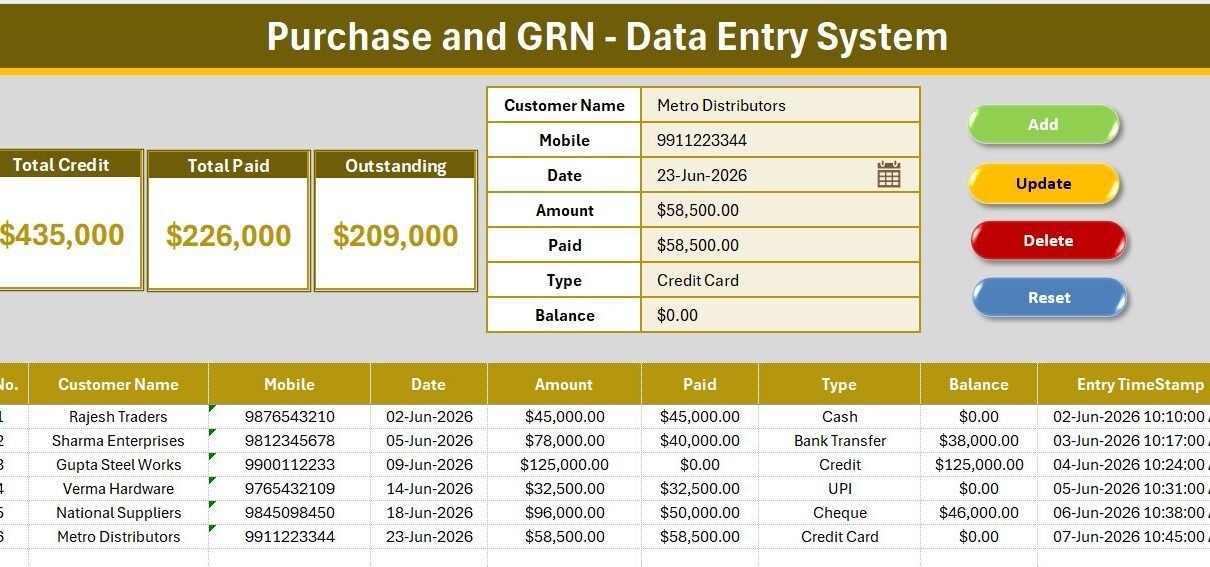
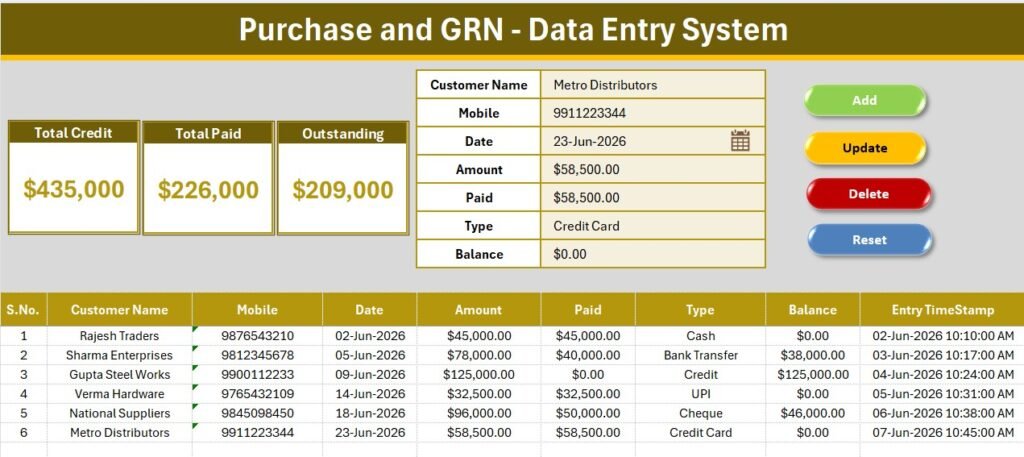
- 7-field purchase form — Customer Name, Mobile, Date, Amount, Paid, Type and Balance, so each Goods Received Note and its payment status live on one row.
- 3 live KPI cards — Total Credit sums every Amount, Total Paid sums every Paid entry, and Outstanding sums every Balance. The three totals always tie out.
- One-click VBA buttons — Add, Update (with double-click to load a row), Delete (with a confirmation prompt) and Reset.
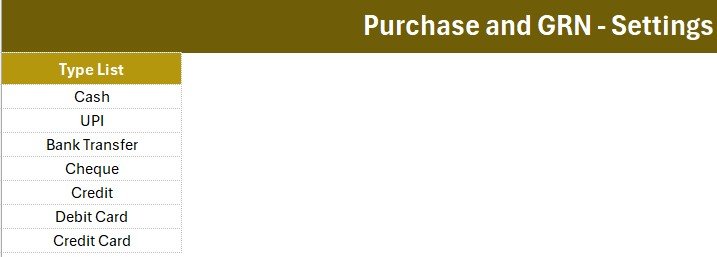
- Editable Type dropdown — Cash, UPI, Bank Transfer, Cheque, Credit, Debit Card and Credit Card, all driven from the Setting sheet.
- Auto S.No and Entry TimeStamp — every saved purchase is numbered and time-stamped for a clean audit trail
- Purchase and GRN Data-Entry System in Excel
Worksheets and Structure Explained
Purchase & GRN Data Entry Dashboard
The Data Entry sheet carries the form, the three KPI cards and the Add / Delete / Update / Reset buttons above a full-width records table. Six sample rows show how the cards populate; replace them with your own purchases.
Setting Sheet and Type Dropdown
The Setting sheet stores the Type list that feeds the form’s dropdown and a duplicated copy of the KPI cards for a linked-picture layout. Editing the list instantly updates the dropdown and its data validation across the table.
Purchase and GRN Data-Entry System in Excel
Purchase and GRN Data-Entry System vs. Google Sheets vs. QuickBooks / Zoho Books — Feature Comparison
| Feature | Purchase and GRN Data-Entry System (Excel) | Google Sheets equivalent | QuickBooks / Zoho Books |
|---|---|---|---|
| Cost | $5.99 one-time | Free–$12/user/mo | $20–90 / user / month |
| Platform | Microsoft Excel (offline) | Browser + Google account | Cloud SaaS |
| Setup time | Under 10 minutes | 15–20 minutes | Hours + onboarding |
| One-click Add / Update / Delete | ✅ VBA buttons | Manual or Apps Script | ✅ Built-in |
| Credit & Outstanding tracking | ✅ Live KPI cards | Manual formulas | ✅ Ledgers |
| Works fully offline | ✅ Yes | ❌ Needs internet | ❌ Needs internet |
| Year-1 cost at 5 users | $5.99 total | $0–720 | $1,200–5,400 |
For a shop or small business that just needs to log purchases and see who has been paid, the Purchase and GRN Data-Entry System sits in the sweet spot between a blank sheet and full accounting software.
Who Should Use This Template
Perfect for:
- Shop owners, wholesalers and distributors logging daily supplier purchases and part-payments
- Accountants and bookkeepers who want a simple purchase-and-payables register in Excel
- Small businesses tracking Credit, Paid and Outstanding without accounting software
Not a fit if:
- You need multi-user, real-time cloud access — use the Daily Sales & Purchase System Web App instead
- You need full double-entry accounting, GST returns and bank reconciliation
Real-World Use Cases
Rajesh runs a hardware wholesale shop. Every supplier bill goes in with the amount, what he paid and the balance due. Each morning he reads the Outstanding card to see exactly how much he still owes across all suppliers before deciding which bills to clear.
Meena keeps books for three small retailers. She uses the Type dropdown to tag each purchase as Cash, UPI or Credit, then exports the records table at month-end for GST data entry — with no monthly software bill.
A café manager logs goods received from vendors, marks part-payments as they clear, and compares Total Paid against Outstanding to plan the week’s cash outflow.
Advantages of the Purchase and GRN Data-Entry System
- Cost — a single $5.99 payment replaces $240–1,080 per year of accounting-software seats for basic purchase tracking.
- Speed — the VBA buttons cut add, edit and delete to one click, and the KPI cards remove any manual totalling.
- Accuracy — because Amount = Paid + Balance, the Credit, Paid and Outstanding cards reconcile every time.
- Ownership — the file lives on your machine, works offline, and can be branded and extended however you like.
Opportunities for Improvement
Being honest about the limits: this is a single-user Excel workbook, so it is not built for several people editing at once — for that, the web-app version is the better route. It also does not produce GST returns, supplier-wise statements or bank reconciliation on its own; it is a purchase-and-payables register, not a full accounting package. Teams that outgrow it can graduate to a dedicated dashboard or the multi-user web app.
Best Practices
- Enter the Balance as the amount still owed after this purchase, and let the Outstanding card total it for you.
- Keep the Type list short and consistent so your month-end filtering stays clean.
- Save a fresh copy each financial year to keep the records table fast and archived.
- Learn the VBA behind the buttons from the official Microsoft Excel VBA documentation if you want to customise the workflow.
Explore Relevant Templates
On NextGenTemplates you can pair this with the Purchase Entry Data Entry System in Excel, track orders with the Purchase Order Tracker or the Purchase Order Management Dashboard, and scale up with the Daily Sales & Purchase System Web App. On this blog, see the Payroll Data Entry System in Excel and the Employee Master and Record Data Entry System for more data-entry designs.
Frequently Asked Questions
What does the Purchase and GRN Data-Entry System track?
The Purchase and GRN Data-Entry System tracks supplier purchases across seven fields and three KPI cards — Total Credit, Total Paid and Outstanding — showing total purchase value, amount paid and balance due at a glance.
Do I need to enable macros?
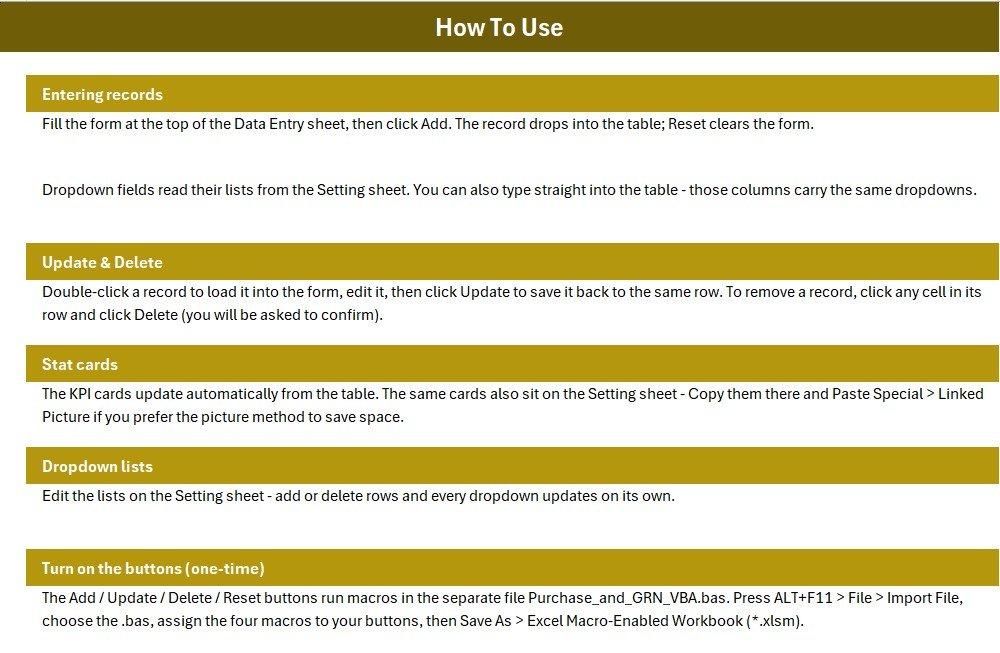
Yes. The Add, Update, Delete and Reset buttons run VBA macros, so enable macros when prompted. The download includes the VBA module and one-time setup steps on the Instructions sheet.
How long does setup take?
Under 10 minutes for most users — import the VBA module, assign the four buttons, edit the Type list, and start entering purchases over the sample rows.
How does this compare to QuickBooks or Zoho Books?
Those are full accounting suites at $20–90 per user monthly. The Purchase and GRN Data-Entry System is a one-time $5.99 Excel register for purchases and payables — simpler and cheaper, though not a full accounting replacement.
Can I change the fields and dropdown values?
Yes. Field labels and the Type dropdown list are fully editable from the Setting sheet, and the form’s validation updates automatically.
Is this a one-time purchase?
Yes. The Purchase and GRN Data-Entry System is a one-time $5.99 download with lifetime access — no recurring fees, no per-user charges and no account required.
Can I track goods received as well as payments?
Yes. Each row records a purchase, or Goods Received Note, together with the amount, the amount paid and the balance, so goods received and payment status are tracked side by side in one place.
About the Author
Built by PK — Microsoft Certified Professional with 15+ years of Excel, Google Sheets, and Power BI experience. Founder of NextGenTemplates, reaching 300K+ subscribers across YouTube channels. Every template is hand-built and tested before release.
Conclusion
The Purchase and GRN Data-Entry System in Excel gives shops and small businesses a fast, offline way to log supplier purchases and always know their Credit, Paid and Outstanding position — without a monthly software bill. Click here to purchase the Purchase and GRN Data-Entry System and download it instantly.
Instant download · One-time payment · No subscription.
🎥 For step-by-step video tutorials, visit YouTube.com/@PK-AnExcelExpert.
Last updated: July 2026