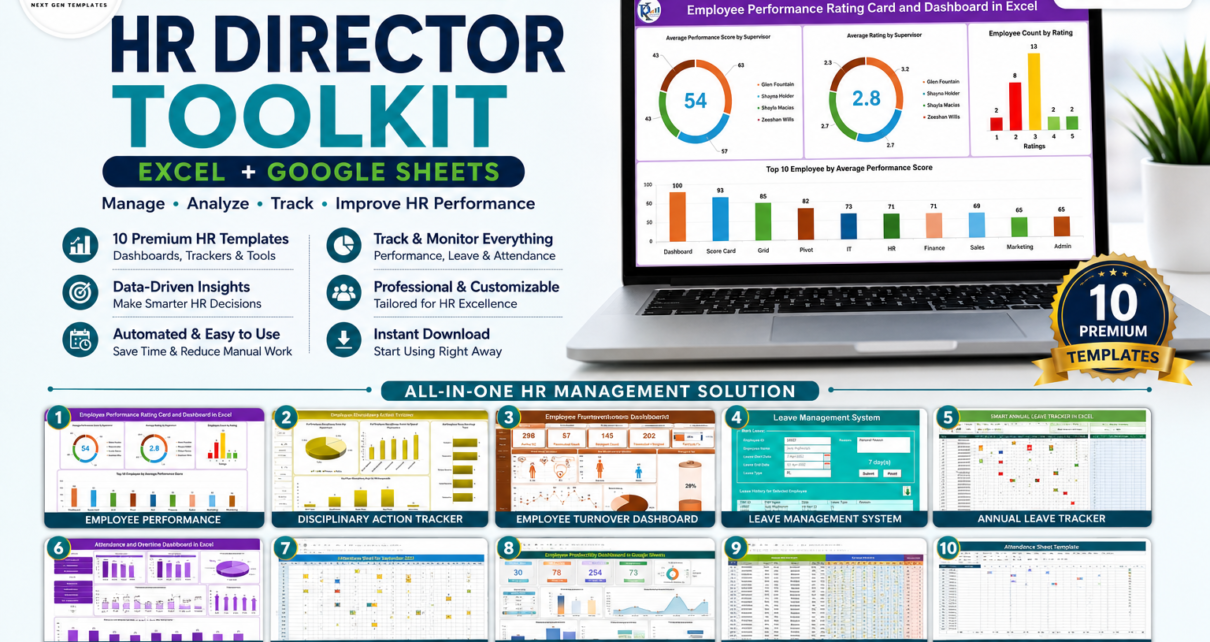
If you run an HR function, your day is a constant switch between performance reviews, attendance, leave approvals, turnover reports, disciplinary cases and grievances — usually spread across a dozen disconnected spreadsheets. The HR Director Toolkit pulls all of that into one plug-and-play pack of 10 premium templates for Microsoft Excel and Google Sheets. Bought separately these tools total $105.90; as a bundle you pay just $58.99 and save $46.91 (44% off). It is a one-time purchase with lifetime access — no subscriptions and no per-seat fees. Browse the full range in our HR & Payroll templates and Template Bundles collections.
🚀 Get the HR Director Toolkit – 10 Templates for $58.99
$105.90 $58.99 Save $46.91 (44% off)
🔑 Key Features of the HR Director Toolkit
This bundle is built to cover the entire employee lifecycle — from the day someone joins to the way you measure, reward, and retain them. Instead of stitching together random files, you get a coherent, professionally structured system where every template follows the same plug-and-play logic: open it, replace the sample data with your own, and the KPIs, formulas and charts update automatically.
On the performance side, the toolkit scores employees across ten weighted parameters and surfaces your top and bottom performers on an interactive dashboard, so review season stops being guesswork. On the retention side, a dedicated turnover dashboard highlights attrition trends and hotspots before they become expensive. The time-and-attendance suite — annual leave tracker, leave management system, attendance sheet and an attendance-and-overtime dashboard — keeps working hours, absences and overtime under control across both Excel and Google Sheets. And for compliance, disciplinary-action and grievance trackers give you clean, audit-ready status trails for every case.
Because the pack spans Excel and Google Sheets, your team can work offline or in the cloud without changing tools. Everything is designed for HR leaders who want enterprise-grade analytics without enterprise-grade software costs.
📦 What’s Included in the HR Director Toolkit
1. Employee Performance Rating Card and Dashboard in Excel (Excel – $17.99)
Score employees across 10 weighted performance parameters and visualize supervisor-wise, rating-wise and employee-wise results, with automatic ranking of your top performers.

Employee Performance Rating Card and Dashboard in Excel
2. Employee Disciplinary Action Tracker in Excel (Excel – $6.99)
Log disciplinary incidents, actions taken, warning levels and resolution status in one structured register so every case is documented and audit-ready.
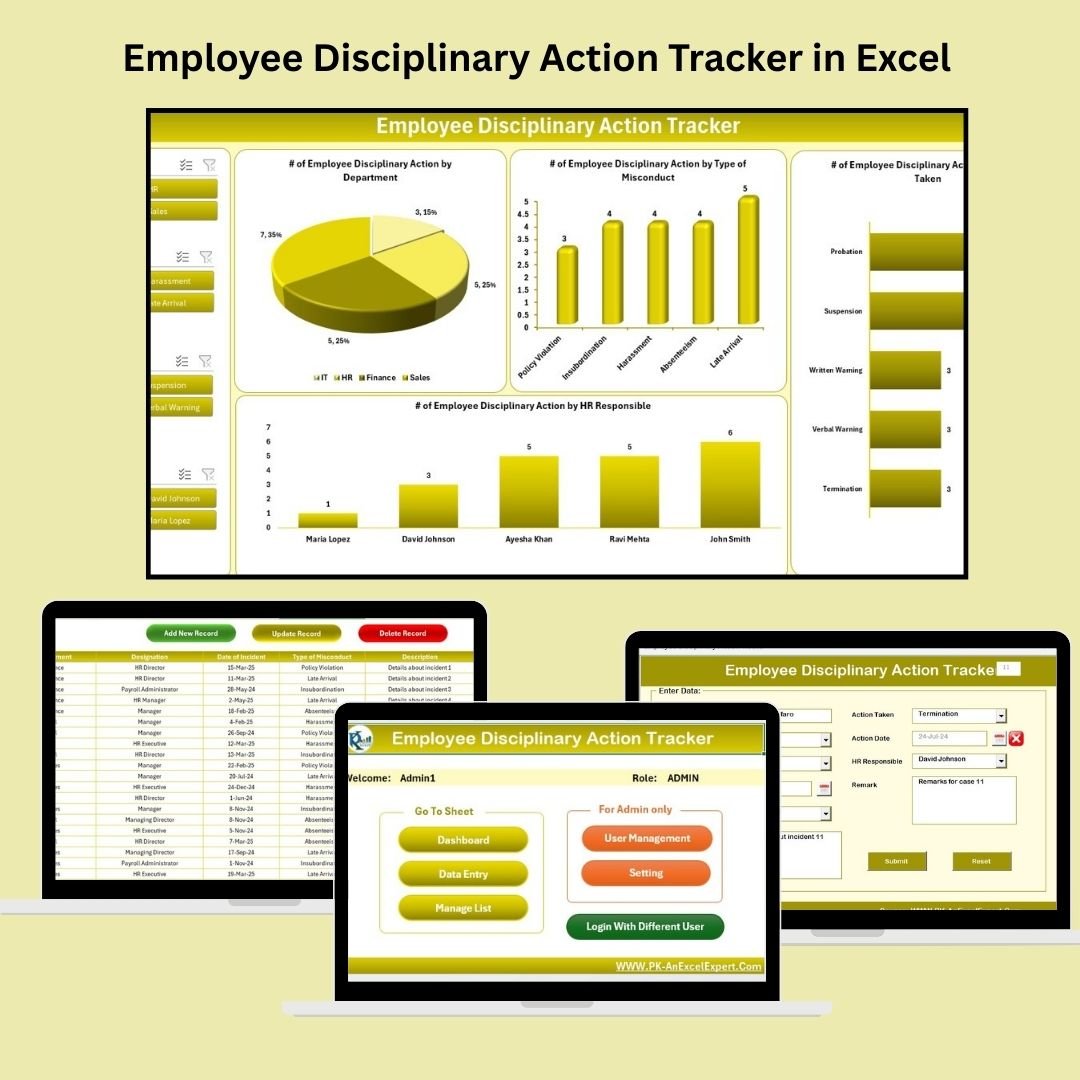 Employee Disciplinary Action Tracker in Excel
3. Employee Turnover Dashboard in Excel (Excel – $17.99)
Track attrition by department, reason and period with an interactive dashboard that helps you spot retention risks before your best people leave.
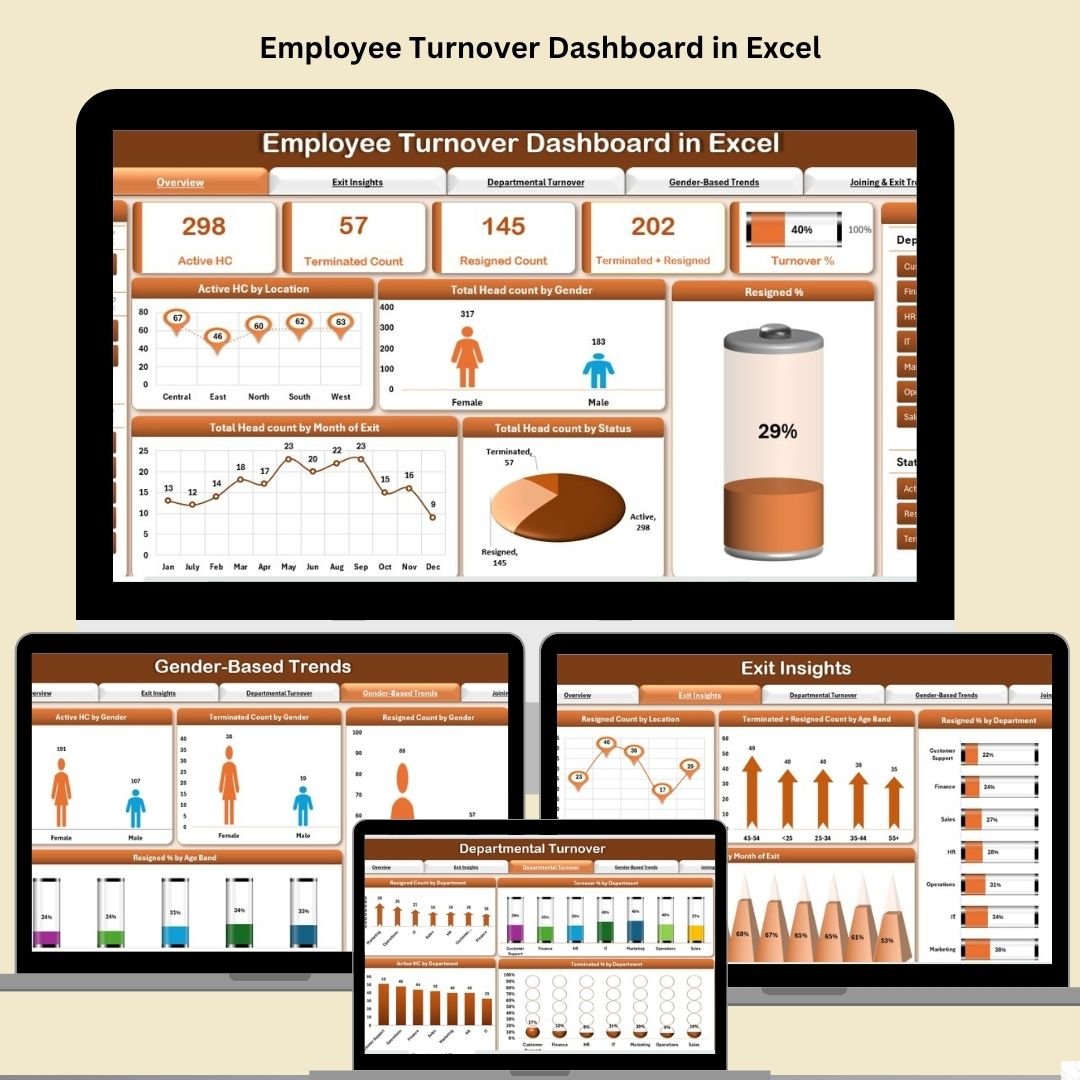 Employee Turnover Dashboard in Excel
4. Leave Management System (Excel – $6.99)
Automate leave requests, balances and approvals with a ready-made system that keeps every employee’s leave record accurate and up to date.
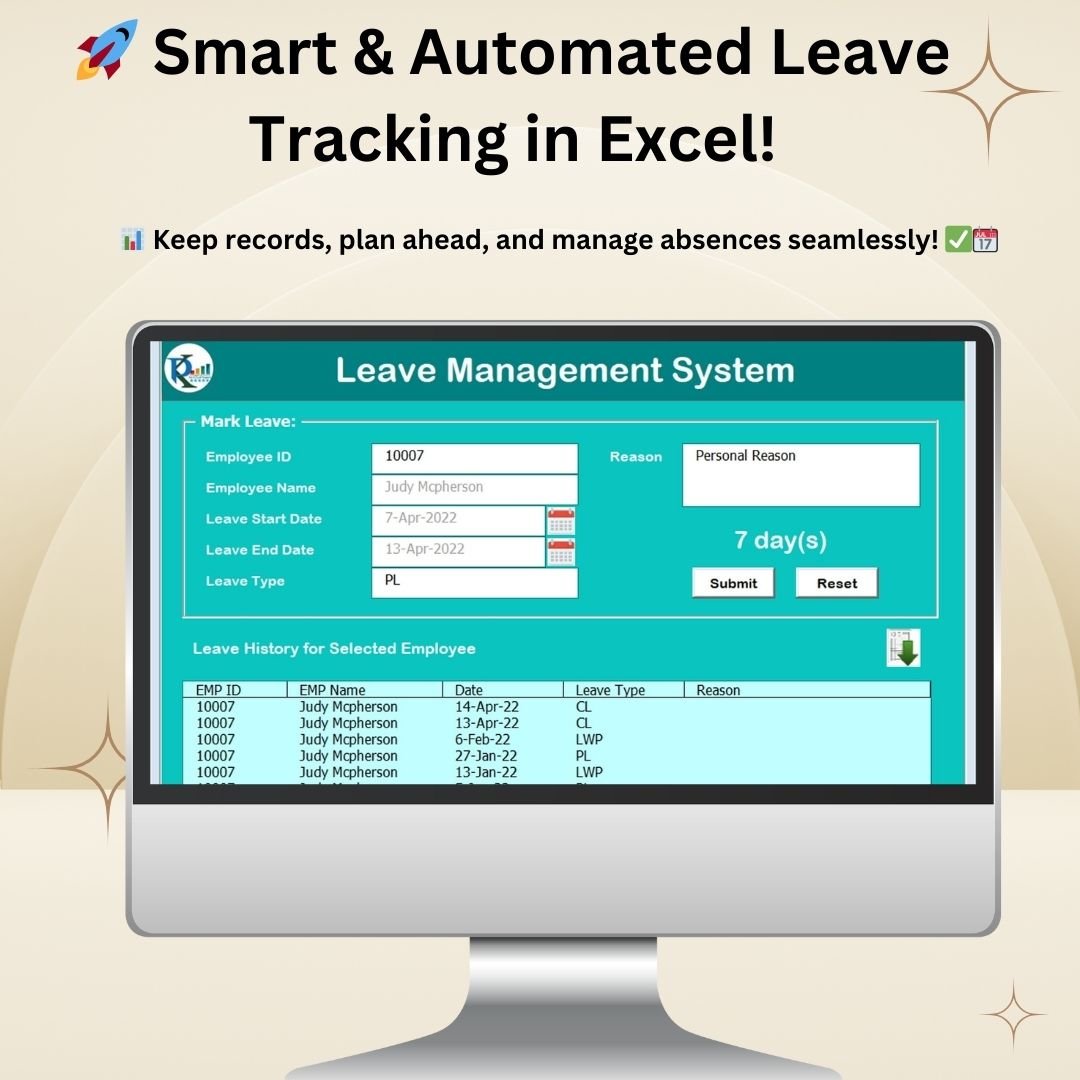 Leave Management System
5. Annual Leave Tracker with Daily & Monthly View in Excel (Excel – $6.99)
See leave at a glance with combined daily and monthly views, making it easy to plan cover and avoid clashes across the whole team.
 Annual Leave Tracker with Daily & Monthly View in Excel
6. Attendance and Overtime Dashboard in Excel (Excel – $17.99)
Monitor daily attendance, late marks and overtime hours with a dashboard that turns raw punch data into clear workforce insights.
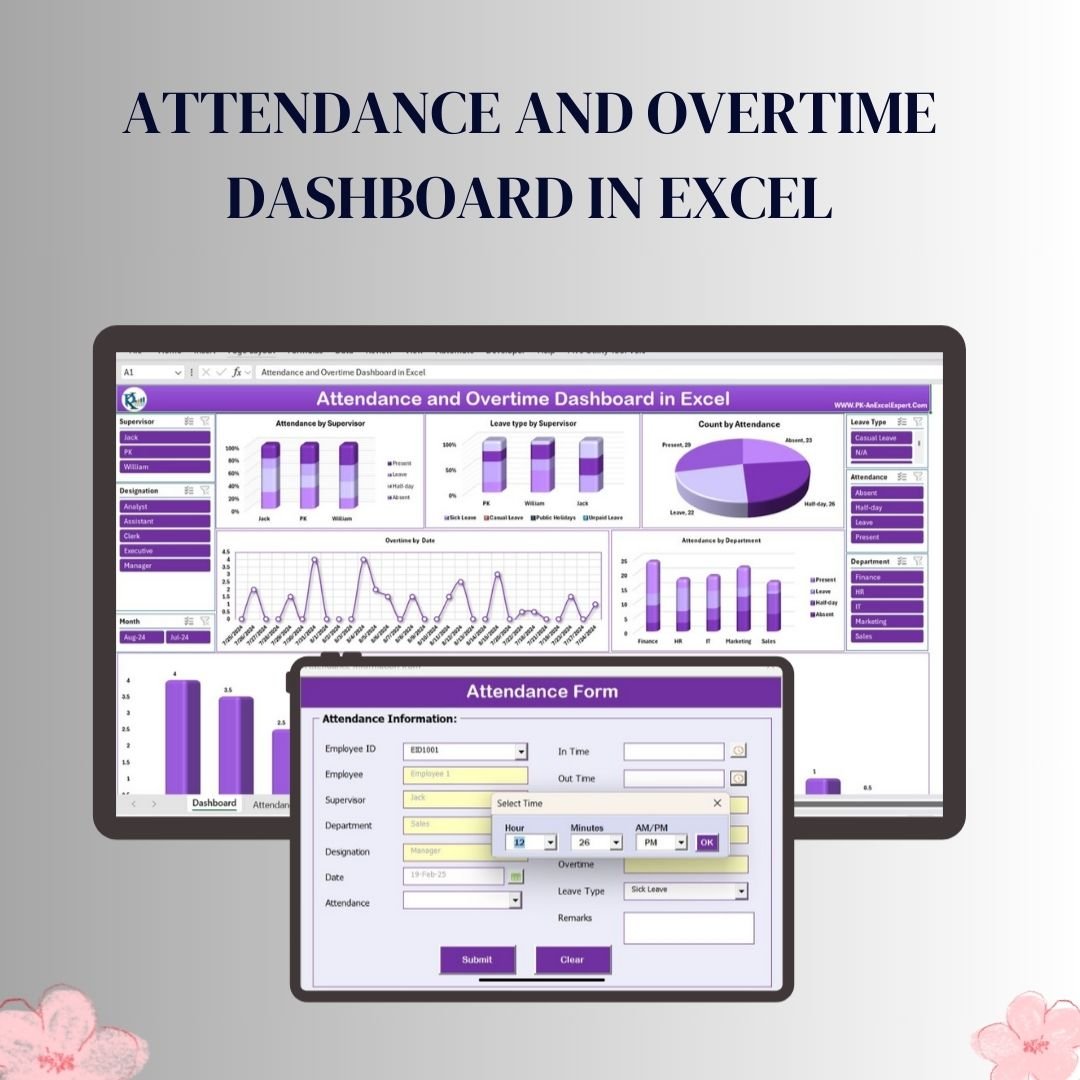 Attendance and Overtime Dashboard in Excel
7. Attendance Sheet Template in Google Sheets (Google Sheets – $6.99)
Mark and track daily staff attendance in the cloud, with automatic monthly summaries your whole team can access from anywhere.
 Attendance Sheet Template in Google Sheets
8. Employee Productivity Dashboard in Google Sheets (Google Sheets – $9.99)
Measure output, targets and efficiency per employee in Google Sheets, with visual dashboards that make productivity trends obvious at a glance.
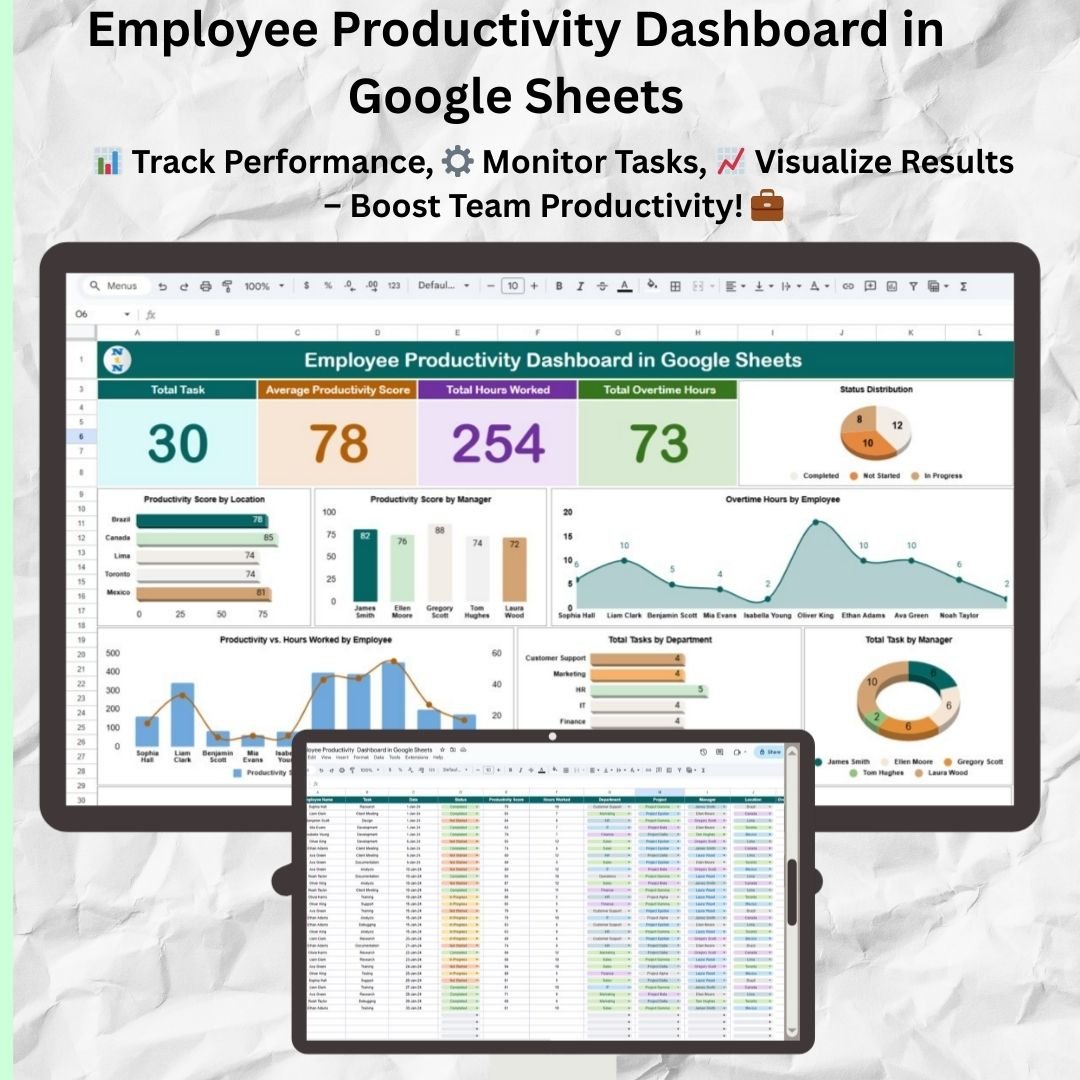 Employee Productivity Dashboard in Google Sheets
9. Employee Attendance Tracker in Google Sheets (Google Sheets – $6.99)
A simple, cloud-based attendance tracker that simplifies workforce management with automatic totals and an easy monthly overview.
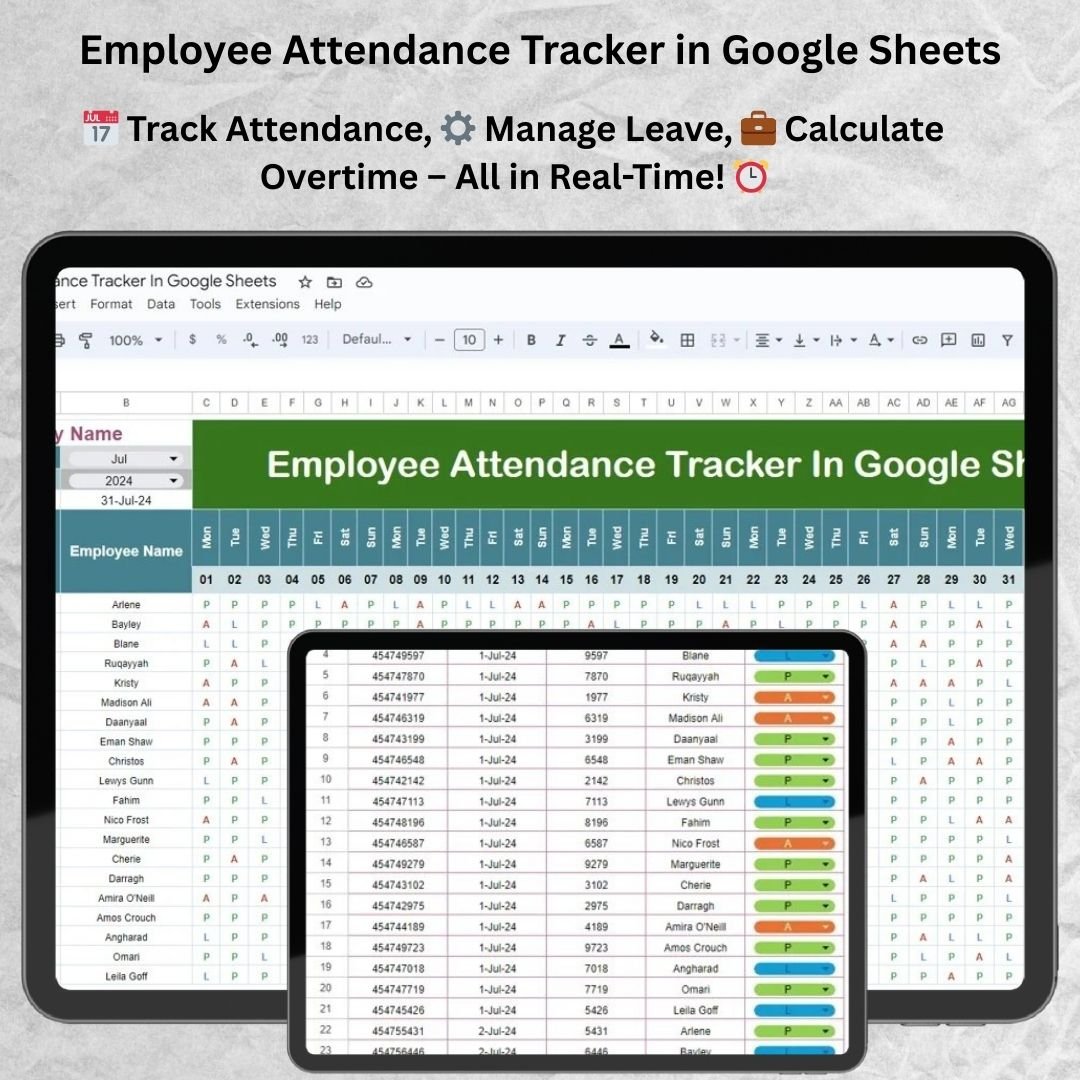 Employee Attendance Tracker in Google Sheets
10. Employee Grievance Tracker in Excel (Excel – $6.99)
Capture employee grievances, categories, owners and resolution status in one place so nothing slips through and every complaint is handled fairly.
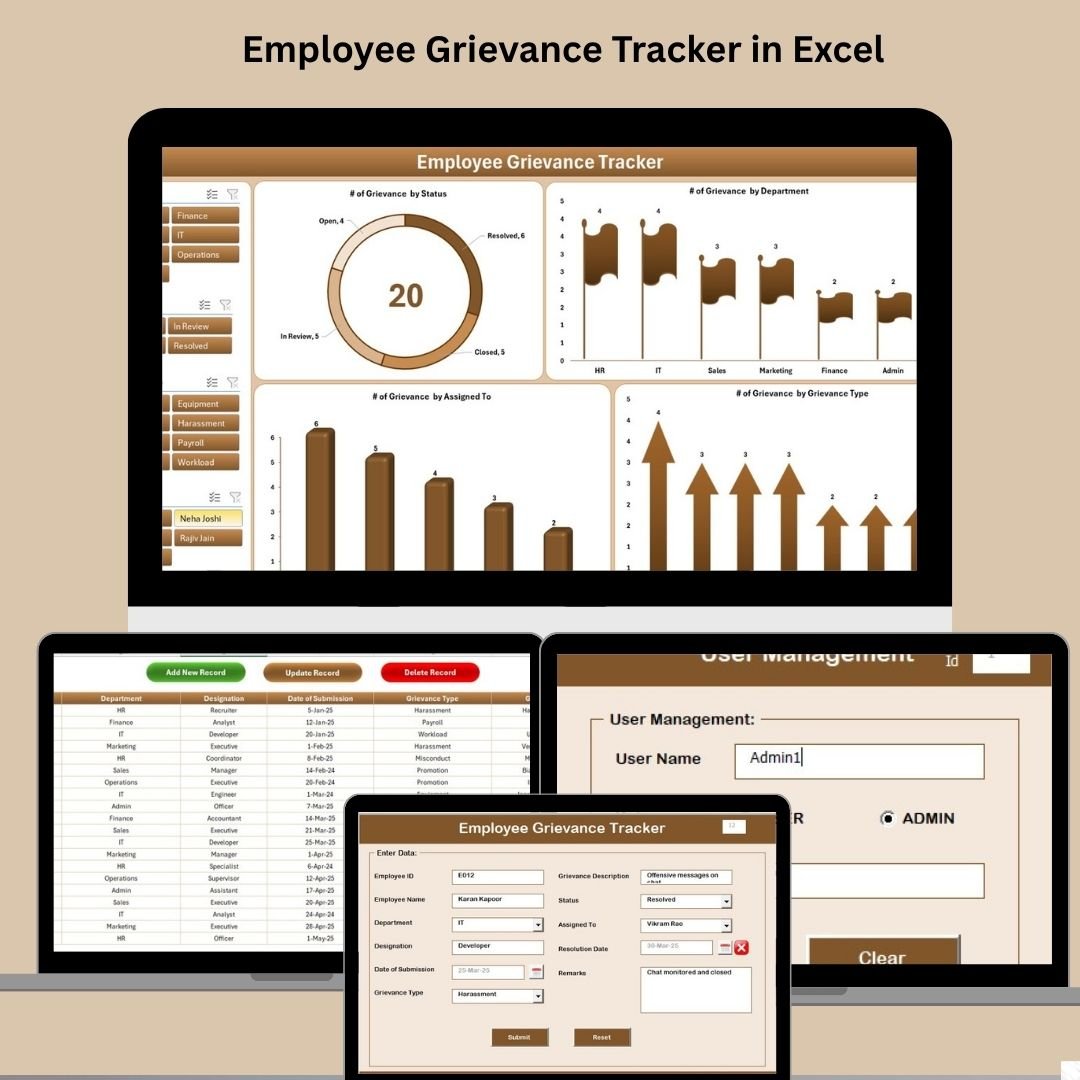 Employee Grievance Tracker in Excel
💡 Smart Comparison — Individual vs Bundle
| # | Template | Platform | Individual Price |
|---|---|---|---|
| 1 | Employee Performance Rating Card and Dashboard | Excel | $17.99 |
| 2 | Employee Disciplinary Action Tracker | Excel | $6.99 |
| 3 | Employee Turnover Dashboard | Excel | $17.99 |
| 4 | Leave Management System | Excel | $6.99 |
| 5 | Annual Leave Tracker (Daily & Monthly) | Excel | $6.99 |
| 6 | Attendance and Overtime Dashboard | Excel | $17.99 |
| 7 | Attendance Sheet Template | Google Sheets | $6.99 |
| 8 | Employee Productivity Dashboard | Google Sheets | $9.99 |
| 9 | Employee Attendance Tracker | Google Sheets | $6.99 |
| 10 | Employee Grievance Tracker | Excel | $6.99 |
| Individual Total | $105.90 | ||
| Bundle Price | $58.99 (save $46.91 – 44% off) | ||
✅ Advantages of Buying the Bundle
The obvious win is price — $46.91 saved against buying the same ten tools one by one. But the bigger advantage is coherence. Because every template shares the same design language and data-entry logic, your HR data lives in one consistent system rather than ten mismatched files. That makes onboarding a new HR coordinator faster, reporting to leadership cleaner, and cross-referencing (say, linking attendance patterns to performance or turnover) far more practical. You also get dual-platform flexibility: keep sensitive Excel files on your machine while sharing the Google Sheets tools with managers who live in the browser.
🛠️ Best Practices for Deploying the Toolkit
Start by unzipping the bundle and opening each template once to familiarize yourself with its layout. For the Excel files, keep them in a single shared HR folder; for the Google Sheets tools, use File > Make a Copy to save them into your organization’s Drive so permissions stay under your control. Replace the sample data with a small batch of real records first to confirm the KPIs and charts behave as expected, then roll out to the full team. Set a simple monthly rhythm — update attendance and leave weekly, review performance and turnover dashboards monthly, and log disciplinary and grievance cases as they happen so nothing is reconstructed from memory later.
📂 Explore More Templates
Looking for more people-analytics tools? Explore our HR & Payroll templates, browse interactive Dashboards, or save more with other curated Template Bundles.
❓ Frequently Asked Questions
Q1. What exactly do I receive when I buy the HR Director Toolkit?
You receive all 10 templates listed above — a mix of Microsoft Excel and Google Sheets files — delivered as a single download after purchase. It is a one-time purchase with lifetime access.
Q2. Do I need any special software?
The Excel templates work in Microsoft Excel (desktop recommended for full formula and chart support). The Google Sheets templates only need a free Google account — just make a copy to your own Drive.
Q3. Can I customize the templates for my company?
Yes. Every template is fully editable — you can adjust parameters, rating scales, categories, and labels to match your organization’s policies.
Q4. How much do I actually save with the bundle?
Bought individually the ten tools cost $105.90. The bundle is $58.99, so you save $46.91 — a 44% discount.
Q5. Is this a subscription?
No. There are no recurring fees and no per-user charges. You pay once and keep the templates forever.
Q6. Who is this toolkit best suited for?
HR directors, CHROs, HR managers, and small-to-mid-size business owners who want a complete, affordable HR analytics system without expensive HR software.
🏆 Conclusion
Run Your Entire HR Function From One Toolkit
10 premium Excel & Google Sheets templates — $105.90 $58.99
Save $46.91 (44% off) — one-time payment, lifetime access
Visit our YouTube channel for step-by-step video tutorials:
Youtube.com/@PK-AnExcelExpert