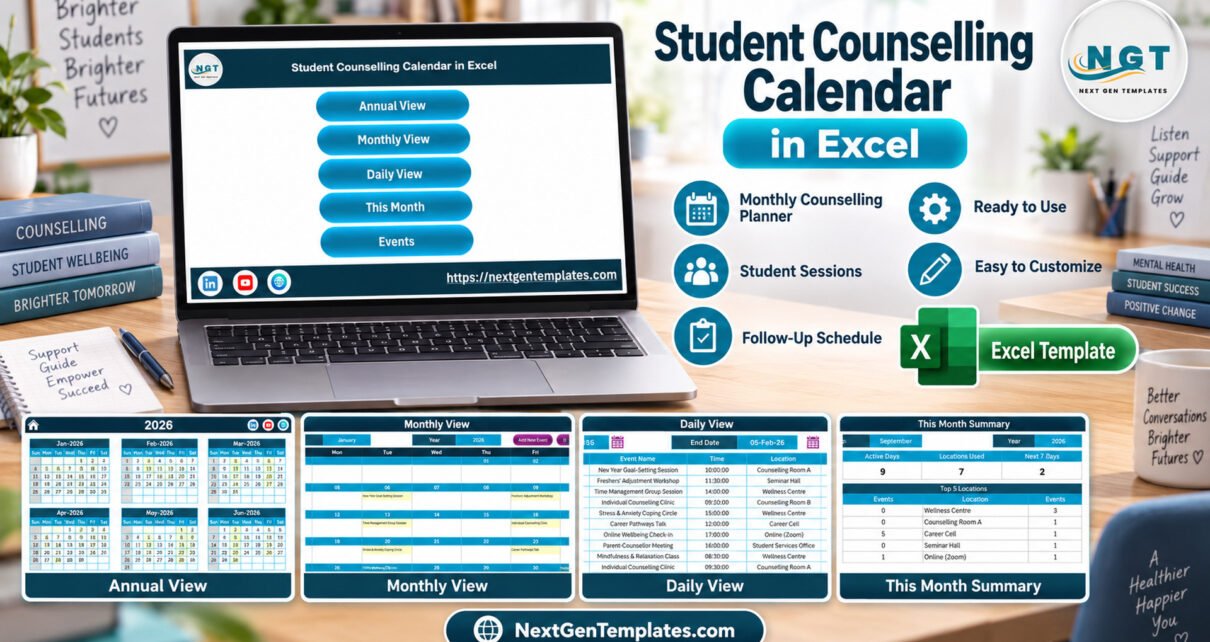
A counselling office rarely runs one kind of session. In a single week the team may hold drop-in clinics, a mindfulness class, a peer support group, a career talk and a parent-counsellor meeting, each in a different room or online. The Student Counselling Calendar in Excel puts all of that into one macro-enabled workbook with 5 calendar views, a monthly summary, an events database and an entry form, built for Microsoft Excel for Windows desktop.
It is a planning tool, not a case-management system. It helps you see what is scheduled, where and when; it does not hold confidential notes. That distinction runs through this guide, because it matters for any tool used around student wellbeing.
Key Features of the Student Counselling Calendar in Excel
The workbook covers the scheduling work a counselling team repeats every week: planning sessions, checking which rooms are busy, reviewing the next few days and keeping one list of events that feeds every view.
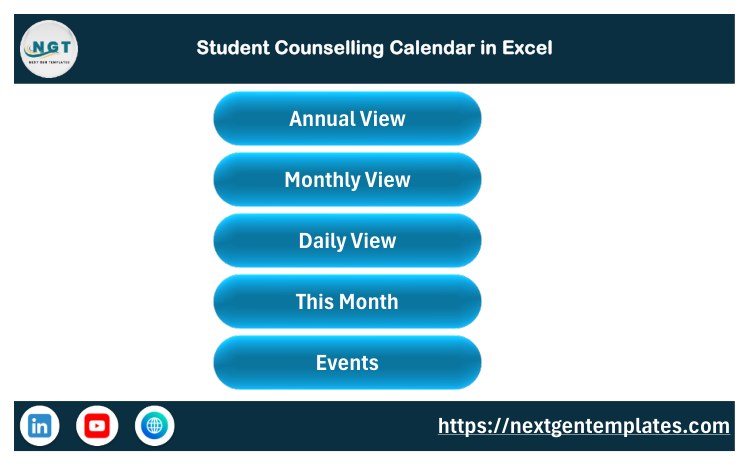
- Home navigation: large buttons for Annual View, Monthly View, Daily View, This Month and Events.
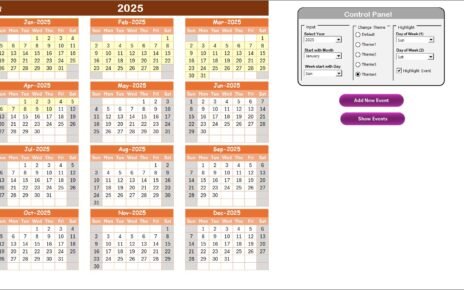
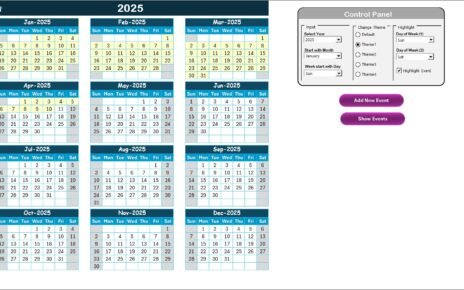
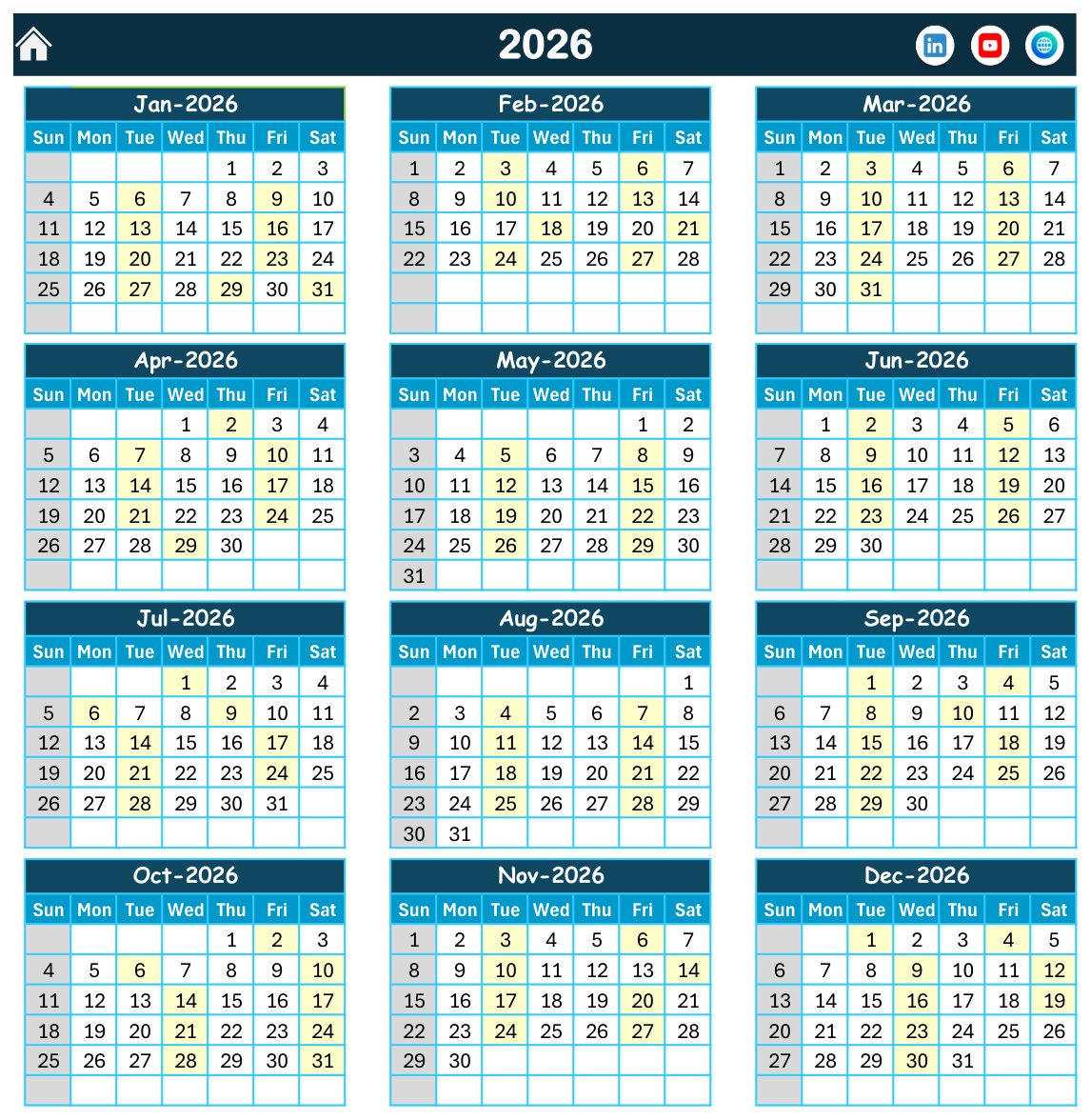
- Annual View: all 12 months of 2026 on one screen, with event days highlighted.
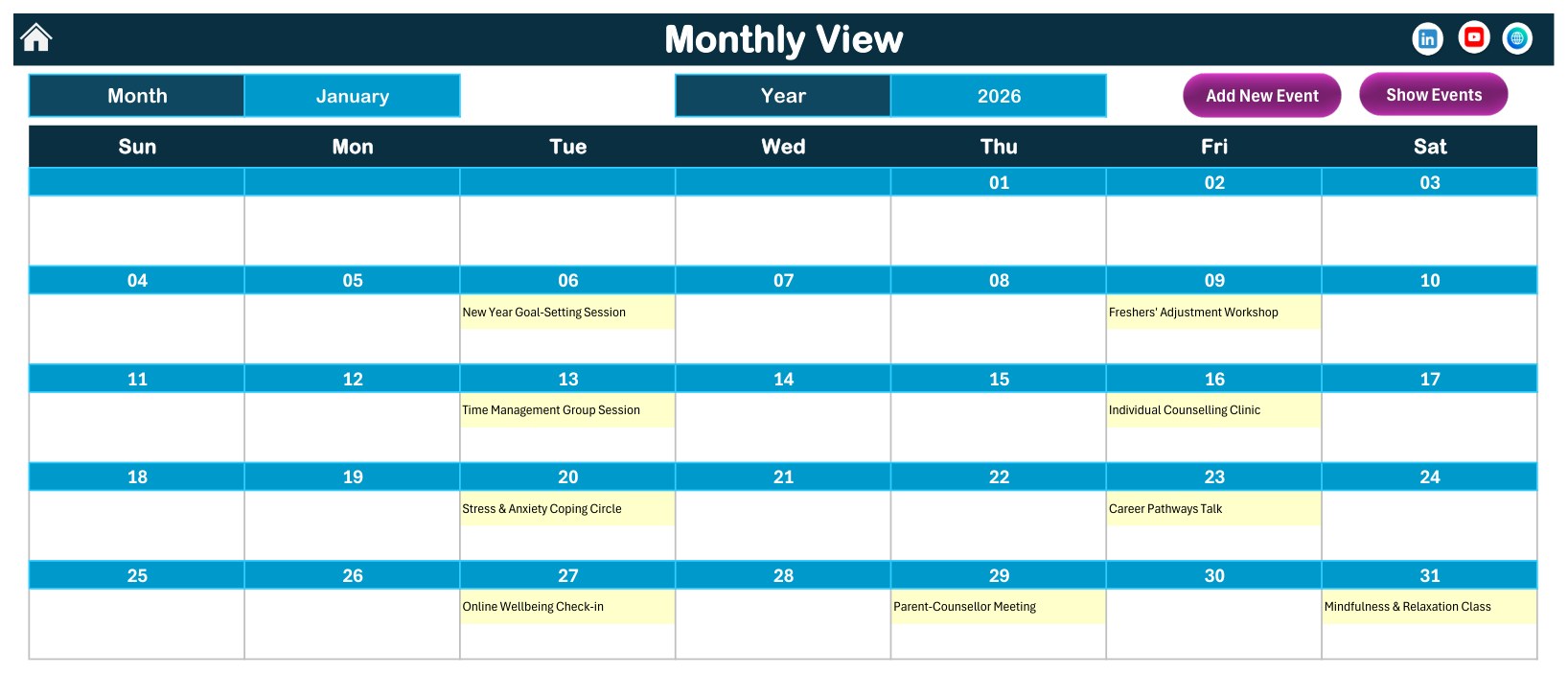
- Monthly View: month and year selectors, event names inside the calendar cells, and Add New Event and Show Events buttons.
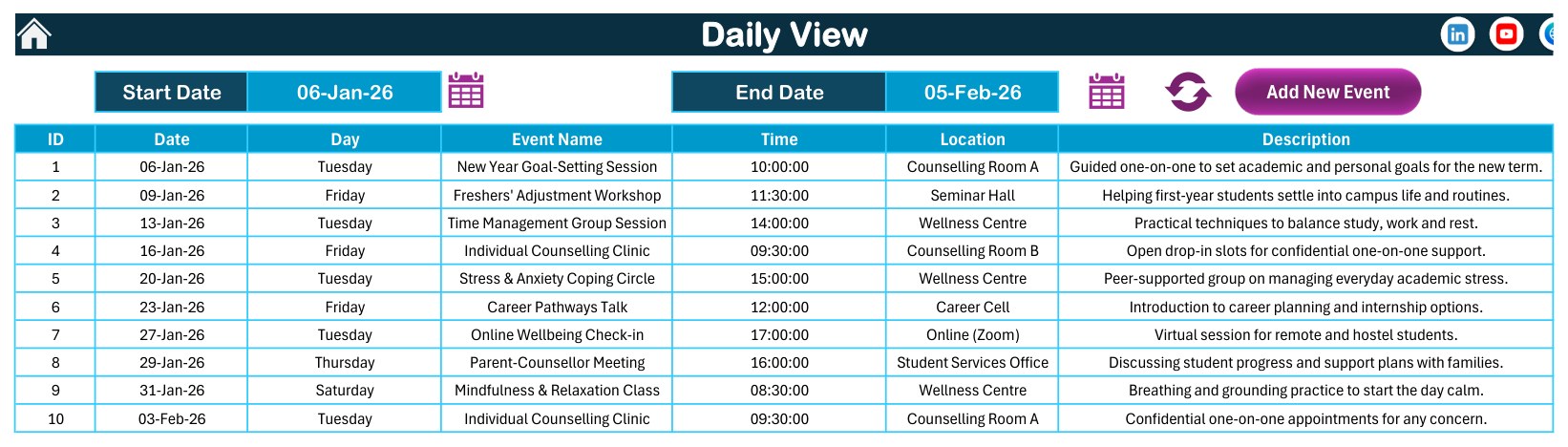
- Daily View: pick a start and end date to list ID, date, day, event name, time, location and description.
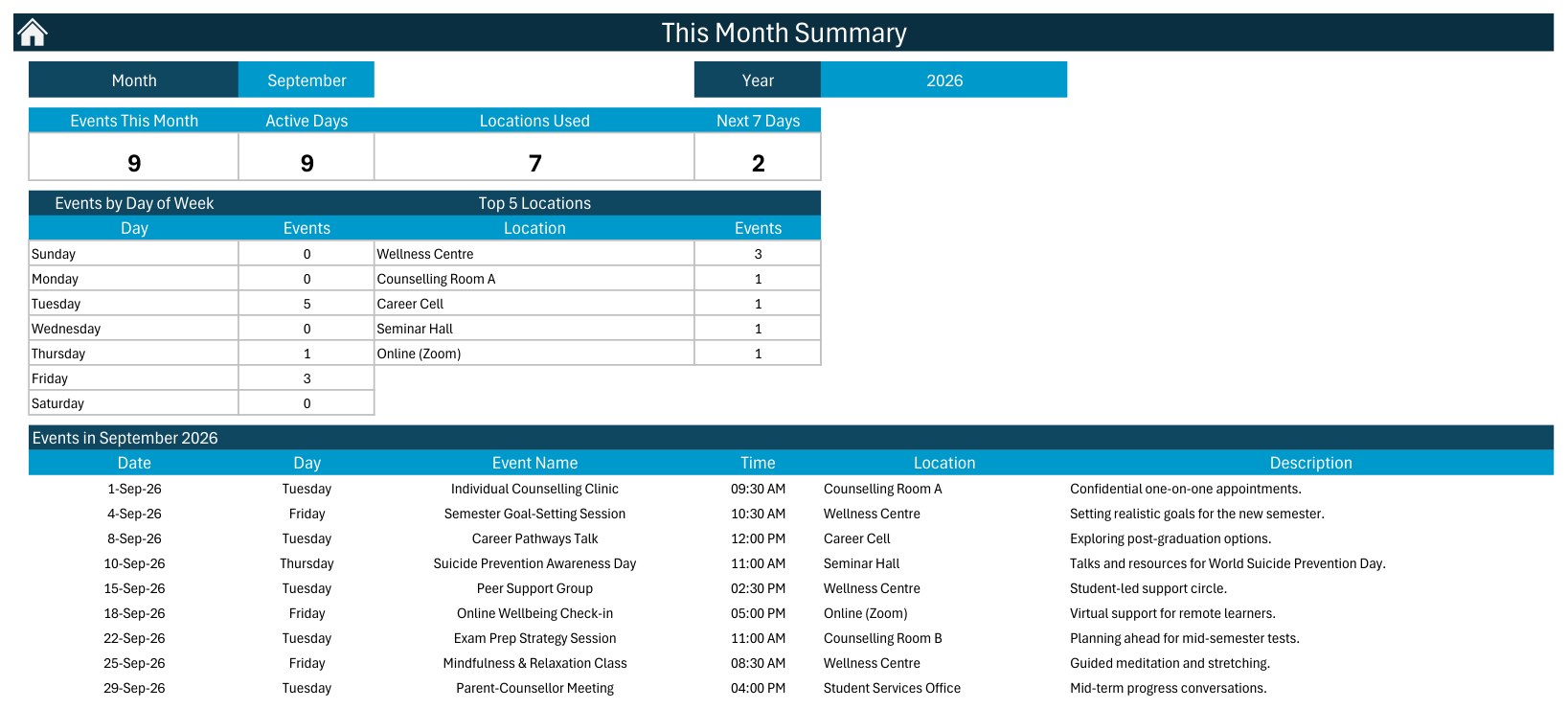
- This Month Summary: four cards (Events This Month, Active Days, Locations Used, Next 7 Days), Events by Day of Week, Top 5 Locations and the month’s event list.
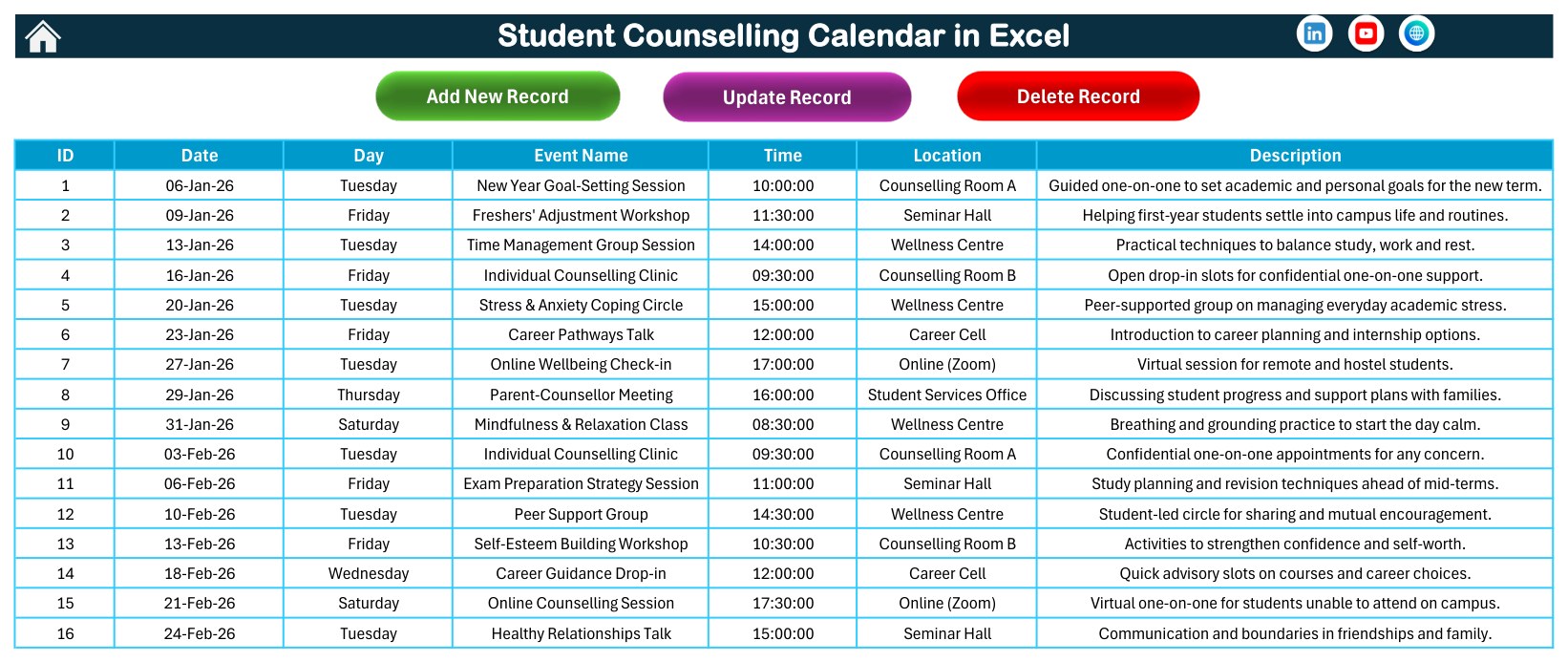
- Events sheet: the database behind the calendar, with Add New Record, Update Record and Delete Record buttons.
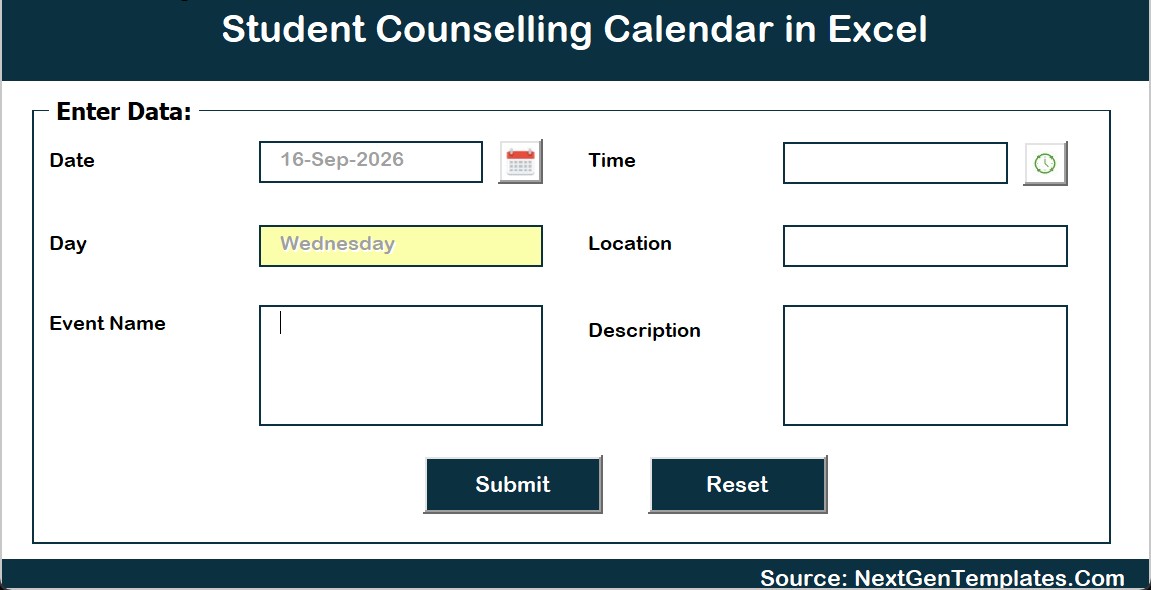
- Add New Event form: date and time pickers, location, event name and description; the weekday fills in from the date.
- Settings: year, starting month, first day of the week, two highlighted weekdays, event highlighting and 5 colour themes.
Workbook Pages Explained
Home Sheet
The Home sheet is a simple menu. Staff who are not comfortable hunting through sheet tabs can reach every view in one click, and each view carries a house icon to return to it.
Annual View
The Annual View lays out January to December 2026 as twelve mini-calendars. Days with a scheduled event are shaded, so recurring patterns stand out at a glance: the sample data runs counselling activity mostly on Tuesdays and Fridays, with awareness days and parent meetings on other weekdays.
Monthly View
Choose a month and year and the grid rebuilds itself. In January 2026 you see the New Year Goal-Setting Session on Tuesday the 6th, the Freshers’ Adjustment Workshop on Friday the 9th, the Stress and Anxiety Coping Circle on the 20th and the Parent-Counsellor Meeting on Thursday the 29th. When more than one event falls on the same date, the cell shows the first one and adds an “N more” note, so switch to the Daily View for the full list.
Daily View
The Daily View is the briefing sheet. Set a start and end date, refresh, and it lists every session in that window with time, location and a one-line description. It is the quickest way to tell a counsellor where they need to be this week.
This Month Summary
The summary turns the event list into a management view. For September 2026 the sample shows 9 events on 9 active days across 7 locations, with 5 sessions on Tuesdays, 3 on Fridays and 1 on Thursday, and the Wellness Centre as the busiest location. It helps a head of counselling see whether the workload is balanced across rooms and days.
Events Database and Add New Event Form
The Events sheet stores the records that feed every view: 100 sample events across the year, 41 distinct event types and 7 locations, from Individual Counselling Clinic and Mindfulness and Relaxation Class to Exam Anxiety Support Circle, Career Cell Resume Workshop and World Mental Health Day Fair. We checked all 100 weekday labels against their dates and every one matches. The form adds new events without touching the table directly.
Excel Calendar vs. Google Sheets vs. Counselling Software – Feature Comparison
| Feature | This Excel calendar | Google Sheets calendar | Counselling or case-management software |
|---|---|---|---|
| Primary purpose | Scheduling sessions, workshops and events | Shared browser-based scheduling | Case records, referrals and notes |
| Platform | Microsoft Excel for Windows desktop | Google Sheets in a browser | Vendor web app |
| Macros and forms | Yes, VBA buttons and an event form | No Excel VBA | Vendor-defined |
| Setup time | Extract the ZIP, enable macros, replace sample events | Make a copy and share it | Days to weeks of configuration |
| Cost model | One-time purchase | One-time purchase | Usually a recurring subscription |
| Works offline | Yes | Online-first | Usually online-first |
| Confidential notes | Not designed for them | Not designed for them | Typically the core purpose |
If your team prefers the browser, there is also a Student Counselling Calendar in Google Sheets. It is a separate build with its own screens and sample events, not a copy of this workbook.
Who Should Use This Calendar – and Who Should Not
Good fit: school counsellors, college and university wellbeing centres, student services offices, career cells and pastoral-care leads who want a clear local calendar of sessions, workshops, awareness days and parent meetings.
Not a fit: teams that need a secure record of individual students, consent forms, referrals, risk assessments or session notes. This workbook is not a clinical or mental-health record, not a crisis-support tool, and it makes no confidentiality, safeguarding or regulatory-compliance claims. It does not send reminders or invitations either.
A Note on Student Privacy
The 100 sample events contain no student names or other identifiers; they describe sessions, not people. Keep your own copy the same way. Use session titles such as “Individual Counselling Clinic” or anonymous codes such as S-014, and store anything personal in the system your institution has approved for it. An Excel file is easy to email, copy and print, which is exactly why it should hold schedules rather than case details.
How to Set Up the Student Counselling Calendar
- Download the ZIP and extract it to a trusted folder. It holds the workbook and the Excel Calendar user manual (PDF).
- Open the workbook in Excel for Windows desktop and enable macros.
- On the Setting sheet, choose the year, starting month, first day of the week, highlighted weekdays and colour theme.
- Clear the sample rows on the Events sheet, or keep a few as a pattern.
- Add your sessions with the Add New Event form, and use Update Record or Delete Record to change them.
- Review the Monthly View for the month ahead and the Daily View for the week.
- Check the This Month Summary at month end to see the busiest rooms and days.
Real-World Use Cases
Secondary school counselling office
Plan weekly drop-in clinics, self-esteem and time-management workshops and parent-counsellor meetings across the term, and print the Daily View for staff briefings.
University wellbeing centre
Schedule mindfulness classes, peer support groups, exam-anxiety circles and awareness days such as World Mental Health Day, then use the summary to spread sessions across rooms.
Career cell and student services
Run career pathway talks, resume and interview-skills workshops and new-intake orientation support in the same calendar as wellbeing sessions, so nothing clashes by accident.
Limitations to Know
- The Monthly View shows the first event per date plus an “N more” note; the Daily View shows everything.
- There is no check for double-booking a room or counsellor, so review the Daily View before confirming a session.
- Macros are required. Excel Online and the mobile apps do not run the buttons or the form.
- It is a single-user file, not a shared multi-campus database.
Tips for Better Results
- Use consistent event names so the calendar and summary stay readable.
- Use consistent location names, including one label for online sessions.
- Keep a dated backup copy each term.
- Read Microsoft’s guidance on enabling or disabling macros in Microsoft 365 files if your IT team manages macro settings.
Explore Related Templates
Get the workbook from the Student Counselling Calendar in Excel product page. Related templates include the Mental Health Session Calendar in Excel, the Parent-Teacher Meeting Calendar in Excel and the Career Counseling Centers Dashboard in Excel, or browse all Excel calendar templates.
More guides on this site: Mental Health Session Calendar in Excel, Parent-Teacher Meeting Calendar in Excel, Student Attendance Calendar in Excel, Class Timetable Calendar in Excel and Career Counseling Centers Dashboard in Excel.
Frequently Asked Questions
Is this calendar macro-enabled?
Yes. The navigation buttons, record buttons and event form use Excel VBA, so open it in Excel for Windows desktop with macros enabled.
Can I store student names or case notes in it?
We advise against it. It is a scheduling workbook without access control or encryption. Use session titles or anonymous codes and keep confidential information in your institution’s approved system.
Can I change the year?
Yes. The Setting sheet sets the year, starting month and first day of the week, and the Monthly View has its own month and year selectors.
Does it send reminders?
No. It does not send emails, SMS, WhatsApp messages or calendar invites.
What if two sessions fall on the same day?
Both are stored. The Monthly View shows the first plus an “N more” note, and the Daily View lists both.
Is there a Google Sheets version?
Yes, a separate Google Sheets edition exists with its own screens and sample data.
About the Author
Built by PK – Microsoft Certified Professional with 15+ years of Excel, Google Sheets and Power BI experience. Founder of NextGenTemplates, reaching 300K+ subscribers across YouTube channels. Every template is hand-built and tested before release.
Conclusion
If your counselling team plans its week in spreadsheets already, this workbook gives that plan a structure: a year view, a month view, a daily briefing list, a monthly summary and one clean events table. Keep it for schedules, keep student details elsewhere, and it will save time every week.
For more tutorials, visit PK: An Excel Expert on YouTube.