Customer feedback plays a crucial role in improving products, services, and customer experience. However, many organizations struggle to organize feedback collection activities, surveys, analysis tasks, and reporting deadlines. When teams manage feedback projects through scattered spreadsheets or emails, they often miss important milestones and deadlines.
Therefore, businesses increasingly use structured project calendars to manage customer feedback activities efficiently. A well-designed calendar helps teams schedule surveys, analyze feedback data, plan meetings, and track improvement initiatives.
That is exactly where the Customer Feedback Analysis Project Calendar in Excel becomes a powerful project management tool.
This ready-to-use Excel calendar helps marketing teams, product managers, and customer experience teams schedule and manage feedback analysis tasks efficiently. Instead of manually tracking feedback activities, teams can plan everything through an interactive calendar.
In this comprehensive guide, you will learn:
-
What a Customer Feedback Analysis Project Calendar in Excel is
-
Why businesses need feedback project calendars
-
Key features of this Excel template
-
Advantages of using this calendar
-
Best practices for managing feedback analysis projects
-
Frequently asked questions
Let’s explore everything step by step.
Click to Purchases Customer Feedback Analysis Project Calendar in Excel
What Is a Customer Feedback Analysis Project Calendar in Excel?
A Customer Feedback Analysis Project Calendar in Excel is a structured planning tool designed to manage customer feedback projects and activities.
It allows teams to schedule tasks such as:
-
Customer surveys
-
Feedback analysis
-
Customer interviews
-
Product improvement discussions
-
Customer experience review meetings
-
Feedback reporting
Instead of maintaining multiple planning tools, this calendar consolidates all project events into a single organized Excel workbook.
As a result, teams gain better visibility into project schedules and deadlines.
Because the template includes annual, monthly, and daily views, teams can monitor feedback activities at different levels of detail.
Click to Purchases Customer Feedback Analysis Project Calendar in Excel
Why Do Businesses Need a Customer Feedback Analysis Project Calendar?
Customer feedback projects involve many steps including data collection, analysis, reporting, and decision-making.
Without a structured calendar, teams often face problems such as:
-
Missed survey deadlines
-
Poor coordination between departments
-
Delayed feedback analysis
-
Lack of project visibility
-
Inefficient task scheduling
However, when organizations use a Customer Feedback Analysis Project Calendar, they can manage feedback activities more effectively.
For example, the calendar allows teams to:
-
Schedule feedback collection campaigns
-
Track survey deadlines
-
Plan data analysis activities
-
Monitor project progress
-
Improve coordination across departments
Consequently, businesses can analyze customer feedback faster and implement improvements more efficiently.
Click to Purchases Customer Feedback Analysis Project Calendar in Excel
Key Features of the Customer Feedback Analysis Project Calendar in Excel
This ready-to-use Excel template includes several powerful features that simplify project scheduling and event management.
The template contains five worksheets, each designed for a specific purpose.
1. Home Sheet – Navigation Dashboard
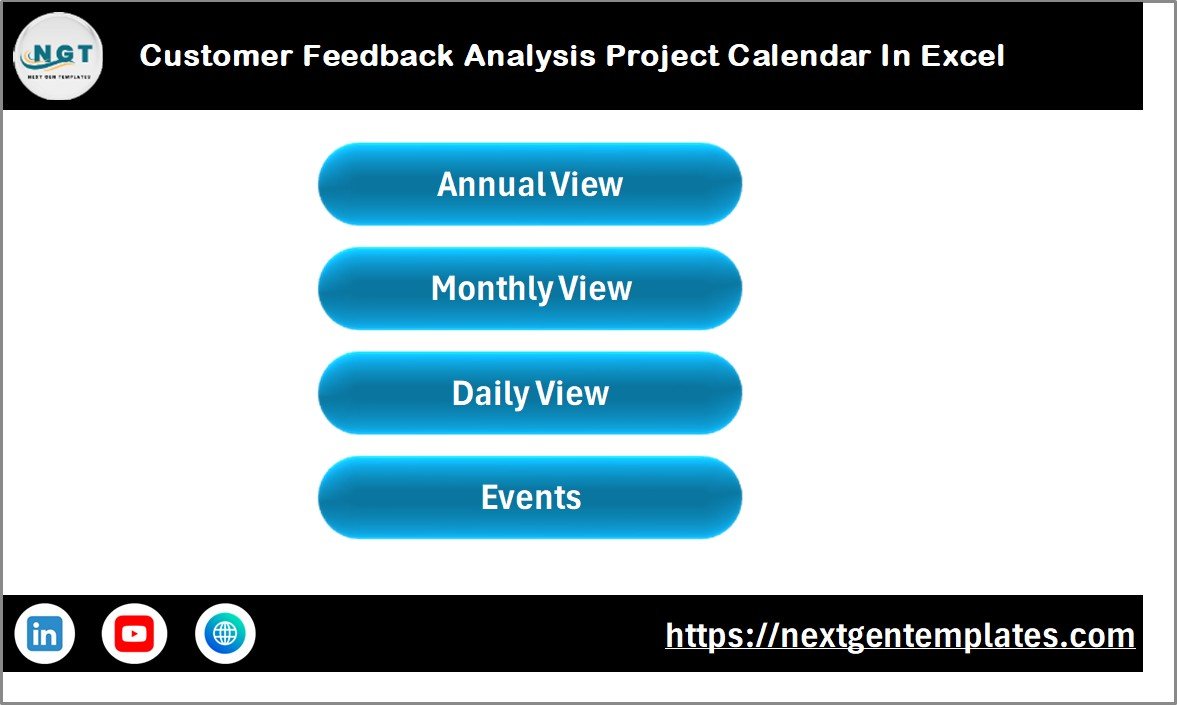
The Home Sheet acts as the navigation page of the calendar.
Instead of manually opening different worksheets, users can quickly access key calendar views.
Navigation Buttons
The Home sheet contains four navigation buttons:
-
Annual View
-
Monthly View
-
Daily View
-
Events
These buttons allow users to switch between calendar views quickly.
As a result, users can navigate the workbook easily.
Click to Purchases Customer Feedback Analysis Project Calendar in Excel
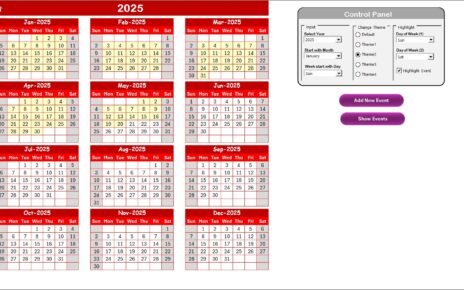
2. Annual View Sheet – Full Year Calendar Overview
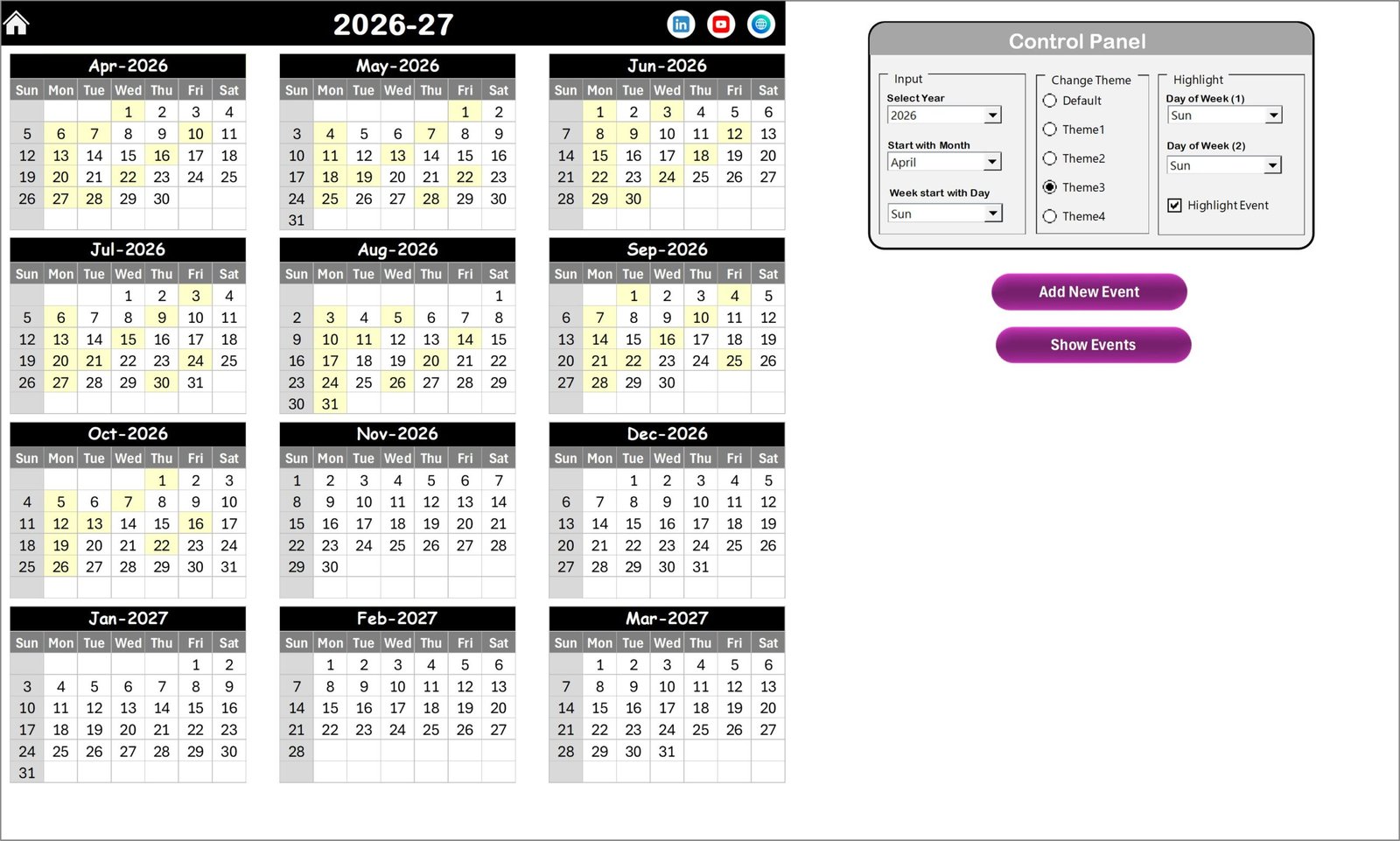
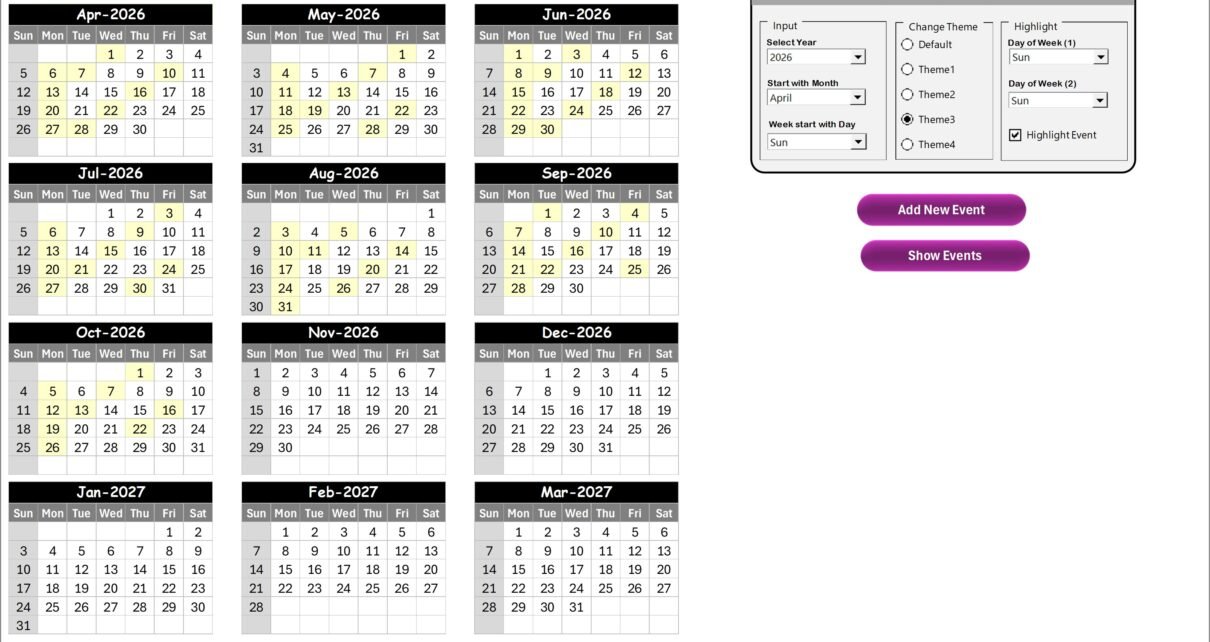
The Annual View Sheet displays the entire year’s calendar in a structured format.
This page shows 12 months of the year, which helps users monitor events and schedules across the whole year.
Control Panel
The sheet includes a powerful control panel that allows users to customize the calendar.
The control panel contains three groups.
Input Group
In the input group, users can configure the calendar settings.
Available options include:
-
Selecting the year
-
Choosing the starting month
-
Setting the starting day of the week
Once users adjust these settings, the calendar automatically updates.
Change Theme Group
The template provides five different color themes.
Users can apply their preferred theme to the entire workbook.
Therefore, teams can customize the calendar appearance easily.
Highlight Group
The highlight group allows users to highlight specific days of the week.
For example:
-
Saturday
-
Sunday
Users can select these days to highlight them in grey color.
This feature helps identify weekends or special workdays quickly.
Highlight Events Feature
The calendar also includes a Highlight Event checkbox.
When users enable this option, the calendar highlights event dates in yellow color.
Therefore, important feedback project activities become more visible.
Add New Event Button
Users can add a new event directly from the calendar.
Steps include:
-
Select the desired date.
-
Click the Add New Event button.
-
Enter the event details in the form.
-
Click Submit.
Once submitted, the event automatically appears on the calendar.
Show Event Button
Users can also view all events scheduled for a specific date.
To do this:
-
Select the date on the calendar.
-
Click the Show Event button.
The template will display all events scheduled for that day.
Click to Purchases Customer Feedback Analysis Project Calendar in Excel
3. Monthly View Sheet – Monthly Planning Calendar
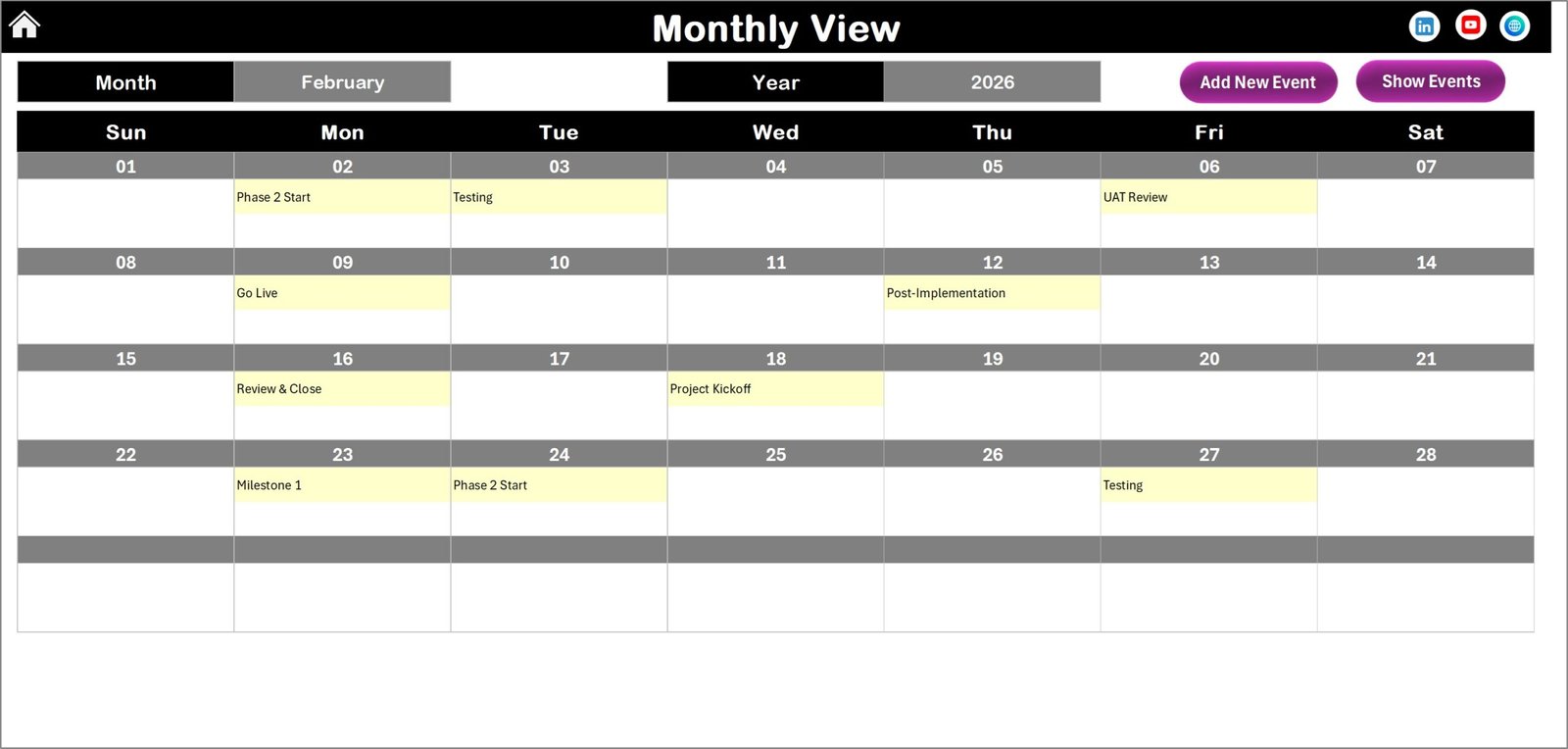
The Monthly View Sheet displays a detailed calendar for a selected month.
Users can choose the month and year from the dropdown at the top.
Once selected, the calendar automatically updates.
Event Display
The monthly calendar shows one event per date.
If multiple events exist on a single date, the calendar displays:
“More than 1…”
This indicator tells users that additional events exist for that date.
Monthly View Buttons
Two buttons appear at the top of the sheet.
Add New Event Button
Users can add new events for a selected date.
This button opens the event entry form.
Show Event Button
This button displays all events scheduled for the selected date.
Therefore, users can quickly review event details.
Click to Purchases Customer Feedback Analysis Project Calendar in Excel
4. Daily View Sheet – Detailed Event Tracking
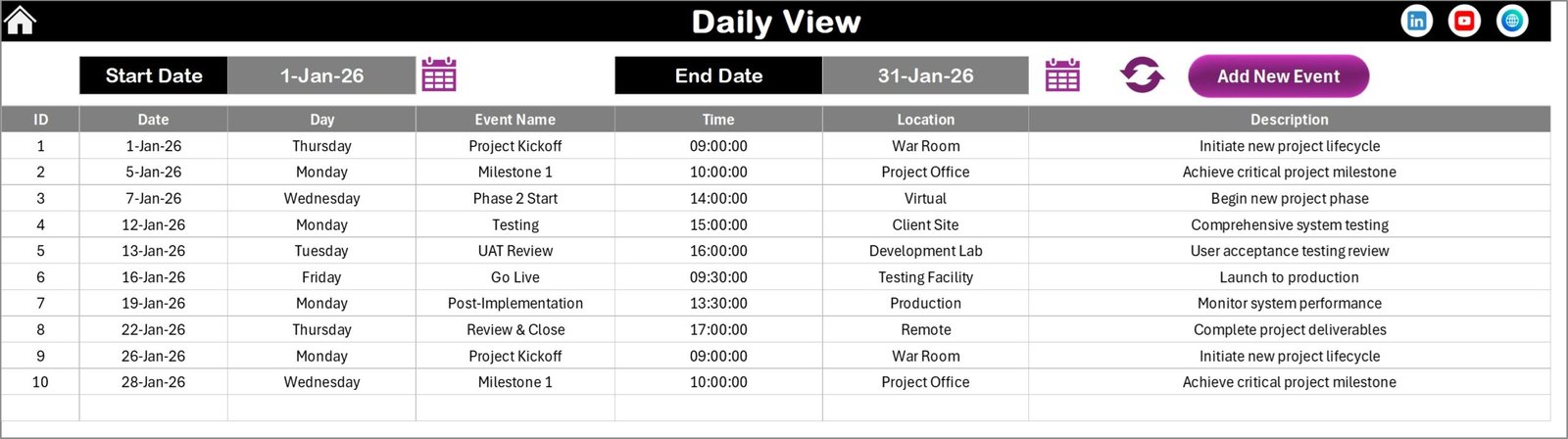
The Daily View Sheet displays a detailed list of events within a selected date range.
Users can specify the date range using two fields:
-
Start Date
-
End Date
A calendar icon allows users to select the dates easily.
Once users click the Refresh Button, the sheet displays all events scheduled within the selected period.
Event Entry Option
The Daily View page also includes an Add New Event button.
Users can use this button to open the event form and add new events.
This feature allows teams to quickly schedule feedback activities.
5. Events Sheet – Event Database
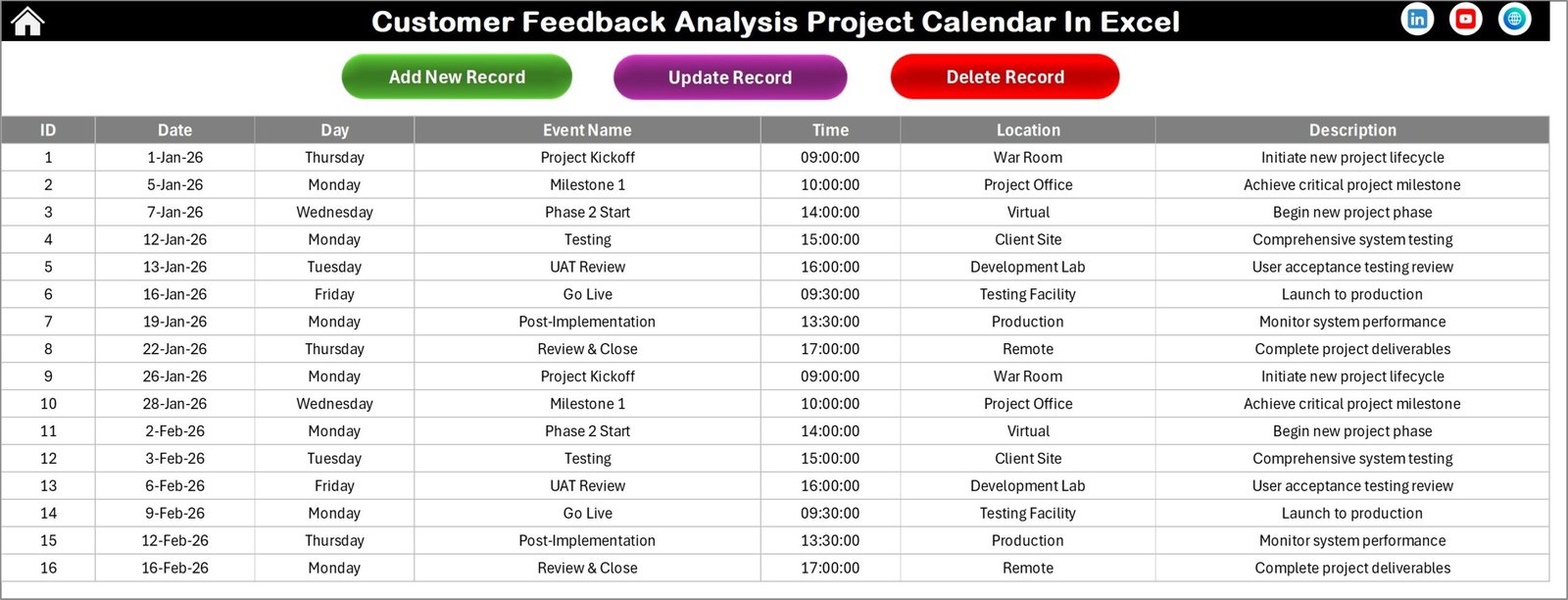
The Events Sheet works as the main database of the template.
All event information is stored here.
The sheet records several important details.
Event Data Fields
The Events sheet captures the following information.
ID
An automatically generated number that uniquely identifies each event.
Date
The date when the event occurs.
Day
The day of the week such as Monday or Sunday.
Event Name
The name of the activity.
Examples include:
-
Customer survey launch
-
Feedback review meeting
-
Data analysis session
Time
The time scheduled for the event.
Location
The location where the event takes place.
For example:
-
Office meeting room
-
Online meeting
-
Customer service department
Description
A short description explaining the event.
This helps team members understand the purpose of the activity.
Click to Purchases Customer Feedback Analysis Project Calendar in Excel
Event Management Buttons
The Events sheet also contains three management buttons.
Add New Record
This button opens the event entry form.
Users can add new events quickly.
Update Existing Record
Users can select the event ID and update the information.
The form opens with prefilled details, allowing users to edit and submit changes.
Delete Record
Users can select the event ID and delete the record.
This helps maintain an accurate event database.
Click to Purchases Customer Feedback Analysis Project Calendar in Excel
Advantages of Customer Feedback Analysis Project Calendar in Excel
Organizations gain many benefits when they use this calendar.
1. Organized Project Scheduling
The calendar organizes feedback activities clearly.
As a result, teams can track schedules without confusion.
2. Improved Team Coordination
Because all events appear in one centralized calendar, teams coordinate their tasks more effectively.
3. Better Deadline Management
The calendar allows teams to track deadlines and milestones easily.
Consequently, organizations avoid delays.
4. Clear Visibility of Feedback Projects
The annual, monthly, and daily views provide complete project visibility.
Managers can quickly review project schedules.
5. Easy Event Management
Users can add, update, or delete events using simple buttons.
Therefore, managing project activities becomes much easier.
Click to Purchases Customer Feedback Analysis Project Calendar in Excel
Best Practices for the Customer Feedback Analysis Project Calendar
Organizations should follow several best practices to maximize the benefits of this template.
1. Schedule Feedback Activities in Advance
Plan surveys, interviews, and analysis tasks early.
This ensures smooth project execution.
2. Assign Clear Responsibilities
Each feedback activity should have an assigned team member.
Clear responsibilities improve accountability.
3. Review Calendar Weekly
Teams should review the project calendar regularly.
Weekly reviews help track upcoming tasks.
4. Update Events Immediately
Update the calendar whenever changes occur.
Real-time updates ensure accurate planning.
5. Use Calendar Insights for Decision Making
Managers should analyze event data and schedules to improve project planning.
This approach improves overall customer feedback management.
Conclusion
Customer feedback analysis plays a crucial role in improving products and customer experience. However, managing feedback projects without proper planning often leads to missed deadlines and inefficient coordination.
The Customer Feedback Analysis Project Calendar in Excel provides a structured solution to manage feedback projects effectively.
This ready-to-use template helps organizations:
-
Plan feedback collection activities
-
Track project schedules
-
Manage events and deadlines
-
Improve team coordination
Because the template combines calendar planning with event management, businesses can manage customer feedback projects more efficiently.
As a result, organizations gain better insights from customer feedback and improve customer satisfaction.
Click to Purchases Customer Feedback Analysis Project Calendar in Excel
Frequently Asked Questions (FAQs)
What is a Customer Feedback Analysis Project Calendar?
A Customer Feedback Analysis Project Calendar is a planning tool used to schedule feedback collection, analysis activities, and reporting tasks.
Why should companies track feedback projects using a calendar?
A structured calendar helps organizations schedule surveys, manage deadlines, and coordinate feedback analysis activities efficiently.
Can this Excel calendar be customized?
Yes, organizations can customize the template by adding additional events, modifying themes, or updating calendar settings.
Who should use this calendar template?
This template is useful for:
-
Marketing teams
-
Customer experience teams
-
Product managers
-
Business analysts
-
Project managers
How often should teams review the feedback calendar?
Teams should review the calendar regularly, especially during weekly project planning meetings.
Click to Purchases Customer Feedback Analysis Project Calendar in Excel
Visit our YouTube channel to learn step-by-step video tutorials