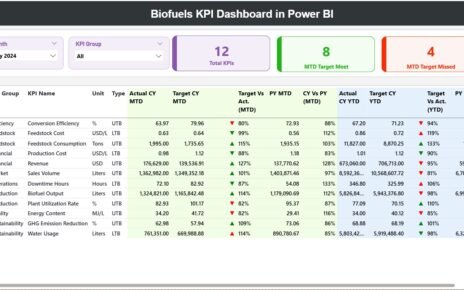
In today’s competitive market, ERP consulting firms must track performance with precision. You cannot rely on scattered spreadsheets or delayed reports. Instead, you need clarity, structure, and control. Therefore, the ERP Consulting KPI Dashboard in Excel gives you a ready-to-use solution that transforms raw numbers into meaningful insights.
If you run an ERP consulting firm, manage ERP projects, or lead a consulting team, this dashboard will help you monitor performance, improve profitability, and make faster decisions.
Let us explore everything step by step.
Click to Purchases ERP Consulting KPI Dashboard in Excel
What Is an ERP Consulting KPI Dashboard in Excel?
An ERP Consulting KPI Dashboard in Excel is a structured performance monitoring system built inside Microsoft Excel. It helps ERP consulting firms track:
-
Revenue performance
-
Project delivery efficiency
-
Consultant utilization
-
Cost control
-
Client satisfaction
-
Target achievement
Instead of using multiple files, you can manage everything in one powerful Excel workbook.
Moreover, this dashboard updates automatically when you select a specific month. As a result, you can instantly view Month-to-Date (MTD) and Year-to-Date (YTD) results.
Why Do ERP Consulting Firms Need a KPI Dashboard?
ERP projects involve complex planning, execution, and resource management. However, many firms struggle to measure real performance.
Without KPIs:
-
Teams lose focus.
-
Managers react late.
-
Profits decline.
-
Clients lose trust.
On the other hand, when you track the right KPIs:
-
You identify problems early.
-
You improve resource allocation.
-
You increase project success rates.
-
You boost profitability.
Therefore, a KPI dashboard becomes essential for growth.
Click to Purchases ERP Consulting KPI Dashboard in Excel
Key Features of ERP Consulting KPI Dashboard in Excel
This ready-to-use ERP Consulting KPI Dashboard includes 7 structured worksheets. Each sheet plays a specific role. Let us understand each one clearly.
1️⃣ Home Sheet – Easy Navigation Hub

The Home sheet works as an index page.
Here, you get:
-
6 interactive buttons
-
Quick navigation to all important sheets
-
Clean and structured layout
Because of this navigation system, you can move across the dashboard without confusion. Consequently, you save time and reduce manual searching.
Click to Purchases ERP Consulting KPI Dashboard in Excel
2️⃣ Dashboard Sheet – The Main Performance Overview

This sheet acts as the heart of the dashboard.
How Does It Work?
On cell D3, you can select the Month from a dropdown list. As soon as you change the month:
-
All numbers update automatically.
-
All calculations refresh instantly.
-
All visual indicators change dynamically.
What Does This Sheet Show?
For every KPI, you can see:
-
MTD Actual
-
MTD Target
-
MTD Previous Year
-
Target vs Actual %
-
Previous Year vs Actual %
-
YTD Actual
-
YTD Target
-
YTD Previous Year
-
Conditional formatting arrows (Up/Down)
Because of these features, you instantly know whether performance improves or declines.
3️⃣ KPI Trend Sheet – Deep Analysis View

On the KPI Trend sheet, you can analyze each KPI individually.
How Do You Use It?
-
Select KPI name from dropdown at C3
-
View complete KPI details instantly
What Information Is Displayed?
-
KPI Group
-
Unit of KPI
-
Type (Lower the Better or Upper the Better)
-
KPI Formula
-
KPI Definition
-
MTD Trend Chart
-
YTD Trend Chart
-
Comparison of Actual vs Target vs Previous Year
Therefore, this sheet helps managers understand trends instead of just numbers.
Click to Purchases ERP Consulting KPI Dashboard in Excel
4️⃣ Actual Numbers Input Sheet – Data Entry for Current Year

Here, you enter:
-
Monthly MTD Actual numbers
-
Monthly YTD Actual numbers
You can change the first month of the year in E1.
Because the dashboard links directly to this sheet, it automatically reflects new data. Thus, you avoid manual updates.
5️⃣ Target Sheet – Define Monthly Targets

In this sheet, you enter:
-
Monthly MTD Target values
-
Monthly YTD Target values
When you define realistic targets, you create clear performance expectations. Consequently, teams focus better.
Click to Purchases ERP Consulting KPI Dashboard in Excel
6️⃣ Previous Year Numbers Sheet – Historical Comparison

Here, you enter:
-
MTD numbers of the previous year
-
YTD numbers of the previous year
Comparing current performance with historical data helps you:
-
Measure growth
-
Identify seasonal trends
-
Improve forecasting
7️⃣ KPI Definition Sheet – The Foundation of KPIs

This sheet includes:
-
KPI Name
-
KPI Group
-
Unit
-
Formula
-
KPI Definition
Because this sheet documents each KPI clearly, every stakeholder understands what they measure.
Click to Purchases ERP Consulting KPI Dashboard in Excel
What KPIs Should You Track in ERP Consulting?
You can customize KPIs based on your business model. However, most ERP consulting firms track:
Financial KPIs
-
Revenue per Consultant
-
Gross Margin %
-
Project Profitability
-
Billing Rate
-
Cost Variance
Operational KPIs
-
Project Completion Rate
-
On-Time Delivery %
-
Resource Utilization %
-
Billable Hours %
-
Change Request Frequency
Client KPIs
-
Client Satisfaction Score
-
Repeat Business %
-
Implementation Success Rate
Quality KPIs
-
Defect Resolution Time
-
System Downtime
-
Post-Go-Live Issues
Because you can classify KPIs as LTB (Lower the Better) or UTB (Upper the Better), the dashboard automatically adjusts evaluation logic.
Click to Purchases ERP Consulting KPI Dashboard in Excel
How Does the ERP Consulting KPI Dashboard Improve Decision-Making?
This dashboard improves decision-making in multiple ways.
1️⃣ Real-Time Monitoring
When you update numbers, results change immediately. Therefore, you always work with current data.
2️⃣ Clear Performance Indicators
Conditional arrows show improvement or decline instantly. Thus, managers act quickly.
3️⃣ Trend Visibility
Trend charts help you see patterns. Consequently, you avoid short-term decisions.
4️⃣ Target Accountability
When you compare Actual vs Target, teams stay focused on goals.
Advantages of ERP Consulting KPI Dashboard in Excel
Now let us look at the key benefits.
1️⃣ Centralized Reporting
You manage all KPIs in one Excel file. Therefore, you eliminate scattered reports.
2️⃣ Easy Customization
Because the dashboard runs in Excel, you can modify KPIs easily.
3️⃣ No Complex Software Needed
You do not need expensive BI tools. Instead, you use Excel, which most teams already understand.
4️⃣ Dynamic Month Selection
Dropdown-based month selection simplifies analysis.
5️⃣ Strong Historical Comparison
You track MTD and YTD along with Previous Year numbers.
6️⃣ Clear Visual Indicators
Up and down arrows improve clarity instantly.
7️⃣ Structured KPI Documentation
The KPI Definition sheet ensures consistency.
Click to Purchases ERP Consulting KPI Dashboard in Excel
How to Use ERP Consulting KPI Dashboard Effectively?
Although the dashboard works automatically, you should follow a structured approach.
Step 1: Define KPIs Clearly
First, define measurable KPIs aligned with your business goals.
Step 2: Enter Accurate Data
Then, update Actual, Target, and Previous Year sheets regularly.
Step 3: Review Monthly
After that, review dashboard performance every month.
Step 4: Analyze Trends
Next, study KPI Trend charts carefully.
Step 5: Take Action
Finally, implement corrective actions quickly.
Click to Purchases ERP Consulting KPI Dashboard in Excel
Best Practices for the ERP Consulting KPI Dashboard in Excel
To get maximum value, follow these best practices.
✅ Keep KPIs Limited but Powerful
Do not overload the dashboard. Instead, focus on 10–15 critical KPIs.
✅ Update Data on Fixed Dates
Set a monthly update schedule. Therefore, you maintain consistency.
✅ Align KPIs with Strategy
Every KPI must support business goals.
✅ Use Clear Target Setting
Set realistic yet challenging targets.
✅ Review Performance with Team
Discuss KPI performance openly. Consequently, teams feel responsible.
✅ Analyze Both MTD and YTD
Short-term and long-term views provide balance.
Who Should Use This ERP Consulting KPI Dashboard?
This dashboard benefits:
-
ERP Consulting Firm Owners
-
Project Managers
-
Finance Heads
-
Operations Managers
-
Delivery Managers
-
Strategy Consultants
Because it provides financial, operational, and client insights, leadership teams can make data-driven decisions.
How Does This Dashboard Help Increase Profitability?
Profitability improves when:
-
You increase utilization rate.
-
You reduce cost overruns.
-
You deliver projects on time.
-
You control billing leakage.
This dashboard highlights each of these areas clearly. Therefore, you can take corrective steps early.
Why Choose Excel Instead of Complex BI Tools?
Many ERP consulting firms hesitate to invest in expensive software. However, Excel provides:
-
Flexibility
-
Cost-effectiveness
-
Ease of use
-
Customization
-
Quick deployment
Therefore, Excel remains one of the most powerful tools for KPI tracking.
Click to Purchases ERP Consulting KPI Dashboard in Excel
How Does MTD and YTD Analysis Improve ERP Performance?
MTD helps you track short-term performance.
YTD shows long-term progress.
When you combine both:
-
You identify monthly deviations.
-
You measure annual growth.
-
You control budget alignment.
Thus, you gain complete visibility.
How Does Previous Year Comparison Support Strategic Planning?
Historical comparison reveals:
-
Seasonal revenue trends
-
Utilization fluctuations
-
Profit margin variations
Because of this, you forecast better and plan resources efficiently.
Click to Purchases ERP Consulting KPI Dashboard in Excel
Conclusion: Should You Use ERP Consulting KPI Dashboard in Excel?
If you want clarity, structure, and better control over your ERP consulting performance, then yes — you should use this dashboard.
It offers:
-
Complete KPI visibility
-
Dynamic month selection
-
Target comparison
-
Historical tracking
-
Trend analysis
-
Structured documentation
Most importantly, it empowers leaders to act based on data rather than assumptions.
Therefore, if you aim to improve profitability, client satisfaction, and operational efficiency, this ERP Consulting KPI Dashboard in Excel becomes a powerful tool.
Frequently Asked Questions (FAQs)
1️⃣ What is an ERP Consulting KPI Dashboard?
It is an Excel-based performance tracking system that monitors financial, operational, and client KPIs for ERP consulting firms.
2️⃣ Can I customize KPIs in this dashboard?
Yes. You can modify KPIs easily in the KPI Definition sheet.
3️⃣ Does the dashboard support monthly analysis?
Yes. You can select any month from the dropdown in cell D3.
4️⃣ Can I compare current performance with last year?
Yes. You can enter previous year data and analyze comparisons automatically.
5️⃣ Is Excel enough for ERP KPI tracking?
Yes. Excel provides flexibility, automation, and strong analytical capability without complex setup.
6️⃣ How many KPIs should I track?
You should track 10 to 15 powerful KPIs that align with business strategy.
7️⃣ Does the dashboard show trend charts?
Yes. The KPI Trend sheet displays MTD and YTD trend charts for each KPI.
Click to Purchases ERP Consulting KPI Dashboard in Excel
Visit our YouTube channel to learn step-by-step video tutorials