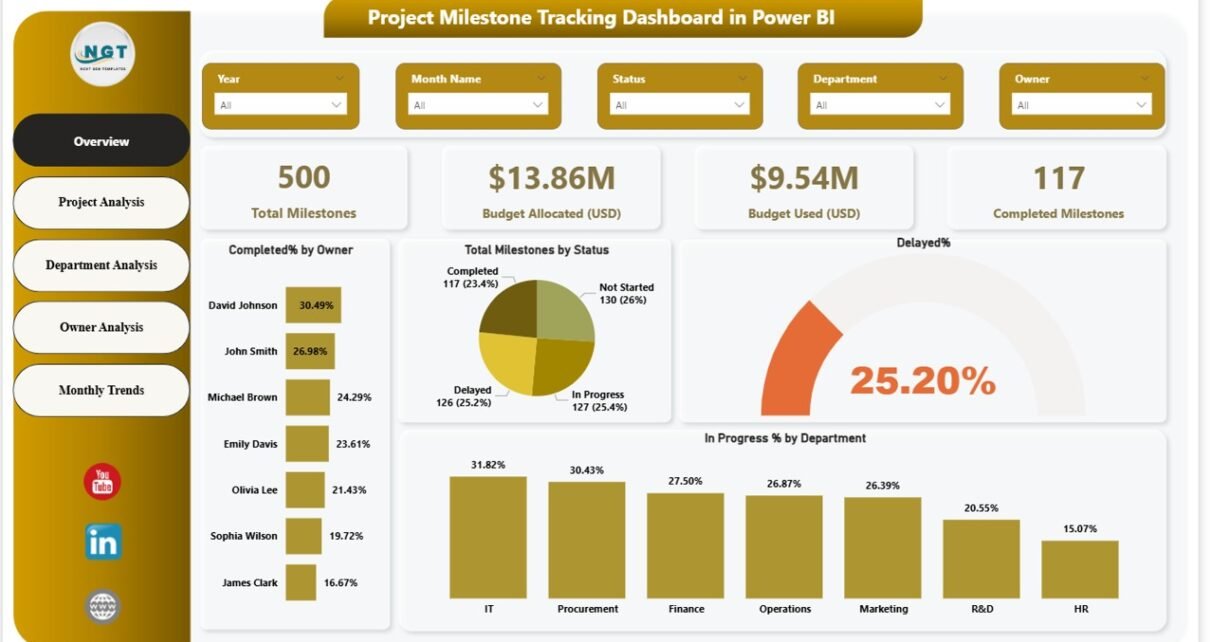
Managing projects without clear visibility often leads to missed deadlines, budget overruns, and unclear accountability. However, when teams track milestones properly, projects move forward with confidence and control. That is exactly where a Project Milestone Tracking Dashboard in Power BI becomes a powerful solution.
In this detailed and SEO-friendly guide, you will learn what a Project Milestone Tracking Dashboard in Power BI is, why it is important, how it works, and how each dashboard page helps project managers make better decisions. Moreover, this article explains its key features, advantages, best practices, and frequently asked questions in a clear and easy-to-understand way.
By the end of this article, you will clearly understand why this dashboard is essential for modern project management teams.
Click to buy Project Milestone Tracking Dashboard in Power BI
What Is a Project Milestone Tracking Dashboard in Power BI?
A Project Milestone Tracking Dashboard in Power BI is an interactive and data-driven reporting solution designed to track project milestones, budgets, progress status, ownership, and timelines in one centralized view.
Instead of using multiple Excel files, emails, or static reports, this dashboard brings all milestone-related data into one dynamic Power BI file. As a result, project managers, PMOs, and leadership teams can monitor progress in real time and take timely actions.
Moreover, Power BI allows users to apply slicers, drill-downs, and visual analytics. Therefore, users can analyze milestones by project, department, owner, status, and month without manual effort.
Why Do Organizations Need a Project Milestone Tracking Dashboard?
Projects fail when teams lack visibility. However, when leaders track milestones effectively, they reduce risks and improve outcomes. A Project Milestone Tracking Dashboard in Power BI helps organizations in several ways.
Key Reasons Organizations Use This Dashboard
- Projects involve multiple milestones, owners, and budgets
- Manual tracking causes delays and errors
- Leadership needs real-time performance insights
- Budget control requires continuous monitoring
- Stakeholders demand transparency and accountability
Because of these challenges, organizations rely on Power BI dashboards to stay proactive rather than reactive.
How Does a Project Milestone Tracking Dashboard in Power BI Work?
A Project Milestone Tracking Dashboard in Power BI works by connecting milestone data from structured sources such as Excel, databases, or project management systems.
Once the data loads into Power BI, the dashboard performs the following steps:
- Cleans and transforms data
- Calculates milestone KPIs
- Builds interactive visuals
- Enables filtering through slicers
- Updates automatically with new data
As a result, teams always see the latest project status without manual reporting.
Key Features of the Project Milestone Tracking Dashboard in Power BI
This dashboard contains five well-structured pages, each designed to answer specific project management questions.
Overview Page – How Is the Overall Project Health?
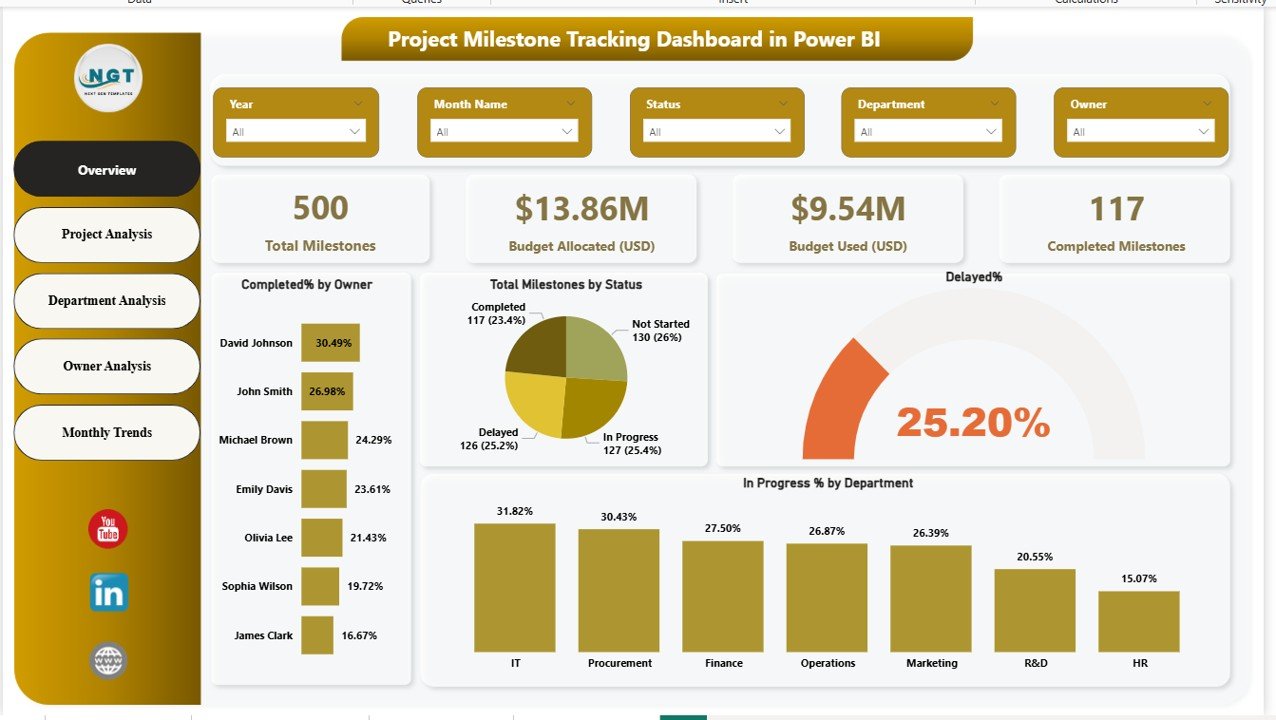
The Overview Page acts as the main landing page of the dashboard. It provides a high-level snapshot of all project milestones and budgets.
Key Elements of the Overview Page
- Interactive slicers for quick filtering
- Total milestones count
- Total budget allocated (USD)
- Total budget used (USD)
- Completed milestones count
Performance Insights on This Page
- Completed milestones by owner
- Total milestones by status
- Delayed percentage
- In-progress percentage by department
Because this page summarizes everything, leadership can quickly assess project health in seconds.
Click to buy Project Milestone Tracking Dashboard in Power BI
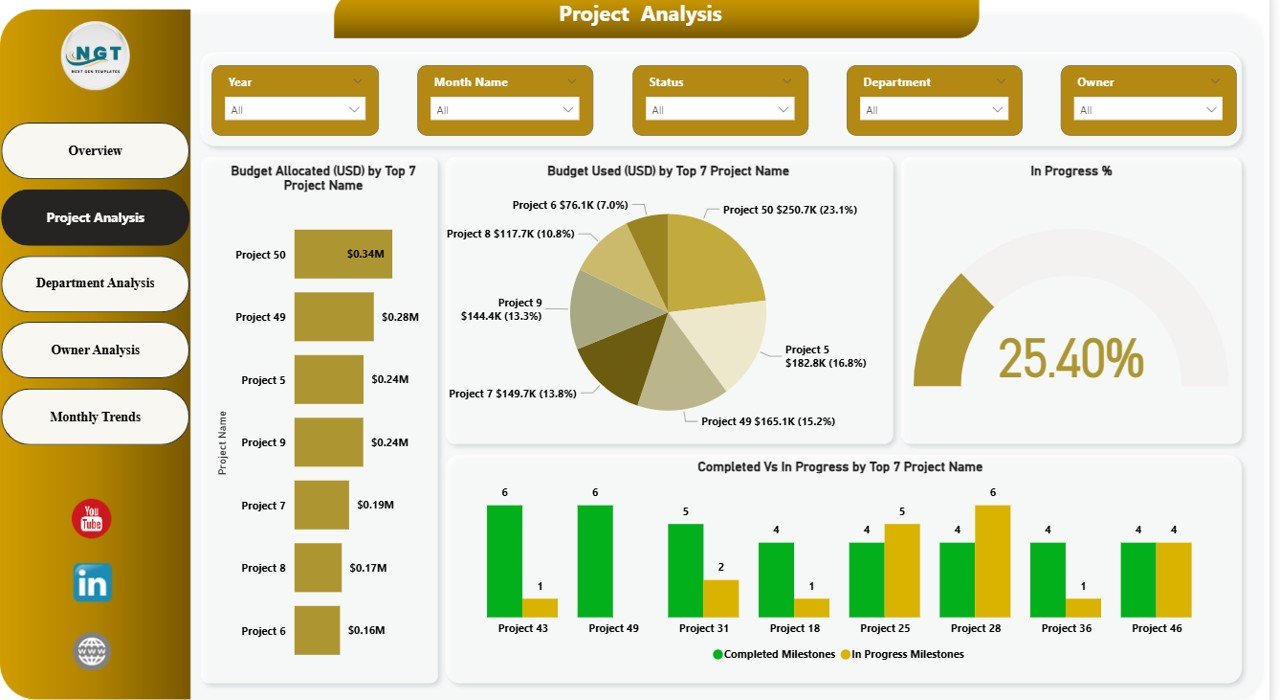
Project Analysis Page – Which Projects Need Attention?
The Project Analysis Page focuses on performance at the individual project level. This page helps project managers identify high-risk or high-cost projects.
Visuals Available on This Page
- Budget allocated (USD) by top 7 projects
- In-progress percentage
- Completed vs in-progress milestones by top 7 projects
Why This Page Matters
- It highlights projects consuming the most budget
- It shows which projects lag behind schedule
- It supports better prioritization decisions
As a result, managers can intervene early and prevent delays.
Click to buy Project Milestone Tracking Dashboard in Power BI
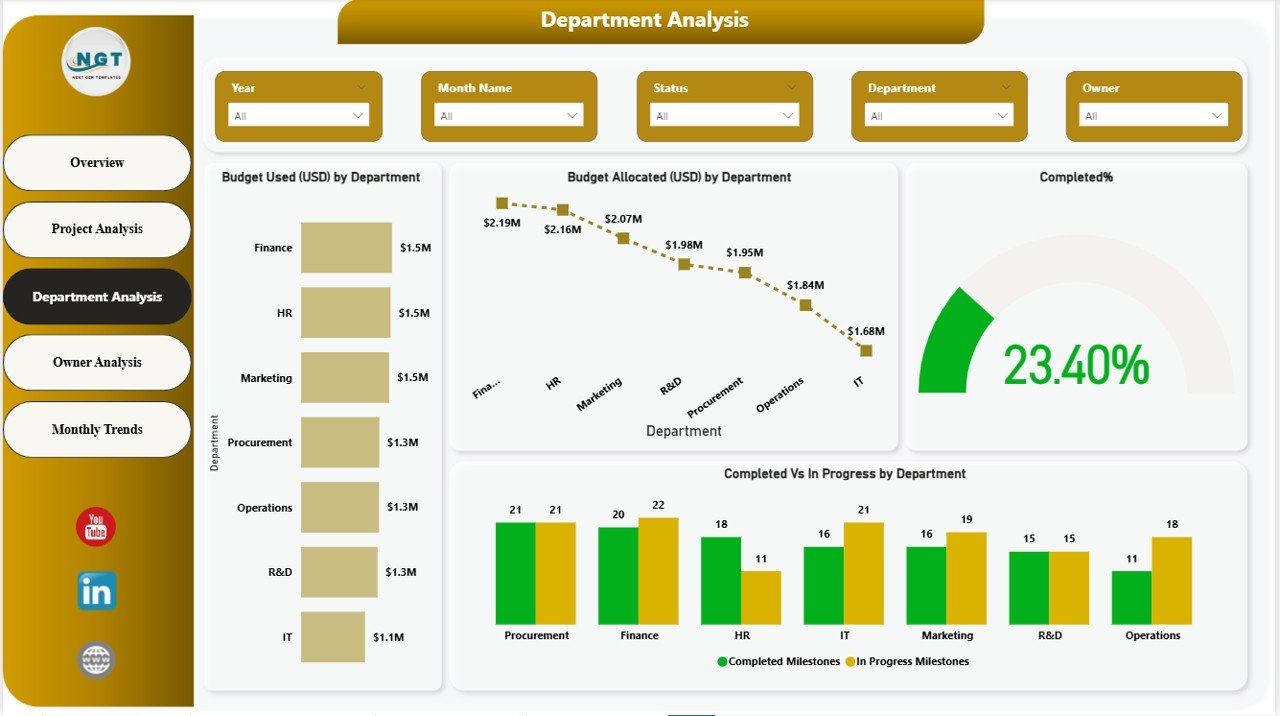
Department Analysis Page – How Are Departments Performing?
The Department Analysis Page breaks down milestone and budget performance by department.
Key Charts on This Page
- Budget used (USD) by department
- Budget allocated (USD) by department
- Completed percentage by department
- Completed vs in-progress milestones by department
Benefits of Department-Level Analysis
- Identifies high-performing departments
- Flags departments facing delays
- Supports resource allocation decisions
Therefore, organizations can balance workloads and budgets more effectively.
Click to buy Project Milestone Tracking Dashboard in Power BI
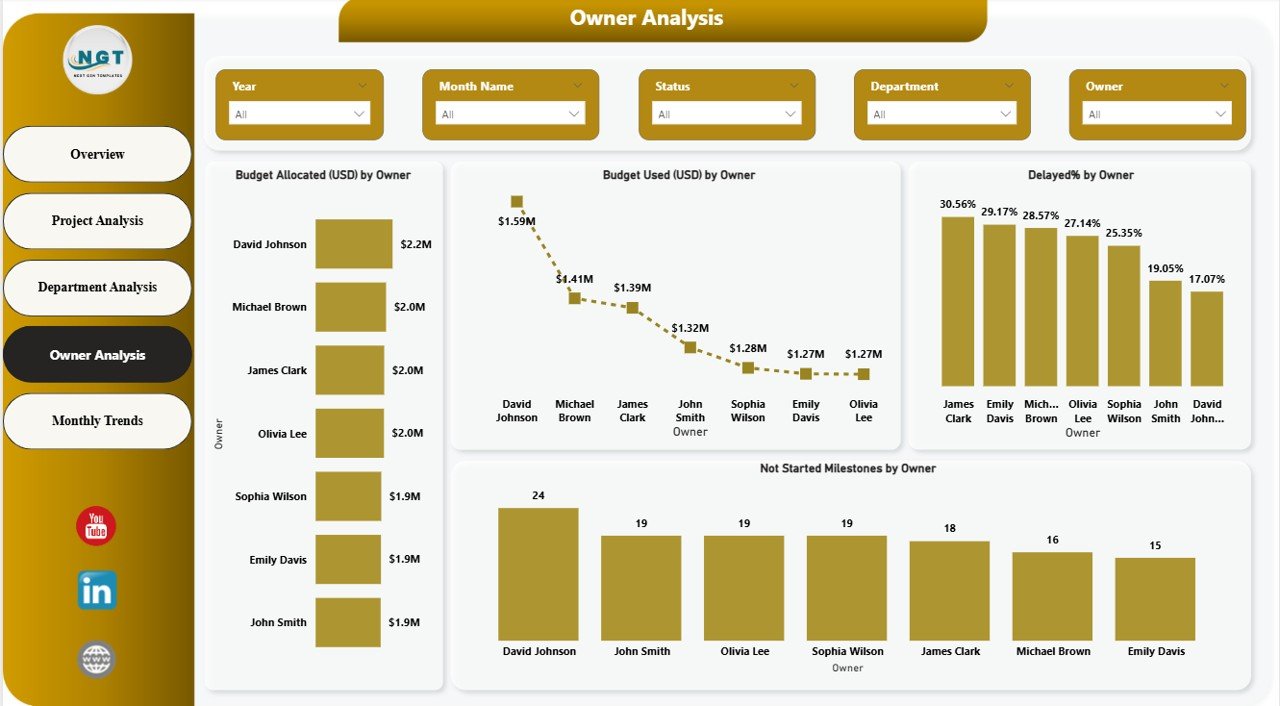
Owner Analysis Page – Who Owns the Milestones?
The Owner Analysis Page focuses on individual accountability. It helps organizations track milestone ownership clearly.
Key Visuals on the Owner Analysis Page
- Budget allocated (USD) by owner
- Budget used (USD) by owner
- Delayed percentage by owner
- Not started milestones by owner
Why Owner Analysis Is Important
- It improves accountability
- It identifies overloaded team members
- It supports performance evaluations
Consequently, leaders can coach teams more effectively.
Click to buy Project Milestone Tracking Dashboard in Power BI
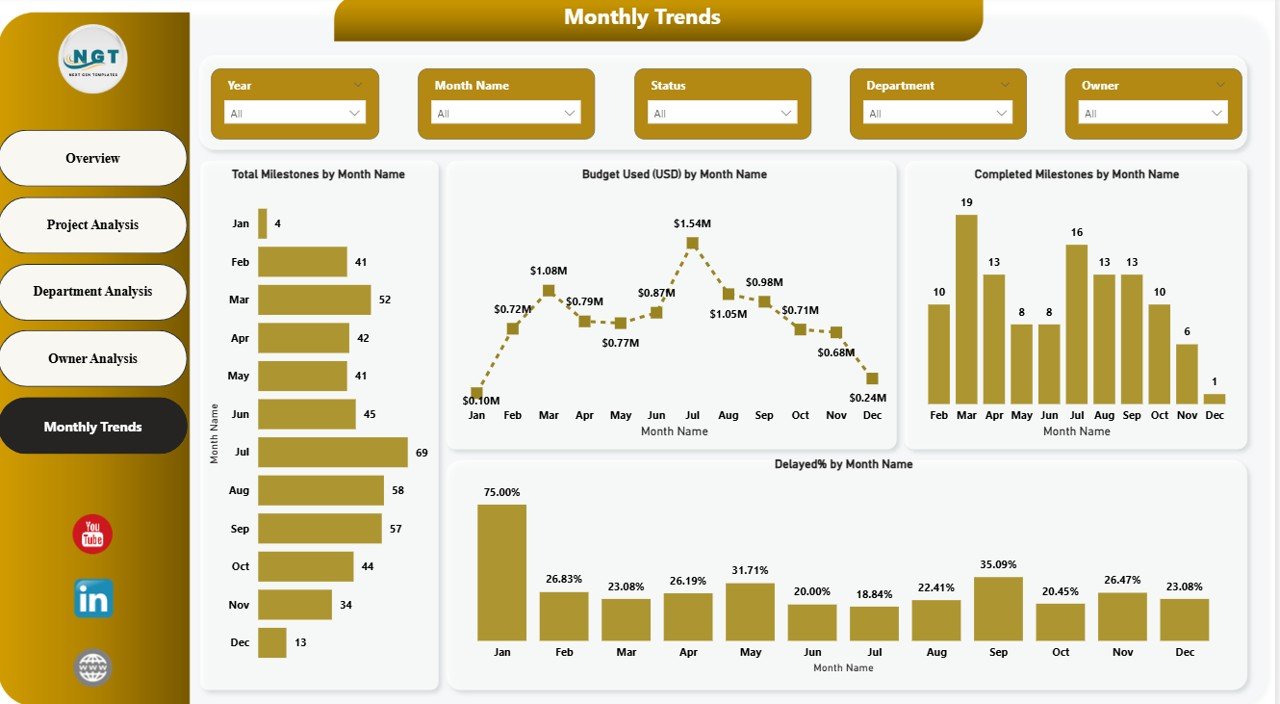
Monthly Trends Page – How Is Progress Changing Over Time?
The Monthly Trends Page tracks milestone and budget trends over time.
Insights Available on This Page
- Budget allocated by month
- Budget used (USD) by month
- Completed milestones by month
- Delayed percentage by month
Value of Trend Analysis
- Detects seasonal patterns
- Identifies budget spikes
- Highlights recurring delays
Because trends reveal patterns, teams can plan future projects more accurately.
Click to buy Project Milestone Tracking Dashboard in Power BI
What KPIs Does a Project Milestone Tracking Dashboard Track?
This dashboard tracks several critical project KPIs.
Common KPIs Included
- Total milestones
- Completed milestones
- In-progress milestones
- Delayed milestones
- Budget allocated (USD)
- Budget used (USD)
- Completion percentage
- Delay percentage
These KPIs ensure that teams track both time and cost performance together.
Advantages of a Project Milestone Tracking Dashboard in Power BI
Using a Project Milestone Tracking Dashboard in Power BI delivers significant benefits.
Key Advantages
- Centralized project visibility
- Real-time milestone tracking
- Improved budget control
- Better accountability
- Faster decision-making
- Reduced reporting effort
- Professional and interactive visuals
Moreover, Power BI dashboards scale easily as project complexity grows.
Who Should Use a Project Milestone Tracking Dashboard?
This dashboard suits a wide range of professionals.
Ideal Users
- Project managers
- Program managers
- PMO teams
- Department heads
- Finance teams
- Senior leadership
Because the dashboard serves multiple roles, it supports organization-wide alignment.
How Does Power BI Improve Project Reporting Compared to Excel?
Although Excel remains useful, Power BI offers advanced capabilities.
Power BI vs Excel for Project Tracking
- Interactive dashboards instead of static reports
- Automatic data refresh
- Advanced visualizations
- Easy sharing with stakeholders
- Better performance with large datasets
Therefore, Power BI provides a more scalable and modern reporting solution.
How to Design an Effective Project Milestone Tracking Dashboard?
Design plays a critical role in dashboard success.
Key Design Principles
- Use clear and consistent KPIs
- Limit visuals per page
- Apply meaningful color coding
- Use slicers wisely
- Maintain logical page flow
A well-designed dashboard improves adoption and trust.
Best Practices for the Project Milestone Tracking Dashboard in Power BI
Following best practices ensures long-term success.
Best Practices
- Keep milestone definitions consistent
- Update data regularly
- Validate budget figures
- Use standardized project names
- Review delayed milestones weekly
- Train users on slicer usage
- Archive completed projects
When teams follow these practices, the dashboard remains reliable and useful.
How Does This Dashboard Support Better Decision-Making?
The dashboard converts raw data into insights.
Decision-Making Benefits
- Early risk identification
- Budget optimization
- Resource reallocation
- Improved delivery timelines
- Transparent reporting
As a result, leadership can act with confidence.
Conclusion
A Project Milestone Tracking Dashboard in Power BI transforms how organizations manage projects. Instead of reacting to issues late, teams gain real-time visibility into milestones, budgets, ownership, and trends.
With structured pages such as Overview, Project Analysis, Department Analysis, Owner Analysis, and Monthly Trends, this dashboard delivers clarity at every level. Moreover, its interactive nature empowers users to explore data deeply and make informed decisions.
Ultimately, organizations that adopt this dashboard improve project success rates, control budgets, and enhance accountability.
Frequently Asked Questions (FAQs)
What is a Project Milestone Tracking Dashboard in Power BI?
It is an interactive Power BI dashboard that tracks project milestones, budgets, progress status, owners, and trends in one centralized view.
Who should use this dashboard?
Project managers, PMOs, department heads, finance teams, and senior leadership can all benefit from this dashboard.
Can this dashboard handle multiple projects?
Yes, it supports multiple projects and allows filtering by project, department, owner, and time.
Does the dashboard update automatically?
Yes, when connected to live data sources, it updates automatically based on refresh schedules.
Is Power BI better than Excel for milestone tracking?
Power BI offers better interactivity, automation, and scalability compared to Excel.
Can this dashboard track budgets and milestones together?
Yes, it tracks both budget allocated and budget used alongside milestone progress.
How often should data be updated?
Teams should update data weekly or in real time for best results.
Is this dashboard customizable?
Yes, Power BI dashboards are fully customizable to match organizational needs.
Visit our YouTube channel to learn step-by-step video tutorials
Watch the step-by-step video tutorial:
Click to buy Project Milestone Tracking Dashboard in Power BI