Retail stores run every single day. Customers walk in daily. Staff work in shifts. Equipment operates continuously. Therefore, maintenance cannot wait.
However, many retail businesses still manage maintenance tasks using sticky notes, scattered spreadsheets, or memory. As a result, they miss inspections. They delay repairs. They increase operational risks.
So, how can you manage store maintenance, inspections, repairs, vendor visits, and retail events in one organized system?
The answer is simple.
You need a Retail Maintenance Calendar in Excel.
In this detailed guide, you will learn:
-
What a Retail Maintenance Calendar in Excel is
-
Why retail stores need it
-
Detailed explanation of all 5 worksheets
-
Key features and functionality
-
Advantages of Retail Maintenance Calendar in Excel
-
Best Practices for the Retail Maintenance Calendar
-
Frequently Asked Questions with Answers
Let’s explore everything step by step.
Click to Purchases Retail Maintenance Calendar in Excel
What Is a Retail Maintenance Calendar in Excel?
A Retail Maintenance Calendar in Excel is a ready-to-use maintenance planning template designed specifically for retail stores and shopping outlets.
It helps you:
-
Schedule preventive maintenance
-
Track inspections
-
Manage repair tasks
-
Plan vendor visits
-
Monitor store events
-
View annual, monthly, and daily schedules
Instead of reacting to maintenance issues, you plan them in advance. Therefore, you reduce downtime. Moreover, you protect store operations.
Why Do Retail Stores Need a Maintenance Calendar?
Retail stores operate in a fast-paced environment. Lighting systems run for long hours. Air conditioning works constantly. Billing systems stay active. Therefore, equipment requires regular attention.
Without structured maintenance planning:
-
Equipment failures increase
-
Customer experience suffers
-
Safety risks rise
-
Emergency repair costs grow
However, when you use a Retail Maintenance Calendar in Excel:
-
You schedule tasks in advance
-
You track events easily
-
You avoid missed inspections
-
You improve store efficiency
As a result, operations remain smooth and predictable.
Click to Purchases Retail Maintenance Calendar in Excel
What Are the Key Features of Retail Maintenance Calendar in Excel?
This ready-to-use calendar includes 5 structured worksheets. Each sheet serves a specific purpose.
Let’s understand them in detail.
1️⃣ Home Sheet – The Navigation Center
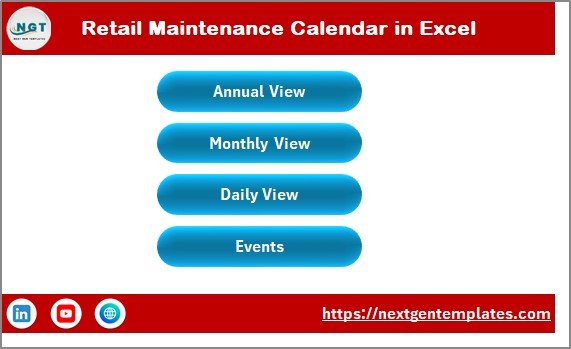
The Home sheet acts as the index page.
Here, you find four navigation buttons:
-
Annual View
-
Monthly View
-
Daily View
-
Events
Therefore, you can jump to any section instantly.
Instead of scrolling through multiple tabs, you navigate with one click. Consequently, you save time.
Click to Purchases Retail Maintenance Calendar in Excel
2️⃣ Annual View Sheet – Full-Year Planning Made Simple
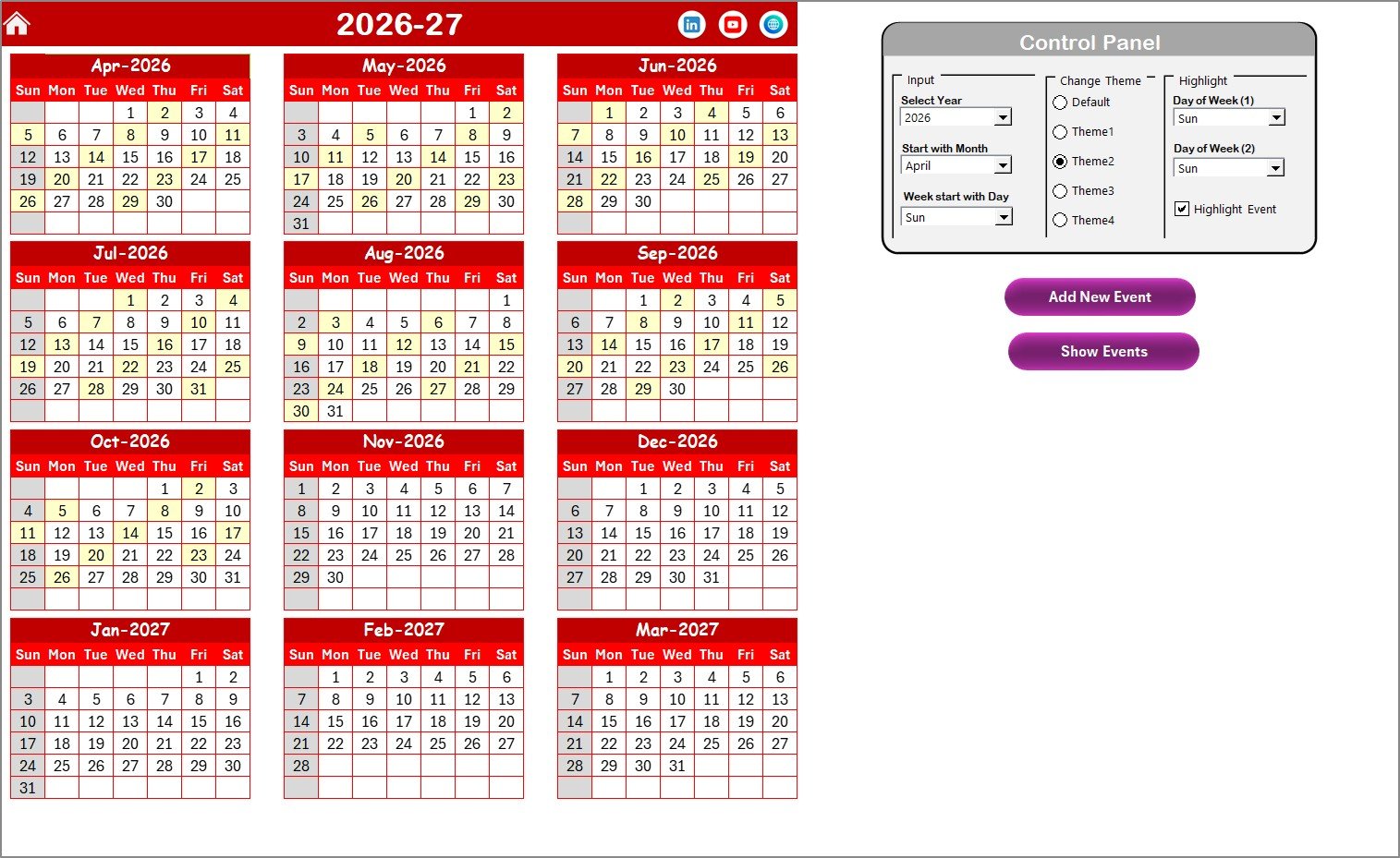
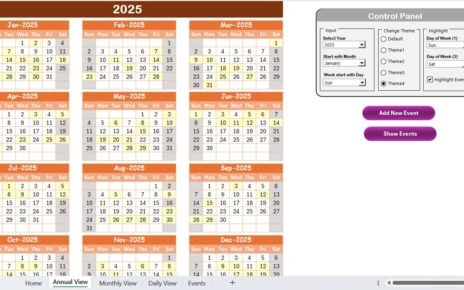
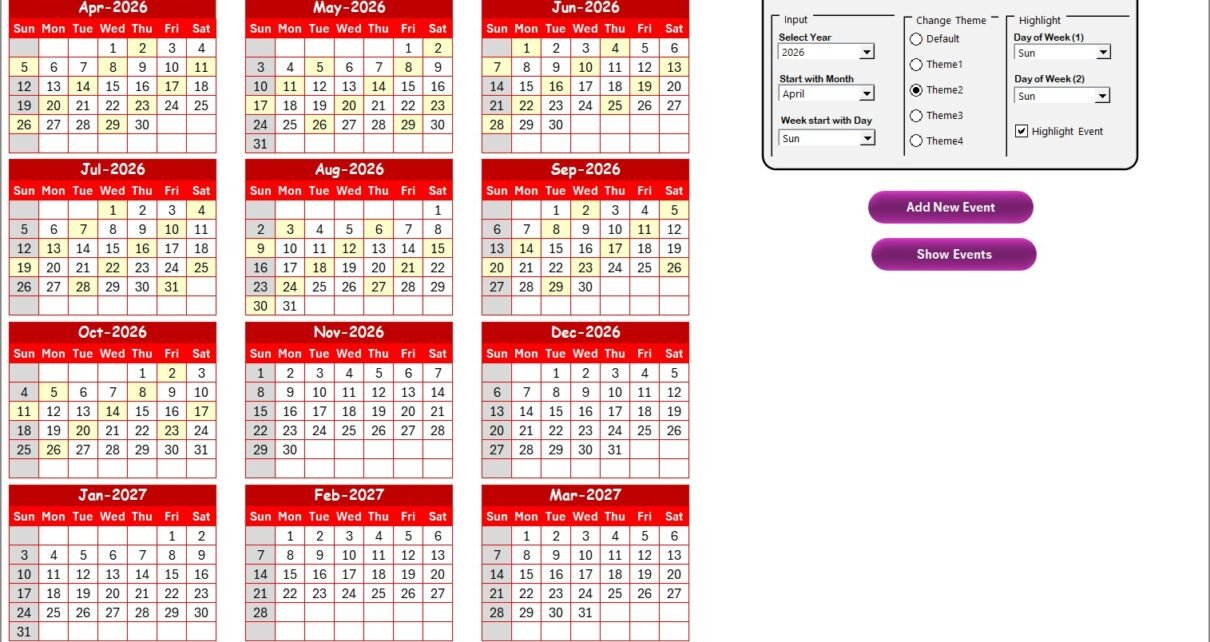
The Annual View Sheet displays all 12 months in one screen.
Therefore, you see the entire year at a glance.
What Makes the Annual View Powerful?
✔ Control Panel for Customization
The sheet includes a control panel divided into three groups.
🔹 Input Group
Here, you can:
-
Select the Year
-
Change the Starting Month
-
Change the Starting Day of the Week
As soon as you change the year, the calendar updates automatically. Therefore, you do not need to rebuild it every year.
🔹 Change Theme Group
You can choose from 5 different color themes.
When you select a theme, Excel applies it to the entire workbook. Consequently, you customize the calendar based on your brand style.
🔹 Highlight Group
You can:
-
Highlight Day of Week (1)
-
Highlight Day of Week (2)
For example, you can highlight Saturday and Sunday in grey. Therefore, weekend planning becomes easier.
Additionally, you get a Highlight Event checkbox. When you check it, Excel highlights event dates in yellow.
Thus, important maintenance tasks become visible instantly.
🔘 Add New Event Button
Select a date and click Add New Event.
It opens a simple form. Fill in event details. Click submit. The system adds the event to that date automatically.
🔘 Show Event Button
Select a date and click Show Event.
Excel displays all events scheduled for that specific date.
Therefore, you never miss a task.
Click to Purchases Retail Maintenance Calendar in Excel
3️⃣ Monthly View Sheet – Focused Planning for a Single Month
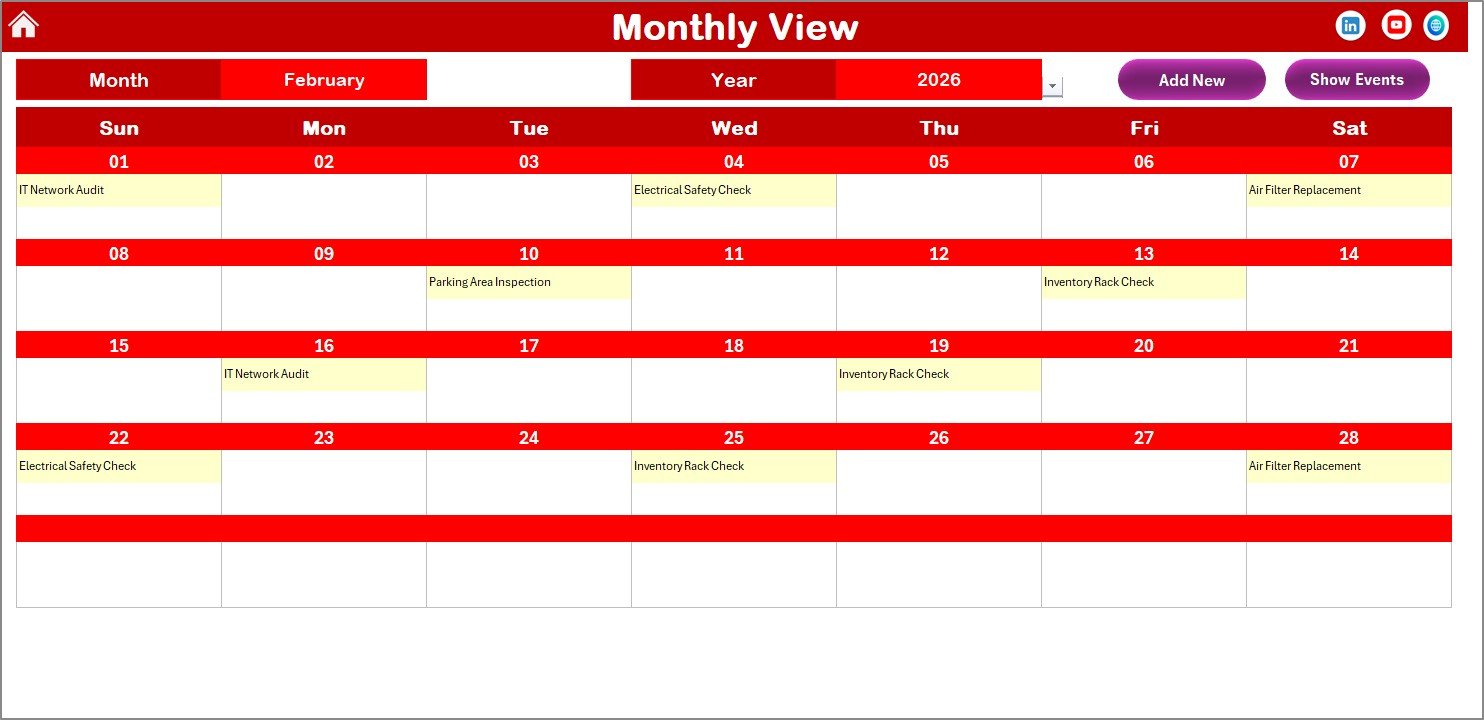
The Monthly View Sheet displays one selected month.
At the top, you can select:
-
Month
-
Year
The calendar updates automatically.
What Happens When Multiple Events Exist?
If one event exists, Excel shows it clearly.
However, if more than one event exists on the same date, it displays:
“More than 1…”
Therefore, you instantly know multiple tasks require attention.
Monthly View Buttons
✔ Add New Event
Select a date. Click the button. Fill the form. Submit.
The event appears immediately.
✔ Show Event
Click to view all events for the selected date.
As a result, you gain detailed visibility.
4️⃣ Daily View Sheet – Detailed Event Monitoring
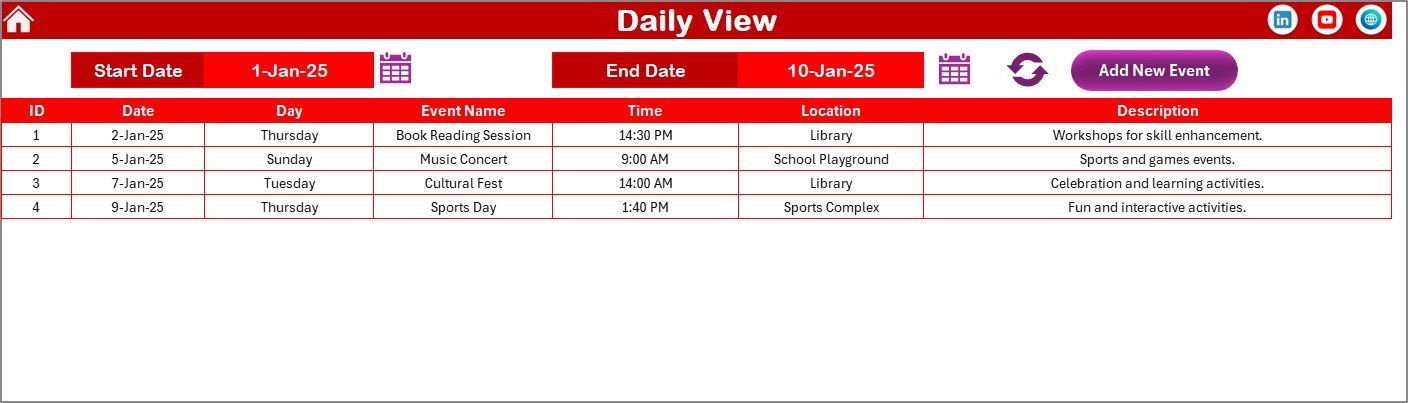
The Daily View Sheet helps you analyze events within a specific date range.
At the top, you enter:
-
Start Date
-
End Date
Use the calendar icon to select dates easily.
Then, click Refresh.
Excel displays all events within that range.
Therefore, you can:
-
Review maintenance workload
-
Analyze vendor schedules
-
Check inspection frequency
Additionally, you get an Add New Event button here as well.
Thus, you can manage events from multiple views.
Click to Purchases Retail Maintenance Calendar in Excel
5️⃣ Events Sheet – The Database Engine
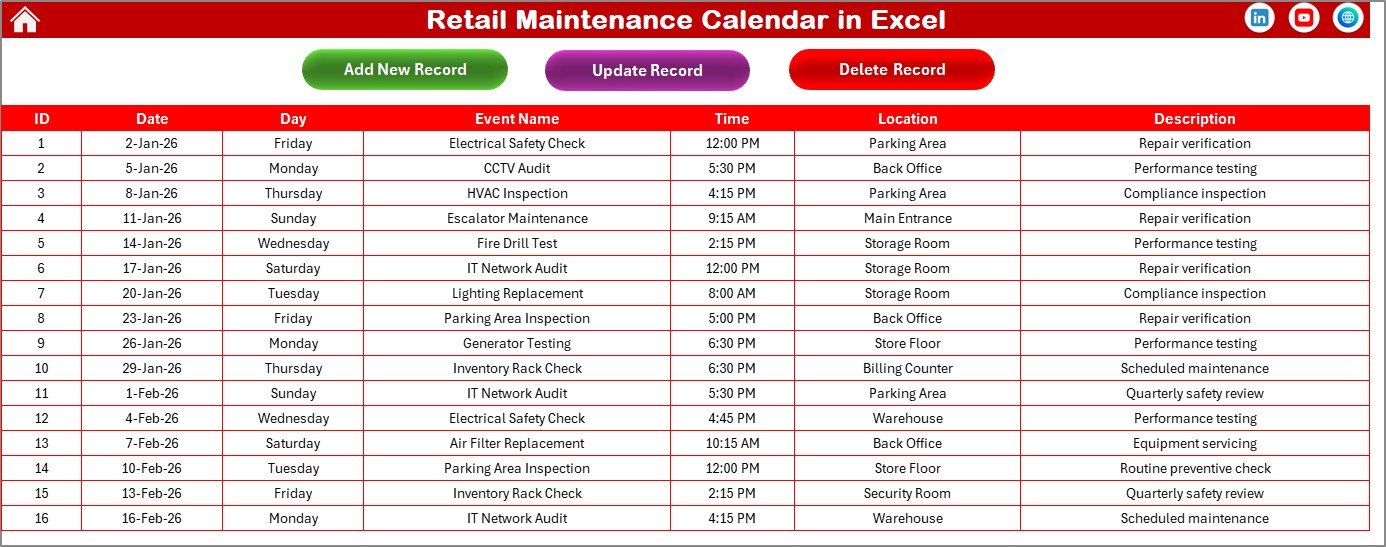
The Events Sheet stores all event data.
It acts as the database behind the calendar.
What Information Does It Capture?
-
ID (Auto-generated number)
-
Date
-
Day
-
Event Name
-
Time
-
Location
-
Description
Because the ID auto-generates, you avoid duplicate entries.
Events Sheet Buttons
✔ Add New Record
Opens the event form. Fill details. Submit.
✔ Update Existing Record
Select the ID. Click update. The form opens with prefilled data. Edit and submit.
✔ Delete Record
Select the ID. Click delete. Excel removes the event.
Therefore, data management remains clean and organized.
How Does Retail Maintenance Calendar Improve Store Operations?
Let’s break it down clearly.
First, It Prevents Equipment Failure
When you schedule preventive maintenance, you reduce breakdowns. Therefore, you lower emergency repair costs.
Second, It Improves Compliance
You track inspections and safety checks. Consequently, you meet compliance requirements.
Third, It Enhances Team Coordination
Maintenance teams see tasks clearly. Thus, they work efficiently.
Fourth, It Improves Customer Experience
When lighting, AC, and billing systems function smoothly, customers feel comfortable.
Click to Purchases Retail Maintenance Calendar in Excel
Advantages of Retail Maintenance Calendar in Excel
Using this calendar offers many benefits.
1️⃣ Centralized Maintenance Planning
You manage everything in one file.
2️⃣ Easy Navigation
Buttons simplify access to views.
3️⃣ Customizable Themes
You apply your preferred color scheme.
4️⃣ Automated Calendar Updates
Year and month changes update automatically.
5️⃣ Flexible Event Management
You can add, update, or delete events anytime.
6️⃣ Better Visibility
Annual, monthly, and daily views provide complete clarity.
7️⃣ Cost-Effective Solution
You use Excel instead of expensive software.
Best Practices for the Retail Maintenance Calendar
If you want maximum benefit, follow these best practices.
✔ Schedule Preventive Maintenance Early
Plan tasks before problems occur.
✔ Update Events Immediately
Enter tasks as soon as you plan them.
✔ Review Calendar Weekly
Conduct weekly reviews to adjust priorities.
✔ Assign Clear Responsibility
Mention location and task details clearly.
✔ Keep Descriptions Short but Clear
Write clear descriptions to avoid confusion.
✔ Back Up the File Regularly
Save backup copies to avoid data loss.
Click to Purchases Retail Maintenance Calendar in Excel
Who Can Use Retail Maintenance Calendar in Excel?
This template suits:
-
Retail store managers
-
Mall operations managers
-
Facility management teams
-
Franchise store owners
-
Retail chain administrators
Therefore, any retail business can use it effectively.
How Does It Support Long-Term Retail Growth?
Structured maintenance reduces downtime. Therefore, store performance improves.
Additionally:
-
Equipment lasts longer
-
Costs decrease
-
Customer satisfaction increases
-
Staff productivity improves
Consequently, profitability grows steadily.
Conclusion
Retail stores demand consistent maintenance planning. Without structure, tasks get delayed. Costs increase. Risks grow.
However, the Retail Maintenance Calendar in Excel provides a simple yet powerful solution.
It offers annual, monthly, and daily views. It allows easy event management. It ensures full visibility.
Moreover, it improves efficiency and reduces operational risks.
If you want organized maintenance scheduling without investing in expensive systems, this Excel calendar delivers everything you need.
Because when you plan maintenance properly, you protect your retail business effectively.
Click to Purchases Retail Maintenance Calendar in Excel
Frequently Asked Questions with Answers
1️⃣ What is a Retail Maintenance Calendar in Excel?
It is a ready-to-use Excel template that helps retail stores schedule and track maintenance activities.
2️⃣ Can I customize the calendar year?
Yes. You can select any year and change the starting month and day.
3️⃣ How do I add a new maintenance task?
Select a date. Click Add New Event. Fill the form. Submit.
4️⃣ Can I update or delete events?
Yes. Use the Update or Delete buttons in the Events sheet.
5️⃣ Does the calendar highlight weekends?
Yes. You can highlight two selected days of the week.
6️⃣ Can I track events within a date range?
Yes. Use the Daily View sheet and select Start and End dates.
7️⃣ Is this calendar suitable for multi-store operations?
Yes. You can maintain separate files for each store or expand the database.
Click to Purchases Retail Maintenance Calendar in Excel
Visit our YouTube channel to learn step-by-step video tutorials