Healthcare environments move fast. Doctors manage appointments. Nurses coordinate shifts. Administrators handle compliance tasks. Meanwhile, clinics and hospitals must track meetings, patient follow-ups, audits, training sessions, and maintenance schedules.
However, many healthcare organizations still rely on scattered spreadsheets, paper planners, or disconnected tools. As a result, teams miss deadlines, forget tasks, and waste valuable time.
So, how can healthcare professionals organize tasks in one centralized, easy-to-use system?
The answer is simple.
You need a Healthcare Task Calendar in Excel.
This ready-to-use calendar template helps hospitals, clinics, diagnostic centers, and healthcare administrators manage tasks clearly, visually, and efficiently. Moreover, it simplifies event tracking while keeping all records organized in one structured system.
Let us explore everything step by step.
Click to Purchases Space Healthcare Task Calendar in Excel
What Is a Healthcare Task Calendar in Excel?
A Healthcare Task Calendar in Excel is a structured scheduling and task management tool built entirely in Microsoft Excel. It allows healthcare organizations to:
-
Plan annual schedules
-
Monitor monthly tasks
-
Track daily events
-
Manage task records in a database
-
Add, update, and delete events easily
Instead of juggling multiple files, teams can manage everything inside one workbook.
Furthermore, this template comes ready to use. Therefore, you do not need advanced Excel skills to operate it.
Why Do Healthcare Organizations Need a Structured Task Calendar?
Healthcare operations demand precision. Even a small delay can affect patient care. Therefore, hospitals and clinics must organize every task carefully.
Consider these common challenges:
-
Missed compliance deadlines
-
Overlapping staff schedules
-
Forgotten patient follow-ups
-
Unorganized training sessions
-
Poor visibility of annual events
However, when you use a centralized Healthcare Task Calendar in Excel, you gain control immediately. You reduce confusion. You improve coordination. And most importantly, you protect patient service quality.
Click to Purchases Space Healthcare Task Calendar in Excel
What Worksheets Are Included in the Healthcare Task Calendar?
This template includes 5 powerful worksheets, each designed for a specific purpose.
Let us explore them in detail.
1️⃣ What Is the Home Sheet and How Does It Help?
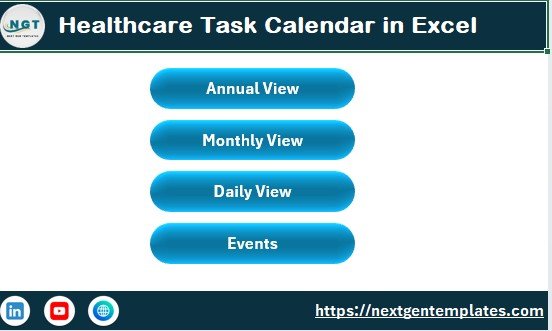
The Home Sheet works as the index page of the calendar.
It includes four navigation buttons:
-
Annual View
-
Monthly View
-
Daily View
-
Events
Because of these buttons, users can jump to any sheet instantly. Therefore, navigation becomes smooth and efficient.
Instead of searching manually, users can access any section with one click.
This structure saves time, especially in busy healthcare environments.
Click to Purchases Space Healthcare Task Calendar in Excel
2️⃣ How Does the Annual View Sheet Work?
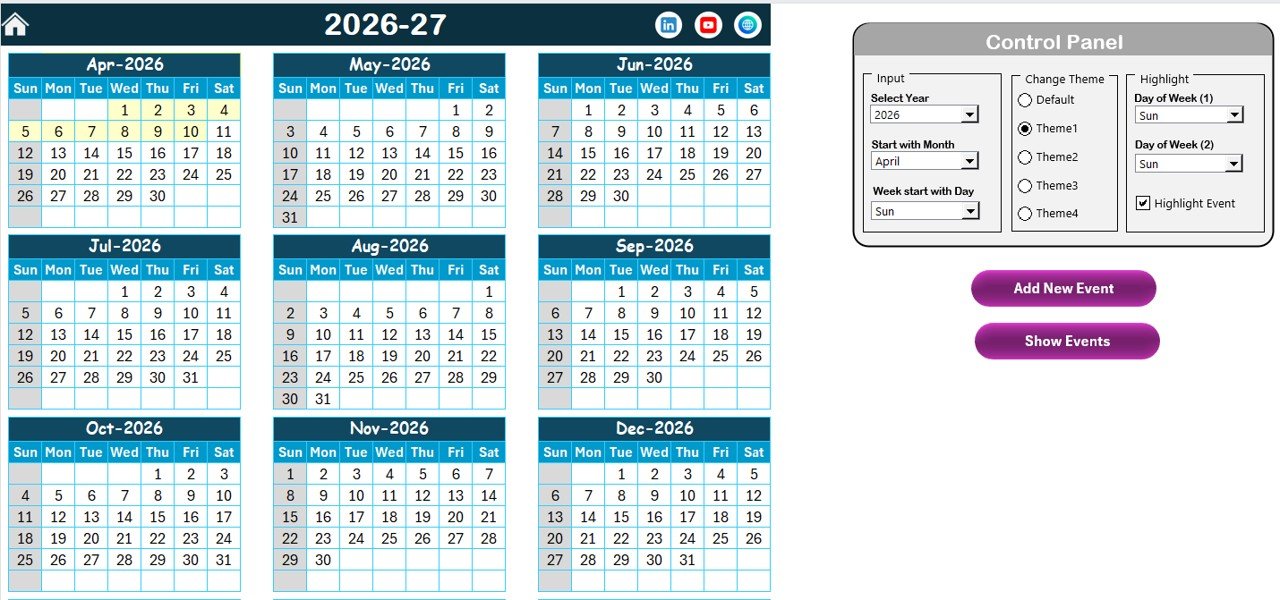
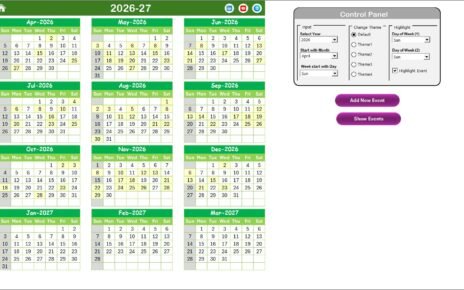
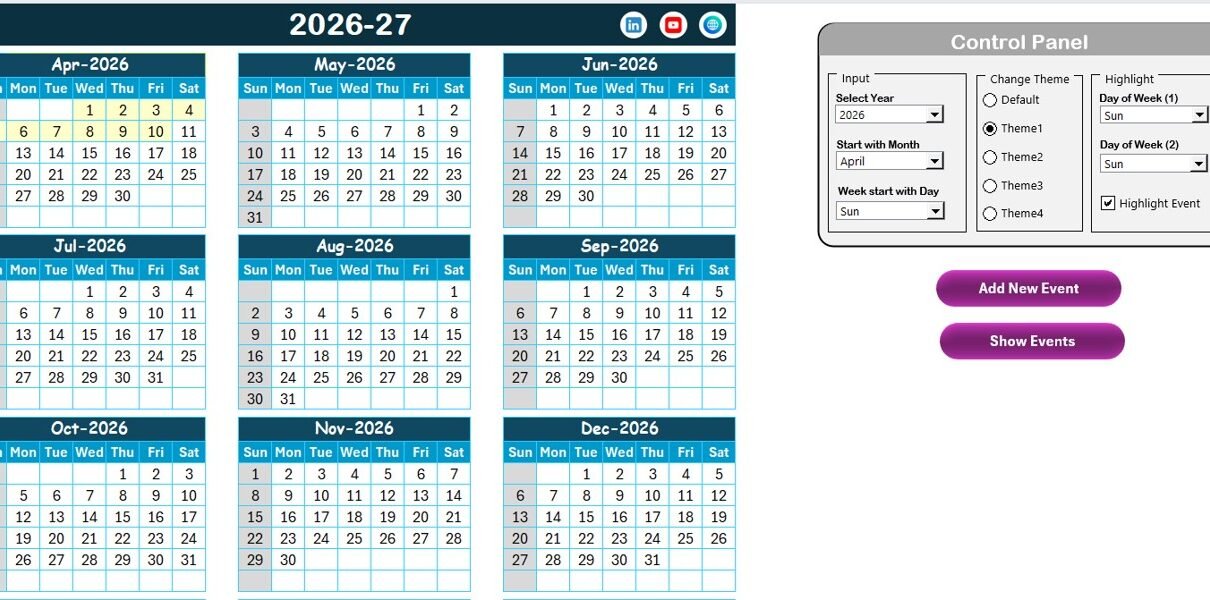
The Annual View Sheet displays all 12 months in a single layout. Therefore, administrators can view the entire year at once.
This sheet includes:
✅ Control Panel
✅ Add New Event Button
✅ Show Event Button
Let us understand each feature.
What Is Included in the Control Panel?
The Control Panel contains three groups:
1. Input Group
Here, users can:
-
Select the Year
-
Change the Starting Month
-
Change the Starting Day of the Week
As soon as you modify these inputs, the calendar updates automatically. Therefore, you can customize the calendar according to your healthcare facility’s needs.
2. Change Theme Group
The template includes 5 color themes.
You can choose any theme, and the workbook updates instantly.
This feature helps organizations maintain branding consistency. Moreover, it improves visual appeal.
3. Highlight Group
This group allows you to:
-
Highlight two specific weekdays
-
Highlight events
For example, if your clinic closes on Saturday and Sunday, you can highlight them in grey. Additionally, you can highlight events in yellow for better visibility.
As a result, users can identify important days quickly.
Click to Purchases Space Healthcare Task Calendar in Excel
How Does the Add New Event Button Work?
When you select a date and click on Add New Event, the system opens an event form.
You simply:
-
Enter the details
-
Click Submit
The event automatically attaches to the selected date.
Therefore, you avoid manual entry errors.
How Does the Show Event Button Help?
If you want to view events for a specific date, select the date and click Show Event.
The system displays all events for that date.
This feature helps administrators review schedules instantly.
Click to Purchases Space Healthcare Task Calendar in Excel
3️⃣ How Does the Monthly View Improve Task Visibility?
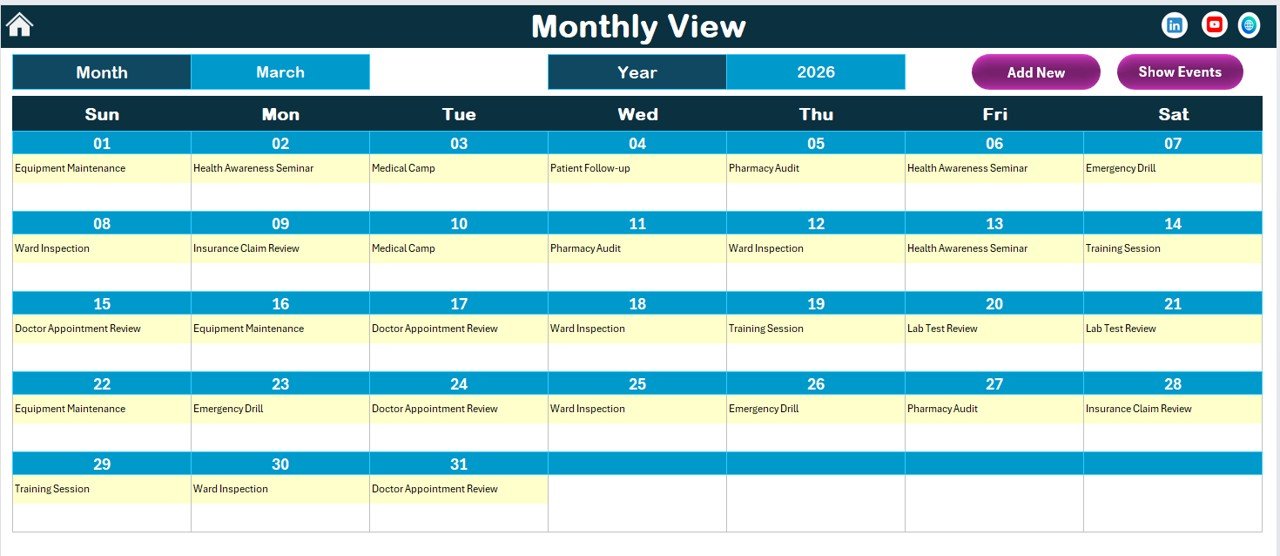
The Monthly View Sheet focuses on one selected month.
At the top, you can select:
-
Month
-
Year
Accordingly, the calendar updates automatically.
Key Features:
-
Displays one event directly on the date
-
Shows “More than 1…” if multiple events exist
-
Includes Add New Event button
-
Includes Show Event button
Therefore, healthcare managers can quickly see workload distribution across the month.
For example:
-
Doctor training on 5th
-
Equipment maintenance on 12th
-
Compliance audit on 20th
This clarity improves planning significantly.
Click to Purchases Space Healthcare Task Calendar in Excel
4️⃣ How Does the Daily View Help With Detailed Monitoring?
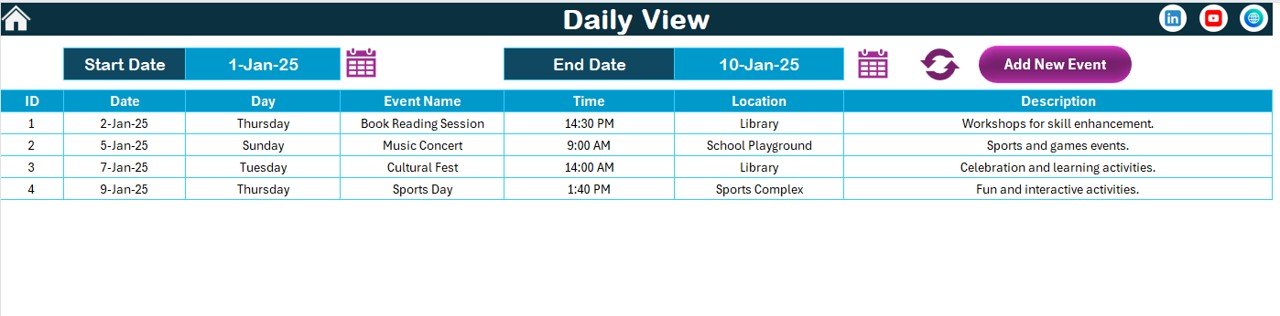
The Daily View Sheet displays event details for a selected date range.
At the top, users can enter:
-
Start Date
-
End Date
Then click Refresh.
The system displays:
-
Event Name
-
Date
-
Time
-
Location
-
Description
This sheet helps administrators monitor tasks in detail.
For example:
-
Review all appointments from 1st to 7th
-
Check training sessions this week
-
Monitor audit activities this month
Therefore, this view supports better operational control.
Click to Purchases Space Healthcare Task Calendar in Excel
5️⃣ What Is the Purpose of the Events Sheet?
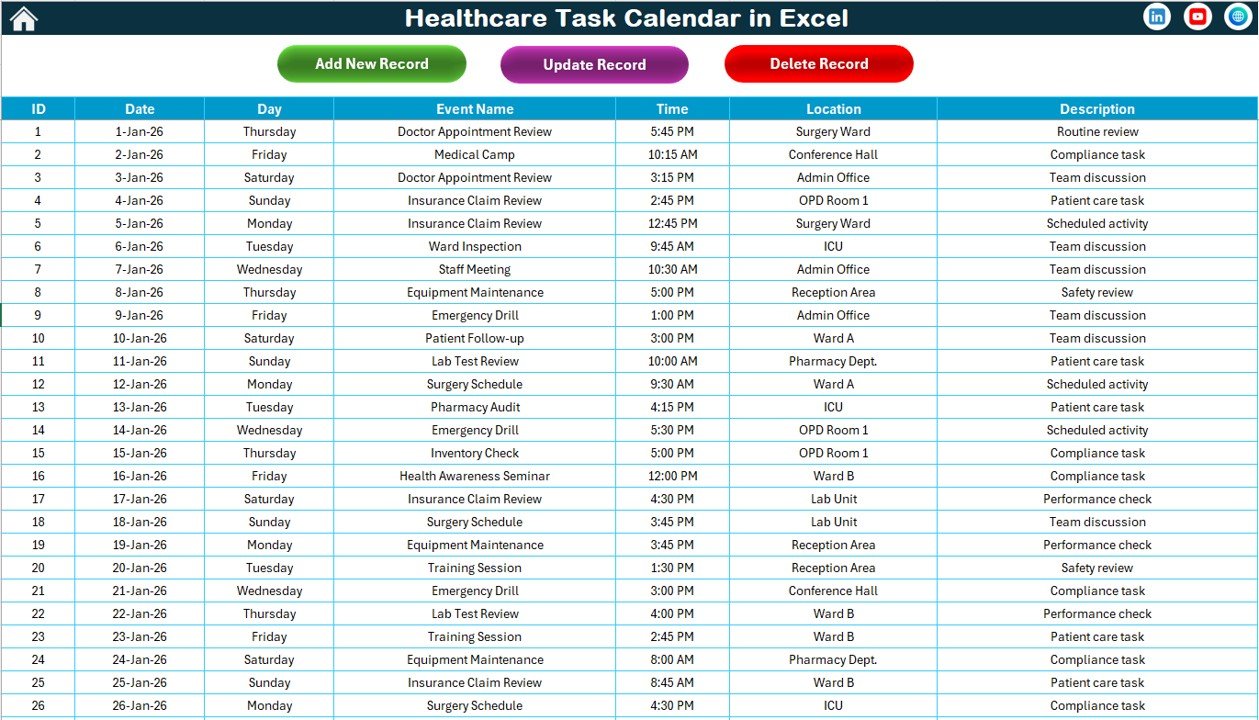
The Events Sheet works as the database.
It stores all event details.
Columns Included:
-
ID (Auto Generated)
-
Date
-
Day
-
Event Name
-
Time
-
Location
-
Description
Because this sheet works as the backend, all other views pull data from here.
What Buttons Are Available in the Events Sheet?
At the top, you will find three powerful buttons:
1. Add New Record
2. Update Existing Record
3. Delete Record
Add New Record
Opens the event form. You fill the details and submit.
Update Existing Record
Select an ID. Click update. Modify details. Submit.
Delete Record
Select an ID. Click delete. The system removes the record.
Therefore, database management becomes simple and structured.
Click to Purchases Space Healthcare Task Calendar in Excel
What Are the Advantages of Healthcare Task Calendar in Excel?
Using this template offers several strong benefits.
1️⃣ Centralized Task Management
You manage annual, monthly, and daily tasks in one workbook.
2️⃣ Easy Customization
You can change:
-
Year
-
Month
-
Themes
-
Highlight days
3️⃣ Improved Visibility
Highlight features improve clarity. Moreover, monthly and daily views enhance planning.
4️⃣ Time-Saving
Navigation buttons reduce manual searching.
5️⃣ Better Compliance Tracking
Healthcare organizations must track audits and compliance tasks. This calendar keeps everything visible.
6️⃣ Structured Database
The events sheet stores clean, organized records.
7️⃣ No Complex Software Required
You only need Microsoft Excel.
How Does This Calendar Improve Healthcare Operations?
Healthcare environments depend on coordination.
For example:
-
Schedule vaccination drives
-
Plan medical camps
-
Track staff training
-
Manage patient follow-ups
-
Monitor equipment maintenance
When teams use this calendar, they avoid scheduling conflicts. Moreover, managers can see workload trends clearly.
As a result, productivity improves.
Click to Purchases Space Healthcare Task Calendar in Excel
Who Can Use Healthcare Task Calendar in Excel?
This calendar suits:
-
Hospitals
-
Clinics
-
Diagnostic centers
-
Healthcare NGOs
-
Private practices
-
Medical training institutes
-
Telemedicine centers
If you manage healthcare tasks, this tool helps you stay organized.
Click to Purchases Space Healthcare Task Calendar in Excel
Best Practices for the Healthcare Task Calendar in Excel
To get maximum benefit, follow these best practices.
1️⃣ Update Events Regularly
Do not delay data entry. Instead, add events immediately.
2️⃣ Assign Responsibility
Ensure one person manages calendar updates.
3️⃣ Use Highlight Features Smartly
Highlight weekends, compliance days, and special programs.
4️⃣ Maintain Clean Descriptions
Write short but clear descriptions.
5️⃣ Review Monthly
Check the monthly view at the start of every month.
6️⃣ Backup the File
Keep a secure backup copy to avoid data loss.
7️⃣ Train Your Team
Teach staff how to use Add, Update, and Delete features.
Click to Purchases Space Healthcare Task Calendar in Excel
How Does It Compare to Other Scheduling Tools?
Many organizations use:
-
Paper planners
-
Online tools
-
Basic spreadsheets
However, those options often create limitations.
In contrast, the Healthcare Task Calendar in Excel:
-
Offers annual overview
-
Provides detailed daily view
-
Includes structured database
-
Allows customization
-
Works offline
Therefore, it delivers better flexibility and control.
Can You Customize It for Your Healthcare Facility?
Yes.
You can:
-
Add extra fields in the Events sheet
-
Change color themes
-
Modify highlight settings
-
Adjust starting month
-
Customize week start day
Therefore, the template adapts to your workflow.
How Can Healthcare Managers Use It Strategically?
Healthcare managers can use it for:
-
Annual compliance planning
-
Budget review schedules
-
Staff meeting tracking
-
Public health campaigns
-
Accreditation audits
-
Quality control inspections
When managers plan proactively, they reduce last-minute pressure.
How Does It Improve Team Coordination?
Because everyone refers to the same calendar, confusion decreases.
For example:
-
Nurses check training schedules
-
Administrators track audits
-
Doctors review monthly events
As a result, communication improves.
Click to Purchases Space Healthcare Task Calendar in Excel
Conclusion: Why Should You Use Healthcare Task Calendar in Excel?
Healthcare operations require structure.
If you rely on scattered notes, you risk errors. However, when you use a centralized calendar, you gain clarity.
The Healthcare Task Calendar in Excel offers:
-
Annual overview
-
Monthly tracking
-
Daily detailed view
-
Event database
-
Easy event management
Moreover, it simplifies scheduling without requiring expensive software.
Therefore, if you want to improve organization, enhance visibility, and save time, this calendar provides the perfect solution.
Frequently Asked Questions with Answers
1. What is a Healthcare Task Calendar in Excel?
It is a ready-to-use Excel template that helps healthcare organizations manage annual, monthly, and daily tasks in one structured workbook.
2. Can I change the year in the calendar?
Yes. You can select the year in the control panel, and the annual calendar updates automatically.
3. Can I highlight weekends?
Yes. You can select two weekdays to highlight. You can also highlight events separately.
4. Does the template support multiple events on one date?
Yes. The monthly view displays “More than 1…” when multiple events exist.
5. Can I update or delete events?
Yes. You can update or delete records from the Events sheet using dedicated buttons.
6. Do I need advanced Excel skills to use it?
No. The template works with simple navigation buttons and forms.
7. Is the event ID generated automatically?
Yes. The system generates ID numbers automatically.
8. Can hospitals use this template for compliance tracking?
Yes. Hospitals can track audits, inspections, and training schedules effectively.
9. Does the calendar work offline?
Yes. It works completely offline in Microsoft Excel.
10. Can I customize the color themes?
Yes. You can choose from five color themes available in the control panel.
Click to Purchases Space Healthcare Task Calendar in Excel
Visit our YouTube channel to learn step-by-step video tutorials