The Investment Maturity Calendar in Excel tracks maturity dates for fixed deposits, bonds, recurring deposits, and mutual fund SIPs across 5 interactive worksheets with 3 calendar views and a full event database. With 5 color themes, VBA-powered event forms, and flexible start-month settings, this template replaces manual spreadsheet tracking in under 10 minutes.
Missing a maturity date means lost reinvestment opportunities, delayed cash flow, and potential penalty charges. Whether you hold 5 FDs or 100+ instruments, a dedicated investment maturity calendar eliminates the guesswork. The Investment Maturity Calendar in Excel gives you annual, monthly, and daily views of every upcoming maturity — all in one offline, macro-enabled workbook.
Key Features of Investment Maturity Calendar in Excel
The Investment Maturity Calendar in Excel includes 5 worksheets: Home (navigation index), Annual View (12-month calendar grid with control panel), Monthly View (single-month detail with event preview), Daily View (date-range filtered event list), and Events (full database with CRUD operations).
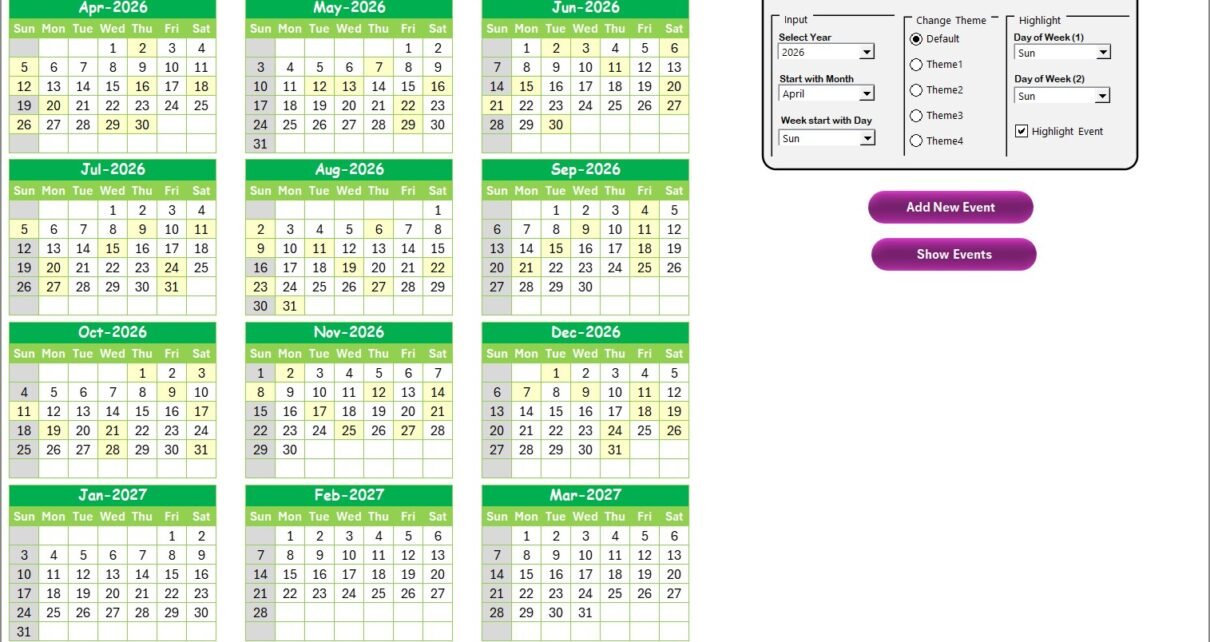
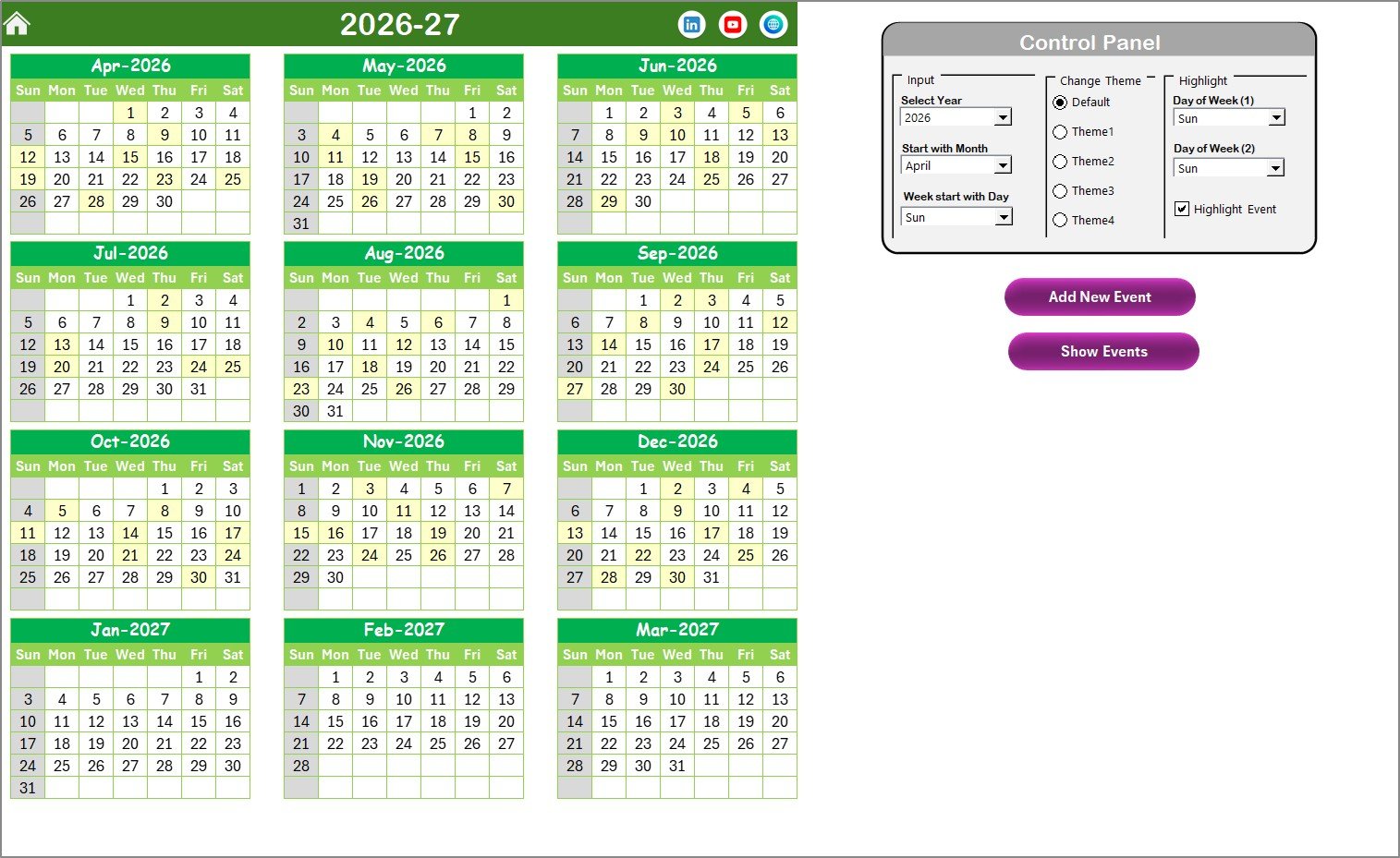
The Annual View control panel offers 3 setting groups: Input (year, starting month, starting day of week), Change Theme (5 color themes that apply workbook-wide), and Highlight (select 2 weekend days for grey shading, plus a checkbox to highlight event dates in yellow). This makes it easy to customize the calendar for Indian fiscal years (April start), Australian fiscal years (July start), or standard calendar years.
Every worksheet includes Add New Event and Show Event buttons powered by VBA forms. You never need to type directly into the Events database — the forms handle data entry, validation, and record management. The Events sheet also supports Update Existing Record and Delete Record operations by selecting an event ID.
The Daily View sheet is especially useful for investors: set a start date and end date, click Refresh, and instantly see every investment maturing within that window. This is how you spot FDs, bonds, or RDs coming due in the next 30, 60, or 90 days.
Template Structure — Worksheets Explained
👉 Click here to Purchase the Investment Maturity Calendar in Excel
Home Sheet
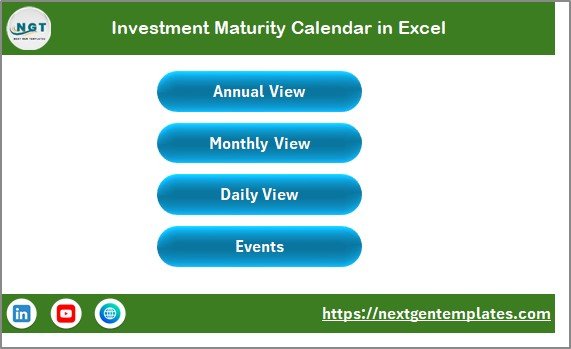
The Home sheet is a navigation index with 4 buttons: Annual View, Monthly View, Daily View, and Events. Click any button to jump directly to that worksheet. This keeps the template organized and easy to navigate even for users unfamiliar with Excel workbook tabs.
Annual View Sheet
The Annual View displays all 12 months of the selected year on a single page. The control panel at the top contains the Input group (year, starting month, starting day), Change Theme group (5 themes), and Highlight group (weekend day selection + event highlight checkbox). Two action buttons — Add New Event and Show Event — let you manage events without leaving this view. When the Highlight Event checkbox is checked, all dates that have events appear in yellow across the 12-month grid.
Monthly View Sheet
👉 Click here to Purchase the Investment Maturity Calendar in Excel
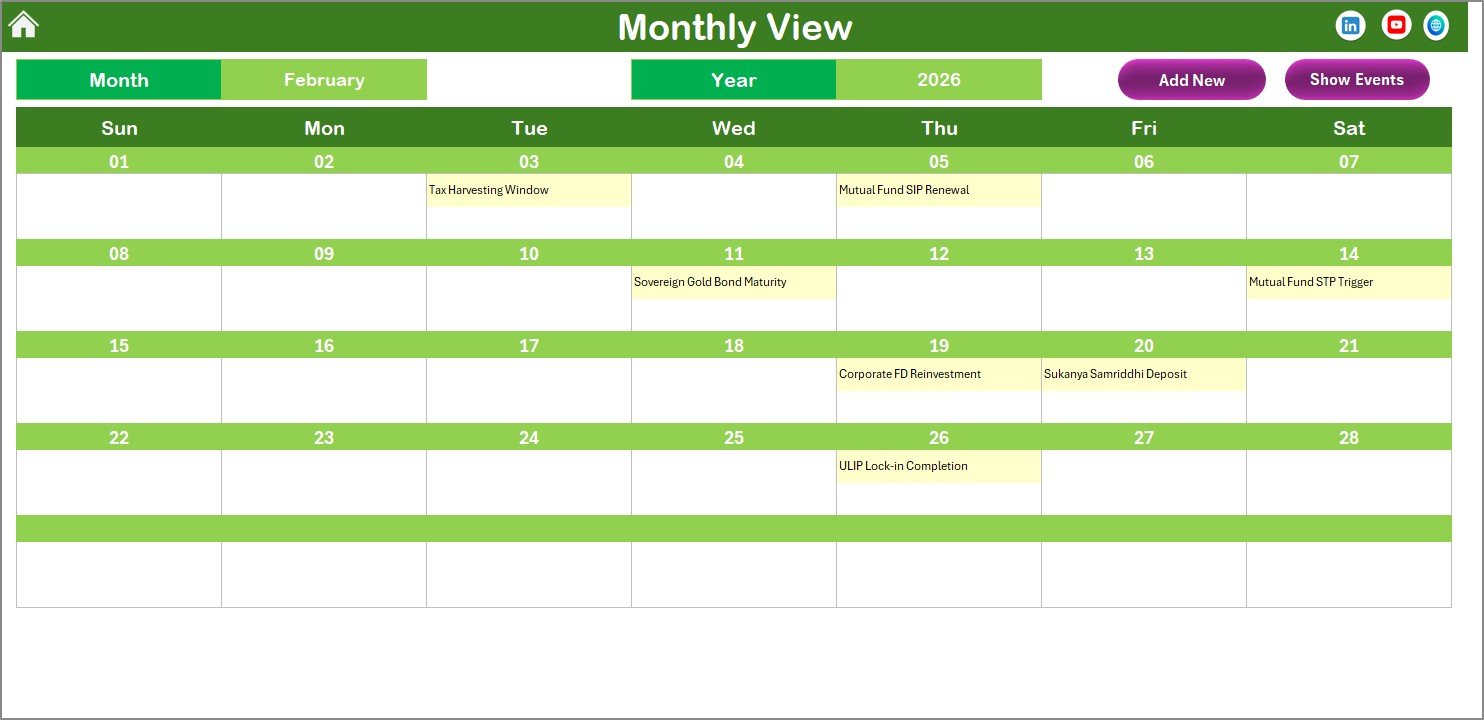
The Monthly View shows a single calendar for the selected month and year. Each date cell displays one event name, and if a date has more than one event, the cell shows “more than 1…” as an indicator. Select a date and click Show Event to see the full list. This view is useful for spotting clusters of maturities in a particular month — for example, seeing 4 FDs maturing in March helps you plan cash deployment ahead of time.
Daily View Sheet
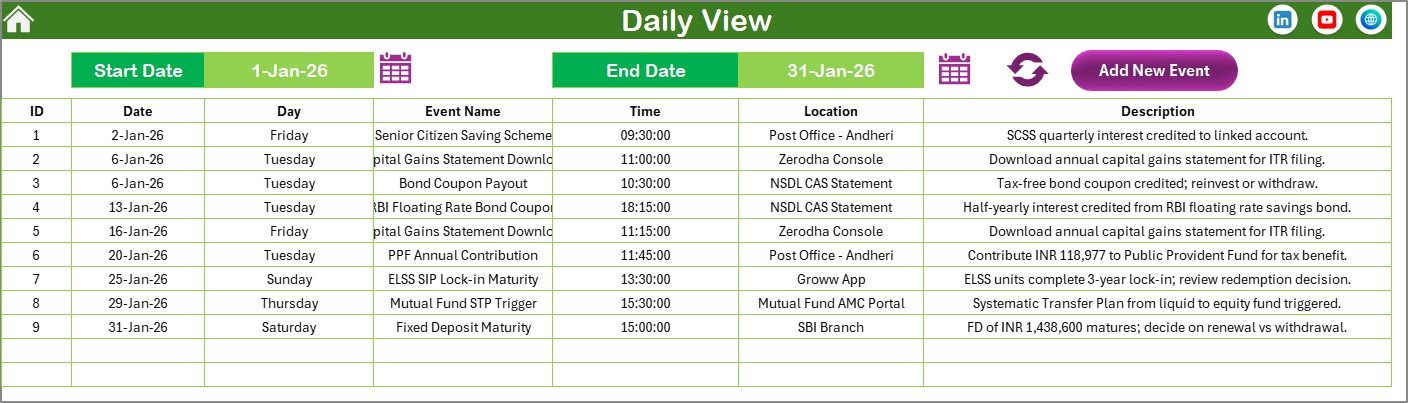
The Daily View lists all events within a user-defined date range. Enter a Start Date and End Date using the calendar picker icons, then click Refresh. The sheet populates with every event in that window, showing full details: date, day, event name, time, location, and description. An Add New Event button at the top lets you quickly log new maturity dates. This is the most practical view for weekly or monthly investment reviews — similar to how you might filter loan and EMI repayment dates on a financial calendar.
Events Sheet
👉 Click here to Purchase the Investment Maturity Calendar in Excel
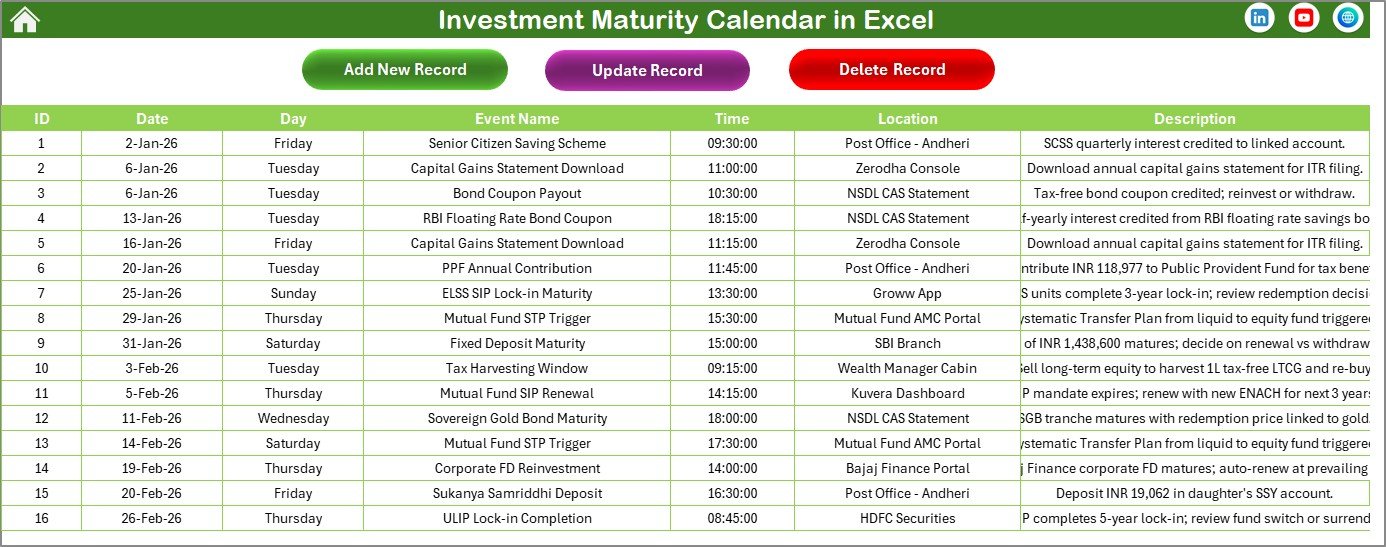
The Events sheet is the database layer. It stores every event record with these fields: ID (auto-generated), Date, Day, Event Name, Time, Location, and Description. Three buttons at the top — Add New Record, Update Existing Record, and Delete Record — provide full CRUD functionality through VBA forms. This sheet is the single source of truth for all maturity dates, and the other worksheets pull their data from here. Think of it as a lightweight version of the event tracking you would find in a tax deadline calendar.
Investment Maturity Calendar in Excel vs. Google Sheets Calendar vs. Mint/Quicken — Feature Comparison
| Feature | Investment Maturity Calendar in Excel | Google Sheets Calendar | Mint / Quicken |
|---|---|---|---|
| Cost | $4.99 one-time | Free (limited features) | $35–$99 / year |
| Platform | Microsoft Excel (desktop + mobile) | Google Sheets (browser) | Web + mobile app |
| Setup Time | Under 10 minutes | 30+ minutes (manual build) | 15–30 minutes |
| Offline Access | ✅ Full offline | Limited offline | ❌ Requires internet |
| Custom Themes | ✅ 5 built-in themes | ❌ Manual formatting | ❌ Fixed design |
| Event Forms (Add/Edit/Delete) | ✅ Built-in VBA forms | ❌ Manual cell entry | ✅ App-based entry |
| Annual + Monthly + Daily Views | ✅ All 3 views | ❌ Typically 1 view | ✅ Multiple views |
| Year-1 Cost (1 user) | $4.99 total | $0 | $35–$99 |
| Data Ownership | ✅ 100% local file | Cloud-stored (Google) | Cloud-stored (vendor) |
For investors who want a clean, offline-capable calendar to track FD, bond, and mutual fund maturity dates without paying annual SaaS fees, the Investment Maturity Calendar in Excel sits in the sweet spot.
Who Should Use This Template
👉 Click here to Purchase the Investment Maturity Calendar in Excel
Perfect for:
- Individual investors tracking 10–100+ fixed deposits, bonds, recurring deposits, or mutual fund SIPs
- Financial advisors managing maturity schedules across multiple client portfolios
- Small business owners monitoring corporate FD and bond maturity timelines
- Accountants and CA firms tracking client investment deadlines alongside tax filing dates
Not a fit if:
- You need real-time stock/ETF price feeds with automated portfolio rebalancing — use a brokerage platform instead
- Your team requires multi-user cloud collaboration with role-based access and audit trails
- You want automated bank-linked transaction syncing across accounts
Real-World Use Cases
Rajesh manages 15 fixed deposits across 4 banks. He enters each FD maturity date into the Investment Maturity Calendar in Excel with the bank name, principal amount, and interest rate in the description. Every month, he opens the Daily View, sets the date range to the next 30 days, and sees exactly which FDs are maturing — giving him time to decide whether to reinvest at current rates or withdraw.
Priya is a financial advisor with 30 clients. She keeps one copy of this calendar per client to track bond coupon payment dates and mutual fund SIP renewal dates. The Annual View gives her a single-page snapshot of the full year, and she uses different color themes to visually distinguish client files during review meetings.
Amit runs a small manufacturing business with 8 corporate FDs and 3 government bonds. The Events sheet is his master ledger of maturity dates. Before each quarterly board meeting, he opens the Monthly View to present upcoming cash inflows from maturing instruments — helping the CFO plan working capital allocation without checking each bank account individually.
Advantages of Investment Maturity Calendar in Excel
👉 Click here to Purchase the Investment Maturity Calendar in Excel
The biggest advantage is consolidation: all your investment maturity dates in one place, viewable across 3 different time horizons (annual, monthly, daily). The VBA forms eliminate manual data entry errors and make the template accessible even to users who are not comfortable editing Excel cells directly.
At $4.99 one-time, this template costs less than a single month of most financial planning SaaS tools. It works fully offline, which means your investment data stays on your local machine — no cloud syncing, no third-party data access. The 5 color themes and flexible calendar settings (any start month, any start day) make it adaptable to different fiscal years and personal preferences.
Opportunities for Improvement
The template does not include automated email or SMS reminders for upcoming maturity dates — you need to check the calendar manually. Adding Outlook integration for automated alerts would be a strong upgrade. The VBA forms may have limited functionality on Mac versions of Excel, so Mac users should test the form features before relying on them. There is no built-in reporting or charting (e.g., a summary of total maturity amounts by month) — if you need analytics on your investment portfolio, pair this calendar with a dedicated investment dashboard.
Best Practices
Enter maturity events as soon as you make an investment — do not wait until the maturity date approaches. Use the Description field to log the principal amount, interest rate, and bank name so you have all details in one record. Set the Daily View to a 30-day rolling window and check it at the start of every month. Use the Highlight Event feature on the Annual View to quickly scan for event clusters — months with many maturities may need advance planning for reinvestment. Keep a backup copy of the file regularly, since VBA-enabled workbooks can occasionally be affected by Excel updates. For more Excel calendar templates, browse the full calendar collection.
Explore Relevant Templates
📌 Loan and EMI Repayment Calendar in Excel – Track loan EMI due dates, interest payments, and repayment schedules on a visual Excel calendar.
📌 Small Business Cash Flow Calendar in Excel – Monitor daily, weekly, and monthly cash inflows and outflows with an interactive calendar.
📌 Tax Deadline and GST Filing Calendar in Excel – Never miss a tax filing deadline with this automated Excel calendar for GST, TDS, and income tax.
📌 Crowdfunding Platforms KPI Dashboard in Excel – Analyze fundraising performance with 12+ KPIs and interactive charts.
Frequently Asked Questions
👉 Click here to Purchase the Investment Maturity Calendar in Excel
What types of investments can I track with this calendar?
The Investment Maturity Calendar in Excel tracks any investment with a maturity date — fixed deposits, recurring deposits, bonds, debentures, mutual fund SIPs, PPF, NSC, and certificate of deposits. Add any event with a date, name, and description.
Does this template require macros?
Yes, the Investment Maturity Calendar in Excel uses VBA macros for the Add Event, Show Event, Update, and Delete buttons. Enable macros when you open the file. Calendar views and formulas work without macros, but the interactive forms need them.
Can I change the starting month of the calendar?
Yes. The control panel on the Annual View sheet lets you select any starting month — January for calendar year, April for Indian fiscal year, July for Australian fiscal year, or any other month your financial cycle starts.
How does this compare to Mint or Quicken for tracking maturity dates?
Mint and Quicken cost $35–$99 per year and focus on transaction tracking, not maturity scheduling. The Investment Maturity Calendar in Excel costs $4.99 one-time, works offline, and is purpose-built for tracking maturity dates with annual, monthly, and daily views.
Can I track more than 100 investments in this calendar?
Yes. The Events sheet has no practical row limit in Excel. You can add hundreds of investment maturity events. The Daily View date-range filter makes it easy to find specific events even in a large dataset.
Does the calendar work on Mac?
The calendar views, themes, and formulas work on Mac. However, some VBA form features may have limited functionality on Mac versions of Excel. Core calendar display and data entry via the Events sheet work fully on Mac.
How long does setup take?
Setup takes under 10 minutes. Open the file, set your year and preferences on the control panel, and start adding your investment maturity events using the built-in forms. No formulas to write, no formatting to adjust.
About the Author
Built by PK — Microsoft Certified Professional with 15+ years of Excel, Google Sheets, and Power BI experience. Founder of NextGenTemplates, reaching 300K+ subscribers across YouTube channels. Every template is hand-built and tested before release.
Conclusion
The Investment Maturity Calendar in Excel brings all your maturity dates into one organized workbook with 3 calendar views, VBA-powered event forms, 5 color themes, and flexible fiscal year settings. At $4.99 one-time, it replaces manual tracking and avoids the annual fees of financial SaaS tools.
👉 Click here to Purchase the Investment Maturity Calendar in Excel
✅ Instant download · One-time payment · No subscription
For more Excel tutorials and template walkthroughs, visit Youtube.com/@PK-AnExcelExpert
Learn more about how to enable and use macros in Excel from Microsoft Support.