Introduction
Software Release and Deployment Calendar in Excel is a powerful and easy-to-use tool designed to help teams plan, track, and manage their software releases and deployment schedules efficiently. This calendar template in Excel streamlines the scheduling process, ensuring better coordination across teams and minimizing deployment conflicts.
Key Features of Software Release and Deployment Calendar in Excel
Click to Buy Software Release and Deployment Calendar in Excel
- Comprehensive multi-view calendar system including Annual, Monthly, and Daily views.
- Interactive buttons for easy navigation across different calendar views.
- Customizable control panel to select year, starting month, week start day, and apply color themes.
- Event highlighting capability to emphasize weekends or special events.
- Ability to add, update, view, and delete software release events with detailed information.
- Centralized event database for efficient record management.
Dashboard Pages Explanation
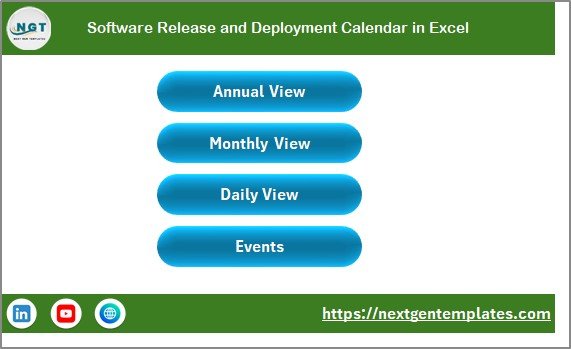
1. Home Sheet Tab
This is the index page with quick navigation buttons to all calendar views and the events database.
Click to Buy Software Release and Deployment Calendar in Excel
2. Annual View Sheet Tab
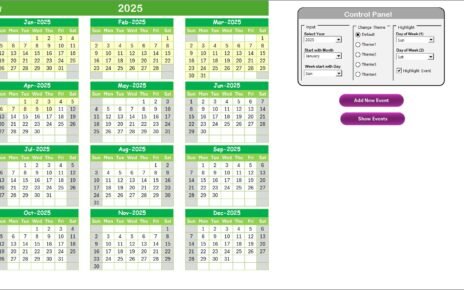
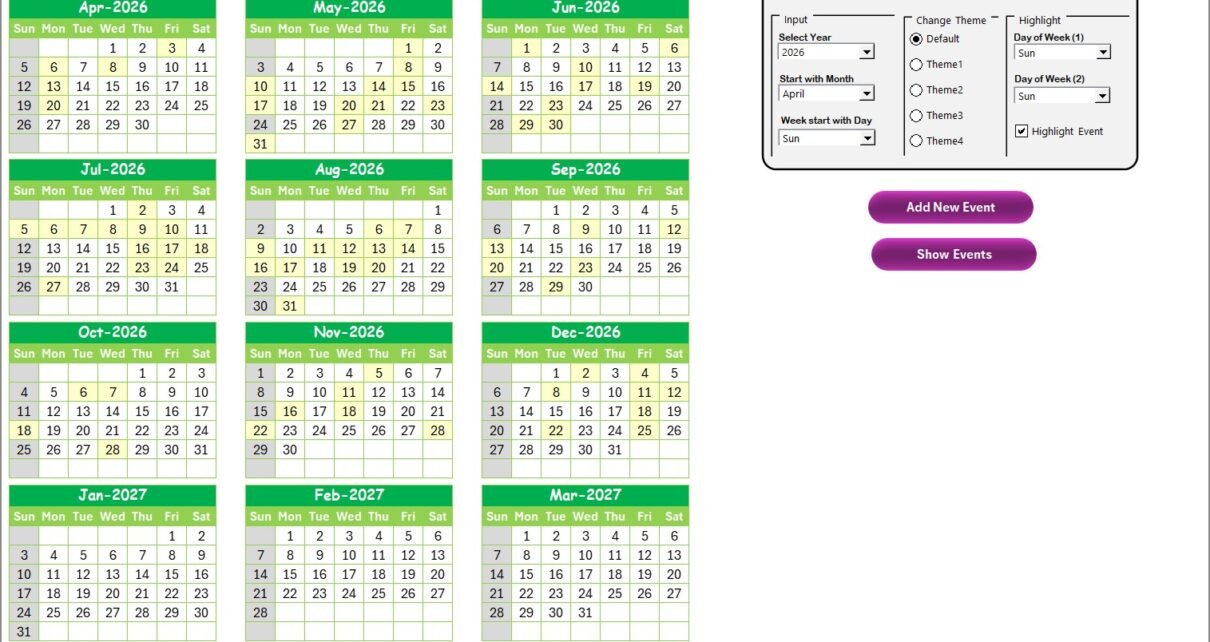
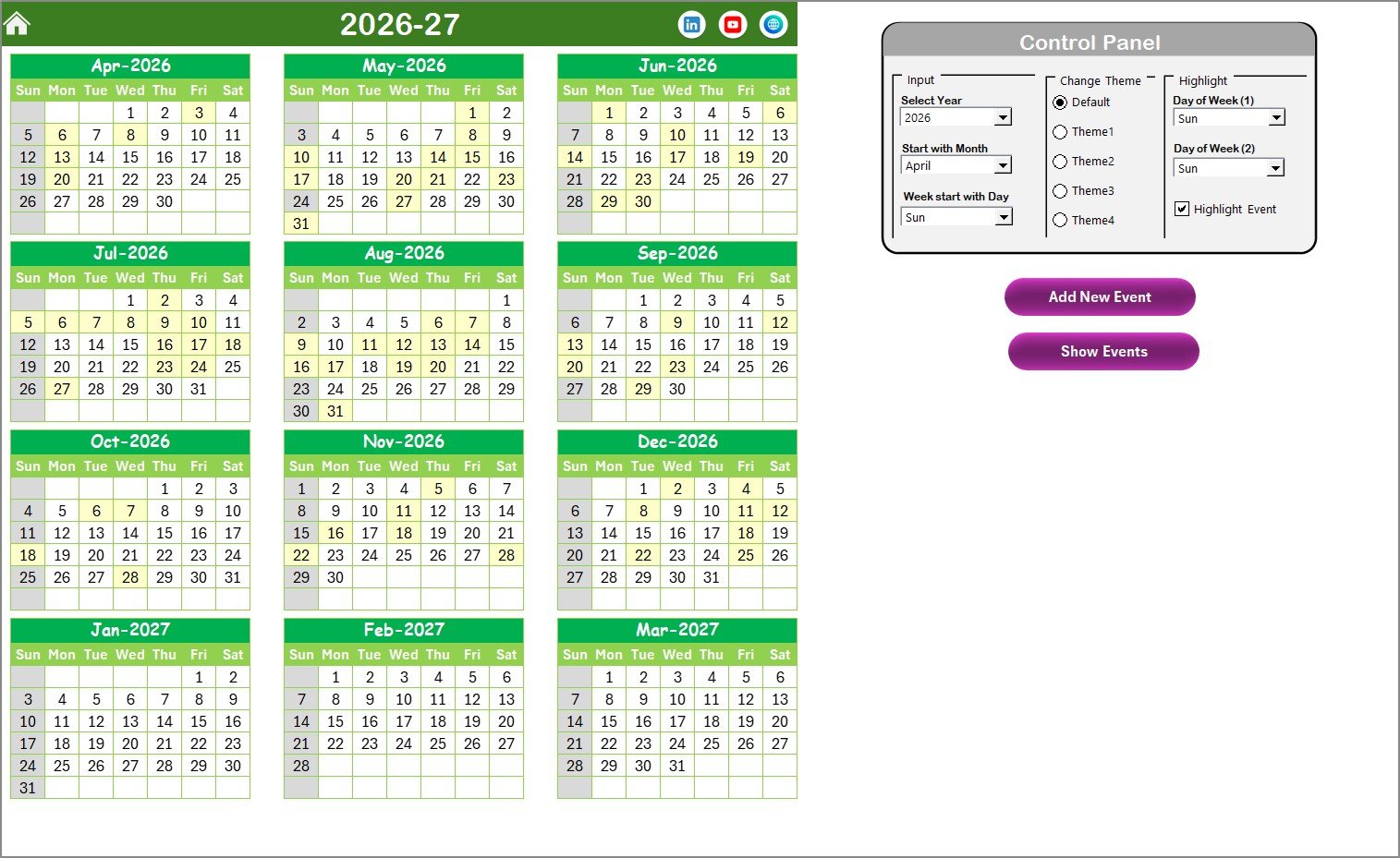
The Annual View sheet displays all 12 monthly calendars at once with an interactive control panel and action buttons to manage events.
- Input Group: Customize year, starting month, and starting day of the week to tailor the annual view.
- Change Theme Group: Choose from 5 color themes to apply across the workbook.
- Highlight Group: Select days of the week to highlight (e.g., weekends) and enable event highlighting.
- Add New Event Button: Select a date and use this button to add new events via a form.
- Show Event Button: View all events on the selected date.
Click to Buy Software Release and Deployment Calendar in Excel
3. Monthly View Sheet Tab
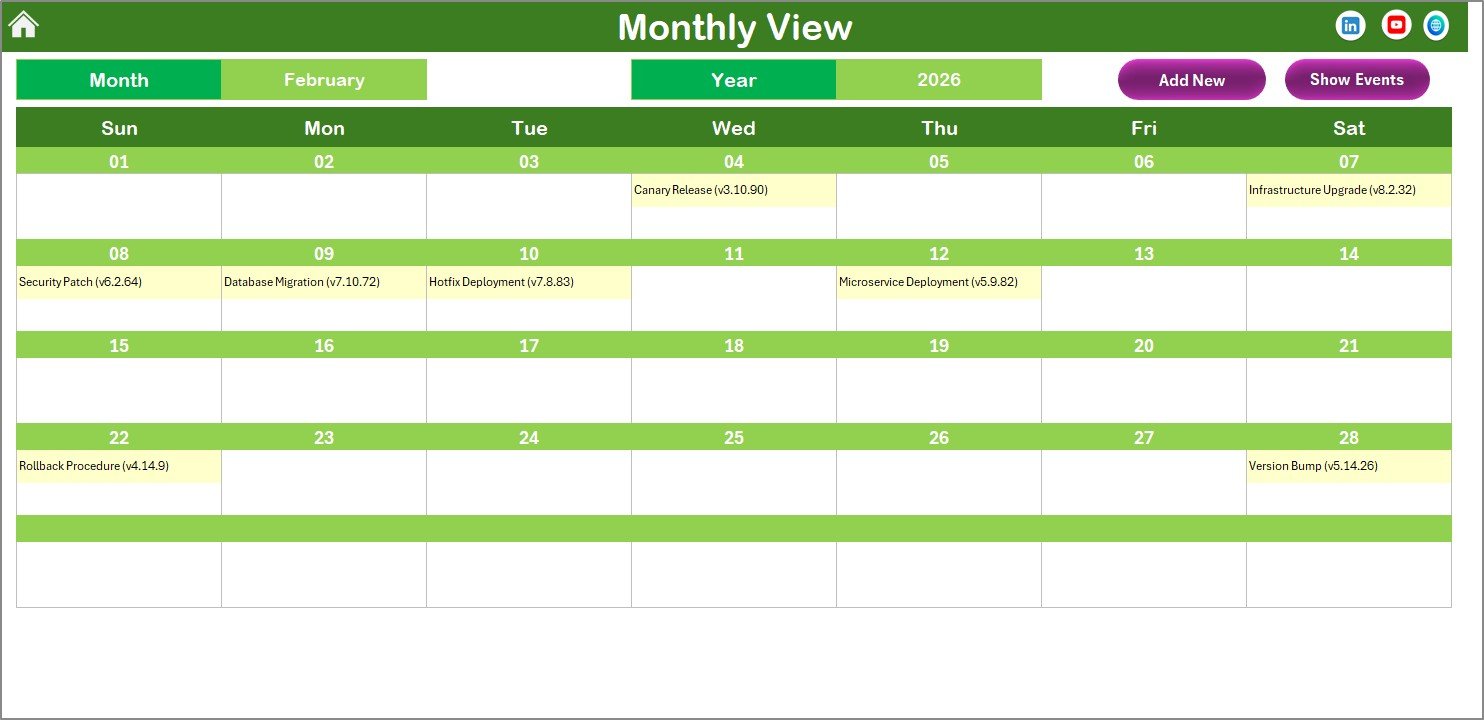
This sheet focuses on a single month’s calendar, allowing you to select the month and year and view events daily. If more than one event exists on a date, it will be indicated clearly.
- Add New Event Button: Add events for selected dates easily.
- Show Event Button: View all scheduled events on the selected date.
Click to Buy Software Release and Deployment Calendar in Excel
4. Daily View Sheet Tab
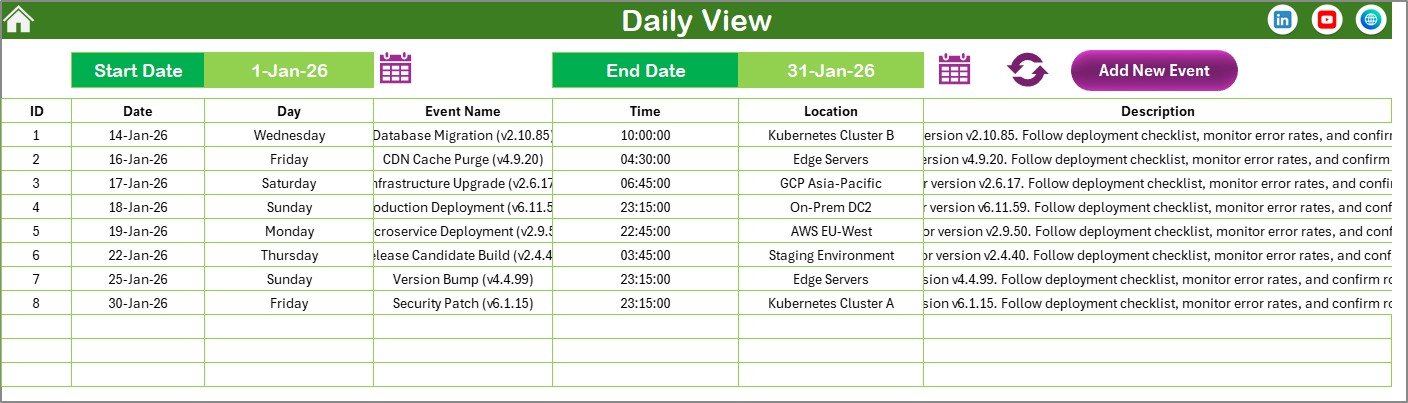
View detailed event lists within a selected date range. You can select start and end dates using the calendar icons and refresh to see updated data. Event addition is streamlined with the ‘Add New Event’ button.
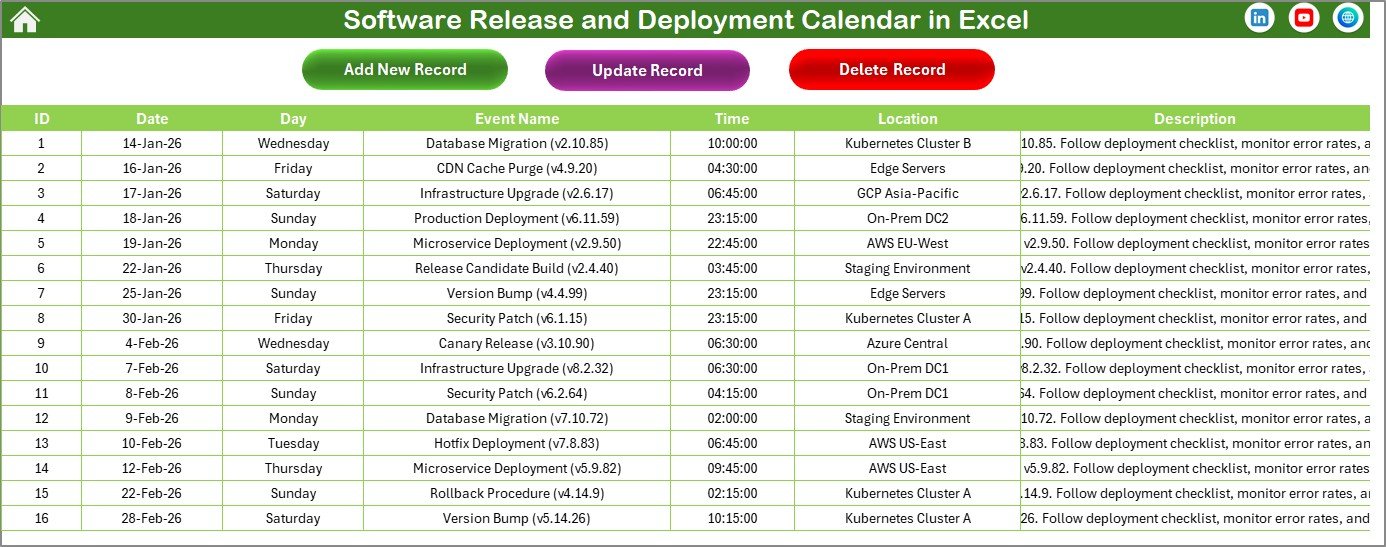
5. Events Sheet Tab
This sheet acts as the database of all event details including auto-generated ID, event date, day, name, time, location, and description. It comes with essential buttons for managing records such as adding new events, updating existing ones, and deleting records.
- ID: Auto-generated identifier.
- Date: Date of the event.
- Day: Day of the week.
- Event Name: Name/title of the event.
- Time: Scheduled time.
- Location: Venue or platform.
- Description: Additional information.
Click to Buy Software Release and Deployment Calendar in Excel
Advantages of Software Release and Deployment Calendar in Excel
- Enhanced visibility of upcoming software releases and deployments.
- Improved coordination between development, QA, and operations teams.
- Easy customization based on organization’s specific scheduling needs.
- Simple interface with interactive buttons reduces user learning curve.
- Centralized event management cut downs on conflicts and overlaps.
- Leverages Excel’s familiarity and portability without requiring specialized software.
Opportunities for Improvement
Click to Buy Software Release and Deployment Calendar in Excel
- Add automated reminders through Outlook integration for key release dates.
- Enable color-coded priorities or release types for faster event identification.
- Incorporate progress tracking or status updates for each deployment event.
- Develop mobile-compatible versions or synchronization with calendars like Google Calendar or Microsoft Teams.
Best Practices
Click to Buy Software Release and Deployment Calendar in Excel
- Regularly update the events database to maintain accuracy.
- Consistently use the provided buttons for adding and modifying events to ensure data integrity.
- Customize weekly start days and themes to fit your organizational culture.
- Use event highlighting strategically to emphasize critical release windows or blackout periods.
- Train team members on navigating between different calendar views for efficient planning.
FAQs
Click to Buy Software Release and Deployment Calendar in Excel
Can I customize the calendar for fiscal years starting in months other than January?
Yes, the annual view control panel allows you to select the starting month, enabling you to customize the calendar based on your fiscal year.
Is it possible to apply different color themes?
Absolutely! You can choose from 5 color themes in the ‘Change Theme’ group on the annual view sheet to update the calendar’s look and feel.
How do I add multiple events on the same date?
You can add multiple events using the ‘Add New Event’ button, and in monthly and daily views, the calendar will indicate when multiple events exist on a date.
Can I export this calendar to other formats?
Since this is an Excel template, you can save or export the workbook in formats like PDF for sharing purposes.
Conclusion
Click to Buy Software Release and Deployment Calendar in Excel
Our Software Release and Deployment Calendar in Excel is an essential template for teams seeking to streamline their software release planning and deployment processes. With multiple views, intuitive controls, and comprehensive event management, it ensures smoother coordination and increased visibility across your organization’s deployment lifecycle.
By leveraging this calendar, you can reduce deployment risks, avoid scheduling conflicts, and keep all stakeholders informed effectively.
For extended learning and hands-on demonstrations, visit Microsoft Excel official page and explore additional calendar templates and tools.
Visit our YouTube channel to watch the demo: Youtube.com/@NextGenTemplates
Click to Buy Software Release and Deployment Calendar in Excel