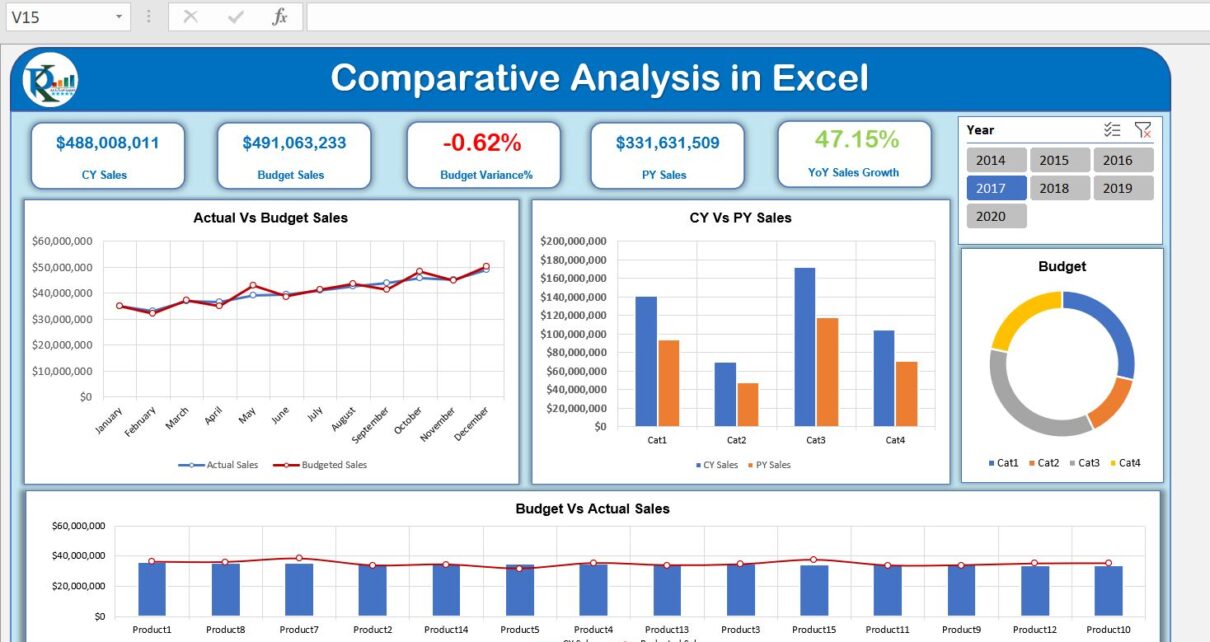
This Excel comparative analysis dashboard uses Power Pivot to compare current-year sales with the same period in the previous year, and actual sales with budget. Three tables supply the data: Budget, Product Master and Sales. The model diagram and DAX-measure screenshot document the original implementation.
Which tables support the comparisons?
| Table | Fields shown in the tutorial |
|---|---|
| Budget | Month, ProductID, Budgeted Amt |
| Product Master | ProductId, Product Name, Category |
| Sales | Date, ProductId, Sale Amount |
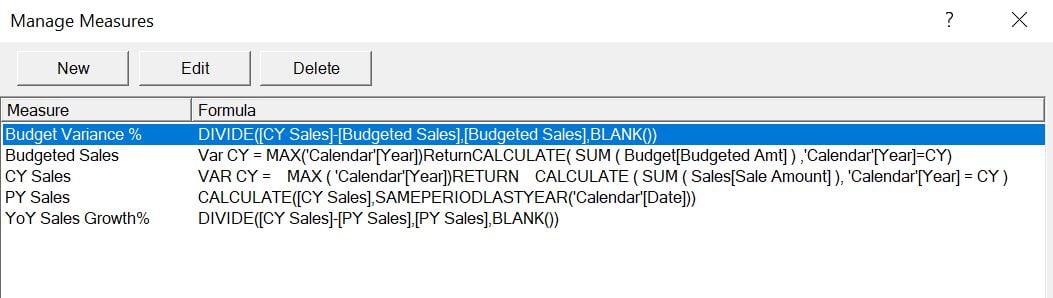
Year-over-year sales and sales-versus-budget answer different questions. Use the model diagram and the five displayed measures to understand the example’s calculations before changing the source tables.
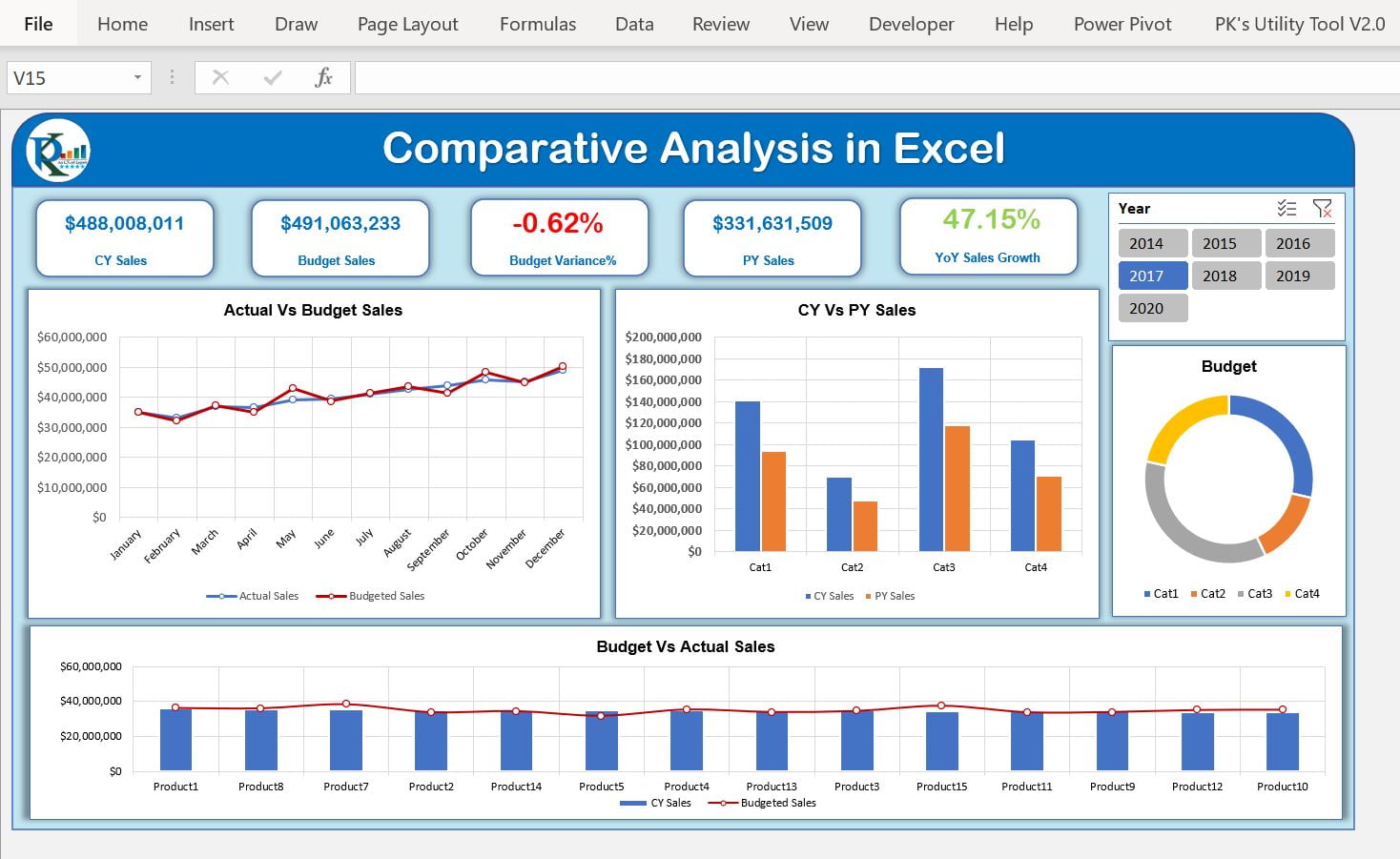
This is the Excel version of the Comparative Analysis Dashboard. We have used Power Pivot to create this dashboard.
We have used Current Year Sales Vs Previous Year Same Period Sales using the DAX functions in Power Pivot. We have also created Sales Vs Budget Variance on the dashboard.
Click to buy Comparative Analysis Dashboard in Excel
Learn how to create Comparative Analysis Dashboard in Microsoft Power BI
Click to buy Comparative Analysis Dashboard in Excel
We have used 3 Excel Tables to create this dashboard using Power Pivot
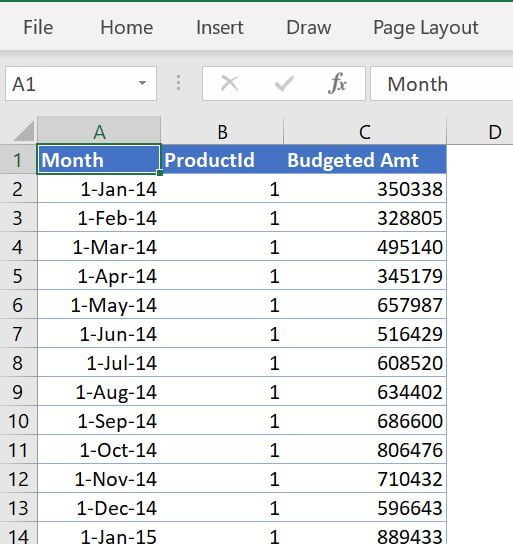
1.Budget Table:
In this table, we have 3 columns – Month, ProductID, and Budgeted Amt
Click to buy Comparative Analysis Dashboard in Excel
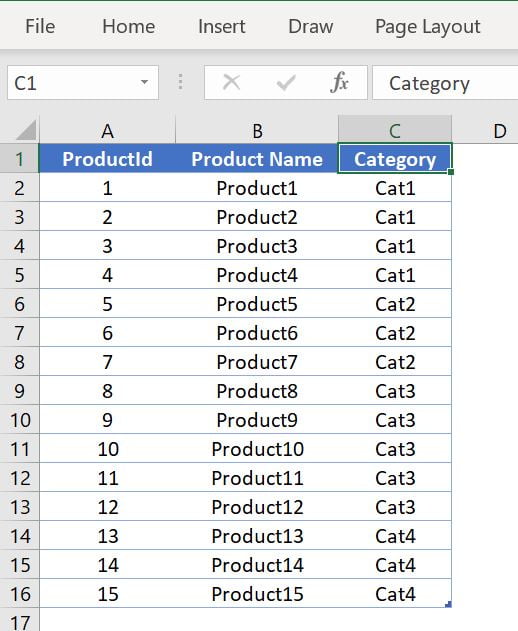
2.Product Master Table:
In the Product Master table we have 3 columns – ProductId, Product Name, and Category.
Click to buy Comparative Analysis Dashboard in Excel
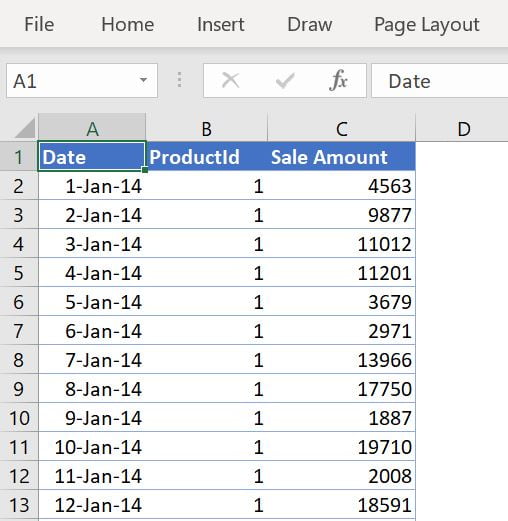
3.Sales Table:
In this Table, We have 3 columns – Date, ProductId, and Sale Amount
Click to buy Comparative Analysis Dashboard in Excel
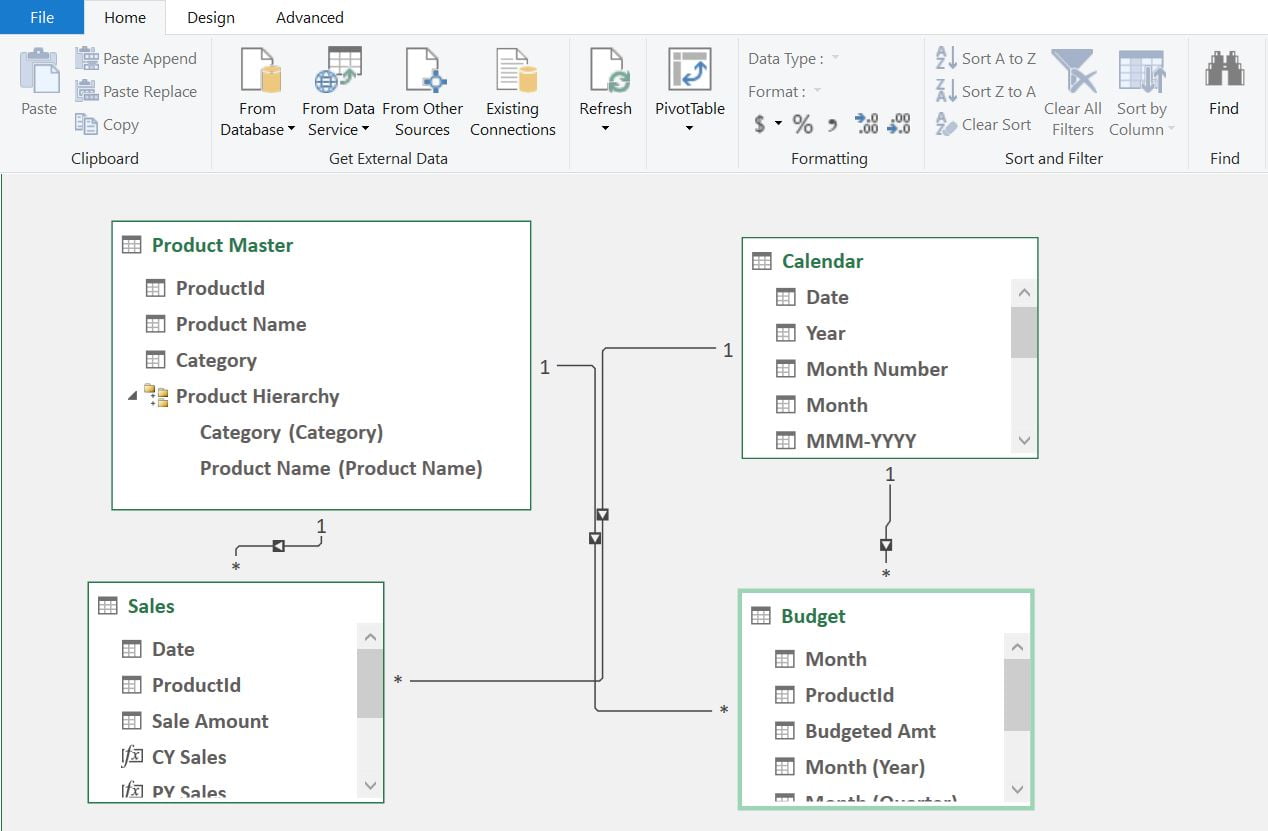
Below is the Data Model diagram for this dashboard:
Click to buy Comparative Analysis Dashboard in Excel
We have used the below 5 measures for this dashboard using DAX.
Click to buy Comparative Analysis Dashboard in Excel
Visit our YouTube channel to learn step-by-step video tutorials
Watch the step by step video tutorial:
Click to buy Comparative Analysis Dashboard in Excel