In today’s fast-evolving financial world, Blockchain Finance Dashboard continues to reshape how transactions happen. Every second, thousands of crypto transactions occur across multiple networks. However, managing and analyzing this massive amount of data can quickly become overwhelming.
So, how can you track blockchain transactions, analyze risks, and make smarter financial decisions—all in one place?
Click to Purchases Blockchain Finance Dashboard in Excel
👉 The answer is the Blockchain Finance Dashboard in Excel.
This powerful, ready-to-use dashboard helps you monitor, analyze, and visualize blockchain financial data efficiently. Moreover, it transforms raw transaction data into meaningful insights using interactive charts, KPIs, and filters.
In this detailed guide, you will learn everything about this dashboard, including its features, benefits, best practices, and FAQs.
📊 What is a Blockchain Finance Dashboard in Excel?
A Blockchain Finance Dashboard in Excel is an interactive reporting tool designed to track and analyze blockchain-related financial data such as:
- Transaction details
- Gas fees
- Wallet performance
- Risk scores
- Confirmation rates
Instead of using multiple tools, this dashboard centralizes all critical blockchain metrics into a single, easy-to-use Excel file. As a result, users can quickly identify trends, detect risks, and optimize decisions.
Moreover, since it runs on Excel, you don’t need advanced coding skills. Therefore, anyone—from analysts to crypto investors—can use it effectively.
🎯 Why Do You Need a Blockchain Finance Dashboard?
Managing blockchain data manually can be time-consuming and confusing. However, with this dashboard, you can:
- ✔ Track thousands of transactions in seconds
- ✔ Identify high-risk activities quickly
- ✔ Monitor gas fees across blockchain networks
- ✔ Analyze wallet performance easily
- ✔ Improve decision-making with real-time insights
In addition, the dashboard provides visual clarity, which helps you understand complex data faster.
🧭 Key Features of Blockchain Finance Dashboard in Excel
This dashboard includes 5 powerful analytical pages along with a structured data and support system. Let’s explore each section in detail.
Click to Purchases Blockchain Finance Dashboard in Excel
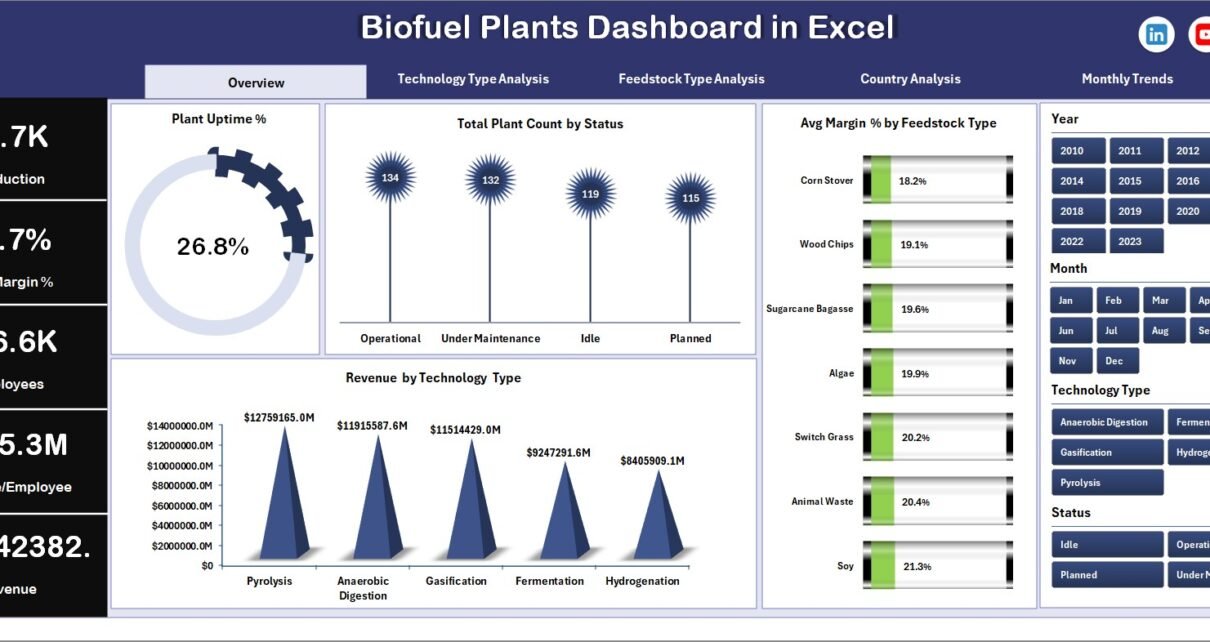
📌 1. Overview Page – Get a Quick Snapshot

The Overview Page acts as the central hub of the dashboard. It provides a high-level summary of all blockchain activities.
🔹 Key Highlights:
- 📍 Right-side slicer for easy filtering
- 📊 4 KPI cards for instant insights
- 📈 3 dynamic charts
📊 Charts Included:
- Is Confirmed % – Shows the percentage of confirmed transactions
- Block Number by Blockchain Type – Displays block distribution across networks
- Wallet Age by Transaction Type – Analyzes wallet maturity trends
- Total Records by Status – Tracks transaction statuses
👉 As a result, users can quickly understand overall performance without diving deep into data.
🔗 2. Blockchain Analysis – Network-Level Insights

This page focuses on analyzing data across different blockchain types.
🔹 Key Highlights:
- 📍 Interactive slicer for filtering
- 📊 4 analytical charts
📊 Charts Included:
- Gas Fee by Blockchain Type
- Total Records by Blockchain Type
- Is Confirmed % by Blockchain Type
- Wallet Age by Blockchain Type
👉 Therefore, users can compare performance across multiple blockchain networks easily.
💱 3. Transaction Metrics – Deep Dive into Transactions

If you want to analyze transaction-level data, this page provides everything you need.
🔹 Key Highlights:
- 📍 Slicer-enabled filtering
- 📊 4 detailed charts
📊 Charts Included:
- Amount by Transaction Type
- Block Number by Transaction Type
- Receiver Reputation by Transaction Type
- Confirmation Time by Transaction Type
👉 Consequently, this page helps identify patterns and optimize transaction strategies.
⚠️ 4. Risk Assessment – Identify Potential Threats

Risk management plays a critical role in blockchain finance. Therefore, this page focuses on detecting risky activities.
🔹 Key Highlights:
- 📍 Interactive slicer
- 📊 4 risk-focused charts
📊 Charts Included:
- Risk Score by Blockchain Type
- Risk Score by Transaction Type
- Is High Risk by Month
- Is High Risk % by Transaction Type
👉 As a result, you can quickly identify suspicious transactions and take preventive actions.
👛 5. Wallet Performance – Monitor Wallet Behavior

This page helps evaluate wallet activity and performance across different dimensions.
📊 Charts Included:
- Gas Fee by Transaction Type
- Is Confirmed by Transaction Type
- Total Record by Month
- Receiver Reputation by Blockchain Type
👉 Therefore, you can track wallet efficiency and optimize usage.
Click to Purchases Blockchain Finance Dashboard in Excel
📁 Support Sheet & Data Sheet
Apart from analytical pages, the dashboard includes:
📌 Support Sheet:
- Stores dropdown values
- Helps in smooth dashboard functioning
📌 Data Sheet:
- Contains raw blockchain transaction data
- Acts as the main data source
👉 As a result, the dashboard remains structured, scalable, and easy to update.
🚀 Advantages of Blockchain Finance Dashboard in Excel
Using this dashboard provides several benefits. Let’s explore them:
✅ 1. Centralized Data Management
- Combine all blockchain data in one place
- Avoid switching between multiple tools
✅ 2. Real-Time Insights
- Monitor key metrics instantly
- Make faster decisions
✅ 3. Improved Risk Management
- Detect high-risk transactions quickly
- Reduce financial losses
✅ 4. Better Visualization
- Understand complex data using charts
- Spot trends easily
✅ 5. User-Friendly Interface
- No coding required
- Easy navigation with slicers
✅ 6. Customizable and Scalable
- Modify as per your needs
- Add more KPIs or charts
🧠 How Does This Dashboard Improve Decision-Making?
You might wonder—how does this dashboard actually help in decision-making?
👉 First, it organizes large datasets into meaningful visuals.
👉 Next, it highlights key performance indicators.
👉 Then, it allows filtering based on multiple criteria.
As a result, you can:
- Identify inefficiencies
- Optimize transaction costs
- Improve wallet performance
- Detect fraud or suspicious activity
🛠️ Best Practices for the Blockchain Finance Dashboard
To get the most out of this dashboard, follow these best practices:
🔹 Keep Data Updated
- Regularly update transaction data
- Ensure accuracy
🔹 Use Filters Effectively
- Apply slicers for better insights
- Analyze specific segments
🔹 Focus on Key KPIs
- Monitor confirmation rates
- Track gas fees and risk scores
🔹 Maintain Data Consistency
- Use standardized formats
- Avoid duplicate entries
🔹 Customize When Needed
- Add new metrics
- Adjust charts based on business needs
⚠️ Common Challenges and How to Overcome Them
Even though the dashboard is powerful, users may face some challenges.
❌ Challenge 1: Data Overload
👉 Solution: Use filters and focus on key metrics
❌ Challenge 2: Incorrect Data Entry
👉 Solution: Validate data before uploading
❌ Challenge 3: Misinterpretation of Charts
👉 Solution: Understand KPI definitions clearly
🔮 Future of Blockchain Analytics in Excel
As blockchain adoption grows, the need for analytics tools will increase.
Moreover, Excel dashboards will continue to evolve with:
- Advanced automation
- AI-powered insights
- Integration with blockchain APIs
Therefore, tools like this dashboard will become even more valuable.
🏁 Conclusion
Click to Purchases Blockchain Finance Dashboard in Excel
The Blockchain Finance Dashboard in Excel is a powerful tool that simplifies complex blockchain data.
It not only helps you track transactions but also enables you to analyze risks, monitor wallet performance, and optimize financial decisions.
Moreover, its user-friendly design ensures that anyone can use it without technical expertise.
👉 So, if you want to take control of your blockchain financial data, this dashboard is the perfect solution.
❓ Frequently Asked Questions (FAQs)
1. What is a Blockchain Finance Dashboard?
A Blockchain Finance Dashboard is a tool used to track and analyze blockchain transactions, fees, risks, and wallet performance.
2. Who can use this dashboard?
Anyone can use it, including:
- Crypto investors
- Financial analysts
- Blockchain companies
- Data analysts
3. Do I need coding skills to use this dashboard?
No, you don’t need coding skills. The dashboard is built entirely in Excel and is easy to use.
4. Can I customize this dashboard?
Yes, you can easily customize it by adding new KPIs, charts, or filters.
5. How often should I update the data?
You should update the data regularly—daily or weekly—depending on your usage.
6. Can this dashboard handle large datasets?
Yes, Excel can handle large datasets, but for extremely large data, optimization may be required.
7. What makes this dashboard unique?
Its ability to combine transaction tracking, risk analysis, and wallet performance in one place makes it highly valuable.
Visit our YouTube channel to learn step-by-step video tutorials
Click to Purchases Blockchain Finance Dashboard in Excel