Healthcare projects demand precision, planning, and coordination. Hospitals, clinics, and healthcare organizations manage multiple initiatives at the same time. Therefore, they must track compliance deadlines, audits, medical campaigns, infrastructure upgrades, staff training, and patient outreach programs without confusion.
However, many healthcare teams still rely on scattered spreadsheets or manual planners. As a result, they miss deadlines, overlap tasks, and struggle with visibility.
So, how can healthcare managers stay organized and proactive?
The answer is simple.
You need a Healthcare Project Calendar in Excel.
This ready-to-use Excel calendar template helps healthcare organizations plan, schedule, and manage events in one structured system. Moreover, it provides Annual, Monthly, and Daily views, along with a centralized database for all events.
In this complete guide, you will learn:
-
What a Healthcare Project Calendar in Excel is
-
Why healthcare organizations need it
-
Detailed explanation of all 5 worksheets
-
Advantages of Healthcare Project Calendar in Excel
-
Best Practices for the Healthcare Project Calendar in Excel
-
Frequently Asked Questions with Answers
Let us explore everything step by step.
Click to Purchases Healthcare Project Calendar in Excel
What Is a Healthcare Project Calendar in Excel?
A Healthcare Project Calendar in Excel is a structured planning system designed to organize healthcare-related projects, events, audits, training sessions, campaigns, and operational activities.
Instead of managing multiple sheets, emails, and manual notes, this calendar centralizes everything in one dynamic Excel workbook.
Moreover, it allows you to:
-
Track projects annually
-
Manage monthly activities
-
View daily event details
-
Add, update, or delete events
-
Highlight important days
-
Change themes and layout preferences
Therefore, healthcare managers gain clarity, control, and efficiency.
Why Do Healthcare Organizations Need a Project Calendar?
Healthcare environments operate under strict regulations and tight timelines. Additionally, teams must coordinate across departments such as administration, nursing, operations, finance, and compliance.
Without structured planning:
-
Compliance audits may get delayed
-
Vaccination drives may overlap
-
Staff training may conflict with patient schedules
-
Equipment maintenance may be forgotten
However, a Healthcare Project Calendar in Excel solves these issues.
It helps organizations:
-
Plan long-term healthcare programs
-
Track monthly compliance activities
-
Monitor daily operations
-
Improve team coordination
-
Avoid scheduling conflicts
As a result, leaders make faster decisions and reduce operational risks.
Click to Purchases Healthcare Project Calendar in Excel
Detailed Explanation of All 5 Worksheets
This Healthcare Project Calendar in Excel includes 5 structured worksheets. Each sheet serves a unique purpose. Together, they create a complete project management system.
1️⃣ Home Sheet Tab – The Navigation Hub
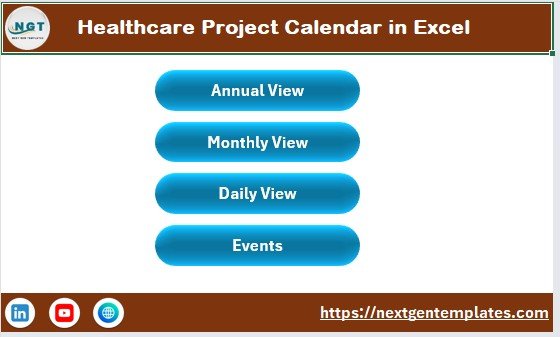
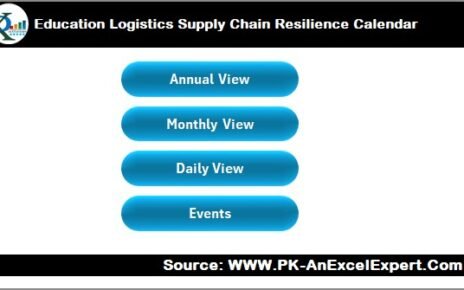
The Home sheet acts as the index page of the calendar.
It contains 4 navigation buttons:
-
Annual View
-
Monthly View
-
Daily View
-
Events
Therefore, users can jump directly to any section without scrolling manually.
This improves usability and saves time. Moreover, it makes the template user-friendly even for non-technical healthcare staff.
Click to Purchases Healthcare Project Calendar in Excel
2️⃣ Annual View Sheet – 12-Month Planning Overview
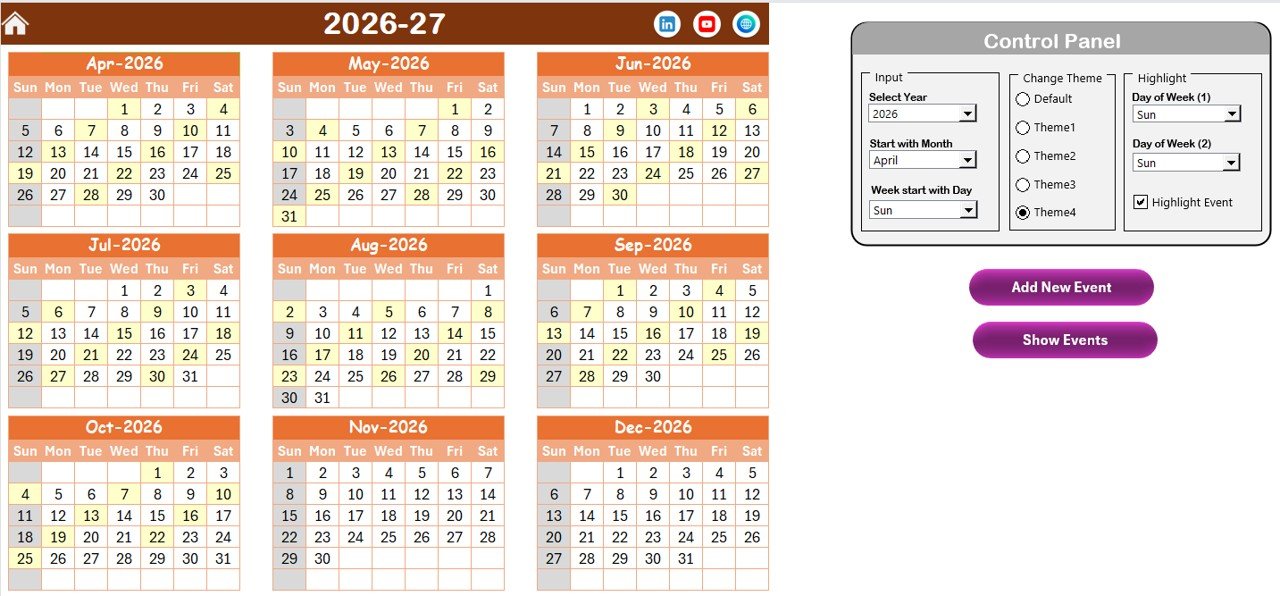
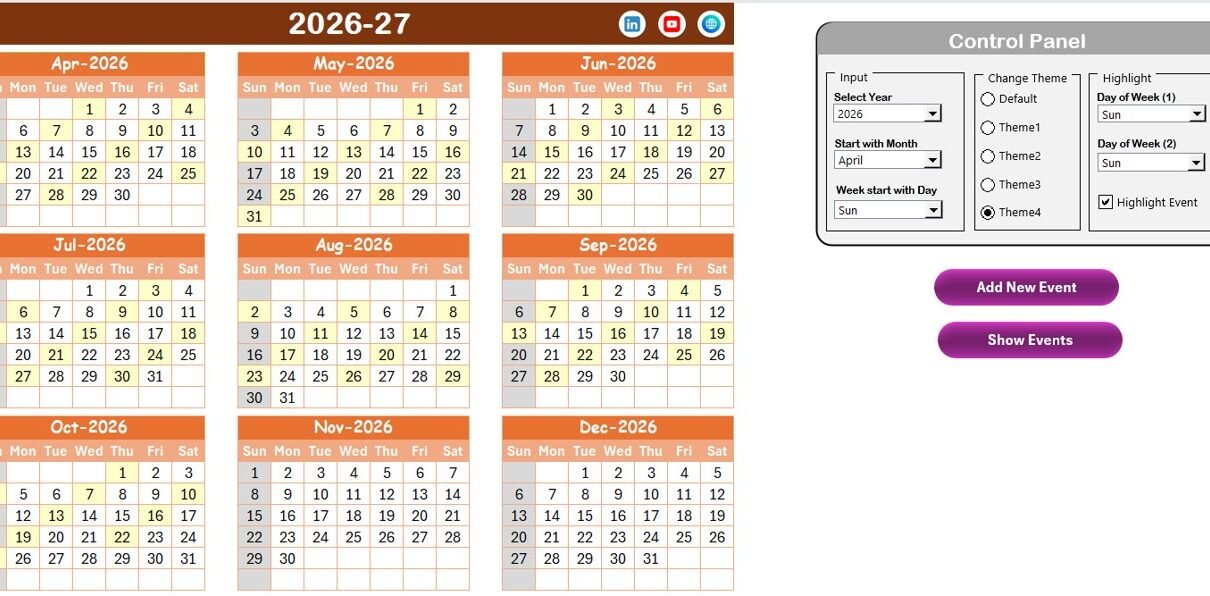
The Annual View Sheet displays all 12 months in one structured layout.
This view helps healthcare managers plan:
-
Annual audit schedules
-
Accreditation renewals
-
Public health campaigns
-
Equipment replacement cycles
-
Budget planning milestones
Control Panel Features
The Annual View includes a powerful control panel divided into three groups:
🔹 Input Group
Here, you can:
-
Select the Year
-
Change the Starting Month
-
Change the Starting Day of the Week
Therefore, the calendar automatically adjusts based on your selection.
For example, if your fiscal year starts in April, you can set April as the starting month.
🔹 Change Theme Group
This feature allows you to select from 5 color themes.
As a result, healthcare administrators can customize the workbook according to organizational branding.
🔹 Highlight Group
You can:
-
Select Day of Week (1)
-
Select Day of Week (2)
-
Highlight weekends (for example, Saturday and Sunday)
-
Check “Highlight Event” to mark events in yellow
This feature improves visual clarity. Consequently, teams quickly identify important days and events.
Add New Event Button
Select any date and click Add New Event.
The event form opens instantly. After entering the details and clicking submit, the event appears on the selected date.
Show Event Button
Select a date and click Show Event to view all scheduled events for that day.
This ensures transparency and reduces confusion.
Click to Purchases Healthcare Project Calendar in Excel
3️⃣ Monthly View Sheet – Focused Planning for a Single Month
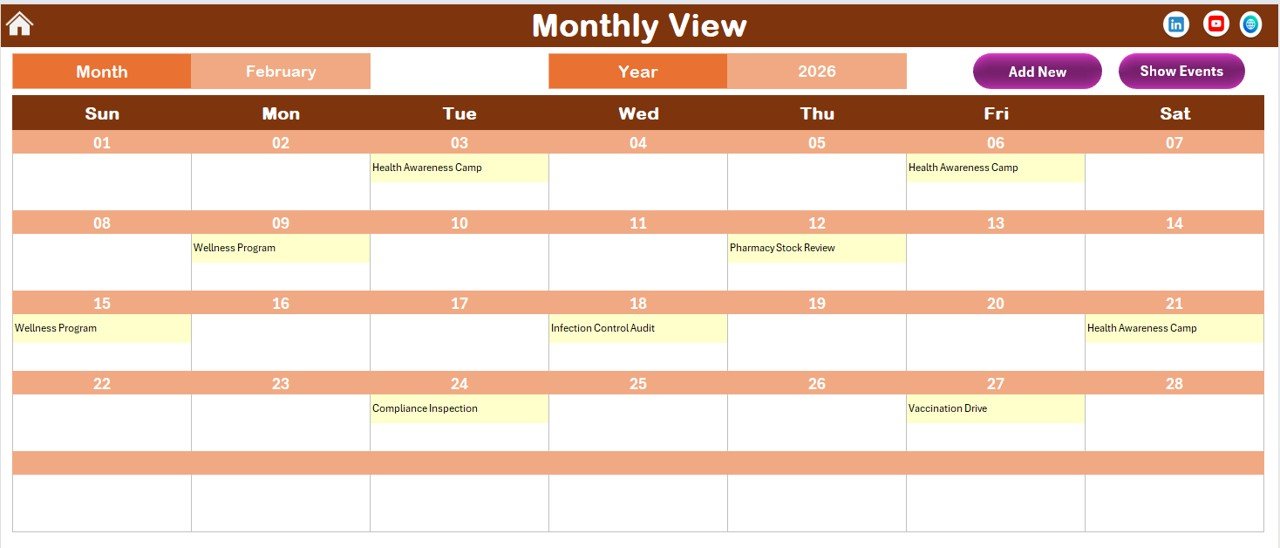
The Monthly View displays one selected month in detail.
You can select:
-
Month
-
Year
Accordingly, the calendar updates automatically.
If only one event exists, it appears directly on the date. However, if multiple events exist, the cell shows “more than 1…”.
This keeps the layout clean while maintaining accuracy.
Monthly View Buttons
-
Add New Event
-
Show Event
Therefore, users can manage monthly activities quickly without navigating to another sheet.
Healthcare teams often use this view for:
-
Vaccination schedules
-
Department training plans
-
Staff rotations
-
Community outreach programs
4️⃣ Daily View Sheet – Detailed Event Listing
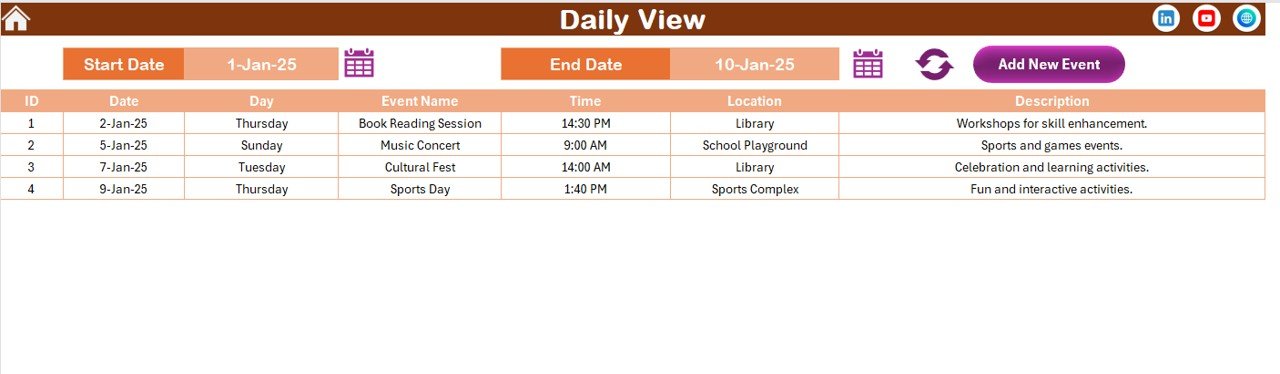
The Daily View provides detailed event tracking.
You can:
-
Select Start Date
-
Select End Date
-
Click Refresh
The sheet displays all events within the selected date range.
This helps healthcare administrators:
-
Review weekly schedules
-
Track upcoming compliance checks
-
Analyze workload distribution
-
Monitor event frequency
Additionally, you can add new events directly from this sheet using the Add New Event button.
Click to Purchases Healthcare Project Calendar in Excel
5️⃣ Events Sheet – The Database Engine
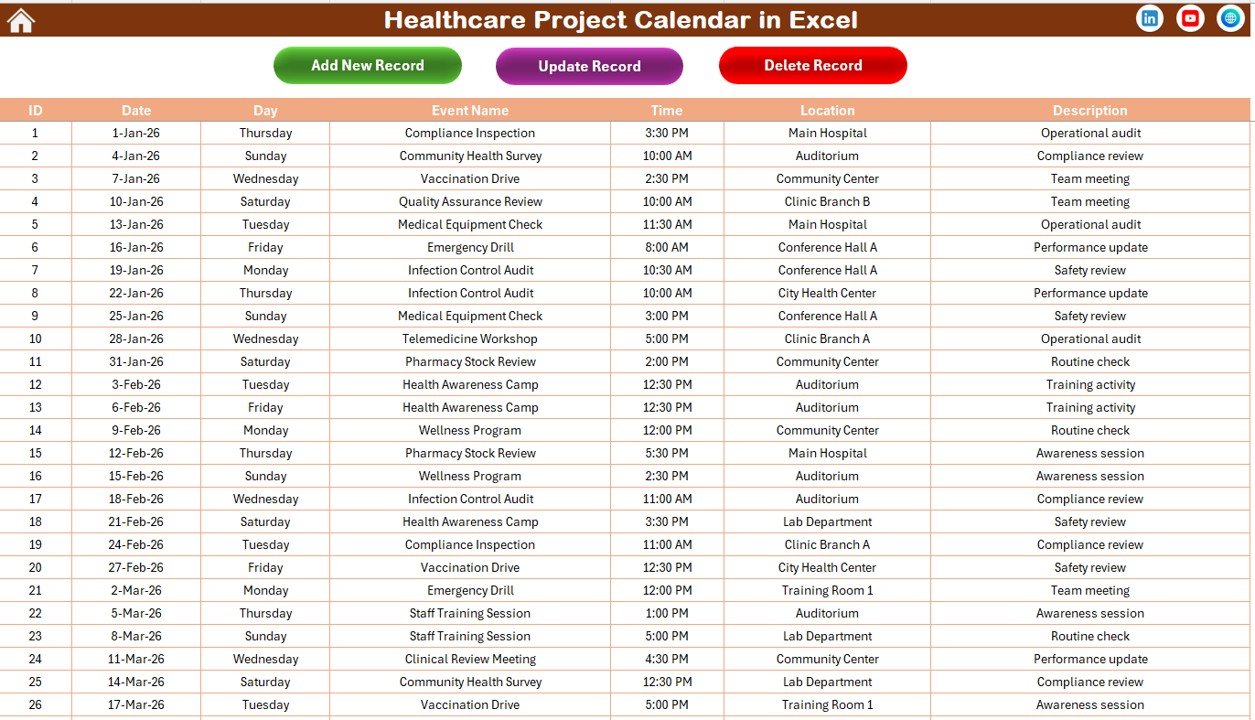
The Events sheet stores all event data.
This acts as the central database.
Columns Included:
-
ID (Auto-generated number)
-
Date
-
Day
-
Event Name
-
Time
-
Location
-
Description
Because this sheet stores structured data, users can maintain accuracy and consistency.
Database Management Buttons
Add New Record
Opens the event form to create a new entry.
Update Existing Record
Select the ID, edit the details, and submit.
Delete Record
Select the ID and remove the event permanently.
Therefore, users maintain full control over event management.
Click to Purchases Healthcare Project Calendar in Excel
Key Use Cases of Healthcare Project Calendar in Excel
Healthcare organizations can use this calendar for:
-
Hospital renovation projects
-
Compliance audits
-
NABH or JCI accreditation planning
-
Health awareness campaigns
-
Medical equipment maintenance
-
Staff onboarding and training
-
Vaccination programs
-
Emergency preparedness drills
Because the template adapts easily, it supports both small clinics and large hospitals.
Advantages of Healthcare Project Calendar in Excel
Now let us discuss the major advantages.
1️⃣ Centralized Planning
Instead of using multiple sheets, you manage everything in one file. Therefore, coordination improves significantly.
2️⃣ Improved Time Management
Annual, monthly, and daily views help you plan long-term and short-term tasks effectively.
3️⃣ Easy Customization
You can change themes, highlight weekends, and adjust fiscal years.
4️⃣ Automated Event Management
Add, update, or delete events easily using forms.
5️⃣ Increased Transparency
All departments can view upcoming events clearly.
6️⃣ Reduced Scheduling Conflicts
Since you see all events visually, you avoid overlapping projects.
7️⃣ User-Friendly Interface
Navigation buttons simplify usage even for non-technical staff.
Click to Purchases Healthcare Project Calendar in Excel
Best Practices for the Healthcare Project Calendar in Excel
To maximize results, follow these best practices.
✔ Maintain Data Accuracy
Always enter correct dates and details. Incorrect entries create confusion later.
✔ Update Regularly
Do not delay updates. Instead, record events immediately.
✔ Assign Responsibility
Designate one person to manage the calendar.
✔ Use Color Themes Strategically
Choose colors that match your healthcare brand.
✔ Highlight Critical Days
Mark audits, inspections, and major campaigns clearly.
✔ Backup the File
Store backup copies regularly to avoid data loss.
✔ Review Monthly
Conduct monthly reviews to ensure planning accuracy.
Click to Purchases Healthcare Project Calendar in Excel
How Does This Calendar Improve Healthcare Efficiency?
This calendar improves operational efficiency because:
-
Teams align better
-
Leaders track progress clearly
-
Departments coordinate effectively
-
Deadlines remain visible
-
Projects stay organized
Moreover, it reduces manual effort. Consequently, managers focus more on patient care and strategic planning.
Who Can Benefit from This Template?
The Healthcare Project Calendar in Excel benefits:
-
Hospital administrators
-
Clinic managers
-
Healthcare project managers
-
Compliance officers
-
HR departments
-
Public health coordinators
Therefore, it serves multiple roles within healthcare organizations.
Conclusion
Healthcare organizations operate in fast-paced and highly regulated environments. Therefore, structured planning becomes essential.
The Healthcare Project Calendar in Excel provides:
-
Annual overview
-
Monthly focus
-
Daily tracking
-
Centralized database
-
Easy event management
Moreover, it improves coordination, reduces conflicts, and increases visibility.
If you want better planning, smoother operations, and stronger project control, this calendar offers a powerful solution.
Click to Purchases Healthcare Project Calendar in Excel
Frequently Asked Questions with Answers
1️⃣ What is a Healthcare Project Calendar in Excel?
It is a ready-to-use Excel template that helps healthcare organizations plan and manage projects, events, and compliance activities.
2️⃣ Can I change the fiscal year in the calendar?
Yes. You can change the starting month and year from the control panel.
3️⃣ Can I highlight weekends?
Yes. You can select two days of the week to highlight automatically.
4️⃣ Does it allow multiple events on one day?
Yes. If multiple events exist, it shows “more than 1…” in monthly view.
5️⃣ Can I update existing events?
Yes. Select the ID and click Update Existing Record.
6️⃣ Is this calendar suitable for small clinics?
Yes. Both small clinics and large hospitals can use it.
7️⃣ Do I need advanced Excel knowledge?
No. The template includes buttons and forms for easy use.
8️⃣ Can I delete an event?
Yes. Select the ID and click Delete Record.
Click to Purchases Healthcare Project Calendar in Excel
Visit our YouTube channel to learn step-by-step video tutorials