The SaaS Customer Success Dashboard in Excel helps subscription businesses track customer health, MRR, renewals, tickets, contract value, and CSM performance without starting from a blank spreadsheet. SaaS teams often run weekly customer reviews from multiple exports: billing data, support tickets, renewal status, and account ownership. This workbook brings those signals into 5 dashboard pages, 5 executive KPI cards, multiple slicers, and pivot-powered charts that refresh after you update the Data Sheet.
For teams that are not ready for an expensive customer success platform, this Excel dashboard gives a practical middle ground: structured reporting, one-time purchase, full data ownership, and a familiar Microsoft Excel workflow. You can learn more about Excel pivot tables from the official Microsoft Support PivotTable guide.
Key Features of SaaS Customer Success Dashboard in Excel
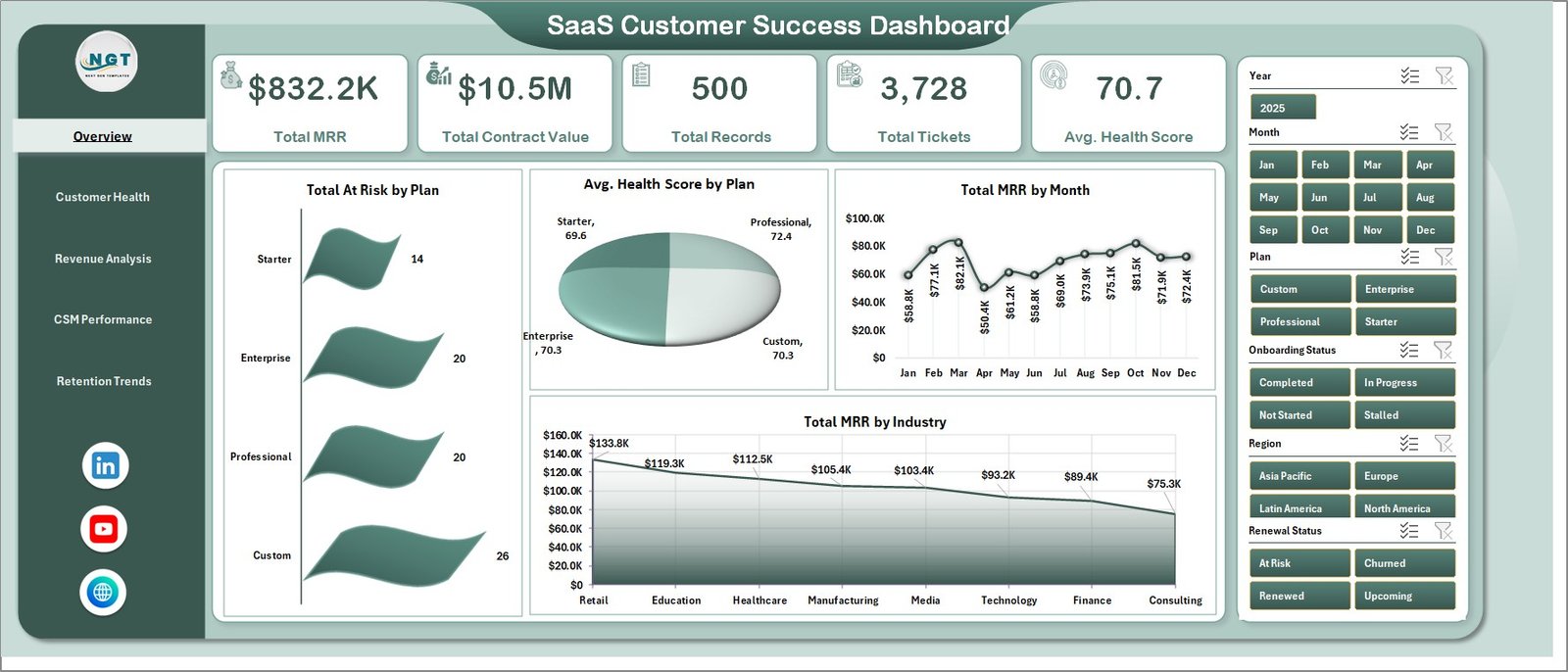
The dashboard starts with 5 top-level KPI cards: Total MRR, Total Contract Value, Total Records, Total Tickets, and Avg. Health Score. These cards give founders, Customer Success Managers, and RevOps teams a fast pulse check before going into deeper account analysis.
Each dashboard page is built around common SaaS operating questions. Which plans have the most at-risk accounts? Which industries generate the highest MRR? Which CSMs carry the largest portfolios? Are renewals improving month over month? Which regions or onboarding stages need more attention? Instead of creating separate pivots every week, users update the Data Sheet and refresh the workbook.
The workbook also includes slicers for fast filtering. This is useful during live meetings because you can isolate a plan, region, CSM, renewal status, login frequency, industry, or month without rebuilding charts.
Dashboard Pages Explanation
Overview Page
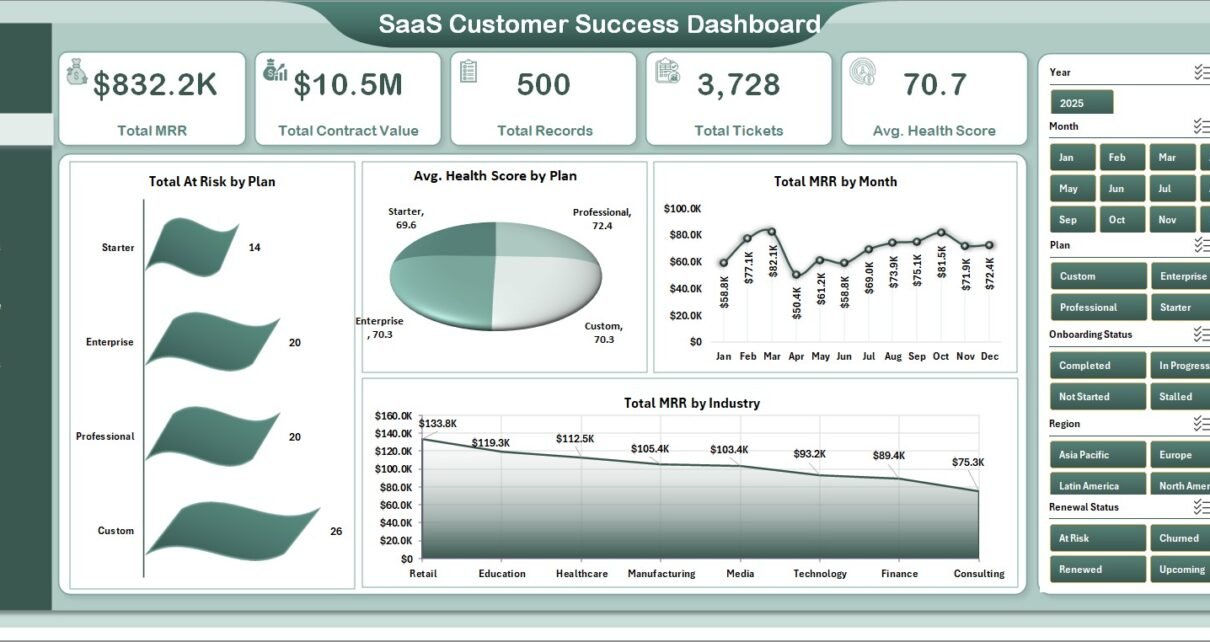
The Overview page displays Total MRR, Total Contract Value, Total Records, Total Tickets, and Avg. Health Score at the top. Total At Risk by Plan shows which subscription tiers need retention attention, while Avg. Health Score by Plan helps compare customer quality across pricing levels. Total MRR by Month reveals revenue movement over time, and Total MRR by Industry shows which customer segments contribute the strongest recurring revenue.
SaaS Customer Success Dashboard in Excel
Customer Health
The Customer Health page focuses on account quality, risk concentration, and renewal status. Total Records vs Total At Risk by Industry helps reveal industries with higher risk exposure. Total Records by Renewal Status shows the renewal pipeline. Total Contract Value by Plan connects financial exposure to pricing tiers. Avg. Health Score by Login Frequency highlights the relationship between engagement and account health.
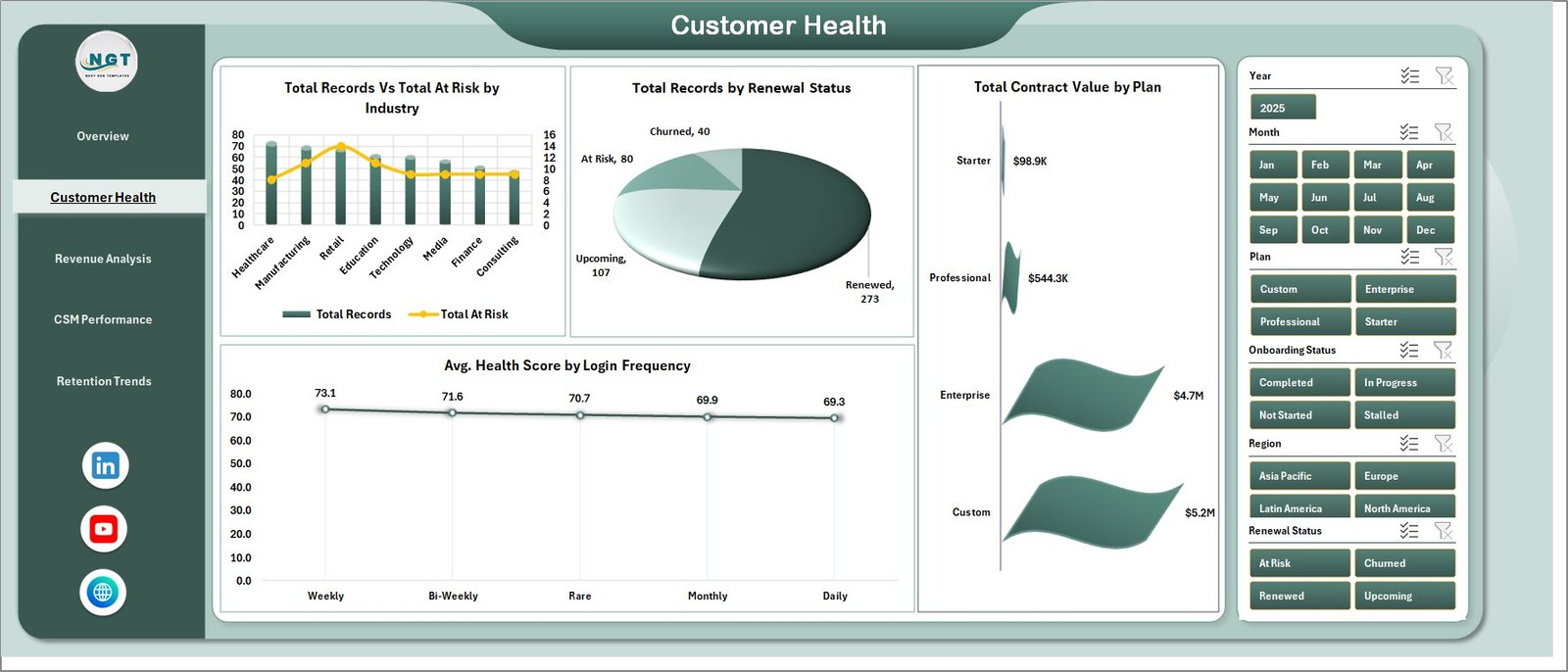
Customer Health
Revenue Analysis
The Revenue Analysis page helps leaders understand where recurring revenue and contract value sit across the customer base. Total MRR by Region shows geographic revenue distribution. Total Contract Value by Industry highlights high-value segments. Total Records by CSM Name compares account ownership. Total Contract Value by Month gives a time-based view of contract value movement.
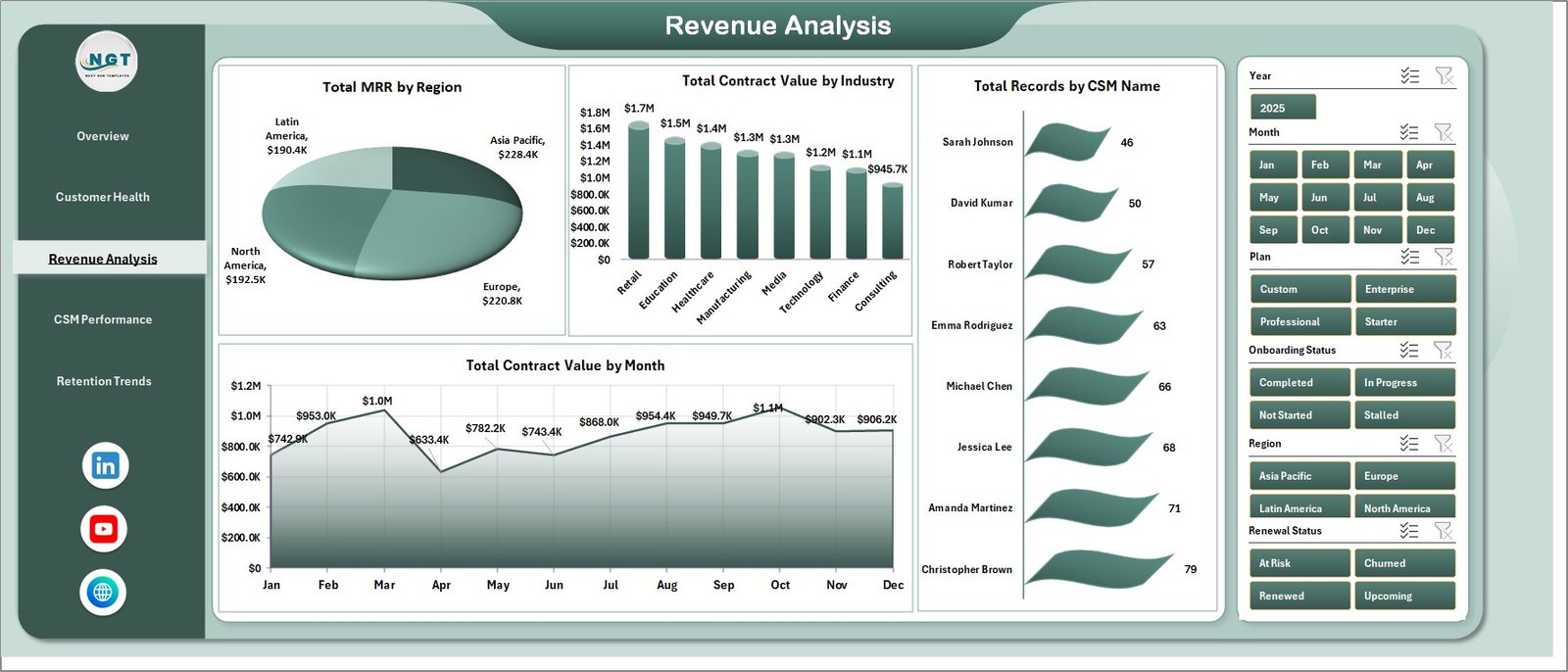
Revenue Analysis
CSM Performance
The CSM Performance page is built for coaching and workload review. Total MRR by CSM Name compares portfolio value. Total Tickets by CSM Name helps identify support pressure by owner. Total Records by Month tracks account volume over time. Avg. Health Score by CSM Name gives managers an account-quality view across the team.
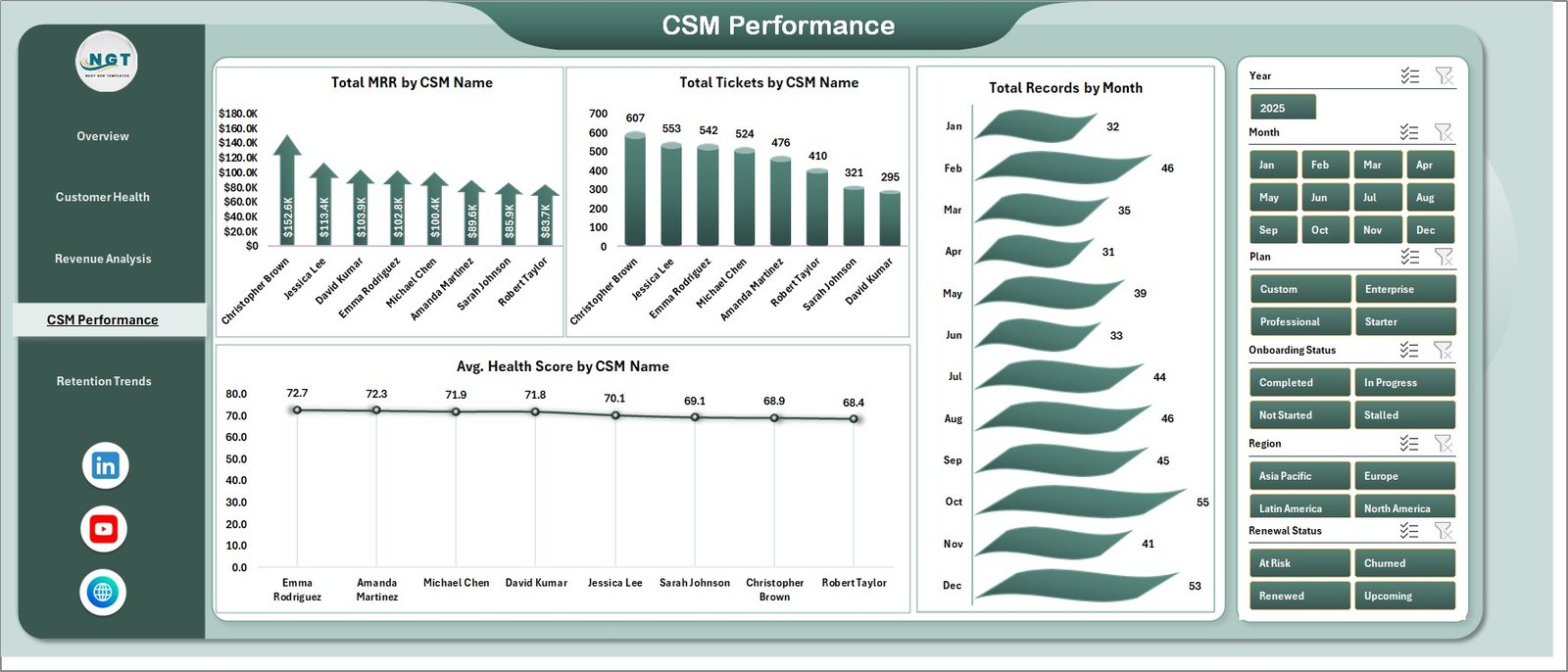
CSM Performance
Retention Trends
The Retention Trends page tracks renewal and customer-base movement. Total Renewed by Month shows how renewals are progressing over time. Total Records by Region explains where customer volume is concentrated. Total Records by Onboarding Status links customer success reporting with activation progress.
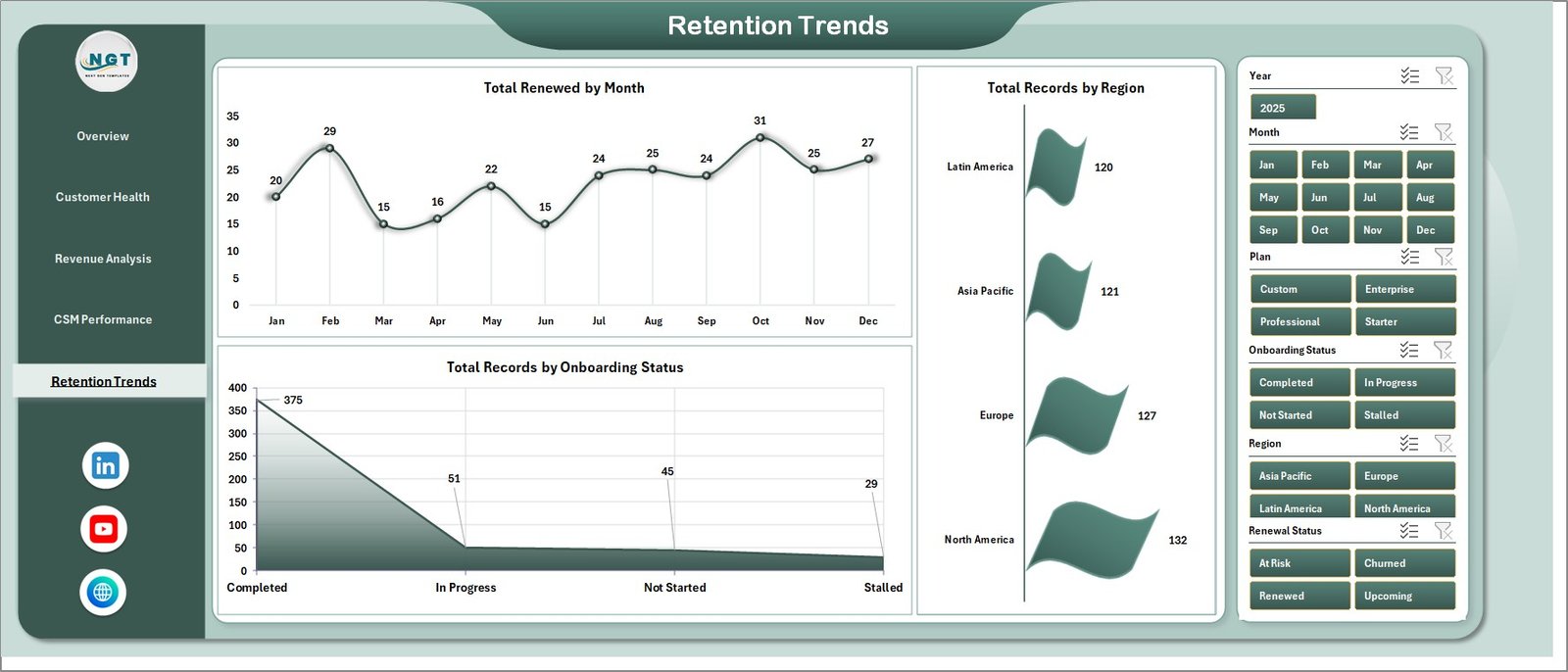
Retention Trends
Data Sheet Tab
The Data Sheet is the place where users add or replace customer success records. Keep the same column structure, paste your updated export, and refresh the workbook so all KPI cards, slicers, pivots, and charts update together.

Data Sheet tab
Support Sheet Tab
The Support Sheet contains the pivot tables that power the dashboard. After changing the Data Sheet, go to the Data tab in the Excel Ribbon and click Refresh All. Once the dashboard is ready for stakeholders, you can keep this sheet hidden.
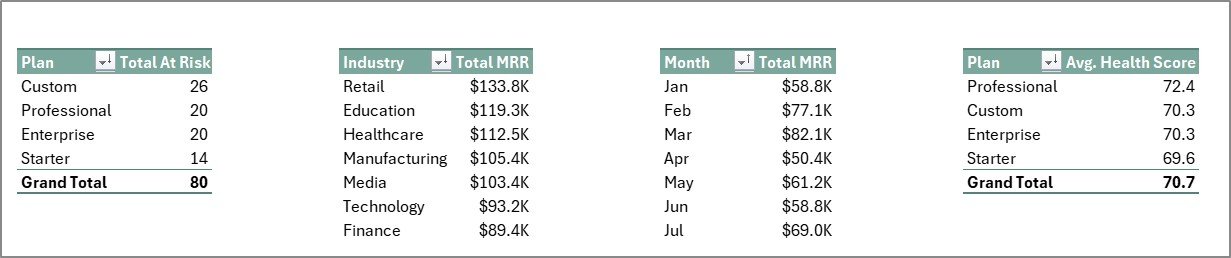
Support sheet tab
SaaS Customer Success Dashboard in Excel vs. Google Sheets vs. Paid CRM/SaaS – Feature Comparison
| Feature | SaaS Customer Success Dashboard in Excel | Google Sheets Alternative | Paid Customer Success SaaS |
|---|---|---|---|
| Cost | $17.99 one-time | Usually low one-time cost | Often $2,500 to $10,000+ per year |
| Platform | Microsoft Excel desktop workbook | Browser-based Google Sheets | Hosted cloud software |
| Setup time | Under 10 minutes | Under 10 minutes | Weeks of configuration |
| Real-time team collaboration | Possible through OneDrive or SharePoint | Built in | Built in |
| Customizable fields | Fully editable | Fully editable | Depends on vendor settings |
| MRR and health score reporting | Built in | Built in | Built in |
| Year-1 cost at 5 users | $17.99 total | Typically under $20 total | Often thousands per year |
Who Should Use This Template
This template is a good fit for SaaS founders, Customer Success Managers, RevOps analysts, account managers, fractional CS consultants, and finance teams that already use Excel exports. It is especially useful when the team needs weekly or monthly visibility into MRR, renewal status, support tickets, customer health, and account ownership.
It is not meant to replace a full automation platform. If your team needs live Salesforce sync, automated customer playbooks, email workflows, role-based permissions, or audit logs, a paid tool such as Gainsight, ChurnZero, HubSpot, Totango, or Salesforce may be the better choice.
Real-World Use Cases
Anita leads Customer Success at a B2B SaaS startup. She uses the Customer Health page every Monday to identify high-value accounts with low health scores and renewal risk. The Total Contract Value by Plan chart helps her prioritize save calls.
Marco runs RevOps for a subscription software company. He uses Revenue Analysis to prepare a monthly leadership report. Total MRR by Region and Total Contract Value by Industry help him explain where revenue concentration is rising.
Priya works as a fractional CS consultant. She creates one copy of the workbook for each client and uses CSM Performance to show account load, tickets, and average health score by owner.
Advantages of SaaS Customer Success Dashboard in Excel
The first advantage is speed. You do not need to design charts, create pivot tables, or build the dashboard structure from scratch. The workbook is already arranged around common SaaS customer success questions.
The second advantage is ownership. Your data stays in an Excel file you control. This matters for small teams that are not ready to send sensitive customer information into another SaaS platform.
The third advantage is cost. At $17.99 one-time, the dashboard is easier to justify than a subscription platform when your immediate need is reporting and account review, not automation.
Opportunities for Improvement
The dashboard depends on clean data. If your CRM, billing system, or support tool exports inconsistent column names, you may need to clean the file before pasting records into the Data Sheet. It is also a manual-refresh workbook, so teams that need live data every few minutes should consider a database, Power BI model, or customer success platform.
Advanced teams may also want to extend the dashboard with additional fields such as ARR, expansion revenue, NPS, product usage, segment, or risk reason. Because the workbook is editable, those additions are possible, but they require some Excel pivot-table knowledge.
Best Practices
- Keep the Data Sheet headers consistent so the pivot tables refresh cleanly.
- Refresh the workbook before every customer success meeting.
- Use slicers before making decisions so you are reviewing the right plan, region, CSM, or renewal segment.
- Hide the Support Sheet before sharing the workbook with non-technical stakeholders.
- Save a monthly snapshot so you can compare customer success performance over time.
Explore Relevant Templates
For a cloud-based version, see the SaaS Customer Success Dashboard in Google Sheets. To analyze onboarding and activation, pair this with the SaaS Onboarding Dashboard in Excel. For product engagement and usage analytics, explore the SaaS Product Usage Dashboard in Excel. You can also browse the full Excel Dashboard Templates collection.
Frequently Asked Questions
What does the SaaS Customer Success Dashboard in Excel track?
It tracks Total MRR, Total Contract Value, Total Records, Total Tickets, Avg. Health Score, at-risk accounts, renewal status, CSM performance, revenue by region, and retention trends.
How do I update the dashboard?
Replace the sample rows in the Data Sheet, keep the same headers, then click Refresh All from the Excel Data ribbon.
Does this workbook require macros?
No. It uses standard Excel tables, pivot tables, charts, and slicers.
Can I customize it for my SaaS business?
Yes. You can edit the data structure, pivot fields, chart formatting, slicers, and dashboard pages.
Is this better than a customer success platform?
It is better for fast, low-cost reporting. A full platform is better when you need live integrations, automated playbooks, audit logs, and enterprise permissions.
Can I use it for non-SaaS subscription businesses?
Yes. It can work for memberships, recurring services, online courses, and subscription products if your data fits the customer, plan, renewal, revenue, ticket, and health-score structure.
About the Author
Built by PK – Microsoft Certified Professional with 15+ years of Excel, Google Sheets, and Power BI experience. Founder of NextGenTemplates, reaching 300K+ subscribers across YouTube channels. Every template is hand-built and tested before release.
Conclusion
The SaaS Customer Success Dashboard in Excel gives recurring-revenue teams a practical way to review MRR, contract value, support tickets, customer health, renewals, retention trends, and CSM performance from one workbook. It is not trying to be a full customer success platform. It is a clean, affordable reporting layer for teams that want clarity now, using the Excel workflow they already know.
Click here to purchase SaaS Customer Success Dashboard in Excel
Watch Excel, dashboard, and reporting tutorials on Youtube.com/@PK-AnExcelExpert.
Last updated: May 2026