Introduction
The E-learning Platform KPI Scorecard is a comprehensive and ready-to-use tool designed to monitor, measure, and optimize the performance of your e-learning platform. With evolving digital education environments, tracking key performance indicators (KPIs) allows organizations to make data-driven decisions to enhance learner engagement, content quality, and operational efficiency. This blog post walks you through this essential KPI Scorecard template, its key features, dashboard explanation, advantages, and best practices for maximizing its benefits.
Key Features of E-learning Platform KPI Scorecard
- User-Friendly Interface: Navigate through well-structured worksheets to track and analyze KPIs.
- Flexible Data Selection: Choose monthly, Month-to-Date (MTD), or Year-to-Date (YTD) views for nuanced performance insights.
- Visual Performance Indicators: Color-coded and conditional formatting highlight KPI status instantly.
- Comprehensive Data Input: Easily input, update, and maintain KPI data to keep your dashboard current.
- KPI Definitions and Formulas: Clear, structured definitions and formulas explain each indicator’s purpose and calculation.
- Trend Visualization: Analyze trends of actual vs. target and previous year metrics with dynamic charts.
Dashboard Pages Explanation
Click to Buy E-learning Platform KPI Scorecard
1. Scorecard Sheet
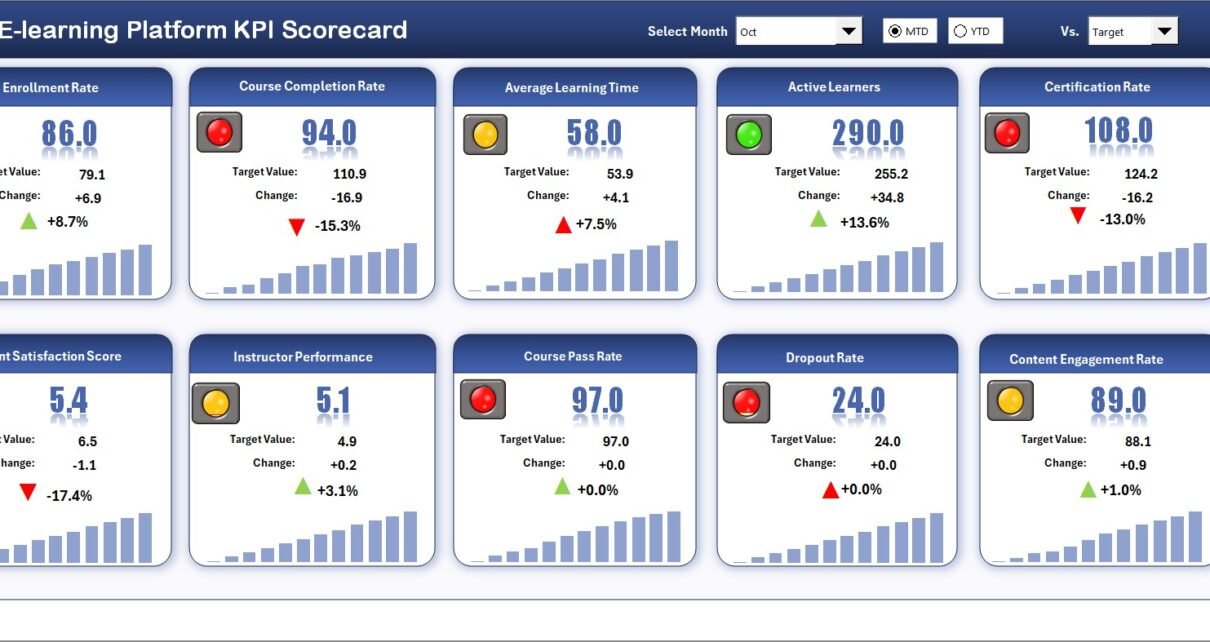
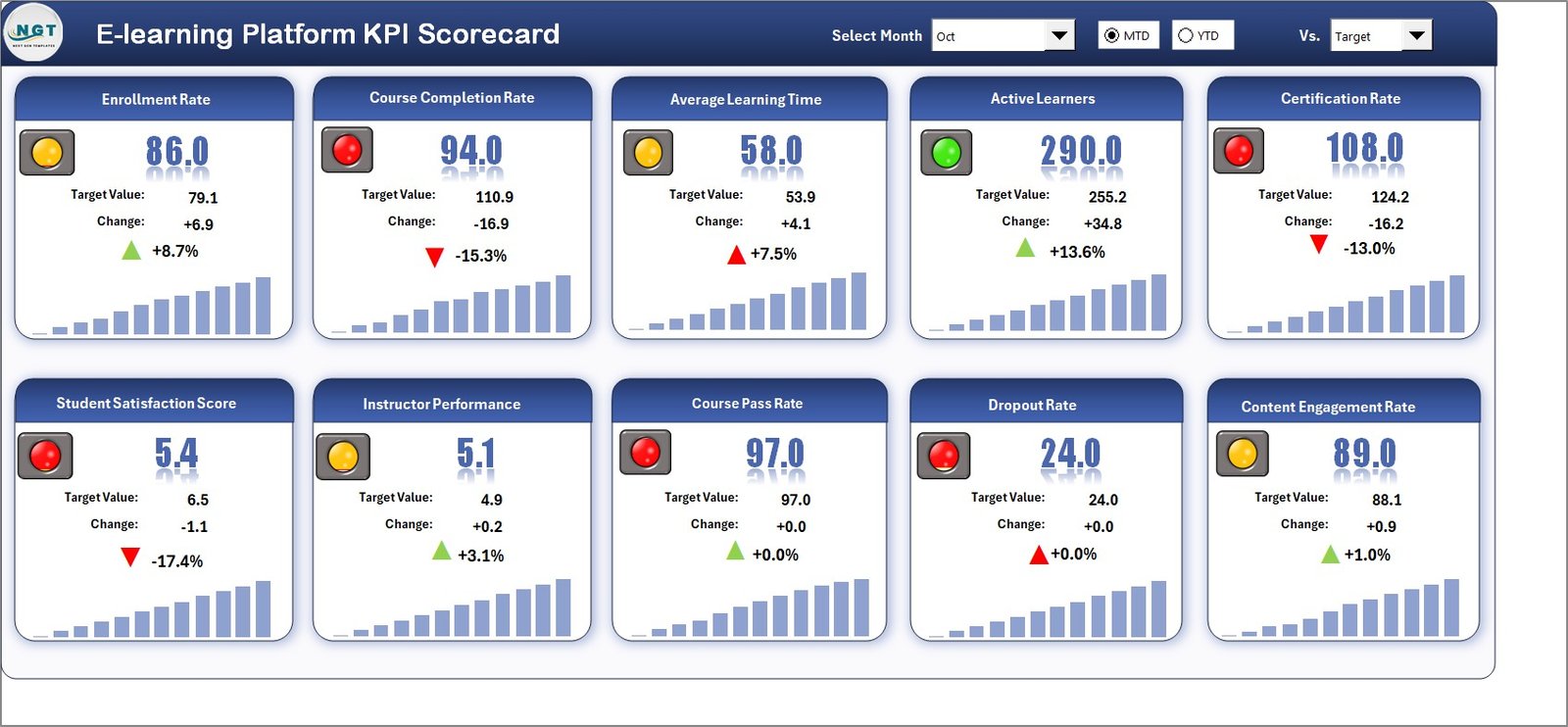
The Scorecard Sheet is the heart of the KPI monitoring experience. Here, you can quickly:
- Select Period: Dropdown menus for month, MTD, or YTD help filter data for precise analysis.
- Compare Actual vs Target: Visual comparison between current achievements and established goals for each KPI.
- Visual Indicators: Color-coded flags or highlights indicate whether KPIs are meeting, exceeding, or falling short of targets.
- Comprehensive Overview: All e-learning KPIs are displayed with relevant metrics side-by-side for easy evaluation.
 E-learning Platform KPI Scorecard
2. KPI Trend Sheet
This sheet allows detailed trend analysis where you can select any KPI using the dropdown menu located in cell C3. The dashboard displays:
- KPI Group classification
- Unit of measurement
- Type of KPI (whether lower or upper values are better)
- Formula used to calculate the KPI
- Definition to understand the KPI’s importance
Additionally, interactive charts show Month-to-Date (MTD) and Year-to-Date (YTD) trends for Actual, Target, and Previous Year (PY) values to help identify patterns and growth over time.
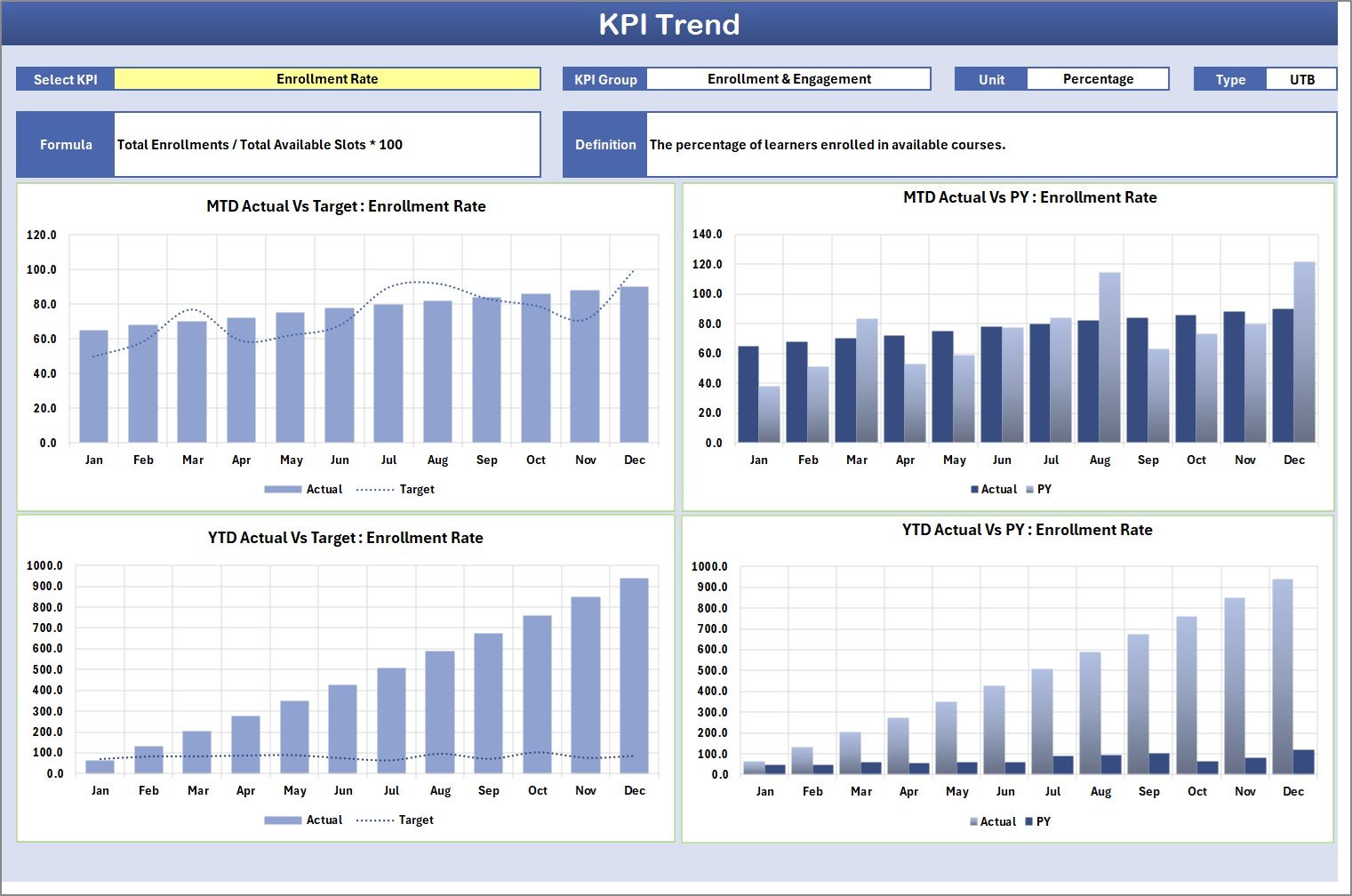 KPI Trend Sheet
3. Input Data Sheet
The Input Data Sheet is the backbone for capturing your KPI numbers. This sheet allows you to:
- Record actual values, bespoke targets, and other key metrics for each KPI.
- Update and maintain data easily to reflect the most current results.
- Ensure that the KPI Scorecard reflects real-time and accurate performance metrics.
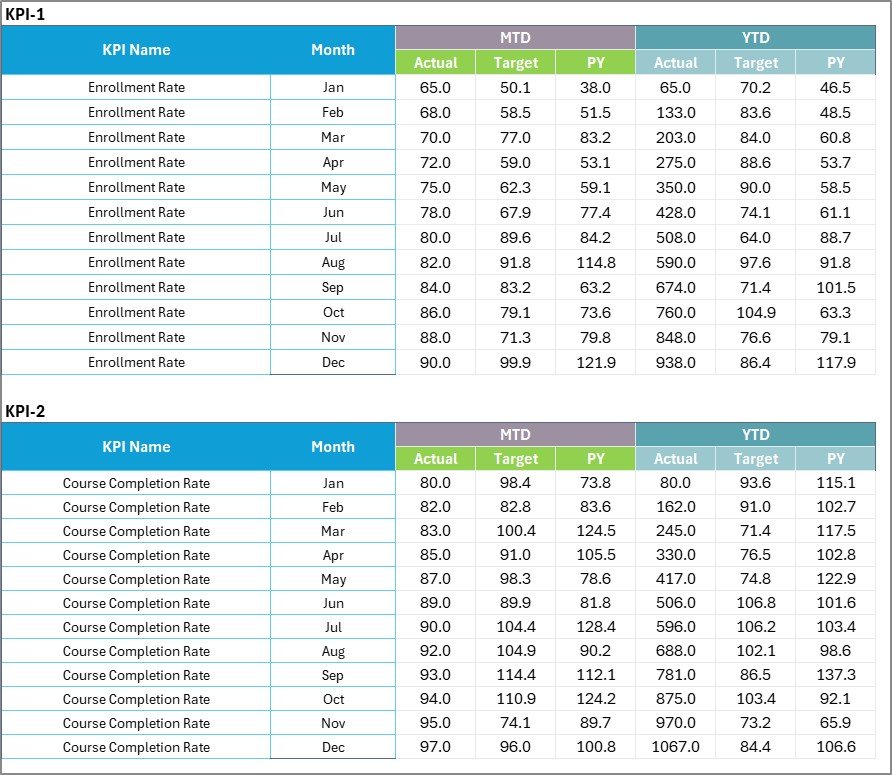 Input Data Sheet
4. KPI Definition Sheet
This sheet tab serves as the KPI dictionary where you enter detailed:
- KPI Names
- KPI Groups
- Units of measurement
- Formulas for calculation
- Definitions clarifying the purpose and scope of each KPI
Maintaining this sheet ensures clarity and alignment across stakeholders on what each KPI measures and how it is calculated.
 KPI Definition sheet tab
Advantages of E-learning Platform KPI Scorecard
- Data-Driven Decisions: Easily identify areas that need improvement or investment.
- Comprehensive Monitoring: Multi-dimensional KPI tracking covering all critical aspects of e-learning platforms.
- Customization: Adapt and expand KPIs as your platform evolves or grows.
- Efficiency: Quick access to trends and status updates saves time in reporting and analysis.
- Improved Accountability: Clear targets and tracking improve team focus and responsibility.
Opportunities for Improvement
- Integrate automated data feeds from the e-learning platform to reduce manual data entry errors.
- Enhance visual analytics with dynamic dashboards using tools like Power BI or Tableau.
- Add predictive analytics to forecast trends based on historical performances.
- Incorporate learner feedback KPIs for qualitative performance insights.
- Develop mobile-friendly versions for on-the-go KPI monitoring.
Best Practices
Click to Buy E-learning Platform KPI Scorecard
- Regular Updates: Keep your KPI data current by scheduling routine updates.
- Clear Definitions: Ensure every stakeholder understands each KPI’s definition and measurement method.
- Action-Oriented: Use insights from the scorecard to create concrete action plans.
- Consistent Review: Conduct monthly or quarterly reviews of the KPI results and strategy adjustments.
- Train Teams: Familiarize team members with scorecard use and interpretation to leverage data effectively.
FAQs
Click to Buy E-learning Platform KPI Scorecard
What is the main purpose of the E-learning Platform KPI Scorecard?
It helps organizations monitor and optimize the performance of their e-learning platforms through structured KPI tracking and analysis.
Can I customize the KPIs in the scorecard?
Yes, the template is flexible, allowing you to add, modify or remove KPIs based on your platform’s unique requirements.
How often should the data be updated?
Ideally, on a monthly basis or as frequently as new data becomes available to ensure accurate insights.
Is prior Excel knowledge necessary to use this template?
Basic Excel skills are helpful; however, the user-friendly design and dropdown menus facilitate easy navigation and data entry.
Conclusion
Click to Buy E-learning Platform KPI Scorecard
The E-learning Platform KPI Scorecard is a vital tool for any organization aiming to optimize the delivery and effectiveness of their digital learning environment. Its clear layout, data visualization, and flexibility help decision-makers understand current performance and forecast future improvements. Implementing this ready-to-use template can significantly enhance your ability to align training initiatives with strategic objectives, thereby improving learner outcomes.
For more insights and a detailed demo, visit our YouTube channel to watch the full walkthrough and learn how to make the most of this KPI scorecard.
For comprehensive business intelligence tools and resources, explore Microsoft Power BI, a powerful platform for advanced data visualization and reporting.
Click to Buy E-learning Platform KPI Scorecard