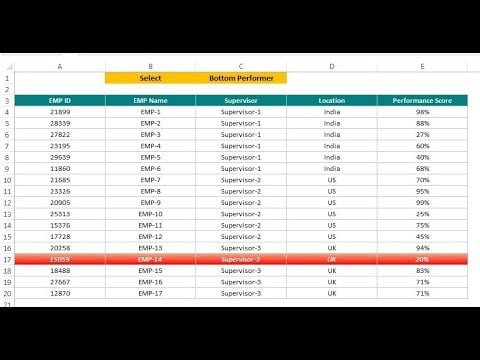
Home>Blogs>Excel Tips and Tricks>Highlight Top and Bottom Performer using conditional formatting>Video Thumbnail: Excel Tip: Highlight Top and Bottom Performer using Conditional Formatting
Video Thumbnail: Excel Tip: Highlight Top and Bottom Performer using Conditional Formatting
11
Sep 2024
0Comments Off on Video Thumbnail: Excel Tip: Highlight Top and Bottom Performer using Conditional Formatting
PK
Meet PK, the founder of PK-AnExcelExpert.com! With over 15 years of experience in Data Visualization, Excel Automation, and dashboard creation. PK is a Microsoft Certified Professional who has a passion for all things in Excel. PK loves to explore new and innovative ways to use Excel and is always eager to share his knowledge with others. With an eye for detail and a commitment to excellence, PK has become a go-to expert in the world of Excel. Whether you're looking to create stunning visualizations or streamline your workflow with automation, PK has the skills and expertise to help you succeed. Join the many satisfied clients who have benefited from PK's services and see how he can take your Excel skills to the next level!
https://www.pk-anexcelexpert.com
Related Articles
Human Resources Training and Development KPI Dashboard in Excel
In today’s competitive business world, Human Resources (HR) plays a crucial role in developing and nurturing talent. However, without proper
Food and Beverage Dashboard in Excel
Running a food and beverage business requires constant monitoring of costs, sales, margins, production volumes, and availability across multiple categories.
Impact Investment Funds Dashboard in Excel
Impact Investment Funds Dashboard in Excel helps fund managers, sustainable finance teams, impact analysts, portfolio operations leads, and investor reporting