The Subscription and SaaS Renewal Calendar in Excel tracks renewal dates across 5 structured worksheets, with annual, monthly, and daily views plus a centralized events database. Gartner estimates that mid-size companies manage 80-120 SaaS subscriptions on average, and 30% of that software spend goes to waste on forgotten renewals or auto-charged licenses nobody uses. A structured renewal calendar can reduce surprise charges by up to 40%.
If you manage software subscriptions for a team, a department, or even just yourself, missing a renewal deadline means either losing access to a tool your team depends on or getting locked into another year of a service you no longer need. This ready-to-use Subscription and SaaS Renewal Calendar in Excel gives IT managers, procurement teams, and finance controllers a structured way to log, view, and track every subscription renewal — without paying monthly fees for a dedicated SaaS management platform. Similar calendar structures are used in our Investment Maturity Calendar in Excel and Loan and EMI Repayment Calendar in Excel.
Key Features of the Subscription and SaaS Renewal Calendar in Excel
👉 Click here to Purchase the Subscription and SaaS Renewal Calendar in Excel
The Subscription and SaaS Renewal Calendar in Excel includes 5 dedicated worksheets: Home, Annual View, Monthly View, Daily View, and Events. It tracks unlimited renewal events with fields for date, day, event name, time, location, and description — each entry receives an auto-generated unique ID for quick reference.
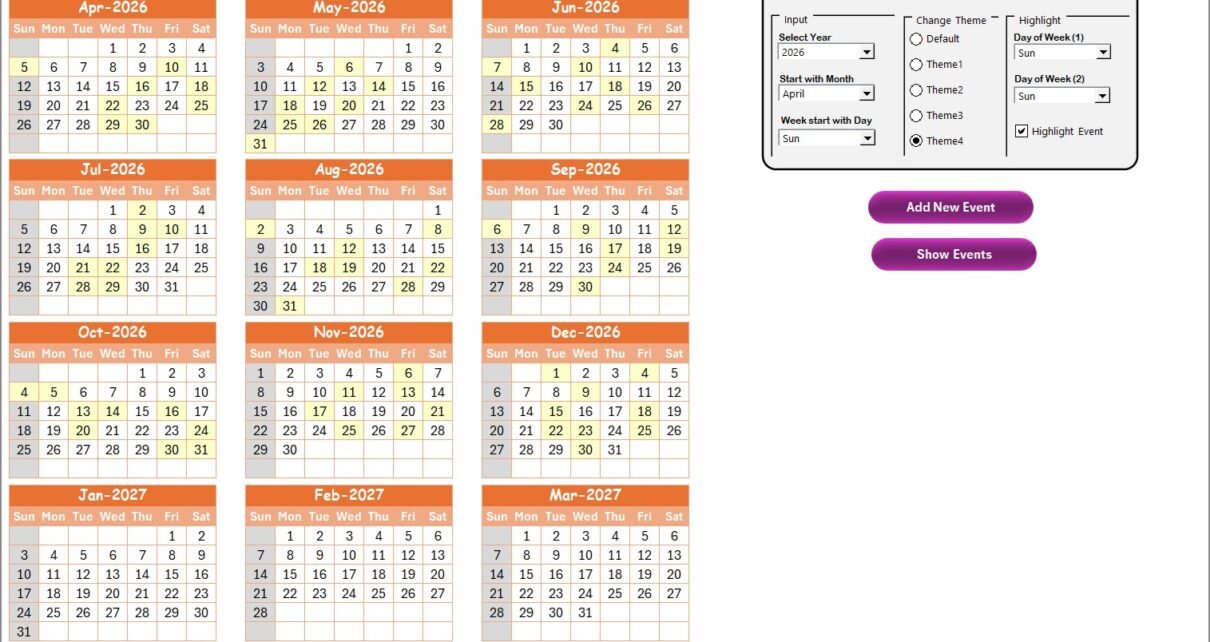
The Annual View displays all 12 months of the selected year in a single overview, letting managers spot renewal clusters at a glance. You can select the year, change the starting month, and pick the starting day of the week from the control panel. Five built-in color themes let you restyle the entire workbook in one click.
The Monthly View shows a single-month calendar where each date displays one event, with a “more than 1…” indicator when multiple renewals fall on the same day. The Daily View filters all events within a custom date range using start and end date pickers, so you can pull up next week’s renewals or next quarter’s in seconds.
All event data lives in the Events sheet — a centralized database with Add, Update, and Delete buttons for full CRUD control. VBA-powered popup forms handle data entry, making it easy to add or edit events without scrolling through rows manually.
Template Structure — 5 Worksheets Explained
1. Home Sheet
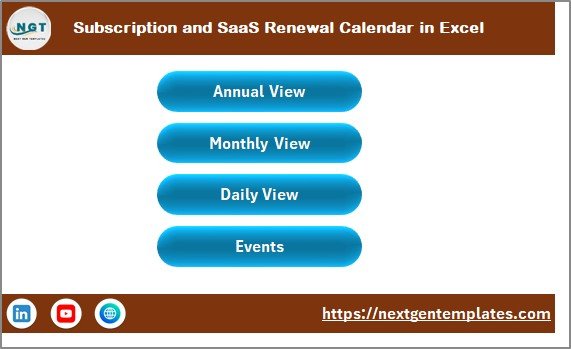
This is the index page. It provides 4 navigation buttons — Annual View, Monthly View, Daily View, and Events — so you can jump to any section of the calendar instantly.
Subscription and SaaS Renewal Calendar in Excel
2. Annual View Sheet
The Annual View shows all 12 months of the selected year on one screen. On this sheet you have a control panel with 3 groups and 2 action buttons:
- Input Group: Select the year to update the annual calendar automatically. Change the starting month and the starting day of the week from dropdown menus.
- Change Theme Group: Choose from 5 color themes that apply across the entire workbook.
- Highlight Group: Pick 2 weekdays (e.g., Saturday and Sunday) to highlight in grey. Toggle the Highlight Event checkbox to mark events in yellow on the annual calendar.
The Add New Event button opens a form to log a new renewal on the selected date. The Show Event button displays all events for the selected date.
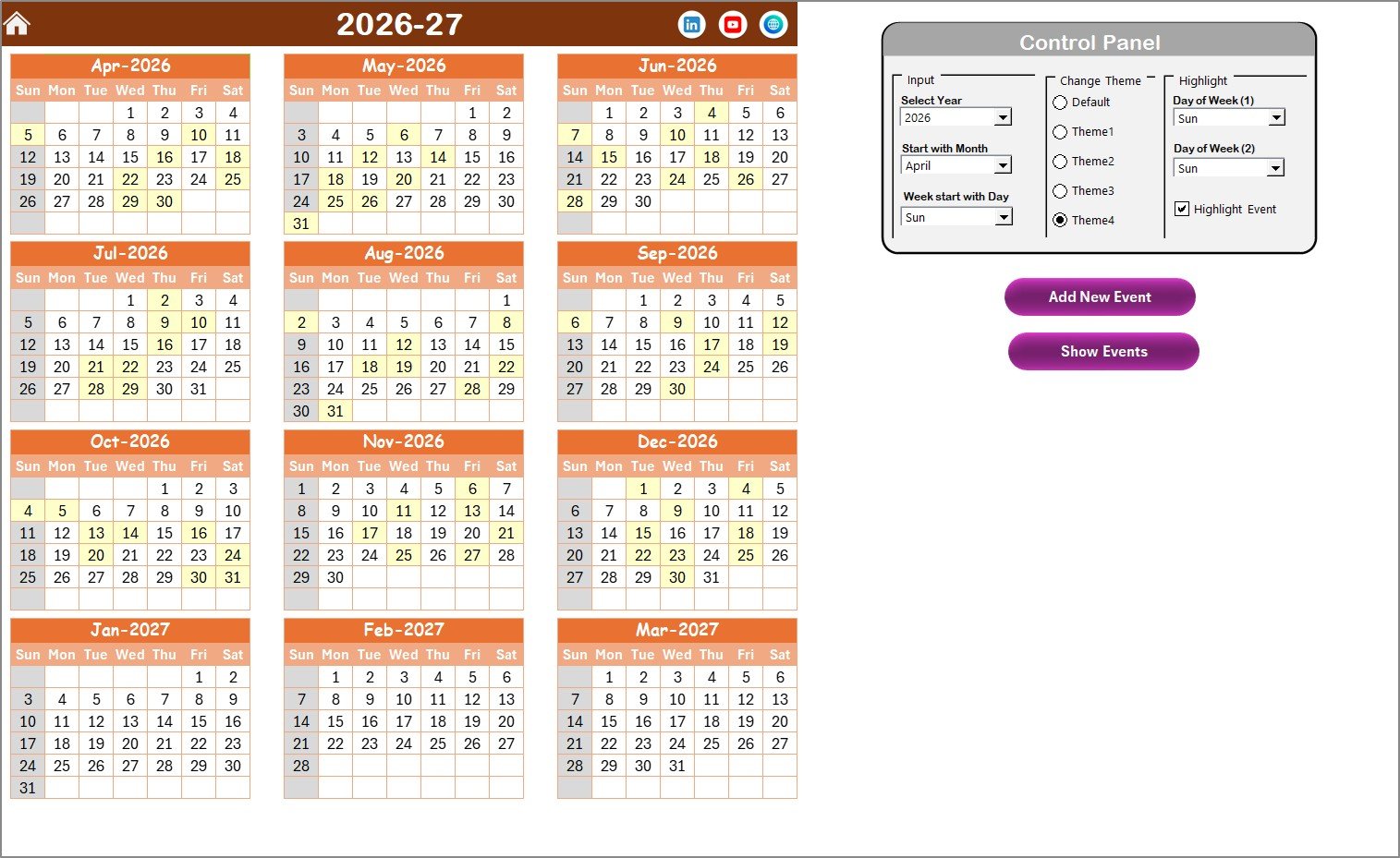
Annual View Sheet
3. Monthly View Sheet
The Monthly View displays a single month’s calendar. Select the month and year from dropdowns at the top. Each calendar date shows one event; when more than one event falls on a date, it displays “more than 1…” to flag busy days. Add New Event and Show Event buttons are available here too.
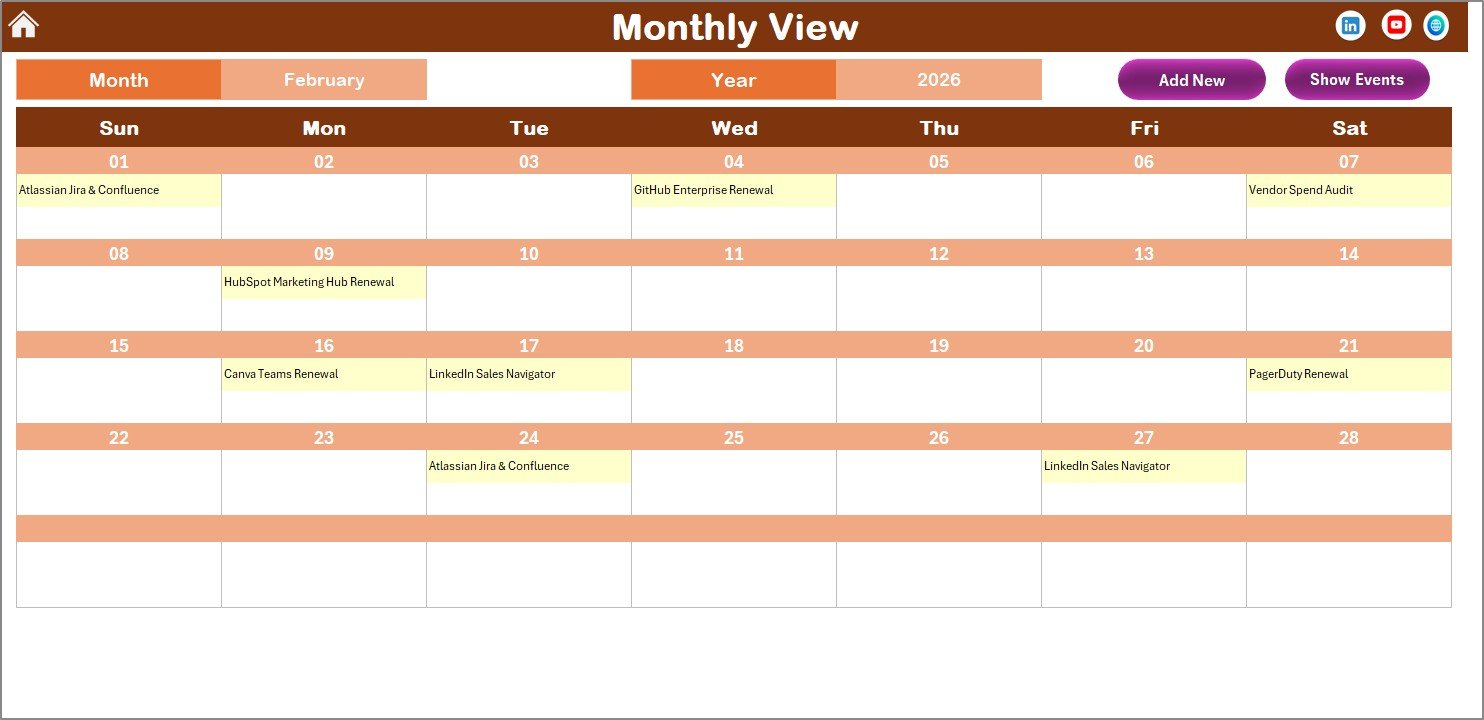
Monthly View Sheet
4. Daily View Sheet
The Daily View lists all events with details for a selected date range. Set the Start Date and End Date using the calendar icon, then click Refresh to load the events. An Add New Event button on top lets you quickly log a new renewal from this view.
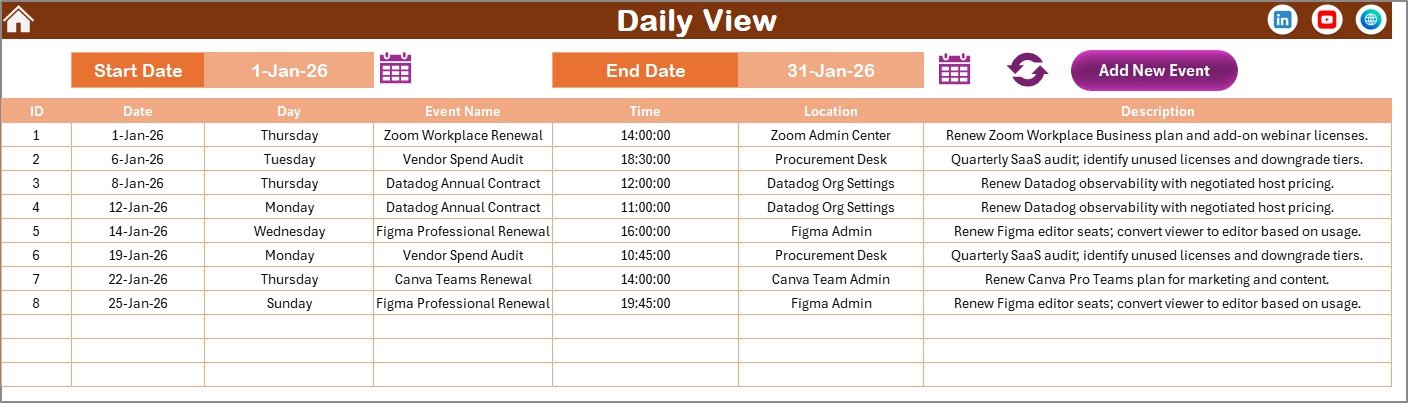
Daily View Sheet
5. Events Sheet
This is the database sheet that stores all event records. Each record includes: ID (auto-generated), Date, Day, Event Name, Time, Location, and Description. Three action buttons sit at the top:
- Add New Record: Opens the event form to add a new entry.
- Update Existing Record: Select a record ID, click this button, and edit pre-filled data in the form.
- Delete Record: Select a record ID and delete the event permanently.
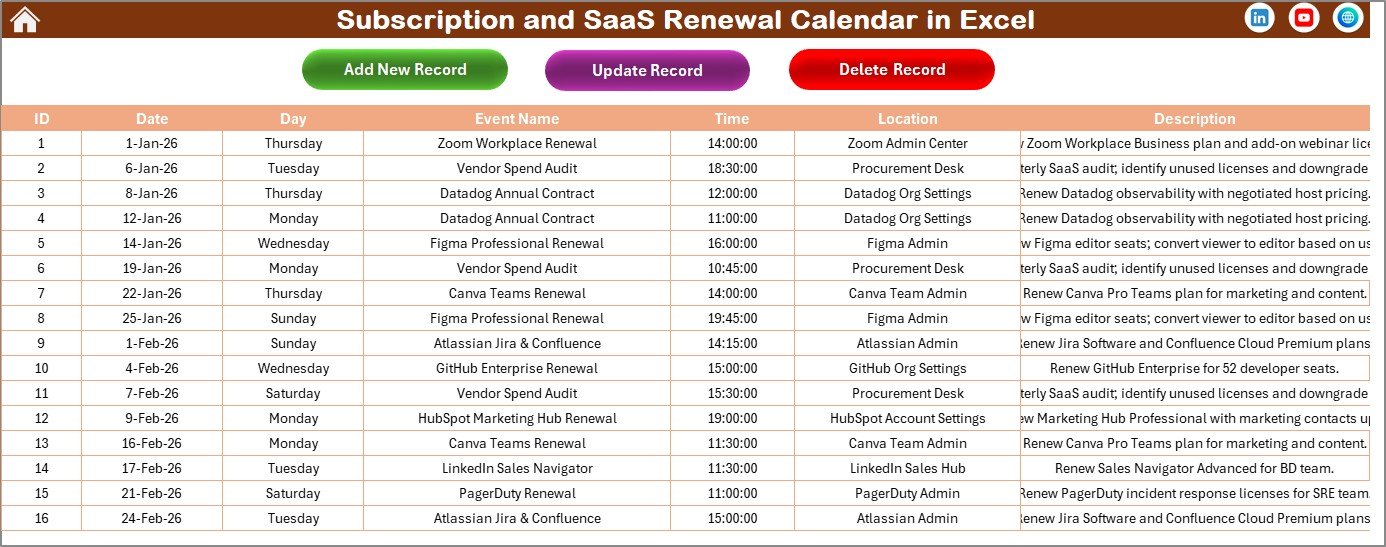
Events Sheet
Subscription and SaaS Renewal Calendar in Excel vs. Google Sheets Calendar vs. Zylo / Torii — Feature Comparison
| Feature | Subscription and SaaS Renewal Calendar in Excel | Google Sheets Calendar | Zylo / Torii (SaaS Management) |
|---|---|---|---|
| Cost | $4.99 one-time | Free (manual build) | $3,000-15,000 / year |
| Platform | Microsoft Excel (desktop) | Google Sheets (browser) | Cloud SaaS platform |
| Setup time | Under 10 minutes | 2-4 hours (build from scratch) | 2-4 weeks onboarding |
| Annual + Monthly + Daily views | ✅ All 3 included | ❌ Build each manually | ✅ Yes |
| Color themes | ✅ 5 built-in themes | ❌ Manual formatting | ✅ Limited branding |
| VBA event forms (Add/Update/Delete) | ✅ Built-in | ❌ Not available | ✅ Web UI |
| Customizable fields | ✅ Full control | ✅ Full control | ⚠️ Limited by plan |
| Year-1 cost at 5 users | $4.99 total | $0 | $3,000-15,000 |
For IT teams that want a structured SaaS renewal tracker without paying thousands for a dedicated SaaS management platform, the Subscription and SaaS Renewal Calendar in Excel sits in the sweet spot.
Who Should Use This Template
👉 Click here to Purchase the Subscription and SaaS Renewal Calendar in Excel
Perfect for:
- IT managers at 10-500 person companies tracking 20-200 SaaS subscriptions
- Finance and procurement teams who need a renewal overview without enterprise SaaS management software
- Startup operations leads managing monthly and annual software renewals across departments
- Freelancers and consultants juggling multiple tool subscriptions and domain renewals
Not a fit if:
- You need automated vendor API integrations with real-time license usage data and SSO audit trails
- Your organization has 1,000+ subscriptions requiring automated discovery and expense categorization
Real-World Use Cases
Rahul manages IT at a 60-person marketing agency. He uses the Subscription and SaaS Renewal Calendar in Excel to track 45 SaaS renewals — from Adobe Creative Cloud and Slack to niche SEO tools. Before this calendar, 3-4 subscriptions auto-renewed every quarter without review, costing the company over $2,000 per year in unused licenses. Now he checks the Daily View for the next 30 days every month and flags renewals that need cancellation or renegotiation.
Jessica runs procurement for a mid-size logistics company. She logs every software renewal date with cost and vendor details in the Events sheet. Each month she pulls the Daily View for the next 30 days and sends a renewal review list to department heads — catching duplicate tools and negotiating better rates before auto-renewal kicks in. The calendar paid for itself in the first week.
Tom is a freelance developer juggling 15 subscriptions including GitHub, AWS, Figma, and domain registrars. He uses the Annual View to see the full year at a glance and highlights Saturdays and Sundays in grey so renewal dates stand out on working days. The $4.99 one-time cost replaced a $12/month subscription tracker he was using.
Advantages of the Subscription and SaaS Renewal Calendar in Excel
👉 Click here to Purchase the Subscription and SaaS Renewal Calendar in Excel
- Immediate setup: Download, open, and start adding events in under 10 minutes. No configuration wizards or onboarding calls.
- No recurring costs: A single $4.99 payment gives you lifetime access — no monthly fees, no per-user charges, no feature-gated upgrades.
- Full data ownership: Your renewal data lives in your Excel file on your machine or shared drive. No third-party cloud storage, no vendor lock-in.
- VBA-powered forms: The popup forms for adding, updating, and deleting events prevent data entry errors and save time compared to raw spreadsheet editing.
- Visual flexibility: Five color themes and weekend highlighting options make the calendar easy to read and present to stakeholders.
Opportunities for Improvement
- The calendar does not send automated email or desktop reminders ahead of renewal dates — you need to check the Daily View manually or set external reminders.
- There is no built-in cost tracking column. While you can add cost info in the Description field, a dedicated cost column with summary totals would be useful for budget planning.
- The template works best on desktop Microsoft Excel. Some VBA features may not function in Excel Online or the mobile app.
Best Practices
👉 Click here to Purchase the Subscription and SaaS Renewal Calendar in Excel
- Review the Daily View on the 1st of every month with a 45-day lookahead — most SaaS vendors require 30-day cancellation notice, so a 45-day window gives you a buffer.
- Use the Description field to note the vendor name, annual cost, and contract terms for each subscription. This turns the Events sheet into a lightweight vendor register.
- Color-code by priority: Use the Highlight Group to flag high-cost renewals or auto-renewing contracts that need active review.
- Back up the file monthly to a shared drive or cloud folder so the renewal data is protected and accessible to your team.
- Pair with the Small Business Cash Flow Calendar in Excel to map subscription costs against your monthly cash flow projections.
Explore Relevant Templates
📌 SaaS Onboarding Dashboard in Excel — Track onboarding metrics, activation rates, and time-to-value for your SaaS products.
📌 Investment Maturity Calendar in Excel — The same calendar structure applied to investment maturity dates, bonds, and fixed deposits.
📌 Loan and EMI Repayment Calendar in Excel — Track EMI due dates and loan repayment schedules with annual, monthly, and daily views.
📌 Small Business Cash Flow Calendar in Excel — Monitor cash inflows and outflows on a calendar-based layout.
Browse the full Excel Calendar Templates collection for 400+ ready-to-use calendars.
Frequently Asked Questions
👉 Click here to Purchase the Subscription and SaaS Renewal Calendar in Excel
What does the Subscription and SaaS Renewal Calendar in Excel track?
The Subscription and SaaS Renewal Calendar in Excel tracks renewal dates, event names, times, locations, and descriptions across annual, monthly, and daily views. Each event receives an auto-generated ID for easy lookup and management.
How many SaaS subscriptions can I track?
There is no limit. The Events sheet stores unlimited records. Each entry is logged with date, day, event name, time, location, and description — add as many renewal events as your organization needs.
Do I need to enable macros for this template?
Yes. The Subscription and SaaS Renewal Calendar in Excel uses VBA macros for the Add, Update, and Delete event forms. Enable macros when you open the file to use all interactive features.
Can I customize the color theme?
Yes. Five built-in color themes are available in the Annual View control panel. Selecting a theme applies it across all 5 worksheets instantly without any manual formatting.
How does this compare to Zylo or Torii for SaaS management?
Zylo and Torii start at $3,000-15,000 per year and target enterprise teams needing automated API integrations. The Subscription and SaaS Renewal Calendar in Excel costs $4.99 one-time and covers 90% of the tracking needs for teams managing under 200 subscriptions.
Can I change the starting month and day of the week?
Yes. The control panel on the Annual View lets you pick any starting month and any starting day of the week, so the calendar fits your fiscal year or regional week format.
Does the calendar work on Mac?
The calendar opens in Excel for Mac, but some VBA form features may behave differently. For full functionality, Microsoft recommends enabling macros in Excel for Windows or the desktop version of Excel for Mac.
About the Author
Built by PK — Microsoft Certified Professional with 15+ years of Excel, Google Sheets, and Power BI experience. Founder of NextGenTemplates, reaching 300K+ subscribers across YouTube channels. Every template is hand-built and tested before release.
Conclusion
The Subscription and SaaS Renewal Calendar in Excel gives IT managers, procurement teams, and freelancers a structured, no-fuss way to track every software renewal date — with annual, monthly, and daily views, VBA event forms, and 5 color themes, all for a one-time $4.99 payment.
👉 Click here to Purchase the Subscription and SaaS Renewal Calendar in Excel
✅ Instant download · One-time payment · No subscription
🎥 Visit our YouTube channel for step-by-step video tutorials: Youtube.com/@PK-AnExcelExpert